

 FSX Civil Aircraft
Boeing 737-200 Package V1.1
Includes several liveries such as Southwest Airlines (Canyon Blue) and United…
Xstrata Nickel Boeing 737-200 livery brings C-FFAL to life with crisp alignment, accurate markings, and a clean white finish that suits classic JT8D-era twinjet operations. Built for FSX, it requires the FAIB Boeing 737-200 freeware base model and fits neatly into AI traffic or vintage charter scenarios for a busier, more believable virtual environment.
 Rate
Rate
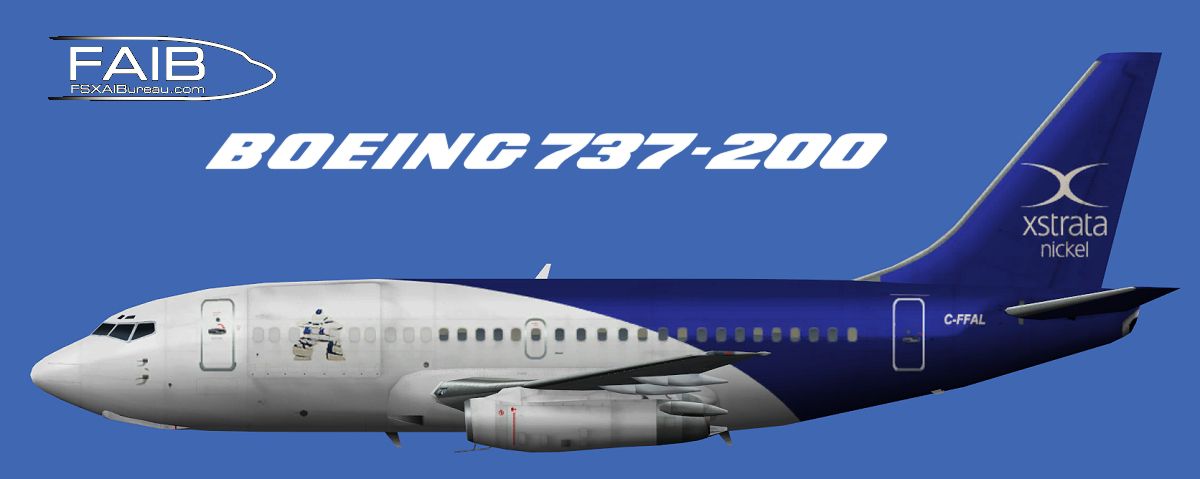
Enjoy seamlessly integrated textures for a classic twinjet variant sporting the striking Xstrata Nickel mining group scheme, meticulously prepared by Garry Lewis. This repaint enhances an existing freeware Boeing 737-200 model from FSX AI Bureau (FAIB_B7372.ZIP) and showcases a distinctive interpretation of the C-FFAL registration. Pilots who prefer older-generation jetliners will appreciate the detailed exterior aesthetics, while traffic enthusiasts can incorporate this aircraft into custom flightplans for an authentic and lively virtual environment.
Garry Lewis carefully recreated each fuselage contour, ensuring optimal alignment of corporate markings, tail detailing, and precise text placement. The base white finish highlights the mining group’s emblem and emphasizes the aircraft’s entire frame. This rendition aims to capture the blend of functional design and purposeful branding typical of specialized charter operations.

Profile view of Xstrata Nickel Boeing 737-200.
The 737-200, originally introduced in the late 1960s, offers a distinctive silhouette set apart by its compact fuselage length and older Pratt & Whitney JT8D engines. Its robust airframe design served various operators worldwide, including corporate and mining support ventures. Such versatility makes this model an ideal choice for simmers who appreciate vintage flight decks and enjoy recreating unique commercial or industrial routes.
These textures are crafted for FSX AI Bureau’s Boeing 737-200 model, ensuring optimal mapping on control surfaces, fuselage sections, and engines. As a freeware solution, the underlying model is conveniently accessible within the Fly Away Simulation library. Sim pilots who incorporate these repaint files have an opportunity to expand their collection of specialized transporter aircraft, further customizing how diverse flight schedules appear in-sim.
Although known primarily for mining and resource development, Xstrata Nickel’s aviation pursuits revolve around efficiently transporting personnel and equipment to remote sites. By introducing this livery into a virtual flight environment, simmers can replicate realistic corporate missions from resource-rich areas to major hubs, thus adding an extra layer of immersion to their simulated schedules.
Free for all simmers · 1.47 MB · Scanned clean Oct 2026
Download speed: Free tier is capped at 0.5 Mbps. PRO members download at full line speed.
This file is a repaint — the package below is the base model it paints onto. Install it first, or the textures will have nothing to load onto.
texture.{airline}) inside FSX\SimObjects\Airplanes\{base-aircraft}\.aircraft.cfg in Notepad. Add a new [fltsim.X] section per the readme.readme.txt or README file. It tells you exactly where files go, what dependencies are needed, and any quirks specific to this add-on.The archive faib_732_xstrata_fsx.zip has 8 files and directories contained within it.
This list displays the first 500 files in the package. If the package has more, you will need to download it to view them.
| Filename/Directory | File Date | File Size |
|---|---|---|
| FAIB_737_200_L.bmp | 05.13.12 | 5.33 MB |
| FAIB_737_200_T.bmp | 05.13.12 | 5.33 MB |
| texture.Xstrata C-FFAL | 03.31.12 | 0 B |
| ReadMe.txt | 06.03.12 | 3.33 kB |
| Fltsim.txt | 06.03.12 | 422 B |
| FAIB732_CFFAL.jpg | 05.13.12 | 158.64 kB |
| flyawaysimulation.txt | 10.29.13 | 959 B |
| Go to Fly Away Simulation.url | 01.22.16 | 52 B |
Only PRO members can place votes.
More FSX & P3D add-ons hand-picked based on this download.
FSX Civil Aircraft
Includes several liveries such as Southwest Airlines (Canyon Blue) and United…
 FSX Civil Aircraft
Indonesian Boeing 737-200 Pack. This is a complete pack of Erick Cantu's Boei…
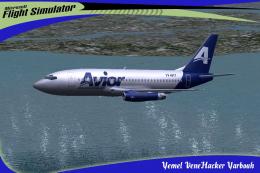 FSX Civil Aircraft
Avior Boeing 737-200, registration YV491T. Complete pack. Textures for the mo…
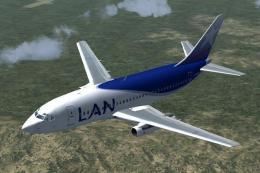 FSX Civil Aircraft
Fly one of the most successful Airplanes in history with this aircraft file f…
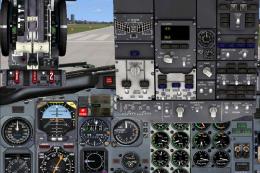 FSX Civil Aircraft
FSX GB Airways Boeing 737-200. A GB Airways B737-200 in an old paint scheme f…
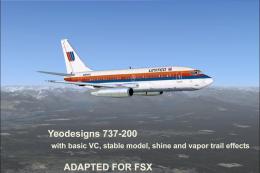 FSX Civil Aircraft
FSX YeoDesigns Boeing 737-200; FS2002 model updated for use with FSX only. In…
 FSX Civil Aircraft
Aviacsa Estafeta Boeing 737-200. Textures for Aviacsa Estafeta Magnicharters …
 FSX Civil Aircraft
Model by YeoDesign. Repaint by Muhd Khairul Fathi Bin Mohammad. Screenshot of…
Be the first to leave a comment on this download.
Be the first to share your thoughts on this download.