

 FSX Civil Aircraft
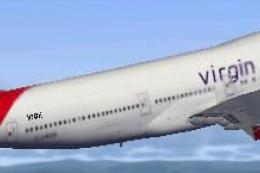
Virgin Atlantic Boeing 747 Virgin Jersey Girl
Virgin Atlantic Boeing 747 Virgin Jersey Girl and Pretty Woman. This is a Vir…
Virgin Atlantic Boeing 787-9 AI repaint brings the carrier’s modern Dreamliner livery to busy skies and believable long-haul traffic in Microsoft Flight Simulator X, with accurate tail artwork and forward fuselage branding for authentic ramp presence. Textures only; requires the CamSim AI 787-9 base model for full compatibility.
 Rate
Rate
This repaint package provides an AI rendition of Virgin Atlantic’s Boeing 787-9 for Microsoft Flight Simulator X enthusiasts seeking enhanced virtual airline traffic. It reflects the airline’s sleek modern livery, which is well known around the world for its distinctive tail markings and forward fuselage branding. Many long-haul routes flown by this wide-body, twin-engine jet are faithfully simulated through this texture set. Model design and paint are by Camil Valiquette (CamSim), and you must acquire the freeware base model from the Fly Away Simulation mod library to ensure full compatibility.
The real-world Boeing 787-9, often called the “Dreamliner,” features carbon-fiber composite structures, reduced fuel burn, and advanced aerodynamics. Virgin Atlantic, a prominent UK-based carrier, uses this next-generation airliner for international services, providing ample seating capacity and improved cabin pressurization for enhanced passenger comfort. In this AI interpretation, the package focuses on matching the airline’s authentic visual details, including accurate fuselage markings and distinctive tail art.
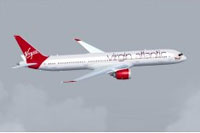
Gliding above the clouds in its iconic livery.
This release includes textures only. It is designed specifically for CamSim’s AI 787-9. To fully install and operate the Virgin Atlantic repaint, download the corresponding CamSim AI model package (CAMSIM789AI_X.ZIP) from the Fly Away Simulation library. By installing these textures atop the base model, you enable realistic AI traffic movements, perfect for those who appreciate seeing major carriers like Virgin Atlantic within their virtual airports.
aircraft.cfg file by adding the following [fltsim] section. Ensure you replace [fltsim.x] with an appropriate sequence number (e.g., [fltsim.1]).[fltsim.x] title=Boeing 787-9 v5 AI Virgin Atlantic sim=787-9 model=787-9 ai v5 panel= sound= texture=vs kb_checklists= kb_reference= atc_id=xx atc_airline=xxx atc_flight_number=xxx atc_heavy=1 ui_manufacturer="CamSim AI Aircaft" ui_type="Boeing 787-9 V5 AI" ui_variation="AI Virgin Atlantic" ui_typerole="Commercial Airliner" ui_createdby="CamSim" description="Boeing AI Boeing 787-9 Version 5."
On certain Windows 7 systems, you may notice missing elements at dawn and dusk with Microsoft Flight Simulator X. To resolve these texture anomalies, disable the “Preview DirectX 10” option located under Option > Settings > Display > Global. Unchecking that setting restores proper graphical detail for this and other CamSim AI aircraft.
Once installed correctly, you gain a more realistic airport environment brimming with Virgin Atlantic’s long-haul presence. This repaint serves as an ideal addition for those who love comprehensive AI schedules and airline diversity in Microsoft Flight Simulator X. Model design and paint remain the work of Camil Valiquette, ensuring precision and high fidelity.
Free for all simmers · 359.27 KB · Scanned clean Oct 2026
Download speed: Free tier is capped at 0.5 Mbps. PRO members download at full line speed.
This file is a repaint — the package below is the base model it paints onto. Install it first, or the textures will have nothing to load onto.
texture.{airline}) inside FSX\SimObjects\Airplanes\{base-aircraft}\.aircraft.cfg in Notepad. Add a new [fltsim.X] section per the readme.readme.txt or README file. It tells you exactly where files go, what dependencies are needed, and any quirks specific to this add-on.The archive camsim789ai_vs_x.zip has 17 files and directories contained within it.
This list displays the first 500 files in the package. If the package has more, you will need to download it to view them.
| Filename/Directory | File Date | File Size |
|---|---|---|
| CamSim Boeing 787-9 V5 AI Texture Only Virgin | 11.10.14 | 0 B |
| 789vs5.jpg | 11.05.14 | 4.39 kB |
| file_id.diz | 11.05.14 | 241 B |
| Read Me_FSX.txt | 11.05.14 | 1.62 kB |
| texture.vs | 11.10.14 | 0 B |
| 787eng_t.bmp | 11.05.14 | 1.00 MB |
| 787int_t.bmp | 01.12.12 | 1.00 MB |
| 787tail_t.bmp | 01.16.12 | 1.00 MB |
| 789fuse_t.bmp | 11.06.14 | 1.00 MB |
| 789wings_t.bmp | 11.05.14 | 1.00 MB |
| gris_t.bmp | 12.09.09 | 16.07 kB |
| tail.bmp | 12.02.12 | 1.00 MB |
| thumbnail.jpg | 11.05.14 | 4.93 kB |
| w787x_t.bmp | 07.17.13 | 16.07 kB |
| w_t.bmp | 10.22.13 | 16.07 kB |
| flyawaysimulation.txt | 10.29.13 | 959 B |
| Go to Fly Away Simulation.url | 01.22.16 | 52 B |
Only PRO members can place votes.
More FSX & P3D add-ons hand-picked based on this download.
FSX Civil Aircraft
Virgin Atlantic Boeing 747 Virgin Jersey Girl and Pretty Woman. This is a Vir…
 FSX Civil Aircraft
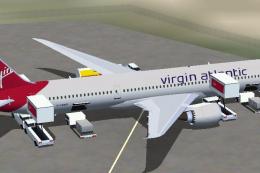
FSX Virgin Atlantic Boeing 787-9, including Animated Ground Servicing (AGS). …
 FSX Civil Aircraft
Virgin Atlantic Airways repaint for the default FSX Boeing 747-400 By Gábor K…
 FSX Civil Aircraft
Complete package of the Project Open Sky V747-400 version 4 in Virgin Atlanti…
 FSX Civil Aircraft
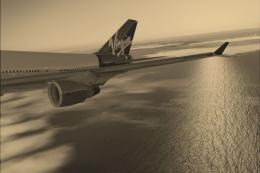
For the default 747-400. Tex Connolly.
 FSX Civil Aircraft
Enhance your Microsoft Flight Simulator X experience with an authentic Virgin…
 FSX Civil Aircraft
Fictional textures for the Project Open Sky B757-200 in Virgin Atlantic liver…
 FSX Civil Aircraft
Textures only for the default B747-400. Screenshot of Virgin Atlantic Boeing …
Be the first to leave a comment on this download.
Be the first to share your thoughts on this download.