

 FSX Civil Aircraft
CamSim AI Aircraft Airbus A350-900 Base Model
This freeware package provides a streamlined AI version of the CamSim Airbus …
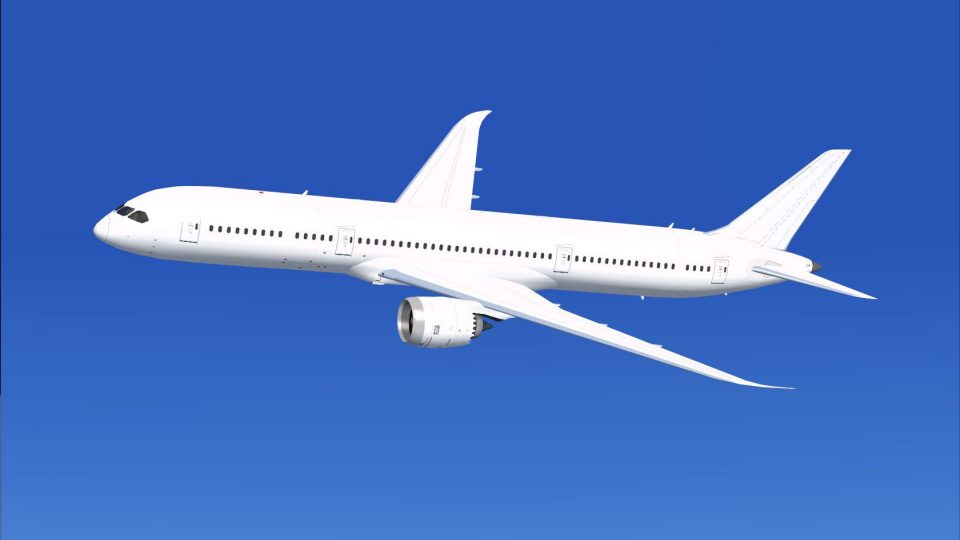
CamSim’s Boeing 787-9 AI base model brings efficient Dreamliner traffic to busy schedules with streamlined geometry, minimal external elements, and optimized performance in Microsoft Flight Simulator X. A complete paint kit supports quick custom liveries, and the model remains compatible with existing CamSim 787-9 textures for easy repaint reuse.
 Rate
Rate
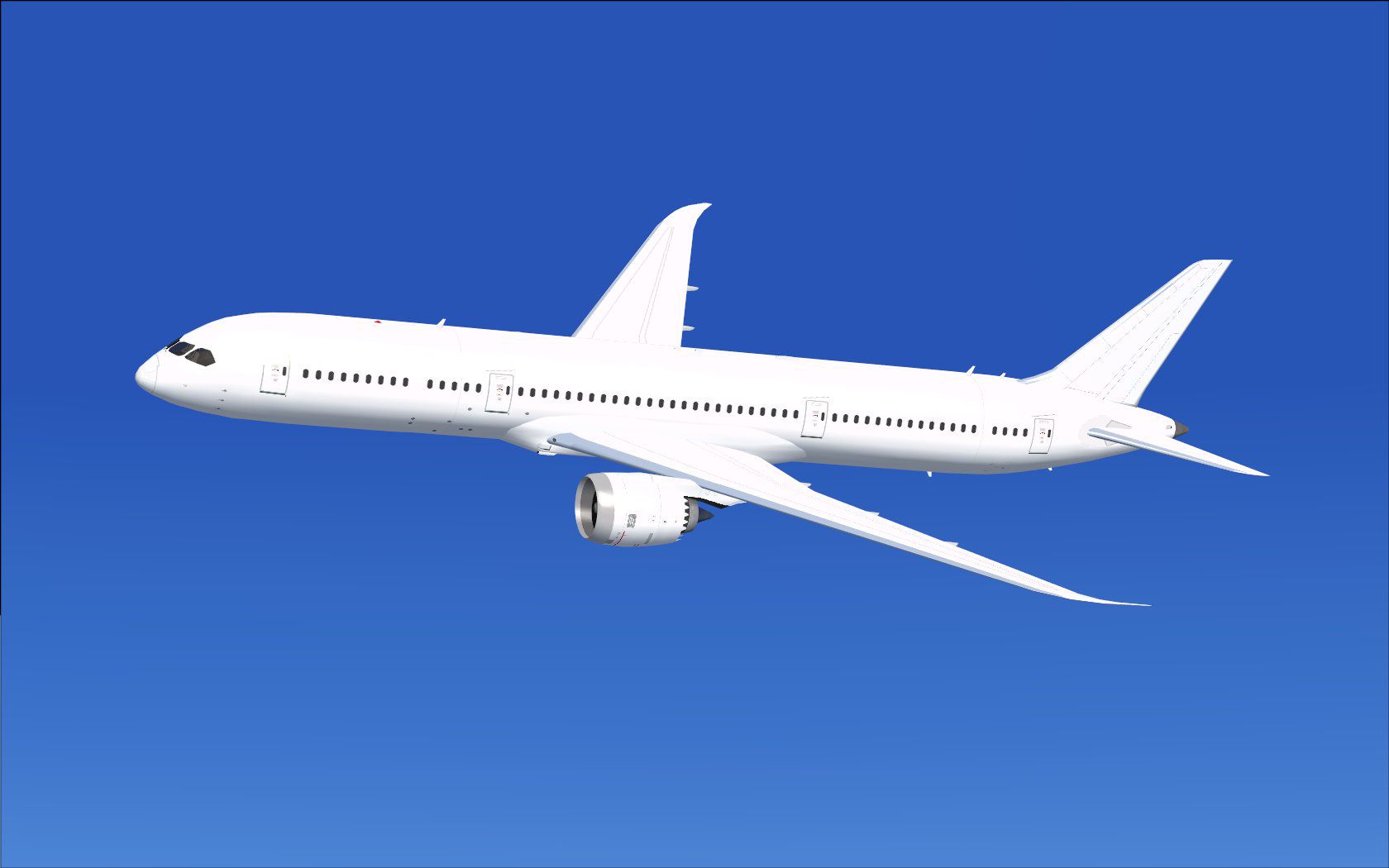
This freeware package delivers a dedicated Boeing 787-9 model optimized specifically for AI operations and includes a complete paint kit. Created by Camil Valiquette (CamSim), this release features minimal external elements—perfect for smoothly populating virtual skies in Microsoft Flight Simulator X without overloading system resources.
The Boeing 787-9 Dreamliner represents a mid-sized, long-range twinjet known for modern avionics and increased fuel efficiency. This version, redesigned by Camil Valiquette, focuses on streamlined geometry for AI usage. It excludes non-essential animations, such as AGS (Advanced Ground Service) and static objects, ensuring more efficient performance for crowded environments. Despite this focus on AI, compatibility with existing CamSim textures remains intact, so any repaints designed for other CamSim 787-9 products will work seamlessly.
A fully detailed paint kit is included, allowing you to create custom liveries or real-world airline schemes. Since this package targets AI traffic, the paint kit reflects simpler layering methods to keep resource usage low. Nonetheless, it can accommodate extensive detail if desired. Older or newer high-resolution CamSim textures can be applied without adjustments, ensuring a wide array of potential repaint options.

Shown above is the white AI variant of the Boeing 787-9, demonstrating the minimalist exterior.
Users on Windows 7 systems might encounter missing aircraft sections during dawn or dusk transitions if Preview DirectX 10 is enabled. To avoid this visual issue, deselect the Preview DirectX 10 option by navigating to Option > Settings > Display > Global within the simulator’s menu.
Special thanks go to Camil Valiquette for conceptualizing, designing, and painting the original 787-9 model for AI deployment. This base package, shared via Fly Away Simulation, offers a reliable resource for anyone wishing to expand their AI traffic with a performance-optimized Dreamliner rendition.
Free for all simmers · 6.67 MB · Scanned clean Oct 2026
Download speed: Free tier is capped at 0.5 Mbps (this file takes approximately 2 mins at the cap). PRO members download at full line speed.
This add-on may require the following files to function properly. If this is a repaint, the dependency below is likely the base aircraft package.
FSX\SimObjects\Airplanes\. Traffic BGL files go into FSX\Scenery\World\scenery\.readme.txt or README file. It tells you exactly where files go, what dependencies are needed, and any quirks specific to this add-on.The archive camsim789ai_x.zip has 75 files and directories contained within it.
This list displays the first 500 files in the package. If the package has more, you will need to download it to view them.
| Filename/Directory | File Date | File Size |
|---|---|---|
| CamSim Boeing 787-9 V5 AI Aircraft | 11.10.14 | 0 B |
| 787-9.air | 02.27.12 | 12.76 kB |
| aircraft.cfg | 11.10.14 | 15.35 kB |
| Effects.zip | 09.09.08 | 1.81 kB |
| file_id.diz | 11.05.14 | 392 B |
| model.787-9 ai V5 | 11.10.14 | 0 B |
| 787-9 ai V5.mdl | 11.04.14 | 1.17 MB |
| Model.cfg | 11.05.14 | 30 B |
| paint789v5 blanc_.jpg | 10.09.13 | 68.50 kB |
| Panel | 11.10.14 | 0 B |
| 787_350_panel_background.bmp | 02.25.10 | 2.25 MB |
| 787_350_panel_background_night.bmp | 02.25.10 | 2.25 MB |
| Airbus_A321.cab | 09.04.06 | 2.72 MB |
| panel.cfg | 02.25.10 | 5.48 kB |
| Read Me_FSX.txt | 11.05.14 | 1.39 kB |
| sound | 11.10.14 | 0 B |
| Sound.cfg | 11.04.09 | 35 B |
| texture.base | 11.10.14 | 0 B |
| 787eng_t.bmp | 11.21.13 | 1.00 MB |
| 787int_t.bmp | 08.08.13 | 1.00 MB |
| 787tail_t.bmp | 08.23.13 | 1.00 MB |
| 789fuse_t.bmp | 11.20.13 | 1.00 MB |
| 789wings_t.bmp | 08.21.13 | 1.00 MB |
| gris_t.bmp | 12.09.09 | 16.07 kB |
| tail.bmp | 12.02.12 | 1.00 MB |
| thumbnail.jpg | 11.05.14 | 8.01 kB |
| w787x_t.bmp | 07.17.13 | 16.07 kB |
| w_t.bmp | 10.22.13 | 16.07 kB |
| texture.paint kit | 11.10.14 | 0 B |
| 787eng_t.bmp | 11.21.13 | 1.00 MB |
| 787eng_t_V5_GE Logo.bmp | 12.05.13 | 3.00 MB |
| 787eng_t_V5_GE.bmp | 12.05.13 | 3.00 MB |
| 787eng_t_V5_RR Logo.bmp | 12.05.13 | 3.00 MB |
| 787eng_t_V5_RR.bmp | 12.05.13 | 3.00 MB |
| 787eng_t__GE.bmp | 12.17.09 | 3.00 MB |
| 787eng_t__RR.bmp | 06.23.10 | 3.00 MB |
| 787ext_L WINDOWS XP ONLY (copy and remame 787ext_L).bmp | 11.27.13 | 4.00 MB |
| 787ext_L WINDOWS 7 ONLY (copy and remame 787ext_L).bmp | 12.06.13 | 1.00 MB |
| 787ext_L.bmp | 12.06.13 | 1.00 MB |
| 787ext_t.bmp | 12.06.13 | 1.00 MB |
| 787ext_t_24BP Serv.bmp | 07.30.09 | 3.00 MB |
| 787ext_t_24BP700.bmp | 07.30.09 | 3.00 MB |
| 787ext_t_24SHELL sky.bmp | 07.30.09 | 3.00 MB |
| 787ext_t_24SHELL700.bmp | 07.30.09 | 3.00 MB |
| 787ext_t_24SHELL700_new servair.bmp | 05.12.11 | 3.00 MB |
| 787ext_t_24SHELL700_new servair__.bmp | 07.04.11 | 3.00 MB |
| 787ext_t_sky__.bmp | 07.04.11 | 3.00 MB |
| 787ext_t_sky__2.bmp | 05.11.12 | 3.00 MB |
| 787int_L.bmp | 04.03.06 | 4.00 MB |
| 787int_t.bmp | 12.06.13 | 1.00 MB |
| 787int_t_24 bon8_foncer_4.bmp | 08.08.13 | 3.00 MB |
| 787tail_t.bmp | 08.23.13 | 1.00 MB |
| 787tail_t_1.bmp | 08.13.13 | 3.00 MB |
| 787tail_t_2.bmp | 08.13.13 | 3.00 MB |
| 787tail_t_3.bmp | 08.13.13 | 3.00 MB |
| 789fuse_t.bmp | 11.20.13 | 1.00 MB |
| 789fuse_t_V5_1.bmp | 08.29.13 | 3.00 MB |
| 789fuse_t_V5_2.bmp | 08.29.13 | 3.00 MB |
| 789fuse_t_V5_3.bmp | 08.29.13 | 3.00 MB |
| 789fuse_t_V5_4.bmp | 08.09.13 | 3.00 MB |
| 789fuse_t_V5_5.bmp | 04.03.12 | 3.00 MB |
| 789fuse_t_V5_6.bmp | 03.29.12 | 3.00 MB |
| 789wings_t.bmp | 08.21.13 | 1.00 MB |
| 789wings_t_24_88_blanc.bmp | 08.21.13 | 3.00 MB |
| gavitat.bmp | 07.05.07 | 3.00 MB |
| gbp.bmp | 07.05.07 | 3.00 MB |
| gexxon.bmp | 07.05.07 | 3.00 MB |
| gris_t.bmp | 12.09.09 | 16.07 kB |
| gshell.bmp | 01.16.07 | 3.00 MB |
| pilot1.bmp | 12.06.06 | 256.07 kB |
| tail.bmp | 12.02.12 | 1.00 MB |
| thumbnail.jpg | 12.06.13 | 4.37 kB |
| w_t.bmp | 10.22.13 | 16.07 kB |
| flyawaysimulation.txt | 10.29.13 | 959 B |
| Go to Fly Away Simulation.url | 01.22.16 | 52 B |
Only PRO members can place votes.
More FSX & P3D add-ons hand-picked based on this download.
FSX Civil Aircraft
This freeware package provides a streamlined AI version of the CamSim Airbus …
 FSX Civil Aircraft
This comprehensive freeware package offers a fully modeled Airbus A350-900, c…
 FSX Civil Aircraft
Airbus A318 / A319 / A320 Base Model from Project Airbus. By Andy Warden, Der…
 FSX Civil Aircraft
This is the set of FSX model files for TDS (Tenkuu Developers Studio) B787-8.…
 FSX Civil Aircraft
FSX Air Berlin Boeing 737-800. Model by Project Open Sky. Repaint by Misha Gr…
 FSX Civil Aircraft
Non-winglet model update for FSX only of the Skyspirit2010 Boeing 767-300F fo…
 FSX Civil Aircraft
In FS9 this is an AI aircraft and will NOT BE VISIBLE in the aircraft selecti…
FSX Civil Aircraft
Airbus A330 Model Kits. MDL kits for Thomas Ruth A330f/mrt mdl files with dif…
Be the first to leave a comment on this download.
Be the first to share your thoughts on this download.