

 FSX Business Jet Aircraft
Bombardier Challenger 300
Bombardier Challenger 300. This is a business jet with a range of approximate…
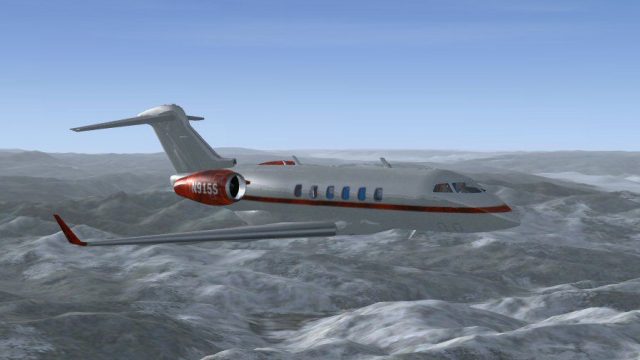
Bombardier Challenger 300 repaint for N915S brings a crisp, authentic business-jet look to Microsoft Flight Simulator X, ideal for fast corporate hops and transcontinental legs. Requires the Richie Schwertfeger Challenger 300 base model, matching its 16-passenger performance profile and Honeywell HTF7000-powered cruise, with carefully finished textures by Mark Rooks.
 Rate
Rate
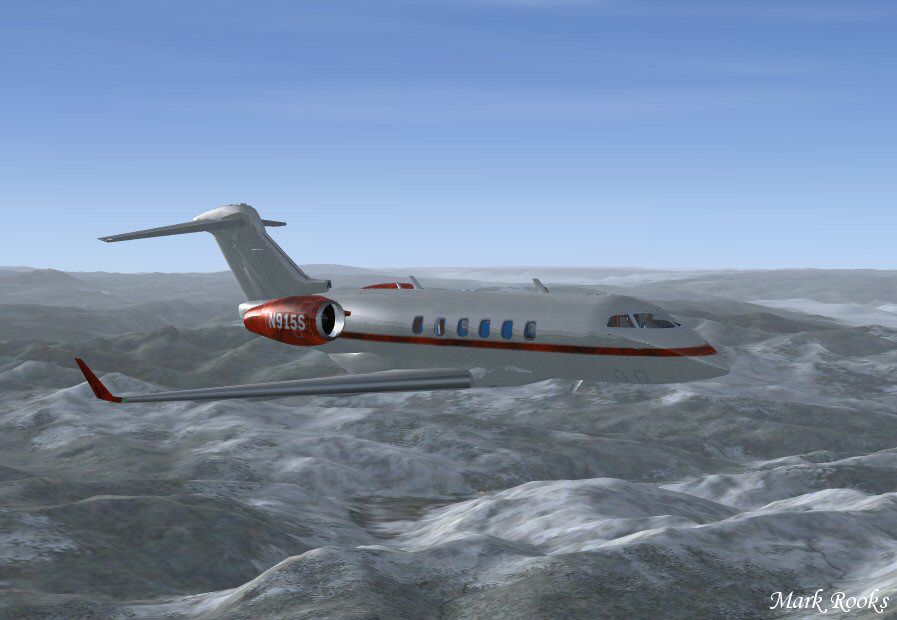

Textures only for the Richie Schwertfeger Bombardier Challenger 300. The Bombardier Challenger 300 is a 16 passenger super-mid-sized business jet capable of traversing transcontinental distances. The two Honeywell HTF7000 turbofan engines power this jet at 554 mph. Textures by Mark Rooks.
Screenshot of Bombardier Challenger N915S in flight.
Installation:
[fltsim.X]

title=Bombardier Challenger 300 N915S

sim=Bombardier_BD_100

model=300

panel=ws

sound=

texture=N915S

kb_checklists=Bombardier_BD100_check

kb_reference=Bombardier_BD100_ref

atc_id=N915S

atc_airline=

atc_parking_codes=CL30

atc_parking_types=RAMP

atc_heavy=0

ui_manufacturer="Bombardier"

ui_type="Challenger 300"

ui_variation="N915S"

ui_typerole="Business Jet"

ui_createdby="RFS"

description=The Challenger 300 is a growth from the Challanger 601 series. The Challenger 300 cruises at an airspeed of 488 kts and has a maximum altitude of 45,000 ft.. The aircraft is powered by 2 Honeywell AS907-1-1A (HTF7000) Turbofan engines, rated at 6,924 pounds takeoff thrust.
Enjoy! Be sure to thank Richie Schwertfeger for this wonderful model.
Free for all simmers · 15.7 MB · Scanned clean Oct 2026
Download speed: Free tier is capped at 0.5 Mbps (this file takes approximately 4 mins at the cap). PRO members download at full line speed.
texture.{airline}) inside FSX\SimObjects\Airplanes\{base-aircraft}\.aircraft.cfg in Notepad. Add a new [fltsim.X] section per the readme.readme.txt or README file. It tells you exactly where files go, what dependencies are needed, and any quirks specific to this add-on.The archive bcn915s.zip has 26 files and directories contained within it.
This list displays the first 500 files in the package. If the package has more, you will need to download it to view them.
| Filename/Directory | File Date | File Size |
|---|---|---|
| Original Read me.txt | 01.01.15 | 1.42 kB |
| pictures | 01.01.15 | 0 B |
| 2014-12-31_20-32-48-953.BMP | 12.31.14 | 3.00 MB |
| 2014-12-31_20-33-0-101.BMP | 12.31.14 | 3.00 MB |
| 2014-12-31_20-34-33-106.BMP | 12.31.14 | 3.00 MB |
| 2014-12-31_20-34-37-765.BMP | 12.31.14 | 3.00 MB |
| 2014-12-31_20-35-44-712.BMP | 12.31.14 | 3.00 MB |
| 2014-12-31_20-35-8-498.BMP | 12.31.14 | 3.00 MB |
| 2014-12-31_20-36-14-906.BMP | 12.31.14 | 3.00 MB |
| 2014-12-31_20-39-36-829.BMP | 12.31.14 | 3.00 MB |
| 2014-12-31_20-39-45-160.BMP | 12.31.14 | 3.00 MB |
| 2014-12-31_20-40-6-306.BMP | 12.31.14 | 3.00 MB |
| 2014-12-31_20-45-9-91.BMP | 12.31.14 | 3.00 MB |
| 2014-12-31_20-46-24-839.BMP | 12.31.14 | 3.00 MB |
| 2014-12-31_20-52-21-187.BMP | 12.31.14 | 3.00 MB |
| 2014-12-31_20-54-22-394.BMP | 12.31.14 | 3.00 MB |
| Read me and aircraft.cfg.txt | 01.01.15 | 1.69 kB |
| ScreenN915S.jpg | 12.31.14 | 42.74 kB |
| texture.N915S | 01.01.15 | 0 B |
| Challenger_300_Engines_1_T.bmp | 12.31.14 | 3.00 MB |
| Challenger_300_Fuselage_1_T.bmp | 12.31.14 | 6.00 MB |
| Challenger_300_Wings_1_T.bmp | 12.31.14 | 12.00 MB |
| texture.cfg | 01.01.15 | 183 B |
| thumbnail.jpg | 12.31.14 | 69.32 kB |
| flyawaysimulation.txt | 10.29.13 | 959 B |
| Go to Fly Away Simulation.url | 01.22.16 | 52 B |
Only PRO members can place votes.
More FSX & P3D add-ons hand-picked based on this download.
FSX Business Jet Aircraft
Bombardier Challenger 300. This is a business jet with a range of approximate…
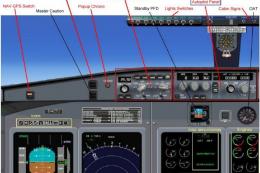 FSX Business Jet Aircraft
This complete freeware release features the Bombardier Challenger 604, a soph…
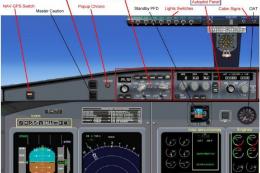 FSX Business Jet Aircraft
This fully featured Bombardier Challenger 604 package offers a versatile twin…
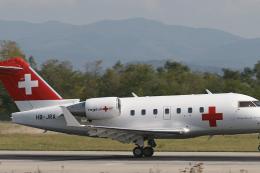 FSX Business Jet Aircraft
The Bombardier Challenger 604 in this release is a freeware package developed…
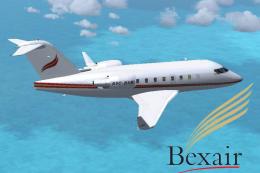 FSX Business Jet Aircraft
This freeware package presents a meticulously repainted twin-engine Challenge…
 FSX Business Jet Aircraft
Bombardier Challenger 300 Update, for use with BOMBARDIER_CHALLENGER_300.ZIP.…
 FSX Business Jet Aircraft
A Bombardier Challenger 300 repaint in Hanhwa airline (C-GNPT) livery for the…
 FSX Business Jet Aircraft
Bombardier Challenger 300 Paint Kit, for use with BOMBARDIER_CHALLENGER_300.Z…
Read what other simmers think, or add your own.

