

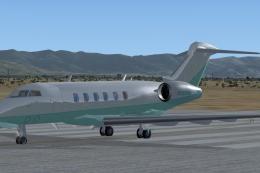
 FSX Business Jet Aircraft
Bombardier Challenger 300
Bombardier Challenger 300. This is a business jet with a range of approximate…
Bombardier Challenger 300 paint kit streamlines custom livery creation with layered PSD templates split into three exterior sections for accurate detailing and clean alignment. Designed for FSX, it requires the Richie Schwertfeger Challenger 300 base package and supports a fast, flexible repaint workflow for unique business-jet finishes.
 Rate
Rate
Bombardier Challenger 300 Paint Kit, for use with BOMBARDIER_CHALLENGER_300.ZIP. Includes three psd files for separate sections of the model. Model by Richie Schwertfeger.
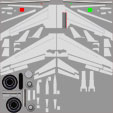
Bombardier Challenger 300 Paint Kit-fsx1
This paintkit is to be used for creating additional paint schemes for my Bombardier Challenger 300 model. Please note that this model is meant to be compatible with FSXA but if used with FSX-SP2.
Installation:
Open and copy the contents of the CL300_paintkit folder and place in the file of your choice.
Acknowlegements:
I would like to thank Bill Leaming for all his valuable assistance with this project. Also thank Ahmad for his inputs to better define the exterior details of the model.
To all those that download and install this paintkit, first and formost I accept no liability for any repaints created by this paintkit that my infringe on or violate any copyright. This paintkit is released as freeware and not public domain.
Richie 1935
Free for all simmers · 3.13 MB · Scanned clean Oct 2026
Download speed: Free tier is capped at 0.5 Mbps. PRO members download at full line speed.
This add-on may require the following files to function properly. If this is a repaint, the dependency below is likely the base aircraft package.
texture.{airline}) inside FSX\SimObjects\Airplanes\{base-aircraft}\.aircraft.cfg in Notepad. Add a new [fltsim.X] section per the readme.readme.txt or README file. It tells you exactly where files go, what dependencies are needed, and any quirks specific to this add-on.The archive cl300paintkit.zip has 7 files and directories contained within it.
This list displays the first 500 files in the package. If the package has more, you will need to download it to view them.
| Filename/Directory | File Date | File Size |
|---|---|---|
| Readme CL300 paintkit.txt | 01.07.11 | 1.03 kB |
| Challenger_300_Engines_1_T.psd | 11.11.10 | 903.23 kB |
| Challenger_300_Fuselage_1_T.psd | 11.11.10 | 2.27 MB |
| Challenger_300_Wings_1_T.psd | 11.11.10 | 4.25 MB |
| FILE_ID.DIZ | 01.07.11 | 165 B |
| flyawaysimulation.txt | 10.29.13 | 959 B |
| Go to Fly Away Simulation.url | 01.22.16 | 52 B |
Only PRO members can place votes.
More FSX & P3D add-ons hand-picked based on this download.
FSX Business Jet Aircraft
Bombardier Challenger 300. This is a business jet with a range of approximate…
 FSX Business Jet Aircraft
Bombardier Challenger 300 Update, for use with BOMBARDIER_CHALLENGER_300.ZIP.…
 FSX Business Jet Aircraft
A Bombardier Challenger 300 repaint in Hanhwa airline (C-GNPT) livery for the…
 FSX Business Jet Aircraft
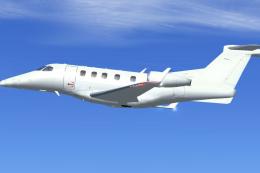
Embraer Phenom 300 Paint Kit. A biz jet by CamSim, with a new .mdl file featu…
 FSX Business Jet Aircraft
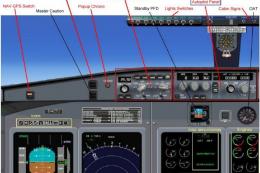
This complete freeware release features the Bombardier Challenger 604, a soph…
 FSX Business Jet Aircraft
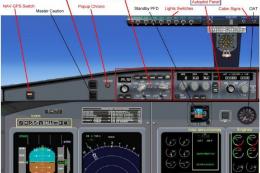
This fully featured Bombardier Challenger 604 package offers a versatile twin…
 FSX Business Jet Aircraft
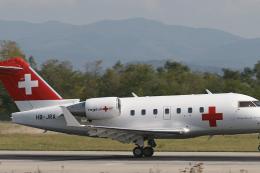
The Bombardier Challenger 604 in this release is a freeware package developed…
 FSX Business Jet Aircraft
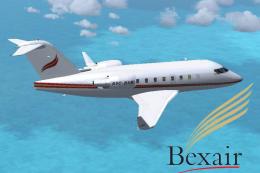
This freeware package presents a meticulously repainted twin-engine Challenge…
Be the first to leave a comment on this download.
Be the first to share your thoughts on this download.