


X-Plane 11 Animated Fire Tower
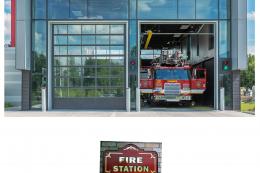
A brick-built fire practice tower brings realistic emergency-service detail to airfield or fire station scenes in X-Plane 11, featuring six animated flame sets, animated smoke, and warm internal night lighting. Photographic textures add convincing surface depth, creating an eye-catching focal point that enhances ramp-side atmosphere during day or night operations.

- File: fire_tower_animated_v1_0.zip
- Size:10.91 MB
- Scan:
Clean (6d)

- Access:Freeware
- Content:Everyone

 Description
 Comments
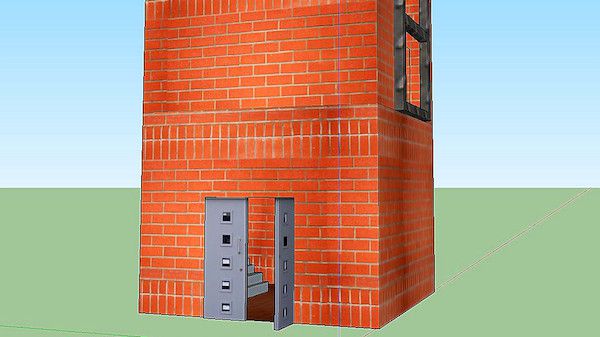
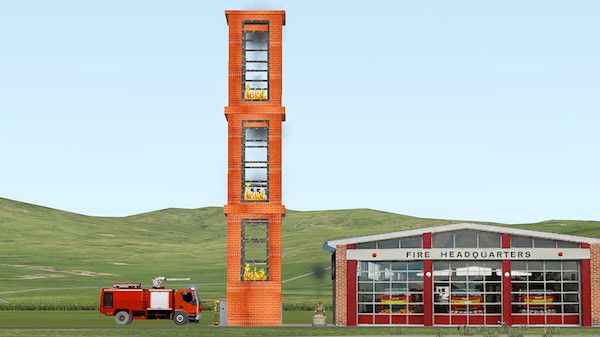
 This is a brick built fire practice tower to add to your fire station scenery.
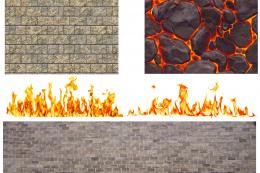
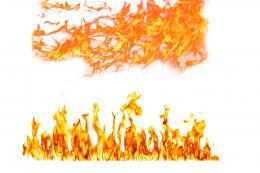
 There are six sets of animated flames included, plus internal night lighting and animated smoke. Made in SketchUp 2016 using photographic textures and converted for X-Plane with Marginal's SketchUp2XPlane utility.
By Paul Mort.
Images & Screenshots

The archive fire_tower_animated_v1_0.zip has 8 files and directories contained within it.
File Contents
This list displays the first 500 files in the package. If the package has more, you will need to download it to view them.
| Filename/Directory | File Date | File Size |
|---|---|---|
| Fire Tower (Animated) v1.0 | 07.10.17 | 0 B |
| FireTower.obj | 07.08.17 | 246.24 kB |
| FireTower.png | 07.07.17 | 5.26 MB |
| FireTower.skp | 07.08.17 | 5.72 MB |
| image1.jpg | 07.10.17 | 59.74 kB |
| image2.jpg | 07.10.17 | 73.17 kB |
| flyawaysimulation.txt | 10.29.13 | 959 B |
| Go to Fly Away Simulation.url | 01.22.16 | 52 B |

Installation Instructions
Most of the freeware add-on aircraft and scenery packages in our file library come with easy installation instructions which you can read above in the file description. For further installation help, please see our Flight School for our full range of tutorials or view the README file contained within the download. If in doubt, you may also ask a question or view existing answers in our dedicated Q&A forum.
Related Add-ons
Some mods you may like
0 comments
Leave a Response