

 FSX Civil Aircraft
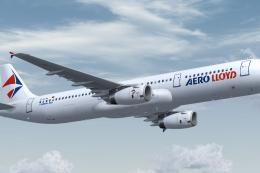
Aero Lloyd Airbus A321-231
The Airbus A321-231 in Aero Lloyd’s recognizable colors offers a versatile ch…
Aero Lloyd Airbus A320-232 repaint brings registration D-ALAJ to life with crisp markings and a period-accurate German leisure livery, ideal for recreating classic European holiday routes. Built for Microsoft Flight Simulator X, it requires the Project Airbus A320 base model and includes animated doors, realistic control-surface behavior, dynamic jetwash, wing views, and refined lighting.
 Rate
Rate

Experience a classic Aero Lloyd Airbus A320-232 in vivid detail with this freeware package optimized for Microsoft Flight Simulator X. This repaint, crafted by Marco Fischbach and built upon the Project Airbus model, commemorates a once-thriving German leisure carrier during its prime, even showcasing the specific aircraft registration D-ALAJ. Enthusiasts who recall Aero Lloyd’s memorable routes, such as the 1998 Frankfurt to Faro (LPFR) connection, will appreciate this throwback to those lively days of air travel.
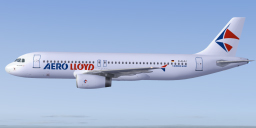
Aero Lloyd Airbus A320-232.
Aero Lloyd was a German airline that operated services to holiday destinations across Europe. During its earlier years, it gained recognition for comfortable short-haul flights and efficient aircraft utilization. The Airbus A320-232 itself is known for its twin-engine, narrow-body configuration, featuring advanced aerodynamic components and a cost-efficient design. This particular repaint follows the recognizable Aero Lloyd livery scheme and showcases unique markings commemorating “Frankfurt am Main.”
This release utilizes the Project Airbus A320 base, renowned for its detailed 3D model and authentic flight characteristics. Originally developed with XML-driven animations and real-world aerodynamic references, it includes:
Additional features include multiple passenger and cargo doors, enhanced lighting effects, wing views, and highly detailed landing gear animations.
L1 – Shift + E
L2 + cargo doors – Tail hook up/down (bind a control if not assigned by default)
R1 + R2 – Wing fold/unfold (bind a control if not assigned by default)
Extract the compressed contents into the “SimObjects/Airplanes” folder within your main Microsoft Flight Simulator X directory. Additionally, place the contents of the included “Effects” folder into the simulator’s primary “Effects” folder. This process ensures you have all the necessary visual elements and the fully functional aircraft ready for takeoff.
Development of this freeware aircraft revolves around the collaborative work of the Project Airbus Team. Special thanks go to individuals such as Andy Warden (external modeling), Thomas Ruth (VC design and texturing), Peter Binamira (flight dynamics and sounds), and many more contributors. Their constant feedback and expertise have resulted in an accurate representation of the A320 series.
The livery featured here is the result of meticulous work by Marco Fischbach, whose attention to the airline’s colors underscores Aero Lloyd’s once-distinctive presence. Additional support and testing came from testers like Capt. Manny Osias, F/O Spike Acenas, and others who provided real-world feedback to refine flight handling.
All elements presented in this package are freeware and intended for enthusiastic simmers. Enjoy recreating historic routes while revisiting the era when Aero Lloyd played a prominent role in German leisure travel.
Free for all simmers · 18.46 MB · Scanned clean Oct 2026
Download speed: Free tier is capped at 0.5 Mbps (this file takes approximately 5 mins at the cap). PRO members download at full line speed.
FSX\SimObjects\Airplanes\. The folder must contain an aircraft.cfg file. Effects go into FSX\Effects\; gauges go into FSX\Gauges\.readme.txt or README file. It tells you exactly where files go, what dependencies are needed, and any quirks specific to this add-on.The archive fsx_pa320_aero_lloyd.zip has 59 files and directories contained within it.
This list displays the first 500 files in the package. If the package has more, you will need to download it to view them.
| Filename/Directory | File Date | File Size |
|---|---|---|
| PA320 Aero Lloyd | 01.01.10 | 0 B |
| Aircraft.cfg | 01.03.10 | 16.45 kB |
| effects.zip | 08.30.07 | 6.25 kB |
| intelliscene.cfg | 08.03.08 | 142 B |
| model.200_IAE | 01.01.10 | 0 B |
| A320_200_IAE_NoVC.mdl | 10.10.09 | 2.09 MB |
| Airbus_A321_interior.mdl | 06.18.07 | 1.06 MB |
| Model.cfg | 01.01.10 | 67 B |
| pa320-v2527.air | 08.30.07 | 8.80 kB |
| panel | 01.01.10 | 0 B |
| Airbus_A321.cab | 09.04.06 | 2.72 MB |
| airbus_a321_panel_background.bmp | 05.12.06 | 769.05 kB |
| airbus_a321_panel_background_night.bmp | 05.12.06 | 769.05 kB |
| panel.cfg | 08.01.06 | 5.49 kB |
| Readme.txt | 01.03.10 | 5.12 kB |
| sound | 11.12.09 | 0 B |
| texture.aero | 01.05.10 | 0 B |
| A320_1_IAE_l.bmp | 08.30.07 | 1.00 MB |
| A320_1_IAE_t.bmp | 11.25.09 | 4.00 MB |
| A320_2_IAE_l.bmp | 08.30.07 | 256.07 kB |
| A320_2_IAE_t.bmp | 11.25.09 | 4.00 MB |
| A320_2_t.bmp | 08.30.07 | 4.00 MB |
| A320_fuse_1_l.bmp | 12.02.09 | 4.00 MB |
| A320_fuse_1_t.bmp | 11.25.09 | 4.00 MB |
| A320_fuse_2_l.bmp | 12.02.09 | 4.00 MB |
| A320_fuse_2_t.bmp | 11.25.09 | 4.00 MB |
| A320_fuse_3_l.bmp | 12.02.09 | 4.00 MB |
| A320_fuse_3_t.bmp | 11.25.09 | 4.00 MB |
| A320_misc_1.bmp | 11.02.09 | 1.00 MB |
| A320_misc_2.bmp | 08.30.07 | 4.00 MB |
| A320_wing_1_l.bmp | 08.30.07 | 1.00 MB |
| A320_wing_1_t.bmp | 11.25.09 | 4.00 MB |
| A320_wing_2_l.bmp | 08.30.07 | 1.00 MB |
| A320_wing_2_t.bmp | 11.25.09 | 4.00 MB |
| A321_1_T.dds | 06.18.07 | 1.33 MB |
| A321_1_T_Bump.dds | 06.18.07 | 1.00 MB |
| A321_1_T_LM.dds | 06.18.07 | 170.79 kB |
| A321_1_T_spec.dds | 06.18.07 | 1.33 MB |
| A321_2_T.dds | 06.18.07 | 1.33 MB |
| A321_2_T_Bump.dds | 06.18.07 | 1.00 MB |
| A321_2_T_LM.dds | 06.18.07 | 170.79 kB |
| A321_2_T_spec.dds | 06.18.07 | 1.33 MB |
| A321_Interior_T.dds | 06.18.07 | 341.45 kB |
| A321_reflection.dds | 06.18.07 | 170.79 kB |
| Airbus_A321_1_C.dds | 06.18.07 | 682.79 kB |
| Airbus_A321_1_night_C.dds | 06.18.07 | 682.79 kB |
| Airbus_A321_2_C.dds | 06.18.07 | 682.79 kB |
| Airbus_A321_2_night_C.dds | 06.18.07 | 682.79 kB |
| Airbus_A321_3_C.dds | 06.18.07 | 682.79 kB |
| Airbus_A321_3_night_C.dds | 06.18.07 | 682.79 kB |
| Airbus_A321_4_C.dds | 06.18.07 | 682.79 kB |
| Airbus_A321_4_night_C.dds | 06.18.07 | 682.79 kB |
| Airbus_Pilots.dds | 06.18.07 | 42.79 kB |
| Fresnel_Ramp.dds | 06.18.07 | 640 B |
| Jetheat_t.bmp | 11.30.07 | 16.07 kB |
| thumbnail.jpg | 11.04.09 | 30.36 kB |
| Sound.cfg | 08.08.07 | 33 B |
| flyawaysimulation.txt | 10.29.13 | 959 B |
| Go to Fly Away Simulation.url | 01.22.16 | 52 B |
Only PRO members can place votes.
More FSX & P3D add-ons hand-picked based on this download.
FSX Civil Aircraft
The Airbus A321-231 in Aero Lloyd’s recognizable colors offers a versatile ch…
 FSX Civil Aircraft
Hapag Lloyd Airbus A320-200. Fictional, as Hapag Lloyd only had the A310. The…
 FSX Civil Aircraft
A repaint of Project Airbus A320-200 IAE model in the colors of Wizz Air, reg…
 FSX Civil Aircraft
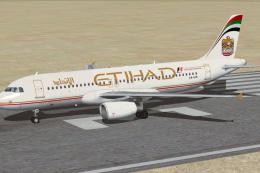
This freeware package features a meticulously recreated Airbus A320-232 in th…
 FSX Civil Aircraft
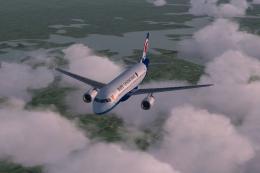
Aircraft model and textures are included, along with panel, sound and virtual…
 FSX Civil Aircraft
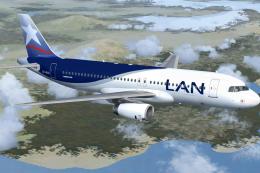
This comprehensive freeware package introduces a meticulously repainted Airbu…
 FSX Civil Aircraft
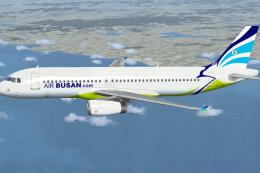
This complete freeware Airbus A320-232 IAE package showcases Air Busan’s inau…
 FSX Civil Aircraft
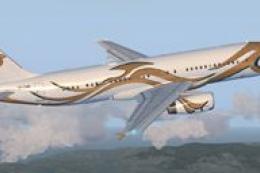
The Saad Group is a Saudi Arabian based privately owned conglomerate with ope…
Be the first to leave a comment on this download.
Be the first to share your thoughts on this download.