

 FS2004 Civil Jet Aircraft
Boeing 767-300, Lloyd Aero Boliviana
Enjoy a meticulously detailed Boeing 767-300 painted in the colors of Lloyd A…
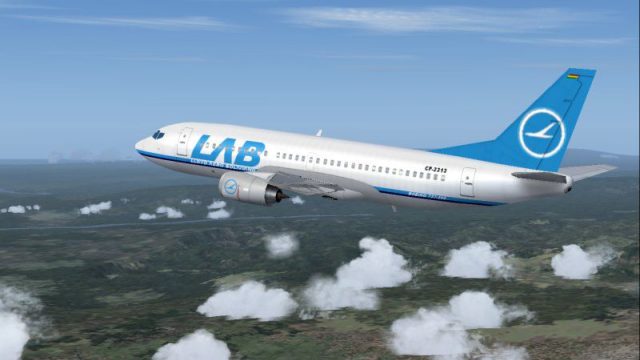
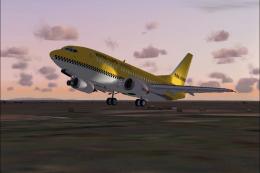
Boeing 737-300 in classic Lloyd Aereo Boliviano colors brings a crisp 32-bit repaint with an AI Aardvark base model, tuned for smooth frame rates and dense traffic use. For Microsoft Flight Simulator 2004, it includes clean external detailing and multiple animations such as flaps, spoilers, and landing gear for authentic 737 Classic operations.
 Rate
Rate
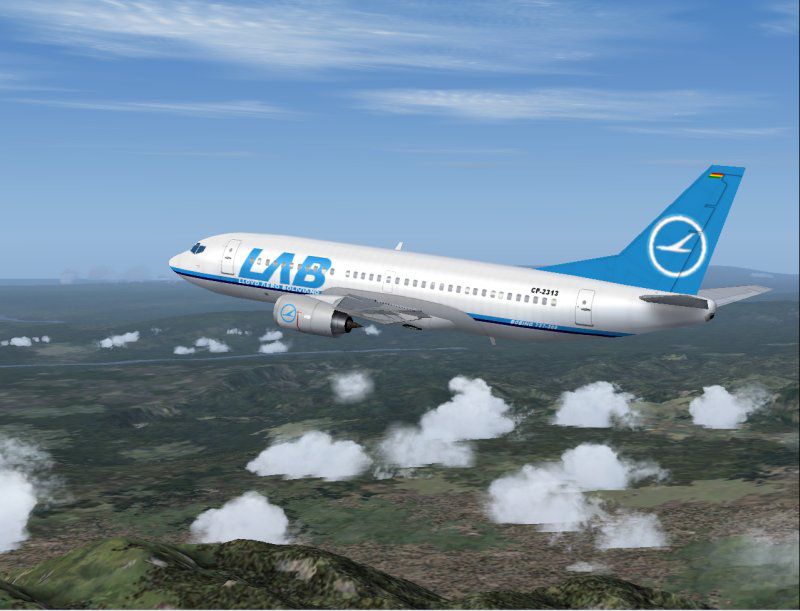
This package features a meticulously painted Boeing 737-300 decorated in the classic Lloyd Aereo Boliviano scheme, designed as a stand-alone freeware release for Microsoft Flight Simulator 2004. It employs crisp 32-bit textures and provides a well-balanced portrayal of the real-world short-to-medium-haul 737 Classic series, all while maintaining exceptional performance.
The Boeing 737-300 is part of the early “Classic” generation of Boeing’s narrow-body line, offering efficient operations on routes with moderate distances. In this repaint, Lloyd Aereo Boliviano (historically recognized as an established Bolivian carrier) emerges in a vivid livery that highlights its national identity. This model reflects the airline’s intended capacity for reliable passenger services across South American destinations.
The model originates from the AI Aardvark team, who devoted significant attention to frame-rate optimization and visual accuracy. Their work ensures numerous moving components—including undercarriage animation, control surfaces, and statically accurate engine placements—executed in a way that complements both dedicated AI traffic setups and user-controlled flights.
Even with high-resolution 32-bit textures, the aircraft remains optimized for fluid frame rates. This strikes a balance between smooth cockpit transitions and crisp external detailing. Control deflections, wing flex (if supported), and overall exterior modeling reveal a refined approach to maximizing realism without burdening your system resources.
Beyond its vividly detailed fuselage, the package incorporates details like correct airline text placement and bolstered lighting elements. Furthermore, the aircraft’s flight profile design provides balanced handling, mirroring the actual 737-300’s stable climb and descent rates.
This creation by AI Aardvark offers a high-quality freeware solution for enthusiasts seeking to expand their AI traffic or pilot a Boeing 737-300 under Lloyd Aereo Boliviano colors in Microsoft Flight Simulator 2004 without sacrificing frame-rate performance.
Free for all simmers · 814.41 KB · Scanned clean Oct 2026
Download speed: Free tier is capped at 0.5 Mbps. PRO members download at full line speed.
FS9\Aircraft\, FS9\Addon Scenery\, FS9\Gauges\, or FS9\Effects\.readme.txt or README file. It tells you exactly where files go, what dependencies are needed, and any quirks specific to this add-on.The archive av733lab.zip has 19 files and directories contained within it.
This list displays the first 500 files in the package. If the package has more, you will need to download it to view them.
| Filename/Directory | File Date | File Size |
|---|---|---|
| aav b733 lab readme.txt | 06.22.04 | 315 B |
| aav b733 lab small.gif | 06.22.04 | 11.21 kB |
| aav b733 lab.jpg | 06.22.04 | 70.61 kB |
| aia_737_300.air | 06.12.03 | 8.69 kB |
| Aircraft.cfg | 06.22.04 | 13.51 kB |
| model | 06.22.04 | 0 B |
| aia_737_300.mdl | 11.24.03 | 158.48 kB |
| model.cfg | 11.19.02 | 28 B |
| panel | 06.22.04 | 0 B |
| panel.cfg | 05.17.04 | 47 B |
| sound | 06.22.04 | 0 B |
| sound.cfg | 05.17.04 | 40 B |
| texture.lab | 06.22.04 | 0 B |
| AIA_737_300_l.bmp | 01.24.03 | 256.07 kB |
| AIA_737_300_t.bmp | 06.22.04 | 4.00 MB |
| Thumbs.db | 06.22.04 | 11.50 kB |
| Thumbs.db | 06.22.04 | 8.50 kB |
| flyawaysimulation.txt | 10.29.13 | 959 B |
| Go to Fly Away Simulation.url | 01.22.16 | 52 B |
Only PRO members can place votes.
More FS2004 add-ons hand-picked based on this download.
FS2004 Civil Jet Aircraft
Enjoy a meticulously detailed Boeing 767-300 painted in the colors of Lloyd A…
 FS2004 Civil Jet Aircraft
This freeware package showcases a detailed Boeing 727-100 meticulously repain…
 FS2004 Civil Jet Aircraft
This freeware package offers a meticulously detailed recreation of the Lloyd …
 FS2004 Civil Jet Aircraft
This freeware package introduces a meticulously rendered Boeing 727-200 in th…
 FS2004 Civil Jet Aircraft
Airbus A310 in Lloyd Aero Boliviana livery, painted in 32-bit textures. Great…
 FS2004 Civil Jet Aircraft
This freeware release offers a carefully recreated Lloyd Aero Boliviana Cargo…
 FS2004 Civil Jet Aircraft
Hapag-Lloyd Express is a wholly-owned subsidiary of TUI AG, the world's large…
 FS2004 Civil Jet Aircraft
Kittyhawk Productions presents the all new b737-800 in regular and winglet mo…
Be the first to leave a comment on this download.
Be the first to share your thoughts on this download.