

 FSX Civil Aircraft
Project Open Sky CRJ-200 Update
An update to the Project Open Sky CRJ200 VC so that it can be used in FSX. In…
Project Open Sky’s Boeing 737-400 virtual cockpit conversion brings classic steam-gauge flying to the B737-800 VC model, with revised cockpit textures, corrected gauge placement, and included Delta livery. Built for FSX, it adds Boeing approach callouts, winglet-equipped model files, default sounds, and performance-friendly default-style instrumentation.
 Rate
Rate
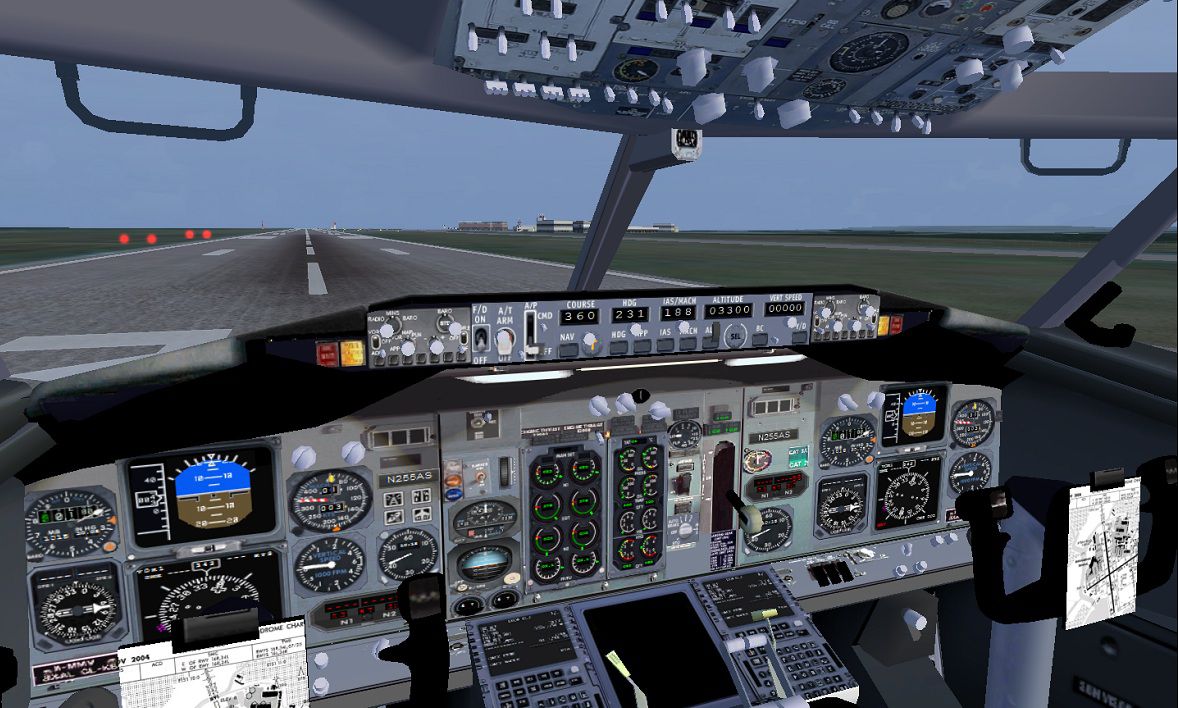

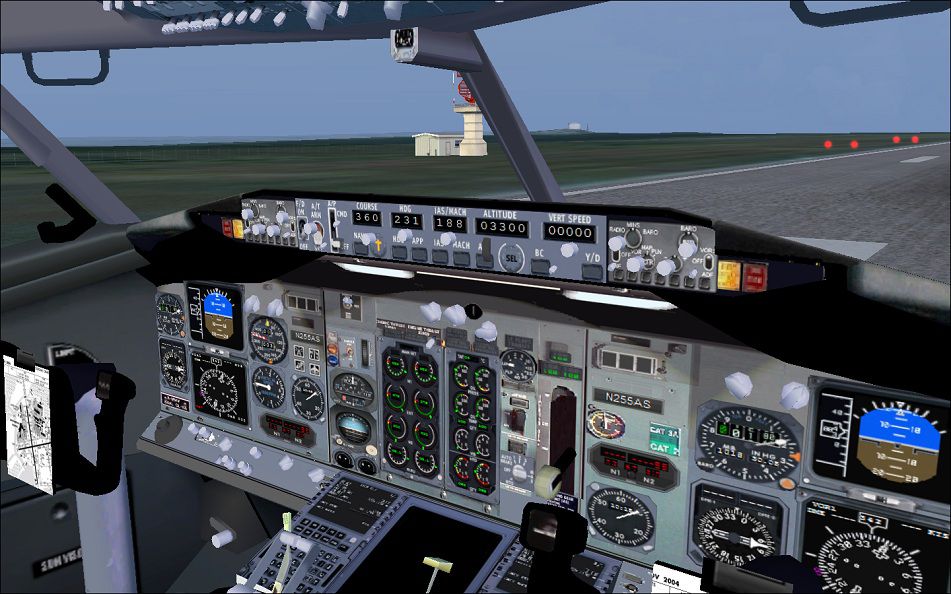
Project Open Sky Boeing 737-400 VC. Revised cockpit textures, gauges, and gauge postions for the Project Open Sky B737-800 with VC to fly as a VC 737-400 cockpit. Model and Delta livery included. Also, callout for Boeing approach callouts by Matt Smith included. Configuration by Jim Waters.

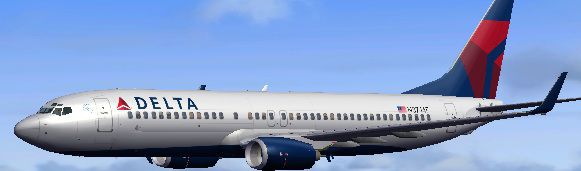
Project Open Sky Boeing 737-400 in flight.
- Project Open Sky - Boeing 737-400.
Conversion of the NG (*New Generation) cockpit of the 737-800 back to "steam gauges" of
the 400-series. VC portion will work on FS9 (*see readme).
Includes VC model of Project Open Sky's 737-800 with "updated"
retro cockpit textures and instrumentation in Delta's new livery.
Model included (*winglets), default sounds, updated VC textures and gauge placement.
So, I asked myself, is a 737-800 mostly the same as a 737-400 from the "old school"
days of the 70's? This project simply updates the textures of this model
and then re-places gauges from pre-digital flying. Regular "seat of the pants"
flyin'. Technically, this sim-aircraft is NOT a 737-400 ... then again,
it kinda is.
Configuration/programming: Jim Waters
Repaint: Project Open Sky (*now, Free Sky Project FSPro).
TO INSTALL for FSX:
1) Copy aircraft file named, OS737-400VC into the simobjects/aircraft file, as is.
2) Copy gauges into gauge file. The GAUGE named "n_number_plaque" is included
with FSX and you likely don't need to copy it. The other gauges are for
the CALLOUT as you descend to the arrival.
3) The CALLOUT program requires 1 file be copied from the enclosed file
"Sound (main)" into the main Sound file of FSX. The file
is named, "CALLOUT". Place the file, as is, into the main root Sound file of FSX.
Effects files are included but I found that the only 1 needed was the VC light
file called, fx_vclightGreH.fx. Without this effect, the lighting looks off.
Because ALL GAUGES are DEFAULT gauges, AND, because ALL of the VC gauges
are from the FS9 vintage, the "frame-rate friendly" is most definitely noticeable.
Other than the FSX default gauge, "n_number_plaque", all of the VC will likely
work not only for FS9, but also FS2002 and perhaps even FS2000.
The 2-D panel is all FSX default 737-800.
The view settings are to Captain, F.O., and 2D. There are 4 views/exits
on each wing. Please make a note of their location as we prepare
for our departure.
Hope you enjoy the flight.
[Window08]

	VISIBLE=1

	position=2

	size_mm=200,80

	child_3d=0

	background_color=0,0,0

	ident=Posky Utility

	gauge00=Pky_util!Pky_Util, 0, 0
These gauge .cabs are revised versions of Stefan Liebe's "CALLOUT" gauge for FSX.
CALLOUT_SOUND.DLL is the work of Doug Dawson.
Many thanks for their permission to use them.
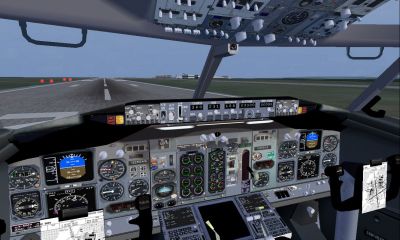
View from the cockpit of Project Open Sky Boeing 737-400.
Free for all simmers · 14.74 MB · Scanned clean Oct 2026
Download speed: Free tier is capped at 0.5 Mbps (this file takes approximately 4 mins at the cap). PRO members download at full line speed.
FSX\SimObjects\Airplanes\. The folder must contain an aircraft.cfg file. Effects go into FSX\Effects\; gauges go into FSX\Gauges\.readme.txt or README file. It tells you exactly where files go, what dependencies are needed, and any quirks specific to this add-on.The archive open_sky_b737-400_vc.zip has 120 files and directories contained within it.
This list displays the first 500 files in the package. If the package has more, you will need to download it to view them.
| Filename/Directory | File Date | File Size |
|---|---|---|
| Project_Opensky_B737-400VC | 02.16.11 | 0 B |
| checklist | 02.15.11 | 0 B |
| boeing737-800_check.htm | 12.31.05 | 77.28 kB |
| boeing737-800_ref.htm | 12.31.05 | 27.17 kB |
| effects | 02.15.11 | 0 B |
| fx_vclightGreH.fx | 08.23.07 | 1.25 kB |
| Opensky_beacon.fx | 02.12.02 | 3.04 kB |
| Opensky_conden.fx | 10.03.02 | 3.15 kB |
| Opensky_nacelle_refl.fx | 09.29.02 | 1.29 kB |
| Opensky_nav_yellow.fx | 03.24.04 | 3.07 kB |
| Opensky_sparks.fx | 09.08.02 | 7.05 kB |
| Opensky_vortex.fx | 10.08.03 | 1.23 kB |
| Opensky_wing_light.fx | 09.29.02 | 1.31 kB |
| gauges | 02.15.11 | 0 B |
| CALLOUT_BigJets.CAB | 01.15.10 | 4.28 kB |
| CALLOUT_SmallJets.CAB | 01.17.10 | 4.27 kB |
| CALLOUT_SOUND.dll | 01.14.10 | 95.68 kB |
| Credits.txt | 01.18.10 | 179 B |
| n_number_plaque.cab | 09.26.07 | 10.53 kB |
| manual | 02.15.11 | 0 B |
| 737700PERFORMANCE.PDF | 01.09.02 | 219.02 kB |
| 737LIMITATIONS.PDF | 01.09.02 | 124.80 kB |
| 737PROCEDURES.PDF | 01.09.02 | 2.13 MB |
| B737NG_OPERATIONS_MANUAL_v5.pdf | 01.01.06 | 1.28 MB |
| OS737-400_VC | 02.16.11 | 0 B |
| model.vc | 02.15.11 | 0 B |
| model.cfg | 02.12.11 | 41 B |
| OS738WE_VC_GHv12.mdl | 04.15.06 | 2.62 MB |
| panel.1 | 02.15.11 | 0 B |
| Pky_util | 02.15.11 | 0 B |
| install.txt | 03.25.08 | 143 B |
| Pky_Init.xml | 07.14.08 | 707 B |
| Pky_Timer.xml | 03.26.08 | 743 B |
| Pky_Util.xml | 07.14.08 | 4.71 kB |
| posky_sw_close.bmp | 03.25.08 | 2.30 kB |
| posky_sw_off.bmp | 03.25.08 | 2.30 kB |
| posky_sw_on.bmp | 03.25.08 | 2.30 kB |
| posky_sw_open.bmp | 03.25.08 | 2.30 kB |
| posky_utilbase.bmp | 07.14.08 | 47.87 kB |
| Posky737 | 02.15.11 | 0 B |
| Pky_PB_Towhead.xml | 07.13.08 | 655 B |
| PkyLeftgearheight.xml | 07.14.10 | 800 B |
| PkyNosegearheight.xml | 07.15.10 | 895 B |
| PkyNosegearsteerling.xml | 09.14.07 | 688 B |
| PkyRightgearheight.xml | 07.14.10 | 799 B |
| poskydebug.xml | 07.14.10 | 366 B |
| poskydebug2.xml | 07.14.10 | 376 B |
| 737-800_panel_background.bmp | 05.12.06 | 769.05 kB |
| 737-800_panel_background_night.bmp | 05.12.06 | 769.05 kB |
| 737_compass.BMP | 05.12.06 | 95.51 kB |
| 737_Panel_Decals_2.bmp | 05.12.06 | 257.05 kB |
| B737_800.cab | 05.10.07 | 2.01 MB |
| Panel.cfg | 02.15.11 | 9.20 kB |
| upper_640.bmp | 05.12.06 | 18.99 kB |
| sound | 02.15.11 | 0 B |
| sound.cfg | 02.12.11 | 32 B |
| Texture.delta | 02.15.11 | 0 B |
| clipboard.bmp | 04.07.06 | 128.07 kB |
| cockpitdetails.bmp | 06.04.07 | 5.33 MB |
| cockpitdetails2.bmp | 02.15.11 | 170.75 kB |
| console.bmp | 03.31.06 | 128.07 kB |
| electronics panel.bmp | 03.31.06 | 128.07 kB |
| FD.bmp | 02.15.11 | 4.00 MB |
| Fresnel_Ramp.dds | 09.04.06 | 640 B |
| Os737ng_ANTCOL_RED.BMP | 09.05.06 | 1.43 kB |
| Os737ng_Cockpitgray.bmp | 09.05.06 | 1.43 kB |
| Os737ng_darkgray.bmp | 09.05.06 | 1.43 kB |
| Os737ng_engine_l.bmp | 12.15.05 | 1.00 MB |
| Os737ng_engine_t.bmp | 01.25.08 | 4.00 MB |
| Os737ng_WINGROOT_GRAY.BMP | 09.05.06 | 1.43 kB |
| Os737ng_WINGTIP_GREEN_GLASS.bmp | 09.05.06 | 1.43 kB |
| Os737ng_WINGTIP_RED_GLASS.bmp | 09.05.06 | 1.43 kB |
| Os737ngstair_t.bmp | 02.24.06 | 1.00 MB |
| Os738body_l_l.bmp | 01.25.08 | 4.00 MB |
| Os738body_l_t.bmp | 01.25.08 | 4.00 MB |
| Os738body_r_l.bmp | 01.25.08 | 4.00 MB |
| Os738body_r_t.bmp | 01.25.08 | 4.00 MB |
| Os738Option.bmp | 12.20.05 | 16.07 kB |
| Os738parts_t.bmp | 01.27.06 | 1.00 MB |
| Os738w_wing_l_l.bmp | 12.15.05 | 1.00 MB |
| OS738W_WING_L_T.bmp | 02.09.06 | 4.00 MB |
| Os738w_wing_r_l.bmp | 12.15.05 | 1.00 MB |
| OS738W_WING_R_T.bmp | 02.09.06 | 4.00 MB |
| ostug_L.bmp | 12.15.05 | 1.00 MB |
| ostug_T.bmp | 01.17.06 | 1.00 MB |
| panelaftoverhead_ng.bmp | 02.15.11 | 170.75 kB |
| paneloverhead_737-700.bmp | 02.15.11 | 341.42 kB |
| radio textures.bmp | 03.31.06 | 42.74 kB |
| thumbnail.jpg | 02.15.11 | 28.44 kB |
| aircraft.cfg | 02.16.11 | 24.74 kB |
| boeing737-800_check.htm | 12.31.05 | 77.28 kB |
| boeing737-800_ref.htm | 12.31.05 | 27.17 kB |
| OSBoeing737-800w.air | 03.20.06 | 8.90 kB |
| Sound (main) | 02.15.11 | 0 B |
| Callout | 02.15.11 | 0 B |
| 1000FT.wav | 01.15.10 | 172.32 kB |
| 100FT.wav | 01.15.10 | 193.76 kB |
| 10FT.wav | 01.15.10 | 105.07 kB |
| 200FT.wav | 01.15.10 | 222.76 kB |
| 20FT.wav | 01.15.10 | 104.56 kB |
| 2500FT.wav | 01.15.10 | 215.39 kB |
| 300FT.wav | 01.15.10 | 189.46 kB |
| 30FT.wav | 01.15.10 | 103.98 kB |
| 400FT.wav | 01.15.10 | 181.13 kB |
| 40FT.wav | 01.15.10 | 116.34 kB |
| 500FT.wav | 01.15.10 | 174.66 kB |
| 50FT.wav | 01.15.10 | 113.67 kB |
| APPMIN.wav | 01.15.10 | 258.45 kB |
| Credits.txt | 01.18.10 | 163 B |
| MIN.wav | 01.15.10 | 129.25 kB |
| Sound.ini | 01.15.10 | 872 B |
| Readme.txt | 02.15.11 | 7.39 kB |
| file_id.diz | 02.15.11 | 535 B |
| pic.jpg | 02.15.11 | 287.93 kB |
| pic2.jpg | 02.15.11 | 212.64 kB |
| pic3.jpg | 02.15.11 | 205.56 kB |
| PIC_Delta_New.jpg | 02.15.11 | 28.44 kB |
| readme.txt | 02.15.11 | 2.05 kB |
| flyawaysimulation.txt | 10.29.13 | 959 B |
| Go to Fly Away Simulation.url | 01.22.16 | 52 B |
Only PRO members can place votes.
More FSX & P3D add-ons hand-picked based on this download.
FSX Civil Aircraft
An update to the Project Open Sky CRJ200 VC so that it can be used in FSX. In…
 FSX Civil Aircraft
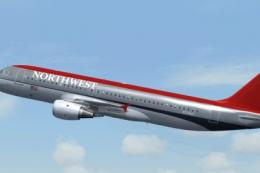
Project Airbus Default A321 VC Merge; Northwest Airlines pack. Compiled by Ry…
 FSX Civil Aircraft
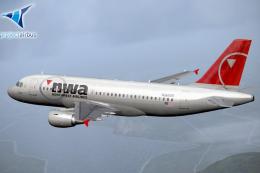
Project Airbus Default A319 VC Merge; Northwest Airlines pack. Compiled by Ry…
 FSX Civil Aircraft
Fly one of the most successful Airplanes in history with this aircraft file f…
 FSX Civil Aircraft
Sky Airlines ceased operations in June 2013 but did have a rage of different …
FSX Civil Aircraft
A repaint of the payware PMDG B737-800. Installation Instructions: Unzip Fold…
 FSX Civil Aircraft
Project Opensky B747-400 recovery package for Microsoft Flight Simulator X/Lo…
 FSX Civil Aircraft
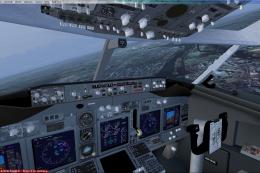
United Airlines Boeing 737-800 in post-merger livery. Includes Project Open S…
Read what other simmers think, or add your own.

Would you like to make a file with only the Virtual Cockpit of it because its a lovely cockpit and i like to use it with an 737-400 thanks!

Could you somehow separate the VC model. I could use the VC model in an Aaardvark 737 Classic. There are good FSX native 737 Classic models out there from Aardvark and this FSX native 737 Classic VC would go great with them, and look more realistic than to put it in a 737NG model. Not dissing your work.. just saying think "Aardvark", "UTT" or "FAIB".