

 FSX General Aviation Aircraft
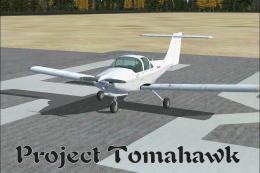
Project Tomahawk
This complete freeware edition of Alcala-Sim’s Piper Tomahawk for FSX offers …
Light blue, nearly blank repaint for the Chincul PA-A-38 Tomahawk removes national markings and registration while retaining Piper paint details and the Chincul label for an authentic, clean look. Designed for FSX, the raw BMP texture format supports easy editing in common image tools for custom tail numbers and markings.
 Rate
Rate
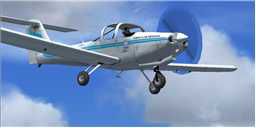
Tomahawk Texture Without Registration. Nearly blank texture for Chincul PA-A-38 Tomahawk. Here is the light blue texture for the Chincul PA-A-38 Tomahawk without national markings and registration number. Includes the Piper paint and the Chincul label out of respect for the person who gave us this fine craft. By John Hawranick, Jr.
Tomahawk in flight.
Nearly blank texture for Chincul PA-A-38 Tomahawk.
Here is the Light Blue texture for the Chincul PA-A-38 Tomahawk without national markings and registration number.
I left the Piper paint and the Chincul label out of respect for the person who gave us this fine craft. I imagine this will work for FS2004, but I use it for the FSX version as well. It is still in raw BMP format so you can use it with Photoshop or PSP.
Enjoy!
John "Sharkey" Hawranick
Free for all simmers · 349.81 KB · Scanned clean Oct 2026
Download speed: Free tier is capped at 0.5 Mbps. PRO members download at full line speed.
texture.{airline}) inside FSX\SimObjects\Airplanes\{base-aircraft}\.aircraft.cfg in Notepad. Add a new [fltsim.X] section per the readme.readme.txt or README file. It tells you exactly where files go, what dependencies are needed, and any quirks specific to this add-on.The archive pa38norg.zip has 6 files and directories contained within it.
This list displays the first 500 files in the package. If the package has more, you will need to download it to view them.
| Filename/Directory | File Date | File Size |
|---|---|---|
| Info and Readme.txt | 07.27.09 | 465 B |
| thumbnail.jpg | 05.26.08 | 4.33 kB |
| Thumbs.db | 07.27.09 | 8.50 kB |
| tomahawk1.bmp | 07.26.09 | 3.00 MB |
| flyawaysimulation.txt | 10.29.13 | 959 B |
| Go to Fly Away Simulation.url | 01.22.16 | 52 B |
Only PRO members can place votes.
More FSX & P3D add-ons hand-picked based on this download.
FSX General Aviation Aircraft
This complete freeware edition of Alcala-Sim’s Piper Tomahawk for FSX offers …
 FSX General Aviation Aircraft
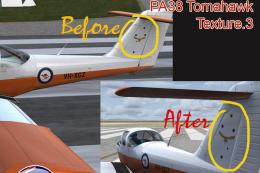
Textures only for payware Alabeo PA-38 Tomahawk. This archive contains a smal…
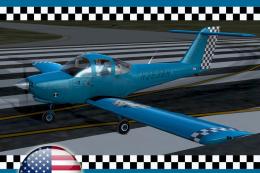 FSX General Aviation Aircraft
Fictional repaint with US registration for FSX payware Alabeo PA38 Tomahawk. …
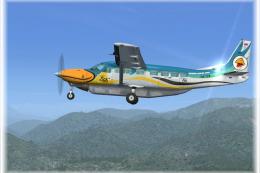 FSX General Aviation Aircraft
This freeware livery offers a detailed Siam General Aviation (SGA) texture fo…
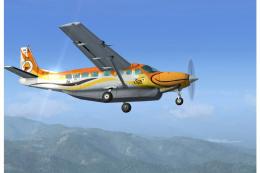 FSX General Aviation Aircraft
This repaint showcases the Siam General Aviation (SGA) color scheme for the d…
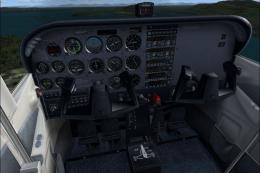 FSX General Aviation Aircraft
Enhance visual fidelity by applying this refined texture package specifically…
 FSX General Aviation Aircraft
This freeware patch addresses the blurry texture issue on the default Beechcr…
 FSX General Aviation Aircraft
Maule M-7 260C Texture Fix. These files will fix default FSX textures for thi…
Be the first to leave a comment on this download.
Be the first to share your thoughts on this download.