

 FSX General Aviation Aircraft
Cessna 195 "Shakey Jake"
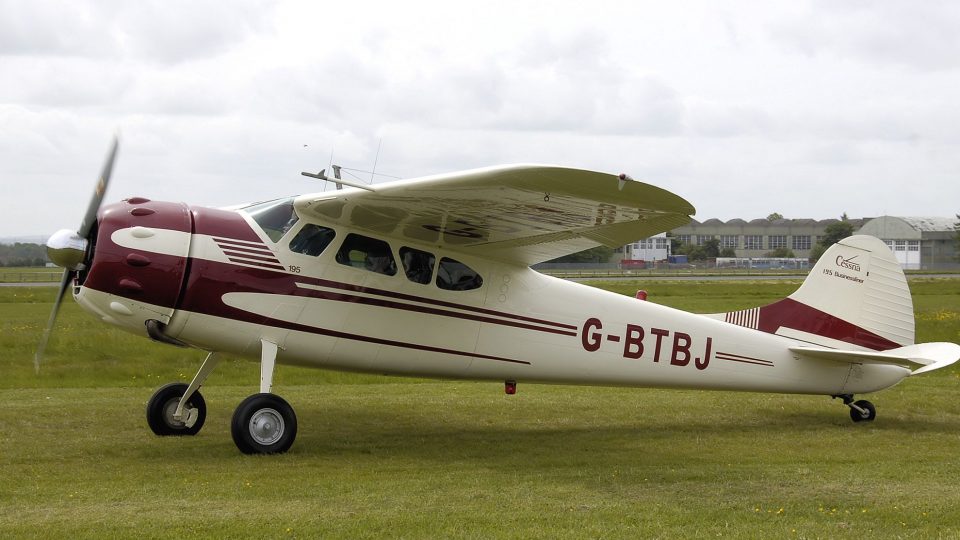
Cessna 195 "Shakey Jake". This is a Cessna 195 with the gauges and panels and…
Cessna 195B “Shakey Jake” N2161C gets an FSX-ready repaint and dedicated panel, plus a bonus woodgrain retro virtual cockpit option for other liveries. Requires the Joe Binka FS2004 Cessna 195 base aircraft, and includes an optional air file tweak to improve EGT gauge behavior.
 Rate
Rate

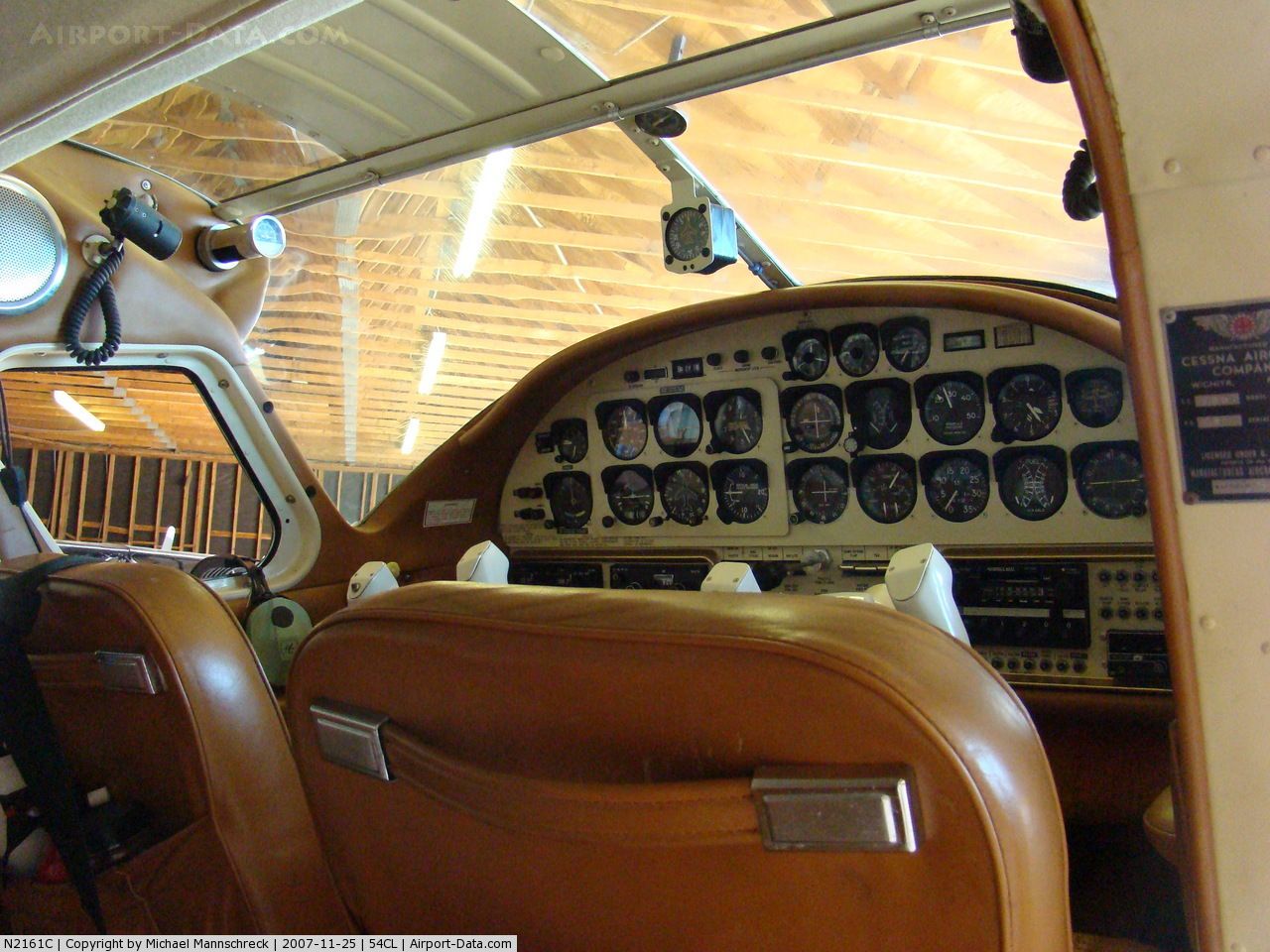
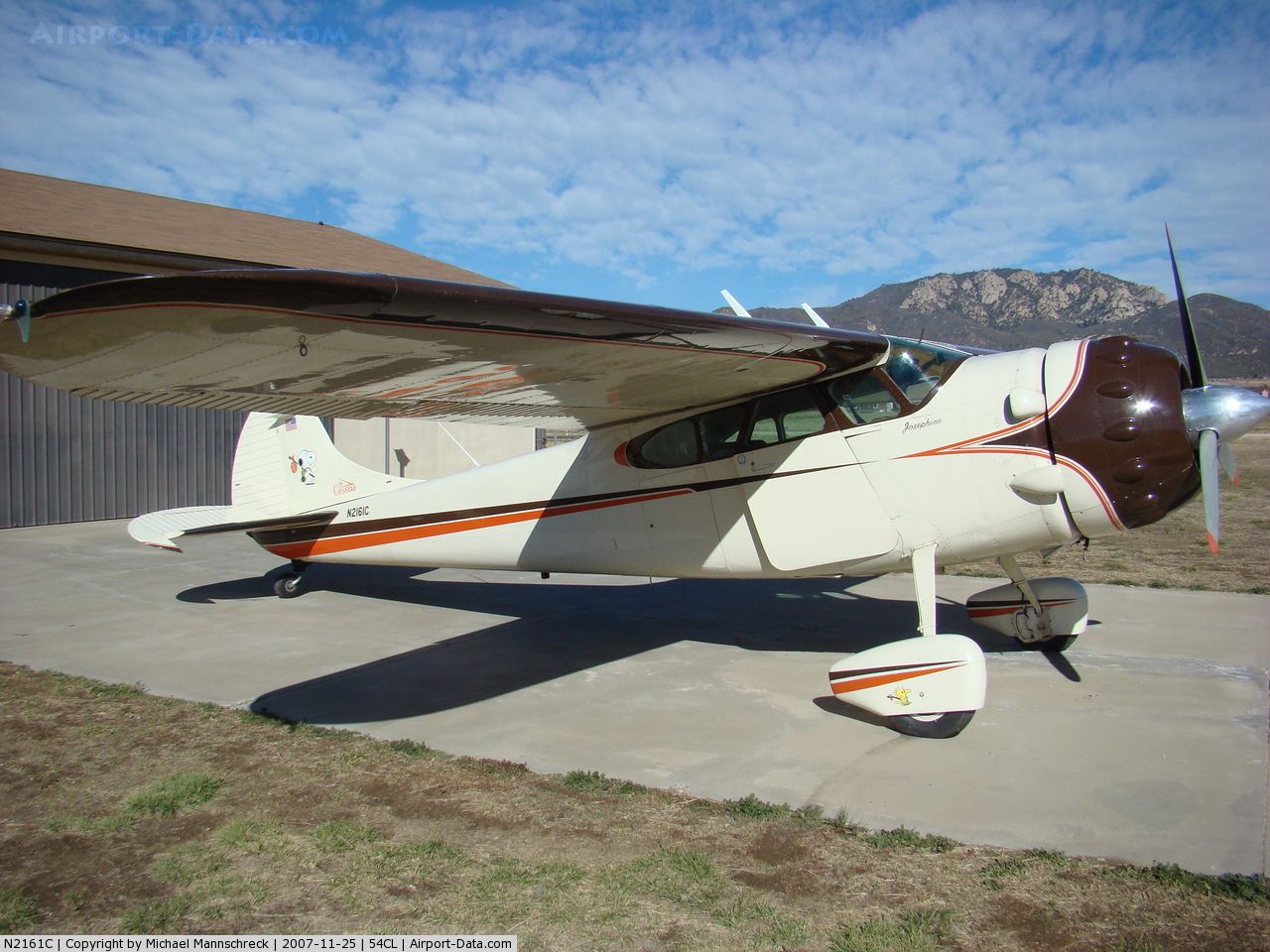
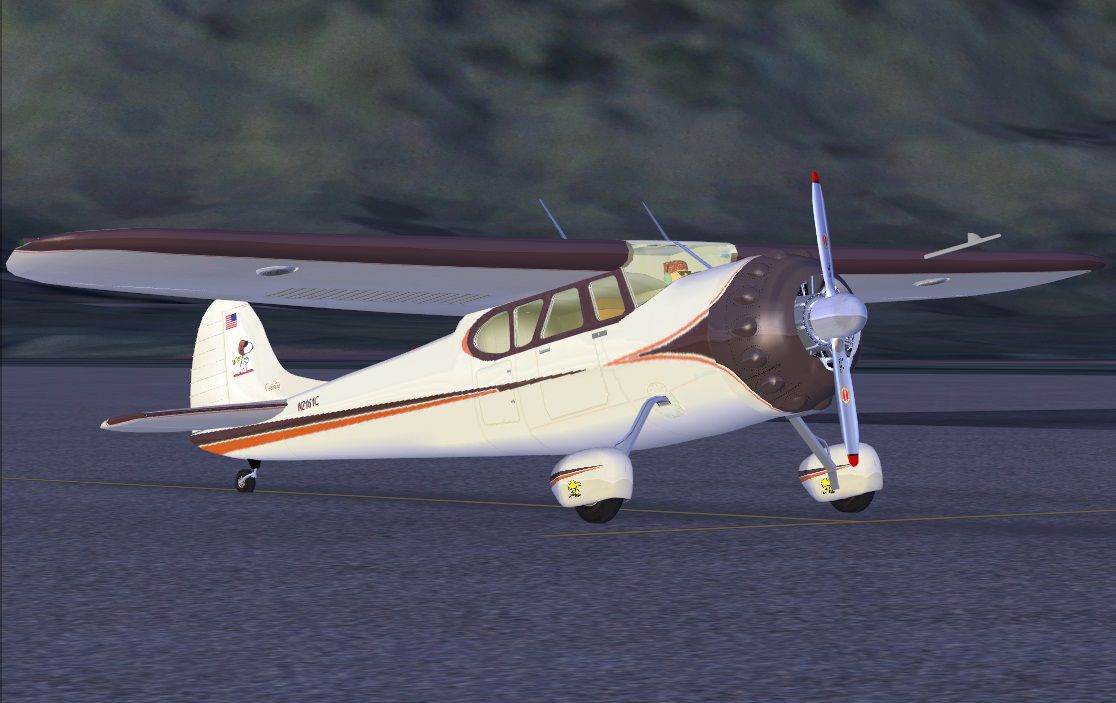
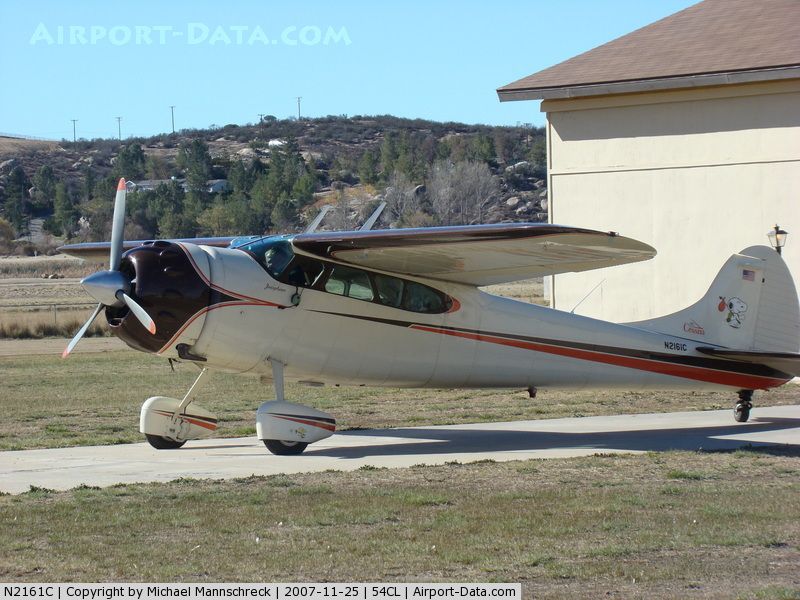


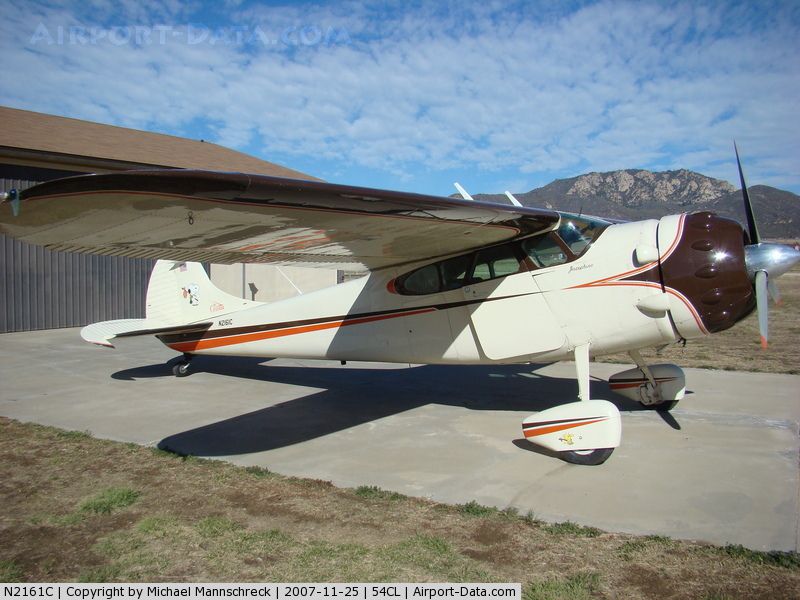
"Shakey Jake" N2161C Panel And Paint. This Cessna 195B N2161C panel and paint job are for the Joe Binka FS2004 Cessna 195 "Shakey Jake" (SHKYJAKE.ZIP) and will essentially make it compatible with FSX (if you haven't already used C195XSJPNLDCB.ZIP). It includes a proper panel for N2161C and a bonus woodgrain panel for use with your other liveries if so desired. By Don Bodenstedt.
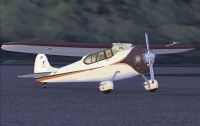
"Shakey Jake" N2161C.
I have included an identical panel with woodgrain textures rather than the painted N2161C version.
The panel.retro(Woodgrain) panel installation has seperate instructions in the panel.retro folder
For my original panel update to use with other liveries.
N2161C Installation:
Place all of the folders and files in your "cessna195" folder. They are all seperate from the originals, so there should be no conflicts.
The cessna195x.air file only has a tweak to make the EGT gauge work properly and it is not essential for you to install it. Change the sim=cessna195x to: sim=cessna195(no X) to use the .air file you have.
Copy the following into your aircraft.cfg and change the "X" [fltsim.X] to be the next available number.
Done!
[fltsim.X]

	title=Cessna 195 Cream WP

	sim=cessna195x

	panel=N2161C

	model=wp

	sound=

	texture=N2161C

	prop_anim_ratio=2.7

	checklists=

	ui_manufacturer=Cessna

	ui_type=195 w/ wheelpants

	ui_variation=Snoopy N2161C

	atc_heavy=0

	atc_id=N2161C

	visual_damage=1

	atc_airline=

	atc_flight_number=

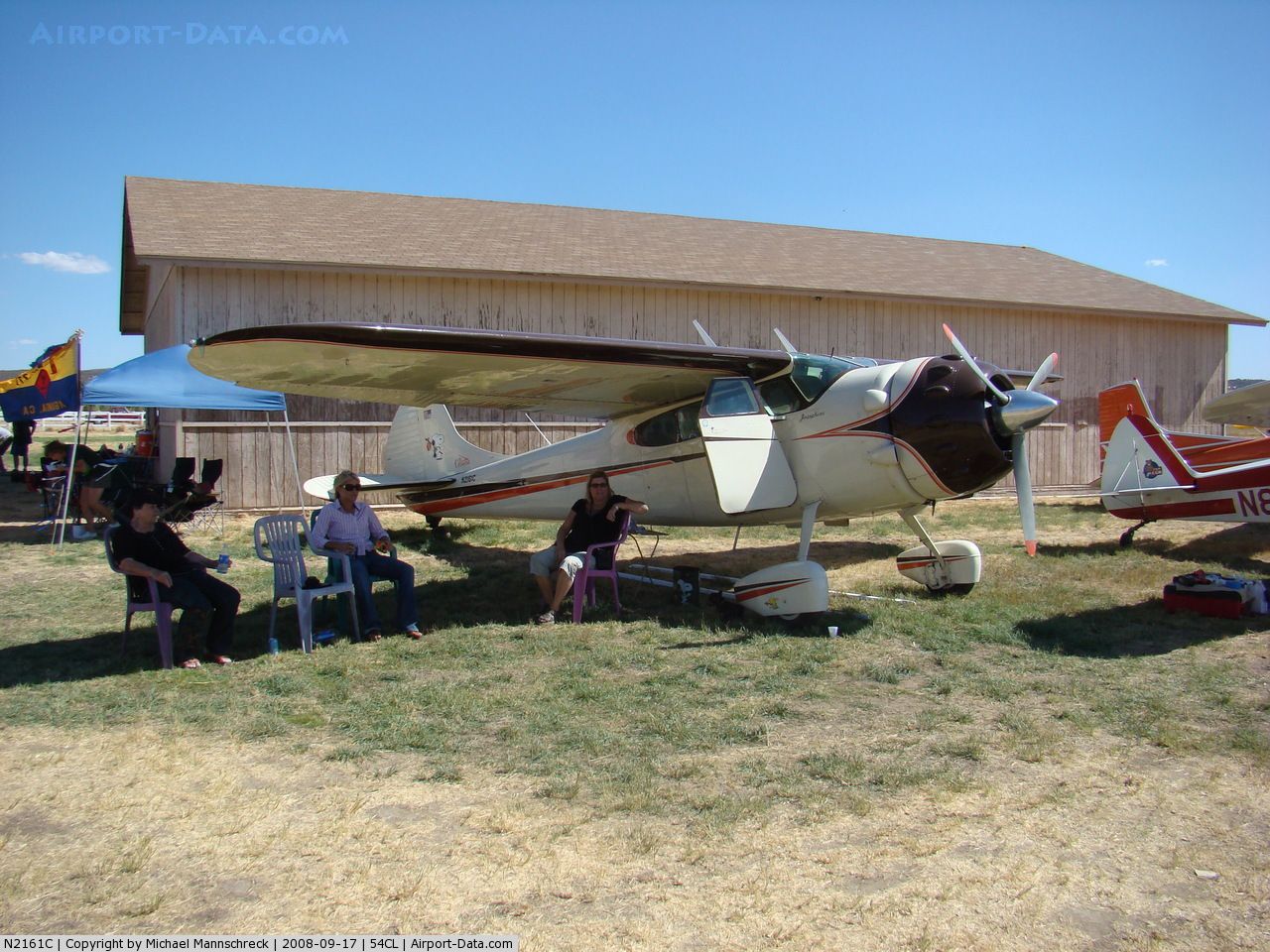
	description=The last Cessna to maintain the pre-war tradition of the radial engine. High performance is achieved through clean aerodynamics and a lot of Jacobs horsepower. 300 compared to 145 for the Cessna 170. This particular plane is a 1954 195B model (C/N) 16146 owned by Richard N. Martin of San Marcos, Calif.
Airplane Info
Manufacturer: Cessna
Model: 195B
Year built: 1954
Construction Number (C/N): 16146
Aircraft Type: Fixed wing single engine
Number of Seats: 5
Number of Engines: 1
Engine Type: Reciprocating
Engine Manufacturer and Model: Jacobs R755B SERIES
Aircraft
Registration Number: N2161C
Mode S Code: 50351112
Certification Class: Standard
Certification Issued: 1989-05-08
Air Worthiness Test: 1956-07-14
Current Status: Valid
Owner: Primary; Martin, Richard N.
Registration Type: Co-Owned
Address: San Marcos, CA 92069
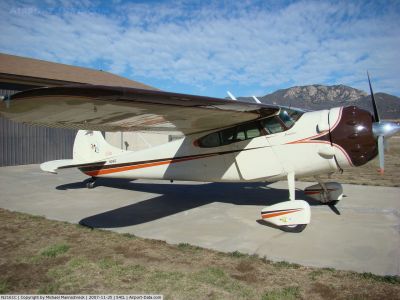
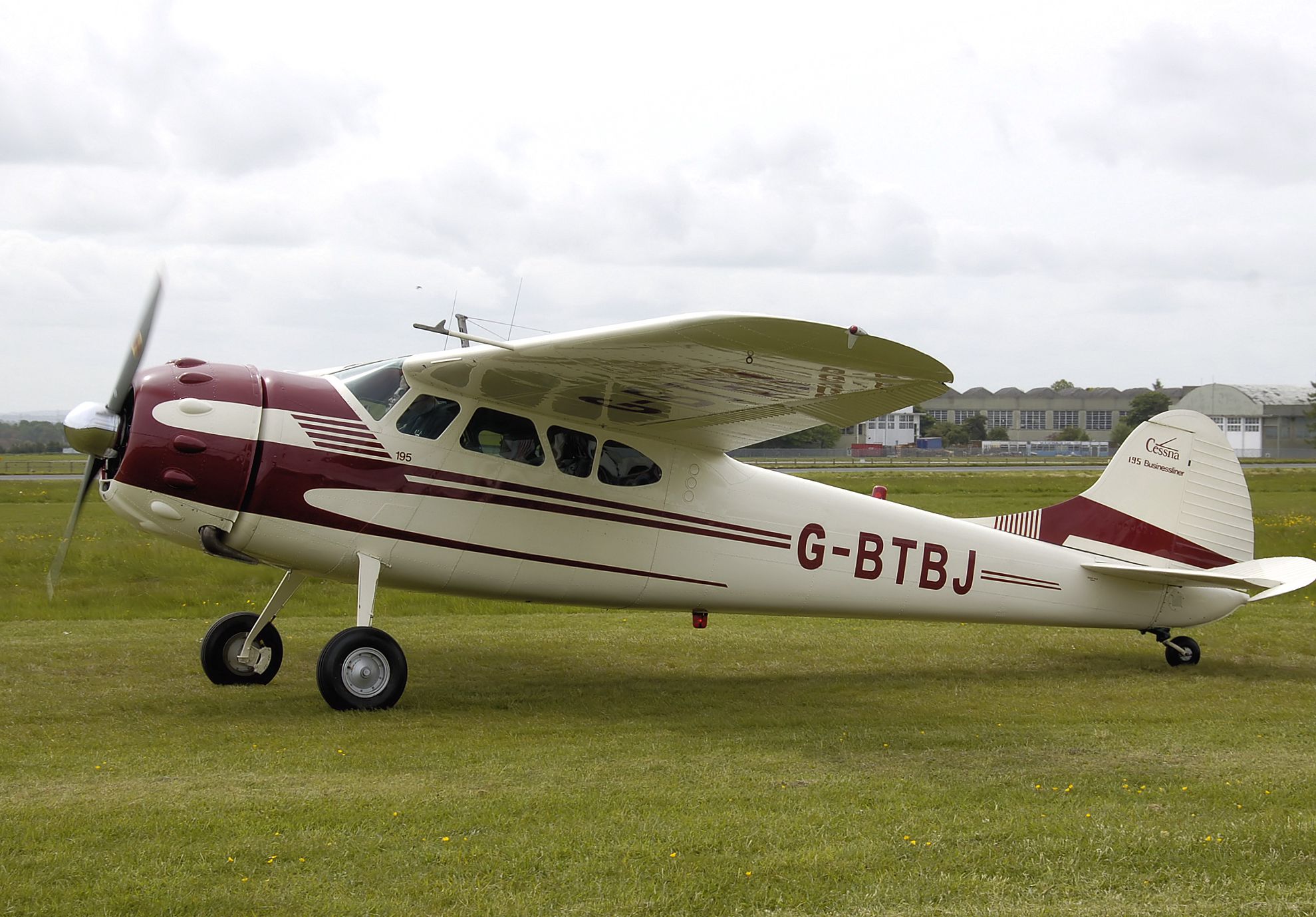
Photograph of real "Shakey Jake".
Free for all simmers · 16.84 MB · Scanned clean Oct 2026
Download speed: Free tier is capped at 0.5 Mbps (this file takes approximately 5 mins at the cap). PRO members download at full line speed.
This add-on may require the following files to function properly. If this is a repaint, the dependency below is likely the base aircraft package.
FSX\SimObjects\Airplanes\. The folder must contain an aircraft.cfg file. Effects go into FSX\Effects\; gauges go into FSX\Gauges\.readme.txt or README file. It tells you exactly where files go, what dependencies are needed, and any quirks specific to this add-on.The archive sjn2161cdcb.zip has 143 files and directories contained within it.
This list displays the first 500 files in the package. If the package has more, you will need to download it to view them.
| Filename/Directory | File Date | File Size |
|---|---|---|
| Cessna 195 N2161C | 07.25.11 | 0 B |
| cessna195x.air | 07.24.11 | 8.78 kB |
| FSX Cessna 195 N2161C.jpg | 07.24.11 | 192.87 kB |
| N2162C_Readme.txt | 07.26.11 | 3.12 kB |
| panel.N2161C | 07.25.11 | 0 B |
| Copilot_Panel.bmp | 07.25.11 | 2.25 MB |
| EngineX.bmp | 07.14.11 | 59.65 kB |
| Landing_Panel.bmp | 07.24.11 | 2.25 MB |
| Main_Panel.bmp | 07.25.11 | 2.25 MB |
| Panel.cfg | 07.25.11 | 9.75 kB |
| PanelToggle | 07.25.11 | 0 B |
| PanelP-CPToggle.xml | 07.25.11 | 339 B |
| Pilot-Copilot_Toggle.bmp | 07.25.11 | 1.87 kB |
| RadiosX.bmp | 07.14.11 | 124.98 kB |
| VC1.bmp | 07.25.11 | 3.00 MB |
| VC2.bmp | 07.24.11 | 2.64 MB |
| VC3.bmp | 07.24.11 | 468.80 kB |
| VC4.bmp | 07.25.11 | 3.00 MB |
| panel.retro | 07.25.11 | 0 B |
| Copilot_Panel.bmp | 07.25.11 | 2.25 MB |
| EngineX.bmp | 07.14.11 | 59.65 kB |
| Installation and VC lighting textures instructions | 07.25.11 | 0 B |
| Backups | 07.25.11 | 0 B |
| P1_L.bmp | 11.23.03 | 65.07 kB |
| P2_L.bmp | 11.23.03 | 65.07 kB |
| P3_L.bmp | 11.23.03 | 65.07 kB |
| radio_L.bmp | 11.17.03 | 65.07 kB |
| P1_L.bmp | 07.25.11 | 32.07 kB |
| P2_L.bmp | 07.25.11 | 32.07 kB |
| P3_L.bmp | 07.25.11 | 65.05 kB |
| radio_L.bmp | 07.25.11 | 64.07 kB |
| VC Lighting texture readme.txt | 07.25.11 | 1.19 kB |
| Landing_Panel.bmp | 07.25.11 | 2.25 MB |
| Main_Panel.bmp | 07.25.11 | 2.25 MB |
| Panel.cfg | 07.25.11 | 9.75 kB |
| PanelToggle | 07.25.11 | 0 B |
| PanelP-CPToggle.xml | 07.25.11 | 339 B |
| Pilot-Copilot_Toggle.bmp | 07.25.11 | 1.87 kB |
| RadiosX.bmp | 07.14.11 | 124.98 kB |
| VC1.bmp | 07.25.11 | 468.80 kB |
| VC2.bmp | 07.14.11 | 901.05 kB |
| VC3.bmp | 07.14.11 | 468.80 kB |
| VC4.bmp | 07.25.11 | 468.80 kB |
| texture.N2161C | 07.25.11 | 0 B |
| 2door.bmp | 07.24.11 | 64.07 kB |
| bandana.bmp | 11.04.03 | 64.07 kB |
| Black_Geos_essi.bmp | 12.13.02 | 170.74 kB |
| blleather.bmp | 07.24.11 | 192.05 kB |
| butternut.bmp | 11.13.03 | 32.07 kB |
| cans.bmp | 11.18.03 | 17.07 kB |
| chrome_L.bmp | 08.15.03 | 192.05 kB |
| chrome_T.bmp | 08.13.03 | 85.43 kB |
| Construction Bitmaps | 07.25.11 | 0 B |
| 2door master Cream.bmp | 07.24.11 | 192.05 kB |
| 2door master.bmp | 07.15.11 | 192.05 kB |
| bandana master.bmp | 07.24.11 | 192.05 kB |
| blleather Cream.bmp | 07.24.11 | 192.05 kB |
| Cessna_195_businessliner_g-btbj_of_1952_arp.jpg | 07.15.11 | 2.69 MB |
| cowl_t Alpha Cream.bmp | 07.22.11 | 1.00 MB |
| cowl_t Alpha master.bmp | 07.22.11 | 1.00 MB |
| cowl_t master Cream 2.bmp | 07.22.11 | 3.00 MB |
| cowl_t master.bmp | 07.15.11 | 3.00 MB |
| cowl_t parts n stripes.bmp | 07.22.11 | 8.69 MB |
| Fuse parts 1.bmp | 07.23.11 | 2.85 MB |
| interior_T master Cream.bmp | 07.24.11 | 3.00 MB |
| interior_T master.bmp | 07.15.11 | 3.00 MB |
| interior_T Template.bmp | 07.24.11 | 3.00 MB |
| map1_T alpha.bmp | 07.22.11 | 3.00 MB |
| map1_T Cream master .bmp | 07.23.11 | 3.00 MB |
| map1_T master.bmp | 07.15.11 | 3.00 MB |
| map1_T New alpha.bmp | 07.22.11 | 1.00 MB |
| map1_T ORIG alpha.bmp | 07.22.11 | 1.00 MB |
| map2_T Alpha master.bmp | 07.22.11 | 1.00 MB |
| map2_T Alpha new.bmp | 07.23.11 | 1.00 MB |
| map2_T master Cream.bmp | 07.23.11 | 3.00 MB |
| map2_T master.bmp | 07.15.11 | 3.00 MB |
| map3_T Alpha master.bmp | 07.22.11 | 1.00 MB |
| map3_T Alpha new OBIO.bmp | 07.23.11 | 1.00 MB |
| map3_T Alpha new.bmp | 07.23.11 | 1.00 MB |
| map3_T master Cream.bmp | 07.23.11 | 3.00 MB |
| map4_T Alpha master Cream.bmp | 07.23.11 | 1.00 MB |
| map4_T Alpha master.bmp | 07.23.11 | 1.00 MB |
| map4_T master Cream.bmp | 07.24.11 | 3.00 MB |
| map4_T master Interior Parts Template.bmp | 07.24.11 | 3.00 MB |
| map4_T master.bmp | 07.15.11 | 3.00 MB |
| Mdoor master Cream.bmp | 07.24.11 | 192.05 kB |
| Mdoor master.bmp | 07.15.11 | 192.05 kB |
| More panel parts.bmp | 07.24.11 | 10.89 MB |
| N2161C straight 1.bmp | 07.22.11 | 2.28 MB |
| N2161C-1.jpg | 07.15.11 | 215.89 kB |
| N2161C-1Lg.jpg | 07.24.11 | 489.02 kB |
| N2161C-2.jpg | 07.15.11 | 187.50 kB |
| N2161C-2Lg.jpg | 07.24.11 | 462.71 kB |
| N2161C-3.jpg | 07.15.11 | 215.37 kB |
| N2161C-3Lg.jpg | 07.24.11 | 528.57 kB |
| N2161C-int Lg.jpg | 07.24.11 | 431.62 kB |
| N2161C-int.jpg | 07.15.11 | 205.15 kB |
| P1_Lbak.bmp | 11.23.03 | 65.07 kB |
| Panel_195 master Cream 2.bmp | 07.24.11 | 3.00 MB |
| Panel_195 master Cream.bmp | 07.24.11 | 3.00 MB |
| Panel_195 master.bmp | 07.15.11 | 3.00 MB |
| Panel_195 Parts.bmp | 07.24.11 | 2.85 MB |
| wheelpant_T Alpha.bmp | 07.23.11 | 65.05 kB |
| wheelpant_T master.bmp | 07.24.11 | 192.05 kB |
| woodstock.bmp | 07.24.11 | 211.46 kB |
| cowlout.bmp | 11.04.03 | 64.07 kB |
| cowl_l.bmp | 11.04.03 | 1.07 kB |
| cowl_t.bmp | 07.22.11 | 1.00 MB |
| hair.bmp | 11.24.03 | 586 B |
| husky-bk.bmp | 05.18.03 | 170.74 kB |
| interior_l.bmp | 11.04.03 | 1.07 kB |
| interior_T.bmp | 07.24.11 | 512.07 kB |
| lite_L.bmp | 11.04.03 | 64.07 kB |
| lite_T.bmp | 11.04.03 | 64.07 kB |
| m.bmp | 07.14.11 | 1.07 kB |
| map1_l.bmp | 11.04.03 | 1.07 kB |
| map1_T.bmp | 07.24.11 | 1.00 MB |
| map2_l.bmp | 11.04.03 | 1.07 kB |
| map2_T.bmp | 07.23.11 | 1.00 MB |
| map3_l.bmp | 11.04.03 | 1.07 kB |
| map3_T.bmp | 07.23.11 | 1.00 MB |
| map4_L.bmp | 11.04.03 | 1.07 kB |
| map4_T.bmp | 07.24.11 | 1.00 MB |
| Mdoor.bmp | 07.24.11 | 32.07 kB |
| misc_L.bmp | 11.04.03 | 1.07 kB |
| misc_T.bmp | 11.04.03 | 256.07 kB |
| P1_L.bmp | 07.25.11 | 32.07 kB |
| P2_L.bmp | 07.25.11 | 32.07 kB |
| P3_L.bmp | 07.25.11 | 65.05 kB |
| Panel_195.bmp | 07.24.11 | 512.07 kB |
| pilot.bmp | 11.04.03 | 256.07 kB |
| prop.bmp | 07.14.11 | 256.07 kB |
| radio_L.bmp | 07.25.11 | 64.07 kB |
| t.bmp | 07.14.11 | 1.07 kB |
| wheel.bmp | 11.04.03 | 64.07 kB |
| wheelpant_L.bmp | 11.04.03 | 1.07 kB |
| wheelpant_T.bmp | 07.24.11 | 64.07 kB |
| window_T.bmp | 07.24.11 | 64.07 kB |
| wstrip.bmp | 11.04.03 | 64.07 kB |
| Xpanel_195.bmp | 07.24.11 | 257.05 kB |
| Thumbnail.jpg | 07.25.11 | 12.26 kB |
| flyawaysimulation.txt | 10.29.13 | 959 B |
| Go to Fly Away Simulation.url | 01.22.16 | 52 B |
Only PRO members can place votes.
More FSX & P3D add-ons hand-picked based on this download.
FSX General Aviation Aircraft
Cessna 195 "Shakey Jake". This is a Cessna 195 with the gauges and panels and…
 FSX General Aviation Aircraft
This release offers a specialized blank white repaint for a freeware Rancho J…
 FSX General Aviation Aircraft
HM Aerospace is a flying academy based in Langkawi Island. Aircraft registrat…
 FSX General Aviation Aircraft
A panel update to the TI-AHQ texture for the payware Carenado Cherokee (TICO_…
 FSX General Aviation Aircraft
Panel Fix For Aero Boero AB-115 (OIMD_AB-115_FSX.ZIP). By OIMD Development. S…
 FSX General Aviation Aircraft
New updated version 3.0. contains revised textures, models and Flight Dynamic…
 FSX General Aviation Aircraft
Pack consisting of the LIC (Long Island Classics) Bellanca Scout, repainted b…
 FSX General Aviation Aircraft
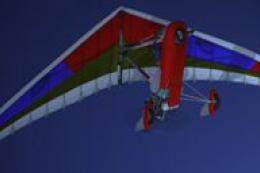
Red And Blue Aircreation 582SL. A repaint of the default Air Creation 582 SL …
Read what other simmers think, or add your own.
