

 FSX Panels & Gauges
Mooney Default Panel Partial Glass
Mooney Default Panel Partial Glass. This is a Mooney Bravo default panel with…
Default Cessna 172SP refreshes with a rebuilt instrument panel, photoreal gauges in both 2D and virtual cockpit, and POH-based flight dynamics tuned for more realistic engine, flaps, control feel, and ground effect in FSX. Updated camera viewpoints improve runway sightlines, while enhanced avionics, GPS, autopilot, VOR/DME behavior, and extra stall and turbulence sounds round out the package.
 Rate
Rate
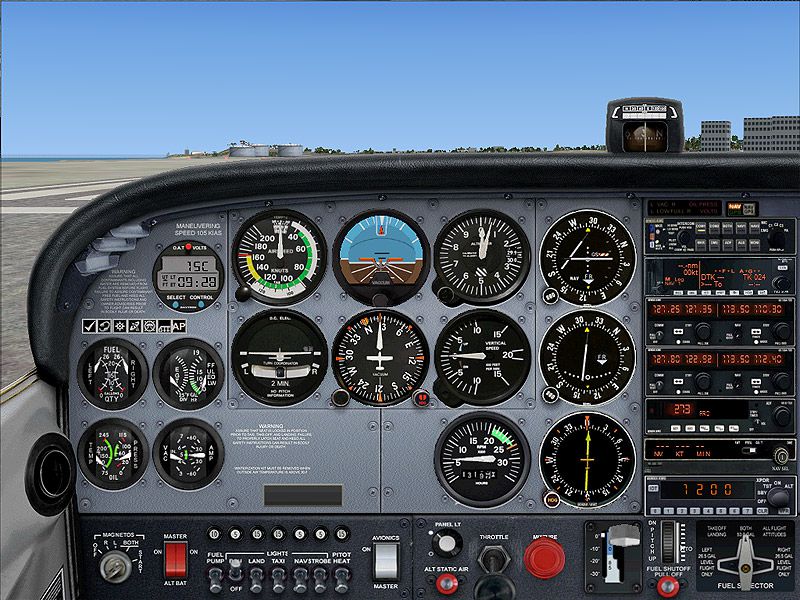
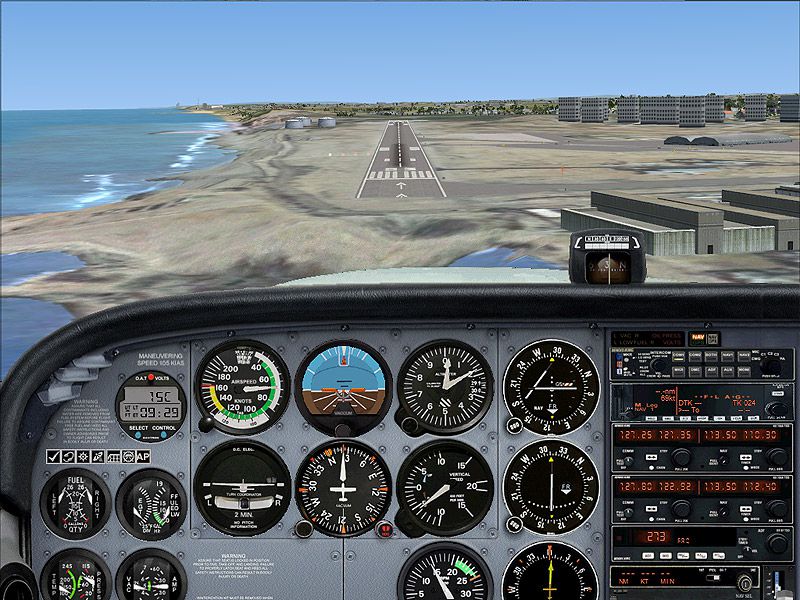
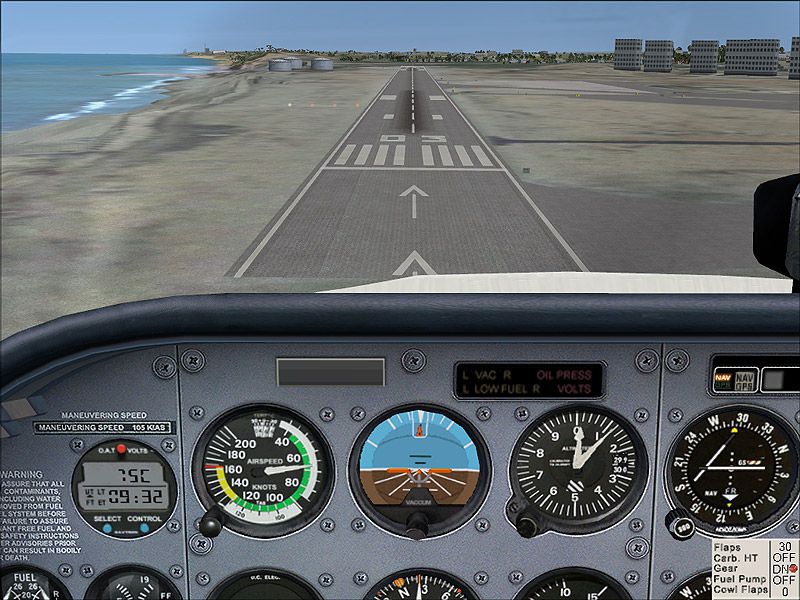
Panel And FDE For Default Cessna 172SP. This package includes new instrument panel and photoreal gauges which replaced the default Cessna 172 panel and also new real aircraft flight dynamics. This package includes new photoreal gauges which were added to 2D and 3D panel. By Tomer Haim.
Panel And FDE For Default Cessna 172SP.
Aircraft Flight Dynamics
========================
I changed the aircraft weight, fuel, Moments and Performance properties to fit exactly to the Cessna 172S POH tables.
In addition I changed the effects of: Engine, Flaps (lift and drag), controls and ground effect to fit my experience flying of Cessna 172 in real life.
2D Panel
========
The default 2D panel view angle was adjusted to the correct position of the pilot's eye, making landings easier.
I also added the nose as visual reference to the Landing View Panel.
3D Panel
========
I added two new views to the 3D panel:
Left Seat: set the camera in the right position of the pilot's eyes and default angle make good runway view and airspeed view, making landings easier.
Panoramic view: set the camera behind the pilot seat (just for fun).
New Gauges
==========
This package includes new Photoreal Gauges which were added to 2D and 3D panel:
1. Six new basic instruments which move very smoothly (especially the attitude indicator) make real IFR flight possible.
1. KLN98B GPS.
2. KMA24 AUDIO PANEL.
3. new set of Bendix Kind Radio-Nav and adf (credits to Pierre FASSEAUX).
4. kap 140 autopilot (credits to Pierre FASSEAUX).
5. Fully working c172S clock (credits to Pierre FASSEAUX).
6. DME that emulate real UHF receive range.
7. New VORs gauge with motion to/from flag.
8. Vertical speed gauges that emulate the G effect problem of this real aircraft gauge.
Additional Sounds:
==================
1. Stall sound that sounds 5-10 KTS before the stalls occurred.
2. Turbulance sound when full rudder is applied or full flaps down.
Installation:
=============
==== IMPORTANT =====
MAKE BACKUP OF C172 FOLDER LOCATED AT: (fsx folder)SimObjectsAirplanes
1. copy C172 folder located in this ZIP file to (fsx folder)SimObjectsAirplanes
2. copy c172sounds folder located under sounds folder in this ZIP file to (fsx folder)sound
Enjoy and happy landings.
Tomer Haim
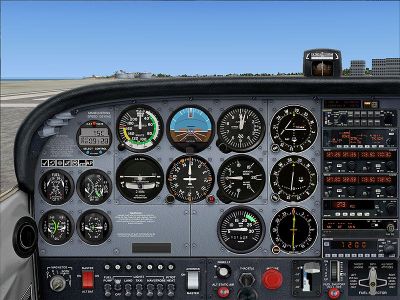
Panel And FDE For Default Cessna 172SP.
Free for all simmers · 3.42 MB · Scanned clean Oct 2026
Download speed: Free tier is capped at 0.5 Mbps. PRO members download at full line speed.
FSX\SimObjects\Airplanes\{aircraft}\panel\. Back up the existing panel folder first.readme.txt or README file. It tells you exactly where files go, what dependencies are needed, and any quirks specific to this add-on.The archive tomer_fsx_c172sp.zip has 28 files and directories contained within it.
This list displays the first 500 files in the package. If the package has more, you will need to download it to view them.
| Filename/Directory | File Date | File Size |
|---|---|---|
| C172 | 04.09.11 | 0 B |
| aircraft.cfg | 04.09.11 | 28.38 kB |
| Cessna172SP.air | 04.03.11 | 5.85 kB |
| panel | 04.09.11 | 0 B |
| c172r.cab | 04.09.11 | 1.20 MB |
| c172sounds.dll | 10.19.06 | 96.80 kB |
| cessna_172_background.bmp | 07.13.09 | 769.05 kB |
| cessna_172_background_night.bmp | 05.26.06 | 769.05 kB |
| cessna_172_ifr_background.bmp | 07.13.09 | 769.05 kB |
| cessna_172_ifr_background_night.bmp | 05.26.06 | 769.00 kB |
| cessna_172_landing_background.bmp | 07.13.09 | 660.05 kB |
| cessna_172_landing_background_night.bmp | 07.12.09 | 660.05 kB |
| Cessna_172_Panel_Decals.bmp | 05.12.06 | 257.05 kB |
| panel.cfg | 04.09.11 | 11.12 kB |
| sound | 04.09.11 | 0 B |
| c172sounds | 04.09.11 | 0 B |
| c172_stallhorn.wav | 09.16.08 | 239.62 kB |
| flaps30.wav | 03.19.11 | 160.85 kB |
| rudder.wav | 03.19.11 | 160.85 kB |
| Sound.ini | 03.19.11 | 280 B |
| 803v4 Readme.txt | 03.19.10 | 4.10 kB |
| c172sp_landing.jpg | 04.09.11 | 196.73 kB |
| c172sp_main.jpg | 04.09.11 | 203.94 kB |
| c172sp_vc.jpg | 04.09.11 | 176.54 kB |
| king radio.txt | 03.09.09 | 3.24 kB |
| ReadMe.txt | 04.09.11 | 2.24 kB |
| flyawaysimulation.txt | 10.29.13 | 959 B |
| Go to Fly Away Simulation.url | 01.22.16 | 52 B |
Only PRO members can place votes.
More FSX & P3D add-ons hand-picked based on this download.
FSX Panels & Gauges
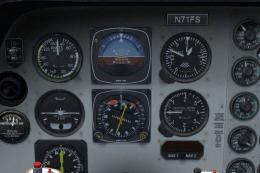
Mooney Default Panel Partial Glass. This is a Mooney Bravo default panel with…
 FSX Panels & Gauges
Panel Files For Default Beechcraft Baron. Panel config files for RealityXP Fl…
 FSX Panels & Gauges
Designed from a real photo as replacement for the default FSX C208. XML gauge…
 FSX Panels & Gauges
Cessna 680 Citation Panel. A complete and realistic panel, includes some new …
 FSX Panels & Gauges
Cessna 195 "Shakey Jake" Panel Update, for use with SHKYJAKE.ZIP. This file s…
 FSX Panels & Gauges
Broaden your perspective in Microsoft Flight Simulator X by adding these rewo…
 FSX Panels & Gauges
This freeware package enriches the default Cessna Grand Caravan 208B layout i…
 FSX Panels & Gauges
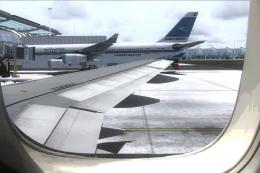
For use with wing views in FSX. As we all know, FSX doesn't provide this func…
Read what other simmers think, or add your own.

This mod makes me actually want to fly with the 2D panel again, great work both 2D panel and 3D VC look awesome and the FDE improvements are also very nice. I always look for mods that improve the realism and this one sure does.
These gauges are a very nice upgrade, they are nice and smooth. The improved flight dynamics feel very realistic, much better than default. Overall, it's a great little package that makes flying the default C172 much more fun.

FSX Panel And FDE For Default Cessna 172SP
Hi,
I have downloaded the above referenced file and followed the ReadMe instructions to install. I don't really understand how I can copy a file with the same name into my FSX Aircraft and Sound files. Hence, nothing seems to have happened. I would much appreciate a bit of help with this.
Kindest regards,
Robin Allison

Much better, sharper smoother. I do get the odd small, triangular flash in the corner of a couple of the gauges but apart from this I think this is a neat piece of work.

I love the smooth movement of the FSX Panel And FDE For Default Cessna 172SP, but the turn coordinator has a fault. When rolling into a turn the indicator stops at the standard rate marker, instead of moving past as the turn steepens. This behaviour is contrary to how the TC in other FS aircraft, and in actual aircraft, works. This limits its usefulness for practicing IFR flight. Is there a fix in-work? Thank you.