

 FSX Military Aircraft
SP2/A Lockheed T-33A T-Bird Jet Training Aircraft
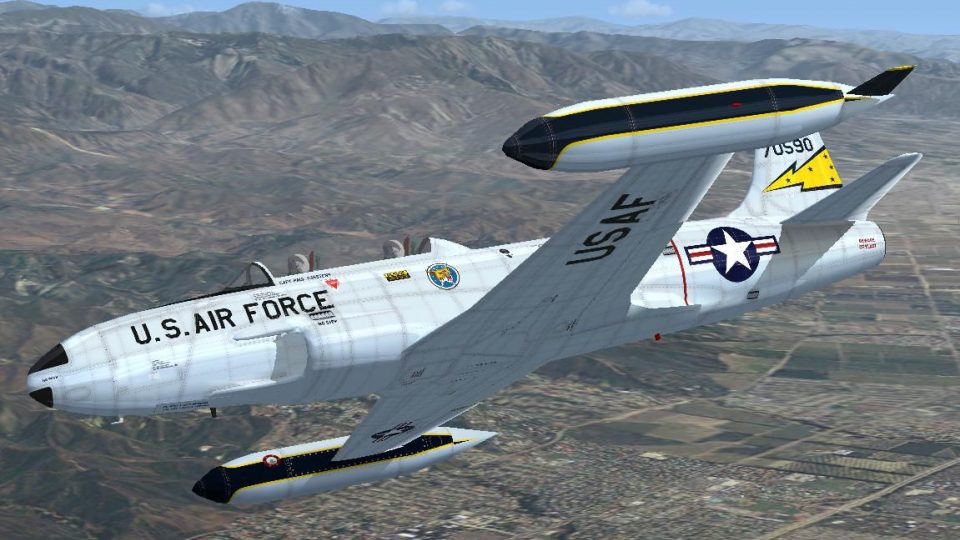
SP2/A Lockheed T-33A T-Bird Jet Training Aircraft. Developed from Lockheed's …
Lockheed’s T-33A T-Bird jet trainer brings classic postwar handling to the sim with a refreshed native model, revised virtual cockpit canopy, specular mapping, smoking engine effects, and ten texture options including EW-133. Designed for FSX SP2/Acceleration, it requires GaugeSound.dll in the main folder for stable operation.
 Rate
Rate
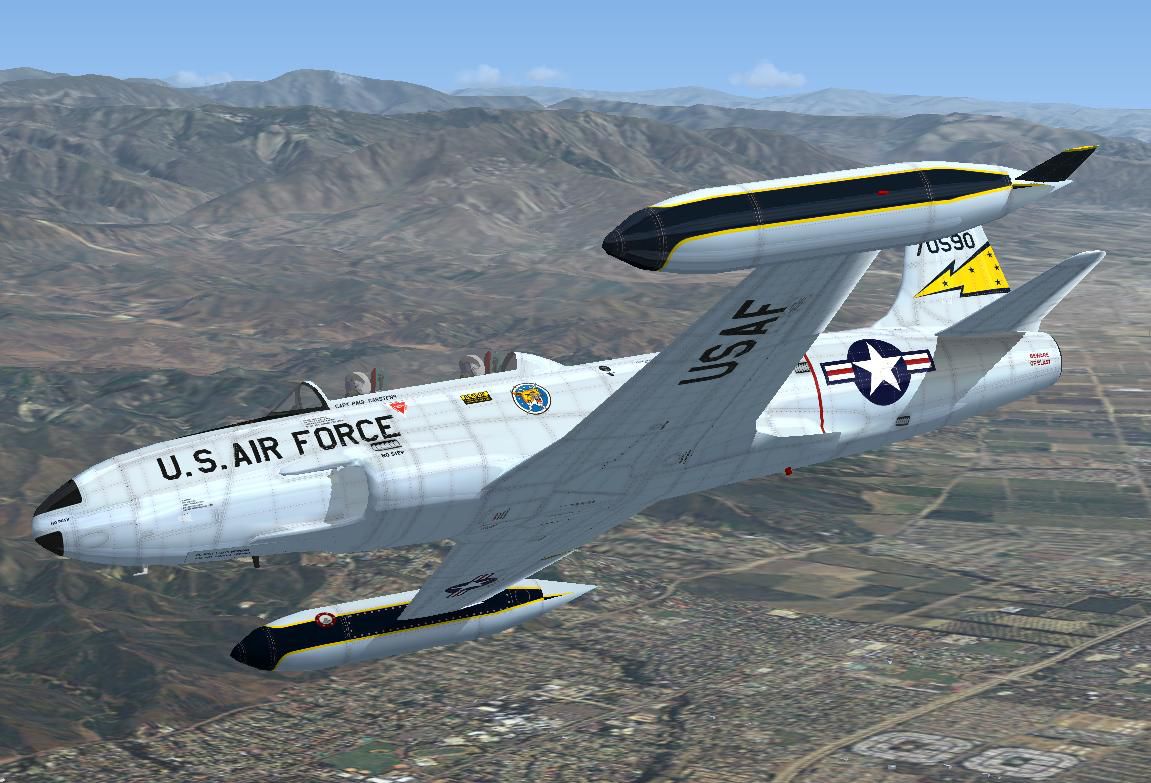
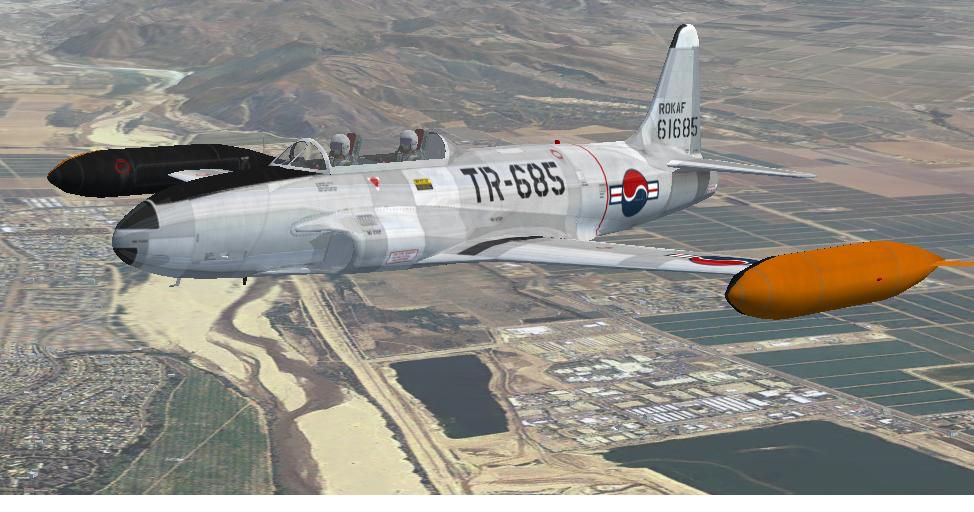
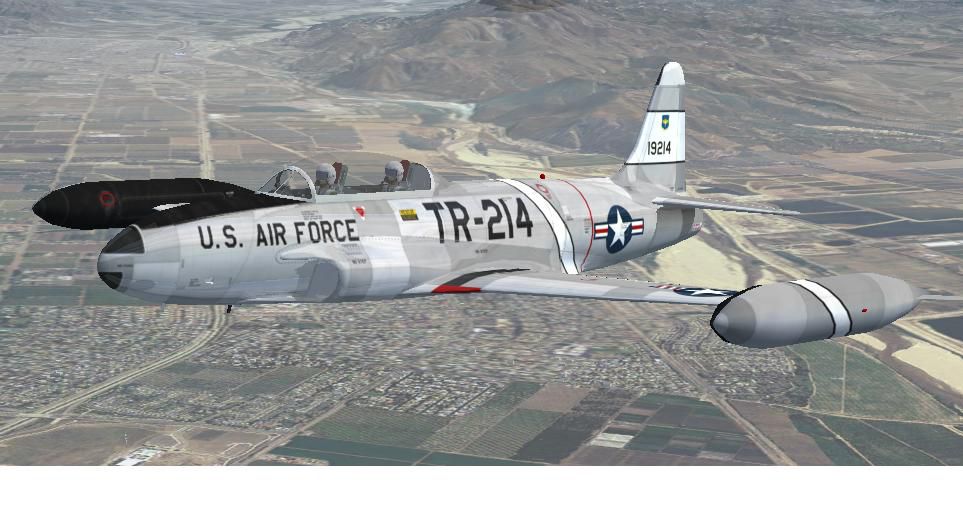
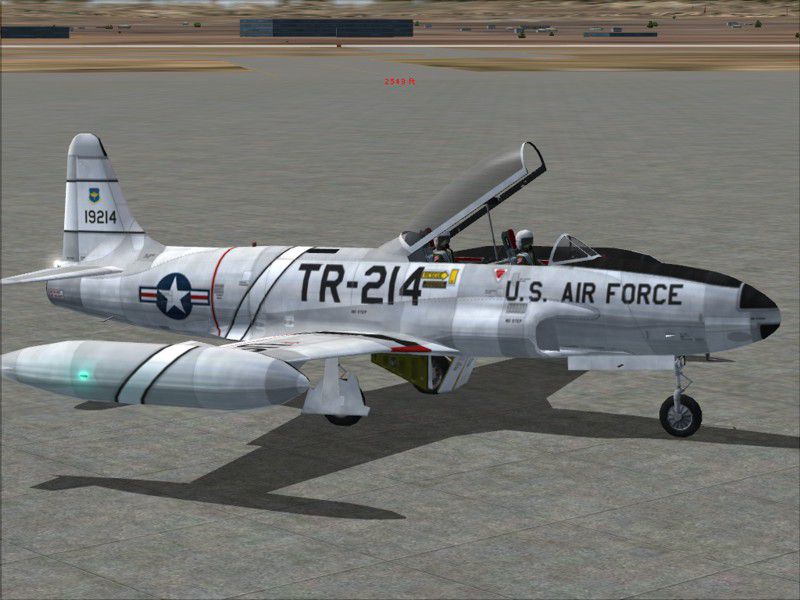
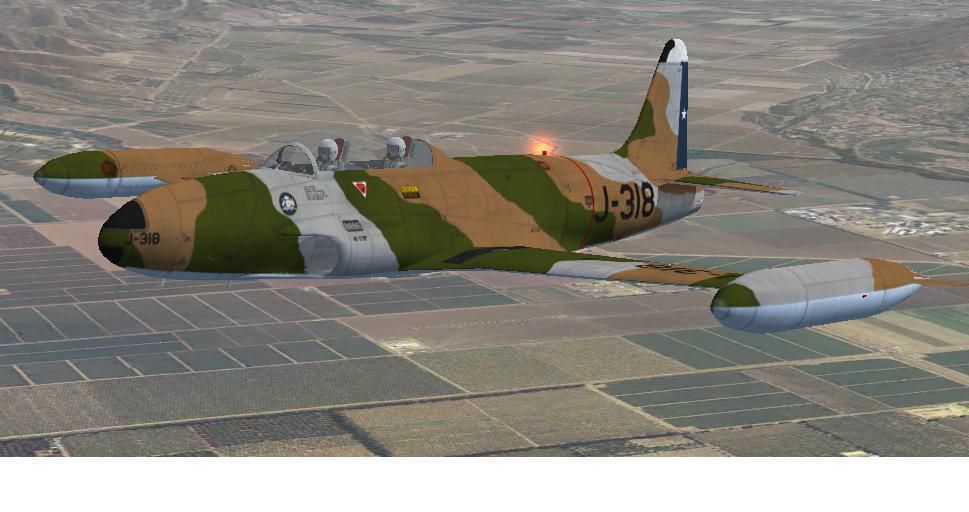
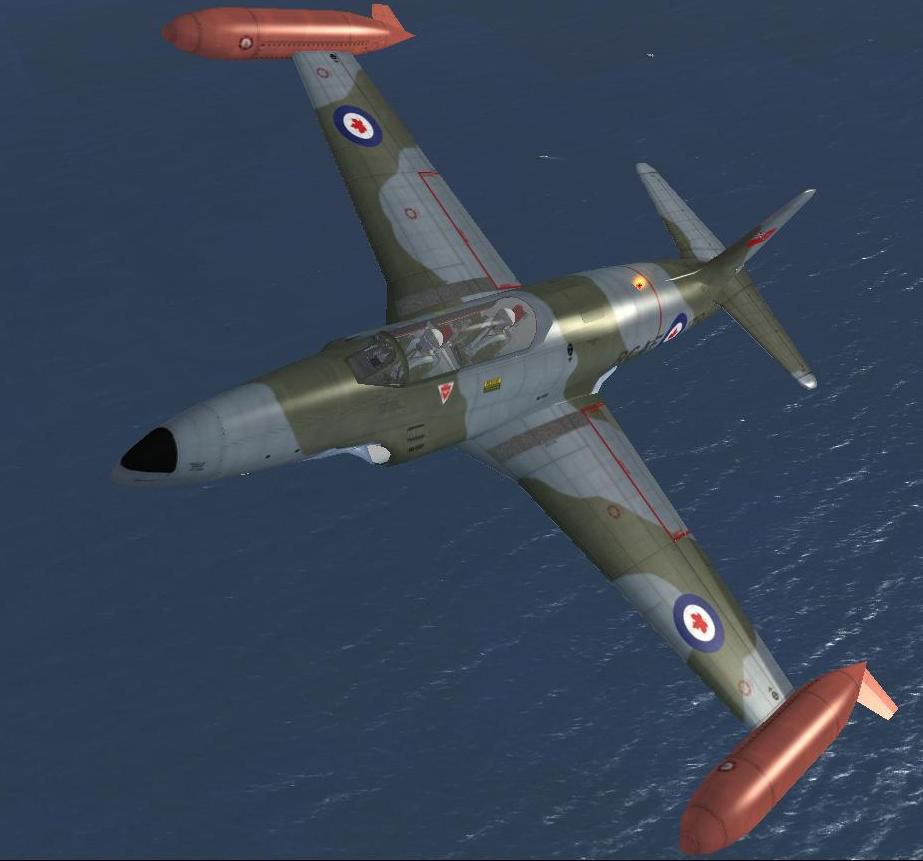
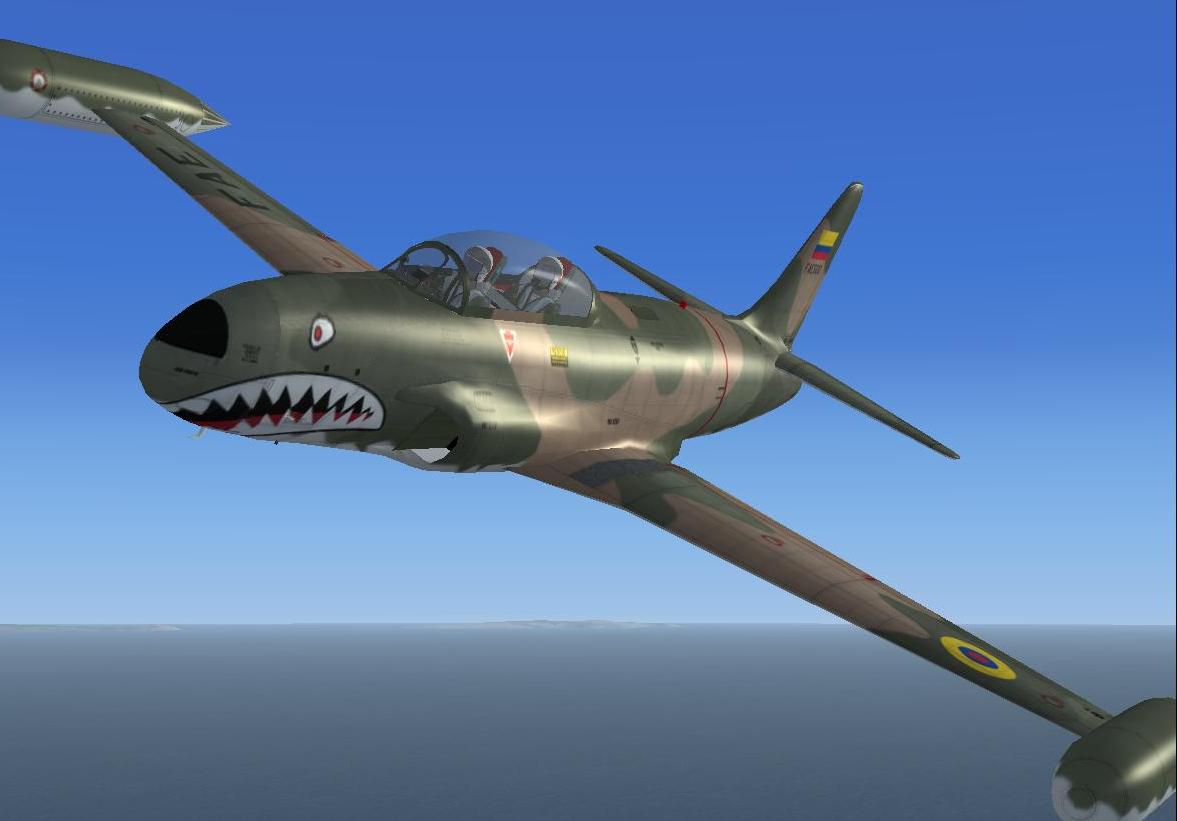
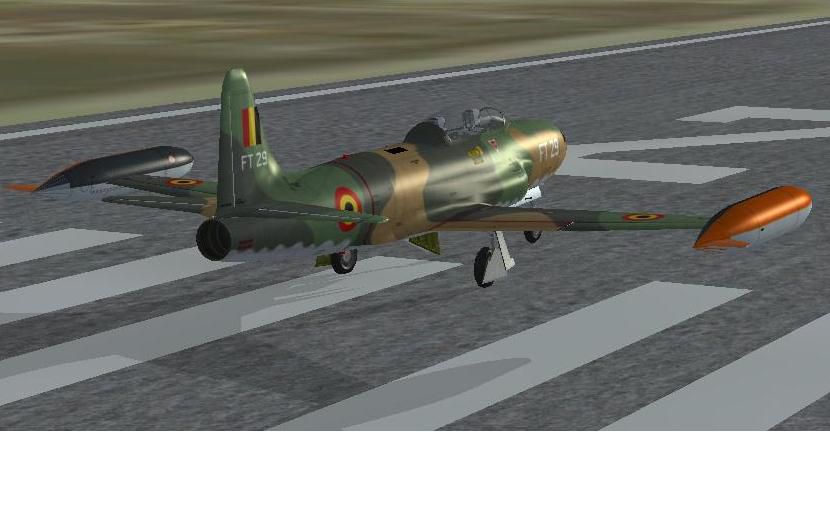
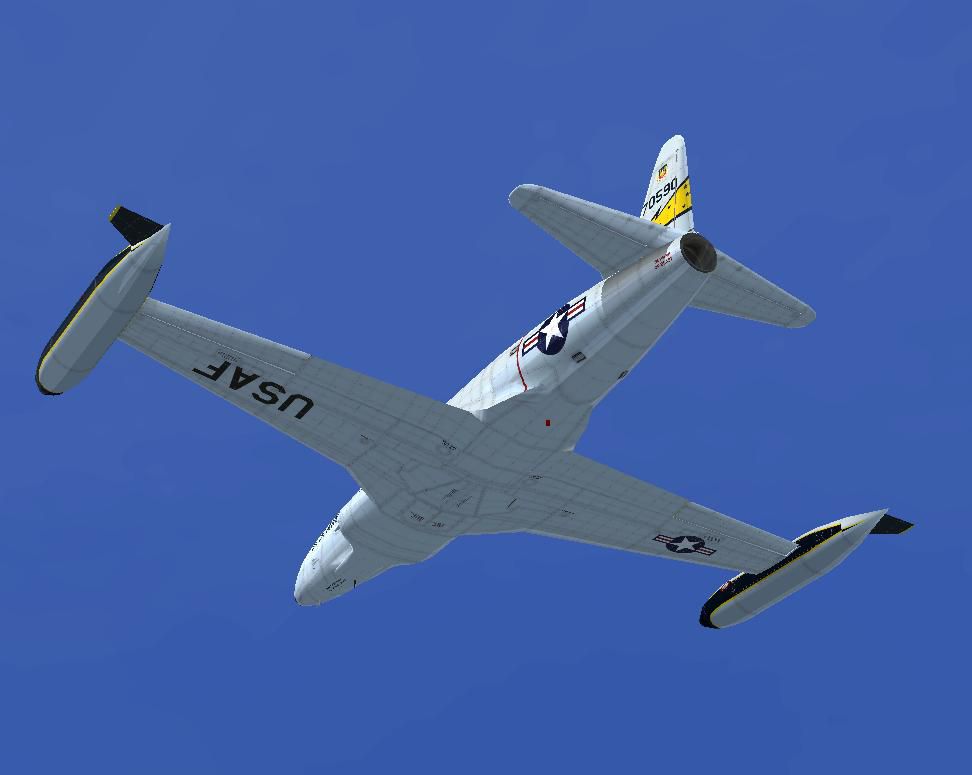
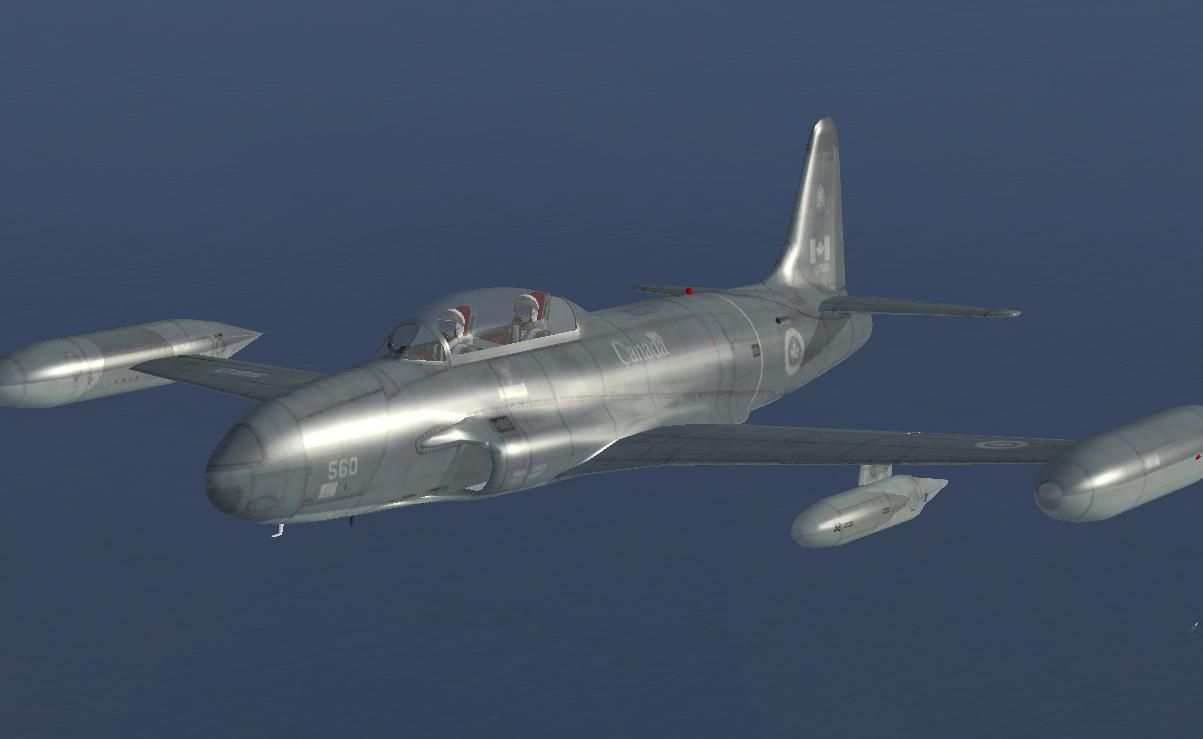

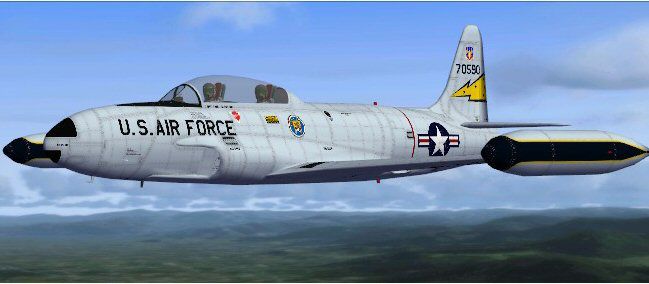
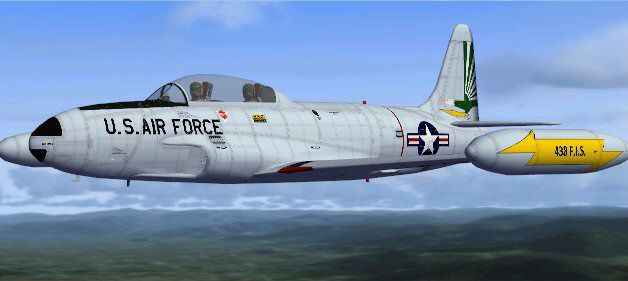
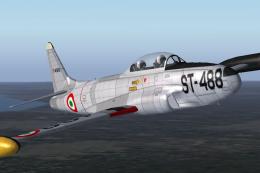
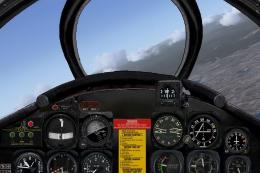
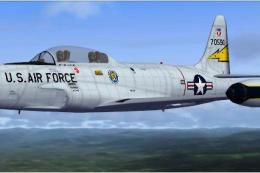
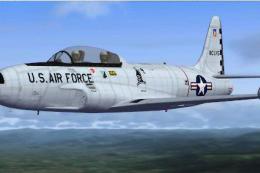
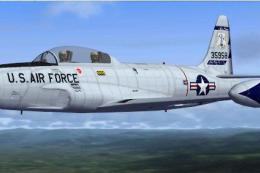
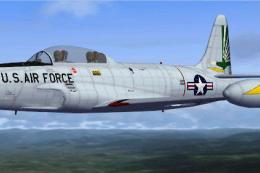
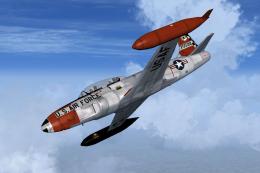
SP2/A Lockheed T-33A T-Bird Jet Training Aircraft revision A. Includes addition of revised VC canopy, EW-133 aircraft, specular mapping, additional textures Developed from Lockheed's F-80 Shooting Star jet fighter, the T-33 went on to become one of the most successful jet trainers in history. Over 5000 were built with license production in Canada and Japan adding several hundred more. This is a redone model, based on Tim Conrad's T33, for FSX SP2/Acceleration. It is a native FSX SP2/A model and will only work in FSX SP2/A. Model includes virtual cockpit, smoking engine and ten texture choices. Update to native FSX SP2/A by W. E. Stephens.
Lockheed T-33A T-Bird Jet Training Aircraft in flight.
FS2004 Lockheed T-33A T-Bird Jet Training Aircraft.
Developed from Lockheed's F-80 Shooting Star jet fighter, the T-33 went on to become one of the most successful jet trainers in history. Over 5000 were built with license production in Canada and Japan adding several hundred more.
Copy the GaugeSound.dll file into your FS Main Folder. Easygauge 2.0, what I used to make gau's, says this file is needed. If you already have one of my later planes, you most likely have this file already installed.
SIM WILL CRASH IF NOT INSTALLED!
CREDITS
Airfile made with AVhistory.org's 1% Spreadsheet process. Version 2.84.50. If you ever want to learn about airfiles, like how complicated it is:), visit their site, Avhistory.org.
This aircraft was tested in FS2004
Flight Model set to HARD
Plane Textures set to MASSIVE
Screen res set to 1024X768X32
Reflections set to ON
Computer:
P4 1.5 GHZ
768 MB RAM
ATI 9600 128 MB with 3.8 Cat Drivers
TM Cougar HOTAS/CH Pro Pedals
Results with your Computer and Sim Settings may vary.
Enjoy!
This aircraft was built to the best of my skills, knowledge, and simply to my own tastes and standards. I don't mind constructive comments, or how-to's, but "This Sucks!" type e-mails will be ignored. As for repaints, new versions, etc. I have no idea if, when, or what. So please, no "placing orders".
These files shouldn't harm your computer, but I accept no responsability for their use and effect.
Play with it,do repaints, give to friends or enemies(see below), but do not make money off of it without my express approval. This also goes for any other peoples' files in this release.
Also,if you want to re-post the plane, or its repaints, on your site, or another site, please ask me first:) I usually say yes, unless my plane been too corrupted or hacked by you or others.
Good Luck, and have Fun!
Tim Piglet Conrad
Piglet's Peculiar Planes
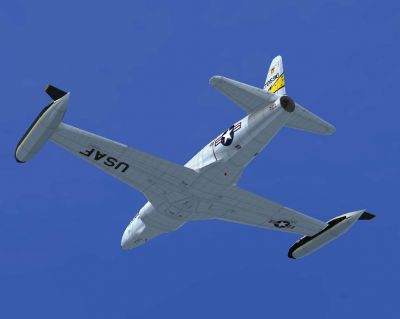
Lockheed T-33A T-Bird Jet Training Aircraft in flight.
Free for all simmers · 91.27 MB · Scanned clean Oct 2026
Download speed: Free tier is capped at 0.5 Mbps (this file takes approximately 26 mins at the cap). PRO members download at full line speed.
FSX\SimObjects\Airplanes\. The folder must contain an aircraft.cfg file. Effects go into FSX\Effects\; gauges go into FSX\Gauges\.readme.txt or README file. It tells you exactly where files go, what dependencies are needed, and any quirks specific to this add-on.The archive t-33a_fsx_2010_rev_a.zip has 138 files and directories contained within it.
This list displays the first 500 files in the package. If the package has more, you will need to download it to view them.
| Filename/Directory | File Date | File Size |
|---|---|---|
| aircraft | 02.13.11 | 0 B |
| T-33A_fsx_2010 | 02.13.11 | 0 B |
| aircraft.cfg | 02.19.11 | 23.55 kB |
| file_id.diz | 04.30.05 | 427 B |
| GaugeSound.dll | 04.30.05 | 40.00 kB |
| model.ew133 | 02.13.11 | 0 B |
| Model.cfg | 08.31.10 | 49 B |
| T-33A.mdl | 02.12.11 | 589.29 kB |
| T-33A_Interior.mdl | 02.12.11 | 219.37 kB |
| model.fis | 02.13.11 | 0 B |
| Model.cfg | 08.31.10 | 49 B |
| T-33A.mdl | 02.10.11 | 568.22 kB |
| T-33A_Interior.mdl | 02.10.11 | 225.75 kB |
| org_sound_mod | 02.13.11 | 0 B |
| Sound.cfg | 10.15.10 | 80 B |
| panel.ew133 | 02.13.11 | 0 B |
| PANEL.CFG | 02.12.11 | 8.62 kB |
| Panel_backup001.cfg | 02.12.11 | 8.54 kB |
| t33_l_con.bmp | 04.30.05 | 335.21 kB |
| t33_panel.bmp | 04.30.05 | 2.25 MB |
| t33_r_con.bmp | 04.30.05 | 134.12 kB |
| t33_subpnl.bmp | 04.30.05 | 488.01 kB |
| t-33cpt3.bmp | 10.03.10 | 2.25 MB |
| t-33frame1.bmp | 10.03.10 | 2.25 MB |
| t-33main.bmp | 10.03.10 | 2.25 MB |
| panel | 02.13.11 | 0 B |
| PANEL.CFG | 02.12.11 | 8.36 kB |
| Panel_backup001.cfg | 10.15.10 | 8.32 kB |
| t33_l_con.bmp | 04.30.05 | 335.21 kB |
| t33_panel.bmp | 04.30.05 | 2.25 MB |
| t33_r_con.bmp | 04.30.05 | 134.12 kB |
| t33_subpnl.bmp | 04.30.05 | 488.01 kB |
| t-33cpt3.bmp | 10.03.10 | 2.25 MB |
| t-33frame1.bmp | 10.03.10 | 2.25 MB |
| t-33main.bmp | 10.03.10 | 2.25 MB |
| Read from Tim.txt | 10.03.10 | 2.33 kB |
| README_FSX_2010.txt | 02.13.11 | 6.45 kB |
| readme_original.txt | 04.30.05 | 3.49 kB |
| sound | 02.13.11 | 0 B |
| Sound.cfg | 02.13.11 | 80 B |
| t33_pic.jpg | 04.30.05 | 102.44 kB |
| T-33A.air | 02.19.11 | 12.70 kB |
| T-33A_01.jpg | 10.17.10 | 35.92 kB |
| T-33A_02.jpg | 10.17.10 | 140.94 kB |
| texture.438th | 02.13.11 | 0 B |
| fresnel_ramp.dds | 09.04.06 | 640 B |
| t33_01.dds | 02.13.11 | 21.33 MB |
| t33_01_spec.dds | 02.13.11 | 21.33 MB |
| t33_02.dds | 02.12.11 | 5.33 MB |
| t33_03.dds | 10.15.10 | 5.33 MB |
| t33_glass.dds | 10.10.10 | 32.12 kB |
| thumbnail.jpg | 10.10.10 | 30.28 kB |
| texture.57th | 02.13.11 | 0 B |
| fresnel_ramp.dds | 09.04.06 | 640 B |
| t33_01.dds | 02.13.11 | 21.33 MB |
| t33_01_spec.dds | 02.13.11 | 21.33 MB |
| t33_02.dds | 02.12.11 | 5.33 MB |
| t33_03.dds | 10.15.10 | 5.33 MB |
| t33_glass.dds | 10.10.10 | 32.12 kB |
| thumbnail.jpg | 10.10.10 | 31.99 kB |
| texture.belg | 02.13.11 | 0 B |
| fresnel_ramp.dds | 09.04.06 | 640 B |
| t33_01.dds | 02.10.11 | 21.33 MB |
| t33_01_spec.dds | 02.10.11 | 21.33 MB |
| t33_02.dds | 02.12.11 | 5.33 MB |
| t33_03.dds | 10.15.10 | 5.33 MB |
| t33_glass.dds | 10.10.10 | 32.12 kB |
| thumbnail.jpg | 02.10.11 | 46.44 kB |
| texture.canc | 02.13.11 | 0 B |
| fresnel_ramp.dds | 09.04.06 | 640 B |
| t33_01.dds | 02.10.11 | 21.33 MB |
| t33_01_spec.dds | 02.10.11 | 21.33 MB |
| t33_02.dds | 02.12.11 | 5.33 MB |
| t33_03.dds | 10.15.10 | 5.33 MB |
| t33_glass.dds | 10.10.10 | 32.12 kB |
| thumbnail.jpg | 02.10.11 | 53.29 kB |
| texture.fac | 02.13.11 | 0 B |
| fresnel_ramp.dds | 09.04.06 | 640 B |
| t33_01.dds | 02.12.11 | 1.33 MB |
| t33_01_spec.dds | 02.12.11 | 1.33 MB |
| t33_02.dds | 02.12.11 | 5.33 MB |
| t33_03.dds | 10.15.10 | 5.33 MB |
| t33_glass.dds | 10.10.10 | 32.12 kB |
| thumbnail.jpg | 01.30.11 | 68.18 kB |
| texture.fae | 02.13.11 | 0 B |
| fresnel_ramp.dds | 09.04.06 | 640 B |
| t33_01.dds | 02.10.11 | 21.33 MB |
| t33_01_spec.dds | 02.10.11 | 21.33 MB |
| t33_02.dds | 02.12.11 | 5.33 MB |
| t33_03.dds | 10.15.10 | 5.33 MB |
| t33_glass.dds | 10.10.10 | 32.12 kB |
| thumbnail.jpg | 02.10.11 | 51.75 kB |
| texture.nasa | 02.13.11 | 0 B |
| fresnel_ramp.dds | 09.04.06 | 640 B |
| t33_01.dds | 02.12.11 | 1.33 MB |
| t33_01_spec.dds | 02.12.11 | 1.33 MB |
| t33_02.dds | 02.12.11 | 5.33 MB |
| t33_03.dds | 10.15.10 | 5.33 MB |
| t33_glass.dds | 10.10.10 | 32.12 kB |
| thumbnail.jpg | 05.09.08 | 35.44 kB |
| texture.rcaf | 02.13.11 | 0 B |
| fresnel_ramp.dds | 09.04.06 | 640 B |
| t33_01.dds | 02.12.11 | 1.33 MB |
| t33_01_spec.dds | 02.12.11 | 1.33 MB |
| t33_02.dds | 02.12.11 | 5.33 MB |
| t33_03.dds | 02.12.11 | 5.33 MB |
| t33_glass.dds | 10.10.10 | 32.12 kB |
| t33_pods.dds | 02.12.11 | 170.83 kB |
| t33_pods_spec.dds | 02.12.11 | 170.83 kB |
| thumbnail.jpg | 02.12.11 | 35.61 kB |
| Thumbs.db | 10.19.10 | 29.00 kB |
| texture.rokaf | 02.13.11 | 0 B |
| fresnel_ramp.dds | 09.04.06 | 640 B |
| t33_01.dds | 02.12.11 | 1.33 MB |
| t33_01_spec.dds | 02.12.11 | 1.33 MB |
| t33_02.dds | 02.12.11 | 5.33 MB |
| t33_03.dds | 10.15.10 | 5.33 MB |
| t33_glass.dds | 10.10.10 | 32.12 kB |
| thumbnail.jpg | 01.30.11 | 86.57 kB |
| texture.usaf | 02.13.11 | 0 B |
| fresnel_ramp.dds | 09.04.06 | 640 B |
| t33_01.dds | 02.12.11 | 1.33 MB |
| t33_01_spec.dds | 02.12.11 | 1.33 MB |
| t33_02.dds | 02.12.11 | 5.33 MB |
| t33_03.dds | 10.15.10 | 5.33 MB |
| t33_glass.dds | 10.10.10 | 32.12 kB |
| thumbnail.jpg | 01.30.11 | 81.90 kB |
| Effects.zip | 02.13.11 | 592 B |
| gauges.zip | 02.13.11 | 1.03 MB |
| GaugeSound.dll | 02.13.11 | 40.00 kB |
| Read from Tim_FS2004_original.txt | 02.13.11 | 2.33 kB |
| README_FSX_2010.txt | 02.13.11 | 6.45 kB |
| readme_original.txt | 02.13.11 | 3.49 kB |
| t33_pic.jpg | 02.13.11 | 102.44 kB |
| T-33A_01.jpg | 02.13.11 | 35.92 kB |
| T-33A_02.jpg | 02.13.11 | 140.94 kB |
| flyawaysimulation.txt | 10.29.13 | 959 B |
| Go to Fly Away Simulation.url | 01.22.16 | 52 B |
Only PRO members can place votes.
More FSX & P3D add-ons hand-picked based on this download.
FSX Military Aircraft
SP2/A Lockheed T-33A T-Bird Jet Training Aircraft. Developed from Lockheed's …
 FSX Military Aircraft
(SP2) Acceleration Lockheed T-33A T-Bird. A variant of Lockheed's F80 Shootin…
 FSX Military Aircraft
(SP2) Acceleration Lockheed RT-33A T-Bird. A variant of Lockheed's T-33A, RT-…
 FSX Military Aircraft
This high-resolution repaint package brings the USAF Lockheed T-33A T-Bird in…
 FSX Military Aircraft
Enjoy a thoroughly detailed representation of the Lockheed T-33A “T-Bird” ope…
 FSX Military Aircraft
This repaint set showcases a detailed rendition of the USAF Lockheed T-33A T-…
 FSX Military Aircraft
This repaint package showcases the USAF Lockheed T-33A T-Bird (438th Fighter …
 FSX Military Aircraft
Two repaints for Tim Conrad's T-33 A to represent USAF front-line squadron 'h…
Read what other simmers think, or add your own.

Great external views, How about some internal cockpit views? I flew both Lockheed and Canadair versions for 13 years with a museum out of Dallas Addison airport, TX. I use Prepar3d 4 and 5 but do have FSX and others. looking for the most realistic interior with 3D switches. instruments, etc. Thanks!

Cool jet flies well. One glaring omission - there is no visible compass. There looks like a spot for it on the right of the canopy bow, but nothing to be seen in that little window.


I do not have a web site but I would like to buy a copy of the T-33A to add on to my FSX and or FS-2004 FS programs. I am a novice on computers and have tried to down load this program and install it but to no avail. I am willing to pay a reasonable price for a DVD or CD that will let me "Add On" to either or both of my Flight Sims.
Please advise