

 FSX Scenery
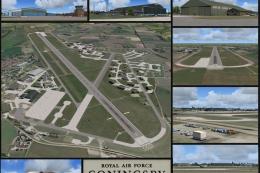
RAF Coningsby
RAF Coningsby UK. This scenery depicts RAF Coningsby, Lincolnshire, England a…
RAF Fylingdales brings the North Yorkshire Moors’ iconic Ballistic Missile Early Warning System to life as a detailed North England landmark, ideal for VFR navigation and low-level sightseeing. Built for Microsoft Flight Simulator X, it adds accurate placement and custom scenery and texture assets for the distinctive radar station on Lockton High Moor.
 Rate
Rate
 United Kingdom
North England Landmark Scenery; RAF Fylingdales, UK. A ballistic missile early warning system situated on Lockton High moor in the North Yorkshire Moors. By Geoff Smith. (See also NENGLN1A.ZIP).
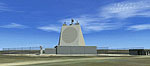
RAF Fylingdales Scenery.
To install -
If you have already installed my North England Landmark Scenery then copy the contents of the RAF Fylingdales scenery and texture folders into your existing north England Landmarks scenery and texture folders.
To install without the NEL scenery then just copy the RAF Fylingdales folder into "Microsoft Flight Simulator X\Addon Scenery".
Then start the simulator and go to 'settings' - 'scenery library' - 'add area' then browse to the folder.
Contains Landmark scenery for the following:
1. RAF Fylingdales- Ballistic Missile Early Warning System situated on Lockton High moor in the North Yorkshire Moors.
Thanks to Horizon for their Generation X VFR photographic scenery which is used in all the screenshots.
.
Free for all simmers · 211.5 KB · Scanned clean Oct 2026
Download speed: Free tier is capped at 0.5 Mbps. PRO members download at full line speed.
This add-on may require the following files to function properly. If this is a repaint, the dependency below is likely the base aircraft package.
FSX\Addon Scenery\ containing scenery and texture sub-folders.readme.txt or README file. It tells you exactly where files go, what dependencies are needed, and any quirks specific to this add-on.Use these coordinates to fly directly to this location once the mod is installed.
54.33690000,-0.65510000
Launch FSX or Prepar3D and use Flights → Load to open the downloaded .pln file. Your aircraft will be positioned at this location.
The archive raf_fyli.zip has 11 files and directories contained within it.
This list displays the first 500 files in the package. If the package has more, you will need to download it to view them.
| Filename/Directory | File Date | File Size |
|---|---|---|
| scenery | 04.07.07 | 0 B |
| fylingdales.bgl | 03.08.07 | 126.88 kB |
| texture | 04.07.07 | 0 B |
| fence1.bmp | 02.24.06 | 170.73 kB |
| fylingdales.bmp | 02.21.07 | 257.05 kB |
| fylingdales2.bmp | 02.20.07 | 257.05 kB |
| pilon.bmp | 04.23.04 | 65.05 kB |
| Thumbs.db | 04.07.07 | 14.50 kB |
| readme.txt | 04.07.07 | 857 B |
| flyawaysimulation.txt | 10.29.13 | 959 B |
| Go to Fly Away Simulation.url | 01.22.16 | 52 B |
Only PRO members can place votes.
More FSX & P3D add-ons hand-picked based on this download.
FSX Scenery
RAF Coningsby UK. This scenery depicts RAF Coningsby, Lincolnshire, England a…
 FSX Scenery
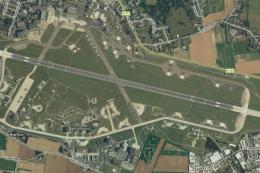
RAF Mildenhall (EGUN), UK. Home to the 100th ARW, RAF Mildenhall is one of th…
 FSX Scenery
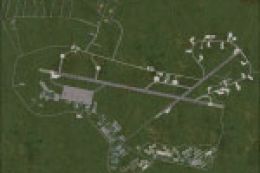
RAF Mount Pleasant (EGYP) in the Falkland Islands. It includes aircraft hanga…
 FSX Scenery
Situated on the dramatic Moray Firth coastline of northern Scotland, RAF Loss…
 FSX Scenery
RAF Marham in the UK for the period circa 1993. Designed for use with the Vic…
 FSX Scenery
RAF Fairford 2009 (EGVA), UK. Built with SBuilderX, ADE and Whisplacer with r…
 FSX Scenery
Scenery RAF Marham in the UK. A very detailed, but frame rate efficient scene…
 FSX Scenery
RAF Woodvale UK Scenery for FSX and GenX. EGOW RAF Woodvale for FSX and GenX …
Be the first to leave a comment on this download.
Be the first to share your thoughts on this download.