

 FSX Scenery
RAF Marham 1993
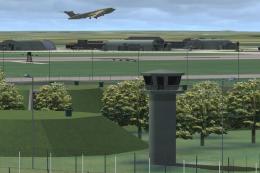
RAF Marham in the UK for the period circa 1993. Designed for use with the Vic…
RAF Marham gets a period-correct refresh for circa 1993, restoring key airfield details and adding the missing North Sea waypoint to support hose-equipped AI Victor operations. Designed for Microsoft Flight Simulator X, the update supplies the AF2_EGZ5.bgl scenery file to complete the classic RAF training and tanker environment.
 Rate
Rate
 United Kingdom
RAF Marham in the UK for the period circa 1993. Missing North Sea waypoint for use with the hose-equipped AI Victor referred to in EGYM_1993_X_1.ZIP. By John Young, Airfield Construction Group.

Screenshot of RAF Jets in flight.
The file is "AF2_EGZ5.bgl" and needs to be placed in your FSX addon scenery\scenery folder.
The file is not missing from the FS9 version of the Marham scenery.
Free for all simmers · 7.2 KB · Scanned clean Oct 2026
Download speed: Free tier is capped at 0.5 Mbps. PRO members download at full line speed.
This add-on may require the following files to function properly. If this is a repaint, the dependency below is likely the base aircraft package.
FSX\Addon Scenery\ containing scenery and texture sub-folders.readme.txt or README file. It tells you exactly where files go, what dependencies are needed, and any quirks specific to this add-on.Use these coordinates to fly directly to this location once the mod is installed.
52.64830000,0.55070000
Launch FSX or Prepar3D and use Flights → Load to open the downloaded .pln file. Your aircraft will be positioned at this location.
The archive egym_1993_x_waypoint.zip has 6 files and directories contained within it.
This list displays the first 500 files in the package. If the package has more, you will need to download it to view them.
| Filename/Directory | File Date | File Size |
|---|---|---|
| AF2_EGZ5.bgl | 08.30.12 | 875 B |
| FILE_ID.DIZ | 10.21.12 | 273 B |
| egym_1993_X_waypoint.gif | 10.21.12 | 4.87 kB |
| waypoint_readme.txt | 10.21.12 | 504 B |
| flyawaysimulation.txt | 10.29.13 | 959 B |
| Go to Fly Away Simulation.url | 01.22.16 | 52 B |
Only PRO members can place votes.
More FSX & P3D add-ons hand-picked based on this download.
FSX Scenery
RAF Marham in the UK for the period circa 1993. Designed for use with the Vic…
 FSX Scenery
Scenery RAF Marham in the UK. A very detailed, but frame rate efficient scene…
 FSX Scenery
RAF Coningsby UK. This scenery depicts RAF Coningsby, Lincolnshire, England a…
 FSX Scenery
RAF Mildenhall (EGUN), UK. Home to the 100th ARW, RAF Mildenhall is one of th…
 FSX Scenery
RAF Mount Pleasant (EGYP) in the Falkland Islands. It includes aircraft hanga…
 FSX Scenery
Situated on the dramatic Moray Firth coastline of northern Scotland, RAF Loss…
 FSX Scenery
RAF Fairford 2009 (EGVA), UK. Built with SBuilderX, ADE and Whisplacer with r…
 FSX Scenery
RAF Woodvale UK Scenery for FSX and GenX. EGOW RAF Woodvale for FSX and GenX …
Read what other simmers think, or add your own.

Akrotiri scenery is very good, can someone do some of our Singapore airfields for those old sweats that are plodding along with our flt sims to remind us of golden times gone!!. Tengah, Changi, Seletar and Semberwang. Keep up the good work those who have the skills. Regards to all one of the old sweats Ex Tengah 67-69.