


 United States of America
  FSX Scenery
Stewart AFB Add-On
Stewart AFB Add-On Scenery NY. A fictional scenery file that hopefully 'compl…
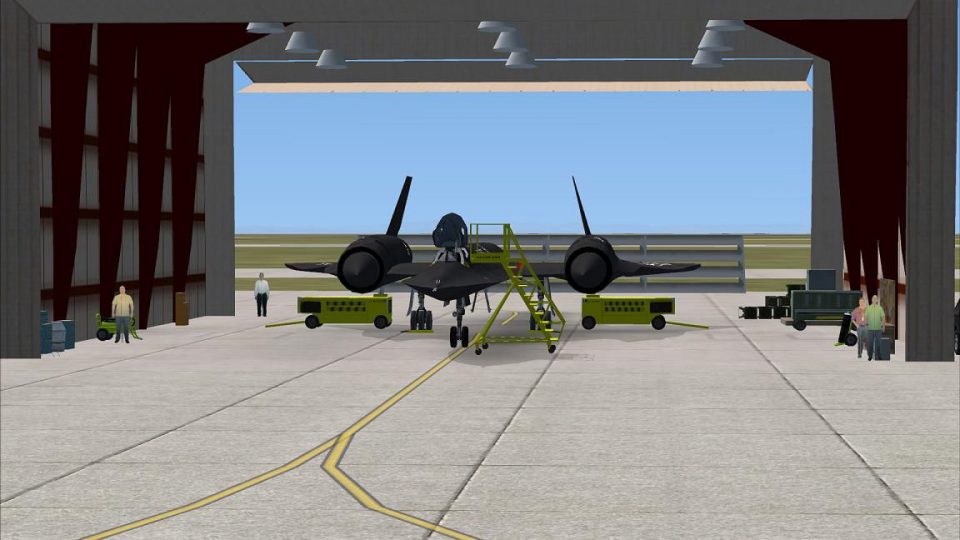
Beale AFB gains a busier, more lived-in atmosphere with extra FSX SP2 library objects such as expanded parking areas, emergency vehicles, ground personnel, and civilian tech reps active around the hangars. Requires the Alphasim Beale AFB scenery and is designed to enhance on-base detail and immersion on capable systems.
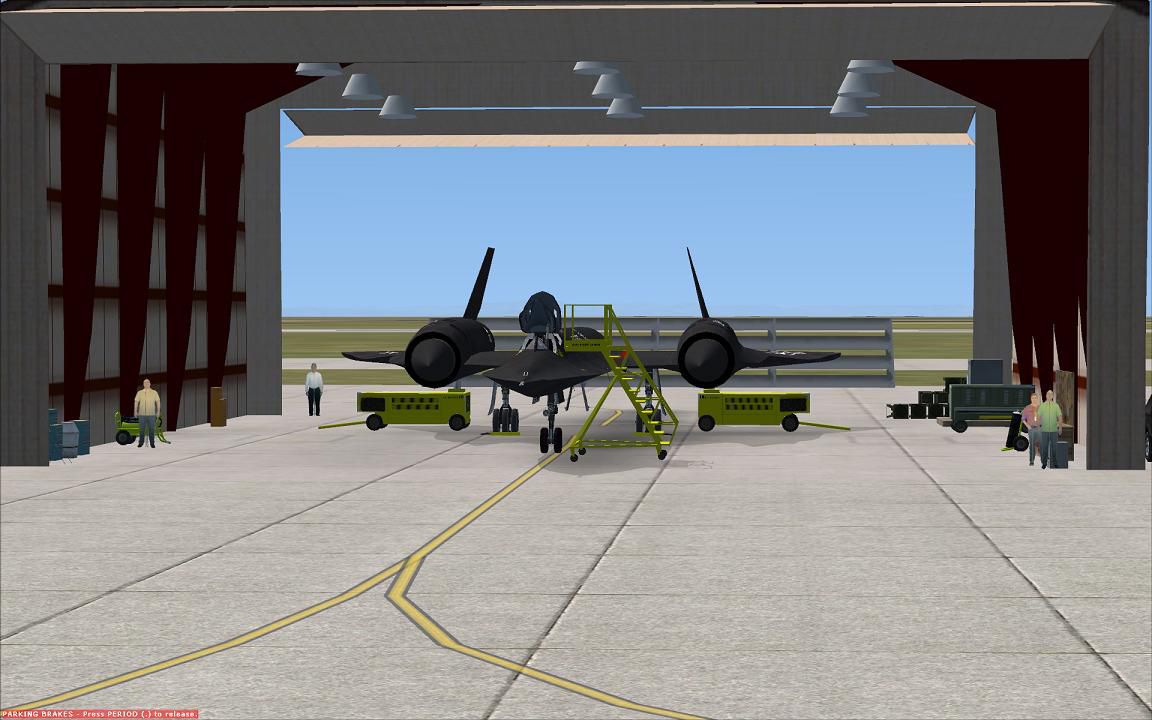
FSX/SP2 Alphasim Beale AFB Scenery Add-On, to be used only in conjunction with Alphasim's Beale AFB scenery for FSX, it will not work otherwise. It has more objects from the default FSX and SP2 libraries for faster computers, to include parking lots, emergency vehicles, personnel, and civilian tech reps working in the hangars. By Walker Grant.
Alphasim Beale AFB Scenery Add-On.
Thank you for downloading this scenery add-on for Alphasim Beale AFB FSX. Please note that it will only work in SP2, and with the aforementioned scenery installed. The purpose of this project was to add more detail to the scenery using some of the newer FSX scenery objects for those with newer computers, and encourage sales of Alphasim sceneries. All credit for this scenery should go to Alphasim or Mickey D who can be contacted through the Alphasim forums. Please do not contact them for tech support unless the problem existed before you added my .BGL file, as this add-on is not Alphasim endorsed or representative of their payware's quality.
INSTALLATION:
install the .BGL in the same fashion you would any other, in the addon scenery/scenery folder. You can make a new folder called Beale add-on if you want. Don't forget to activate it with higher priority than the Alphasim Beale scenery.
Thank you again,
Walker
Free for all simmers · 109.04 KB · Scanned clean Oct 2026
Download speed: Free tier is capped at 0.5 Mbps. PRO members download at full line speed.
FSX\Addon Scenery\ containing scenery and texture sub-folders.readme.txt or README file. It tells you exactly where files go, what dependencies are needed, and any quirks specific to this add-on.Use these coordinates to fly directly to this location once the mod is installed.
39.13670000,-121.43690000
Launch FSX or Prepar3D and use Flights → Load to open the downloaded .pln file. Your aircraft will be positioned at this location.
The archive bealeadd.zip has 7 files and directories contained within it.
This list displays the first 500 files in the package. If the package has more, you will need to download it to view them.
| Filename/Directory | File Date | File Size |
|---|---|---|
| FILE_ID.DIZ | 03.24.08 | 353 B |
| Beale.gif | 03.24.08 | 5.91 kB |
| Beale add.bgl | 03.23.08 | 4.64 kB |
| README.txt | 03.25.08 | 957 B |
| Beale.jpg | 03.22.08 | 103.20 kB |
| flyawaysimulation.txt | 10.29.13 | 959 B |
| Go to Fly Away Simulation.url | 01.22.16 | 52 B |
Only PRO members can place votes.
More FSX & P3D add-ons hand-picked based on this download.
FSX Scenery
Stewart AFB Add-On Scenery NY. A fictional scenery file that hopefully 'compl…
 FSX Scenery
UK VFR Add-ons. A scenery set required by many add-on sceneries, made easy to…
 FSX Scenery
This is an add-on for Orbx Jefferson County International Airport (0S9) and O…
 FSX Scenery
This is the open beta for FreeMeshX USA at LOD12 depth. The current stock me…
 FSX Scenery
OZx Grand Canyon Add-Ins, Arizona (AZ). This file is for use with the Grand C…
FSX Scenery
The default EGNH UK with signs for the gates to make navigation easier. By Sa…
 FSX Scenery
SP2 Scenery Sanford Orlando International Airport (KSFB), Florida (FL). This …
 FSX Scenery
FSX/SP2 Newtownards Airfield (EGAD), UK, for use with default scenery. Built …
Be the first to leave a comment on this download.
Be the first to share your thoughts on this download.