

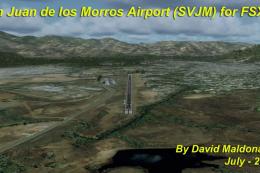
 FSX Scenery
San Juan de los Morros Airport
San Juan de los Morros Airport (SVJM), Venezuela. Small regional airport loca…
FFM San Juan Island Run Scenery brings the custom mission environment into everyday flying by making the “San Juan Island Run” scenery available in free flight across the islands. Built for FSX, it preserves the original Microsoft-designed set pieces while integrating cleanly as an add-on scenery area for consistent regional VFR immersion.
 Rate
Rate
 United States of America
FFM San Juan Island Run. Modifies the FSX mission "San Juan Island Run" so that the scenery in the mission is visible in free flight. By Smith Graphics.
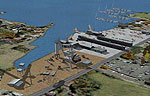
FFM San Juan Island Run Scenery.
Installation:
1: Extract the included "FFM - San Juan Island Run" to your FSX Add-on Scenery Folder.
2: Add the new scenery to your scenery library.
3: Enjoy!
NOTICE
Please note the original scenery in this package was designed by Microsoft.
Smith Graphics strives to be an orginization run by the Flight Simulator users as a whole, so please do not hesitate to tell us how we can make your expirience more enjoyable.
Thank you for making Smith Graphics the leading AFCAD developers for over 3 years!
Regards,
Dakota Smith
Smith Graphics
Free for all simmers · 2.43 KB · Scanned clean Oct 2026
Download speed: Free tier is capped at 0.5 Mbps. PRO members download at full line speed.
FSX\Addon Scenery\ containing scenery and texture sub-folders.readme.txt or README file. It tells you exactly where files go, what dependencies are needed, and any quirks specific to this add-on.Use these coordinates to fly directly to this location once the mod is installed.
48.52400000,-123.02430000
Launch FSX or Prepar3D and use Flights → Load to open the downloaded .pln file. Your aircraft will be positioned at this location.
The archive ffmsanj.zip has 4 files and directories contained within it.
This list displays the first 500 files in the package. If the package has more, you will need to download it to view them.
| Filename/Directory | File Date | File Size |
|---|---|---|
| FFM - San Juan Island Run.zip | 10.26.08 | 823 B |
| Readme.txt | 10.26.08 | 915 B |
| flyawaysimulation.txt | 10.29.13 | 959 B |
| Go to Fly Away Simulation.url | 01.22.16 | 52 B |
Only PRO members can place votes.
More FSX & P3D add-ons hand-picked based on this download.
FSX Scenery
San Juan de los Morros Airport (SVJM), Venezuela. Small regional airport loca…
 FSX Scenery
This is a modified AFCAD2 file that will add FSX Moving Jetways, Airport vehi…
 FSX Scenery
McKenzie Valley Run. These are the airports as seen in the TV show Ice Pilots…
 FSX Scenery
San Diego International Airport, California (CA), USA. This photoreal scenery…
 FSX Scenery
San Francisco International Airport (KSFO), California (CA), v2. Updates the …
 FSX Scenery
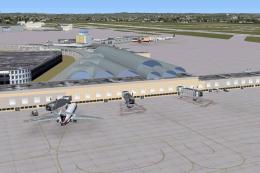
San Antonio International Airport, modern era, Texas (TX). KSAT before the re…
 FSX Scenery
San Francisco International Airport (KSFO), California (CA), update for defau…
 FSX Scenery
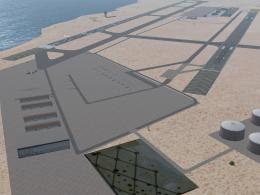
San Javier / Aeropuerto de Murcia, Spain (LELC). Includes new military track …
Be the first to leave a comment on this download.
Be the first to share your thoughts on this download.