


 Germany
 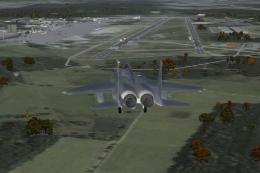 FSX Scenery
ETAR Ramstein Airport
ETAR Ramstein Airport plus ETEK, ETIP, ETIY. ETAR Ramstein is a large US airb…
Ramstein Airbase (ETAR) brings Germany’s key NATO hub to life with detailed runway and apron layout, military-style generic buildings, and custom ambient sound effects that shift between day and night for richer immersion in Microsoft Flight Simulator X. It requires the fsx_lts, has_lib, and asr9_fsx object libraries.
Ramstein Airbase (ETAR), Germany. By Nils Besemer.
Installation:
1. Copy the Addon Scenery, Sound and Effects folder into your main FSX directory.
2. Download the following libraries from Avsim.com if you don't already have them:
fsx_lts.zip
has_lib.zip
asr9_fsx.zip
by Jim Dhaenens!
Copy the BGLs of the libraries into your "FSX\scenery\global\scenery" folder and the textures in your "FSX\scenery\global\texture" folder.
3. start FSX and add the RamsteinAB directory to your scenery library.
Uninstalling:
Remove the RamsteinAB directory from your scenery library and delete it from your HD. I made diffrent sound effects for day and night. All sound and effect files containing "ETAR" in their names so you can easily find and modify/delete them.
I'm not a modeler so i used generic buildings, FSX Library objects and the great freeware libraries by Jim Dhaenens. I also had no charts so my scenery isn't perfect and i used it to learn and to test a few things. That's why i release it as public domain so you can easily improve and upload it.
Many thanks to Jim for his excellent work! Also a big thanks to Joe Watson for sharing his knowledge about sound effects. And a big thanks to those who made the tools/instructions listed below.
I hope you like it. Tested with FSX+XPack+UTX Europe+FSGenesis Mesh+AI Traffic, under Vista64 (DX9 and DX10). Use at your own risk..
Nils Besemer
Free for all simmers · 23.35 MB · Scanned clean Oct 2026
Download speed: Free tier is capped at 0.5 Mbps (this file takes approximately 7 mins at the cap). PRO members download at full line speed.
FSX\Addon Scenery\ containing scenery and texture sub-folders.readme.txt or README file. It tells you exactly where files go, what dependencies are needed, and any quirks specific to this add-on.Use these coordinates to fly directly to this location once the mod is installed.
49.44000000,7.60000000
Launch FSX or Prepar3D and use Flights → Load to open the downloaded .pln file. Your aircraft will be positioned at this location.
The archive etar2.zip has 45 files and directories contained within it.
This list displays the first 500 files in the package. If the package has more, you will need to download it to view them.
| Filename/Directory | File Date | File Size |
|---|---|---|
| Microsoft Flight Simulator X | 12.24.08 | 0 B |
| Addon Scenery | 12.25.08 | 0 B |
| RamsteinAB | 12.25.08 | 0 B |
| Scenery | 12.25.08 | 0 B |
| CVX_ETAR.BGL | 12.22.08 | 403 B |
| ETAR.BGL | 12.25.08 | 48.86 kB |
| ETAR_Photo.bgl | 12.22.08 | 20.23 MB |
| Texture | 12.25.08 | 0 B |
| 011223002202112an.agn | 12.22.08 | 132 B |
| 011223002202120an.agn | 12.22.08 | 96 B |
| 011223002202121an.agn | 12.22.08 | 2.45 kB |
| 011223002202123an.agn | 12.22.08 | 1.41 kB |
| 011223002202130an.agn | 12.22.08 | 2.88 kB |
| 011223002202131an.agn | 12.22.08 | 1000 B |
| 011223002202132an.agn | 12.22.08 | 2.61 kB |
| 011223002202133an.agn | 12.22.08 | 3.14 kB |
| 011223002202301an.agn | 12.22.08 | 1.20 kB |
| 011223002202302an.agn | 12.22.08 | 516 B |
| 011223002202303an.agn | 12.22.08 | 1.70 kB |
| 011223002202310an.agn | 12.22.08 | 1.41 kB |
| 011223002202311an.agn | 12.22.08 | 1.46 kB |
| 011223002203022an.agn | 12.22.08 | 1.41 kB |
| 011223002203200an.agn | 12.22.08 | 1.20 kB |
| Effects | 12.24.08 | 0 B |
| Cntrl_ETAR_ATC.fx | 12.25.08 | 386 B |
| Cntrl_ETAR_Crows.fx | 12.24.08 | 309 B |
| Cntrl_ETAR_Night.fx | 12.25.08 | 968 B |
| fx_ETAR_ATC.fx | 12.25.08 | 699 B |
| fx_ETAR_C17.fx | 12.25.08 | 698 B |
| fx_ETAR_C5.fx | 12.25.08 | 697 B |
| fx_ETAR_Crows.fx | 12.25.08 | 699 B |
| fx_ETAR_falcon.fx | 12.25.08 | 700 B |
| fx_ETAR_Herc.fx | 12.25.08 | 699 B |
| fx_ETAR_Sirene.fx | 12.25.08 | 698 B |
| ReadMe.txt | 12.25.08 | 2.01 kB |
| Sound | 12.25.08 | 0 B |
| ETAR_c17.wav | 12.24.08 | 459.04 kB |
| ETAR_c5.wav | 12.24.08 | 841.54 kB |
| ETAR_crows.wav | 12.25.08 | 348.79 kB |
| ETAR_falcon.wav | 12.25.08 | 1.86 MB |
| ETAR_herc.wav | 12.24.08 | 397.54 kB |
| Radio_Chatter.wav | 08.27.08 | 680.99 kB |
| SirenLoop.wav | 05.12.06 | 1.67 MB |
| flyawaysimulation.txt | 10.29.13 | 959 B |
| Go to Fly Away Simulation.url | 01.22.16 | 52 B |
Only PRO members can place votes.
More FSX & P3D add-ons hand-picked based on this download.
FSX Scenery
ETAR Ramstein Airport plus ETEK, ETIP, ETIY. ETAR Ramstein is a large US airb…
 FSX Scenery
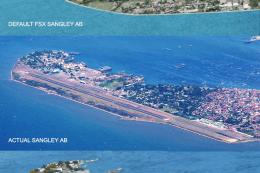
Sangley Airbase And Naval Station. A very accurate depiction of Sangley Air B…
 FSX Scenery
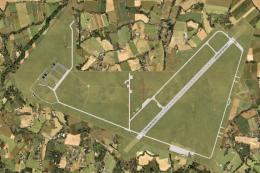
Boboc Airbase, Romania (LR82). Based on the stock airport, modified using sat…
 FSX Scenery
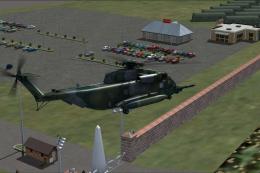
Fictional Airbase In Canada. A fictional but fun airbase with lots going on h…
 FSX Scenery
Canada Airbase Phase 2. Fictional Canada airbase phase 2. Airport ID is CAN1.…
 FSX Scenery
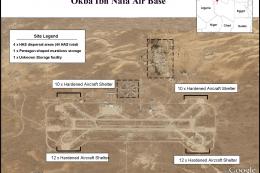
Okba Ibn Nafa Airbase (HL77), Libya. The military airbase known as Okba Ibn N…
FSX Scenery
Skara Scenery Bonaire X. Flamingo International Airport or Bonaire Internatio…
 FSX Scenery
Iwo Jima Scenery 1945 Update. This is a complete scenery with added effects a…
Be the first to leave a comment on this download.
Be the first to share your thoughts on this download.