

 FSX Scenery
KERI 2012 Runway Extension (PA)
KERI 2012 Runway Extension. Scenery for Erie, Pennsylvania (PA), Erie Interna…
Extend Bern Belp Airport (LSZB) for FSX with a 1730 m runway, refreshed ILS 14, and updated AFCAD layout details including taxiway designators, signs, lighting, and apron refinements. Adds helipads, converts the former grass runway into taxiway G, and requires either default scenery or Switzerland Professional X compatibility.
 Rate
Rate
 Switzerland
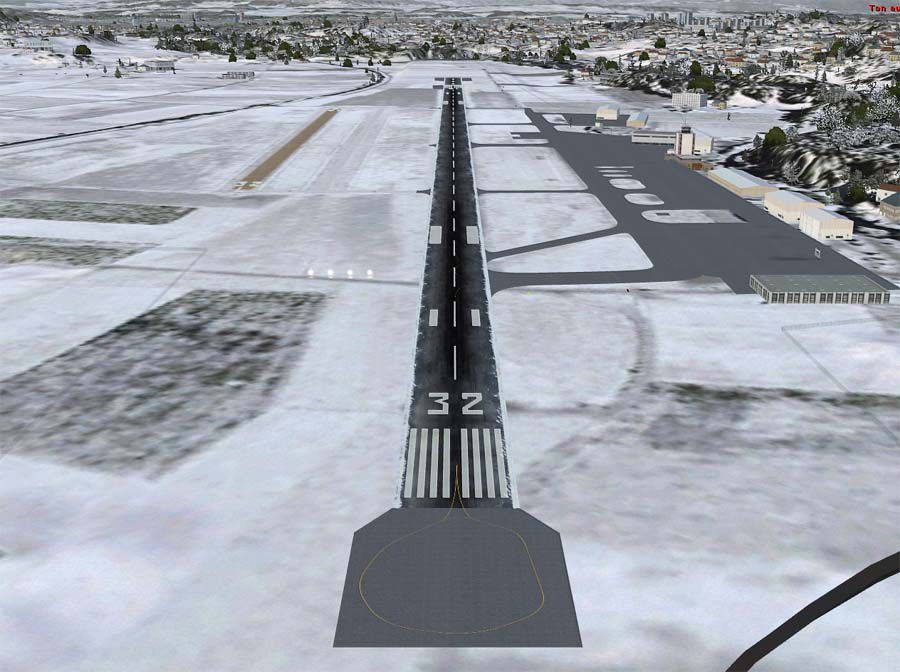
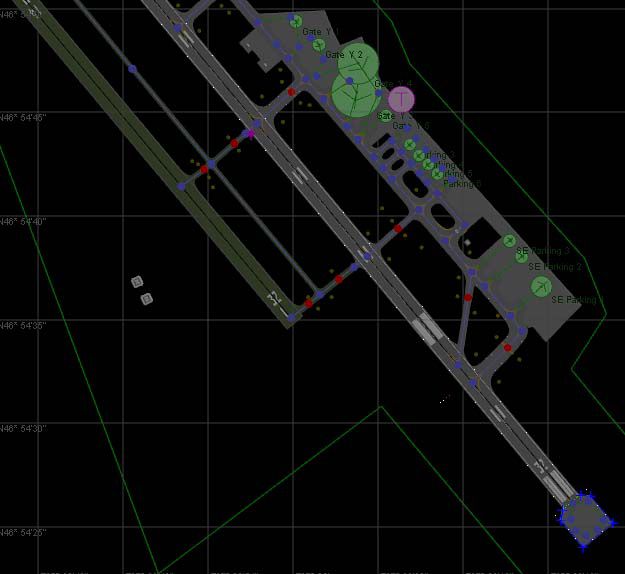
Runway Extension Bern Belp (LSZB), Switzerland. Extends the runway, updates ILS 14 and corrects other parts of the airport. By Michael Meier.
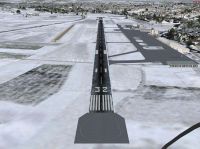
Runway Extension Bern Belp Scenery.
Requirements
- Works with the default scenery and Switzerland Professional X
Updates in this AFCAD:
- Runway extended from 1530m to 1730m
- ILS14 updated
- Runway 32R (grass) replaced by taxiway G
- Taxiway designators K and G added
- Taxiway signs, dimensions and lighting updated
- Apron design and lighting updated
- Helipads added
- SHU and MUR NDB withdrawn from service (they can't be completely removed, but they're unusable)
Installation
Default scenery:
- Extract the file to Addon Scenery\Scenery
Switzerland Pro users:
- Extract the file to Addon Scenery\Scenery
- Go to [Switzerland Pro folder]\CHPROX_apts\scenery and rename AFX_LSZB.bgl to AFX_LSZB.off
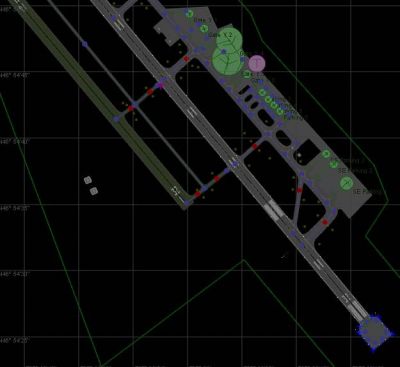
Runway Extension Bern Belp Scenery.
Free for all simmers · 140.71 KB · Scanned clean Oct 2026
Download speed: Free tier is capped at 0.5 Mbps. PRO members download at full line speed.
FSX\Addon Scenery\ containing scenery and texture sub-folders.readme.txt or README file. It tells you exactly where files go, what dependencies are needed, and any quirks specific to this add-on.Use these coordinates to fly directly to this location once the mod is installed.
46.91320000,7.49940000
Launch FSX or Prepar3D and use Flights → Load to open the downloaded .pln file. Your aircraft will be positioned at this location.
The archive lszb_rwx.zip has 6 files and directories contained within it.
This list displays the first 500 files in the package. If the package has more, you will need to download it to view them.
| Filename/Directory | File Date | File Size |
|---|---|---|
| _readme.txt | 12.25.08 | 1.54 kB |
| AFX_LSZB.bgl | 12.24.08 | 12.95 kB |
| lszb runway extension af.jpg | 12.24.08 | 63.17 kB |
| lszb runway extension.jpg | 12.25.08 | 117.74 kB |
| flyawaysimulation.txt | 10.29.13 | 959 B |
| Go to Fly Away Simulation.url | 01.22.16 | 52 B |
Only PRO members can place votes.
More FSX & P3D add-ons hand-picked based on this download.
FSX Scenery
KERI 2012 Runway Extension. Scenery for Erie, Pennsylvania (PA), Erie Interna…
 FSX Scenery
KERI 2012 Runway Extension. Scenery of Erie, Pennsylvania (PA), Erie Internat…
 FSX Scenery
St Barthelemy island (TFFJ) is situated in the Caribbean Sea. It's small slop…
 FSX Scenery
Princess Juliana Airport (TNCM) runway fix; changes runway 9/27 to 10/28. By …
FSX Scenery
Zadar Airport ILS Runway 14. The standard airport shipped with FSX does not s…
 FSX Scenery
Runway Fix For SKCG, Rafael Nunez Airport. Adds more realistic runway marking…
FSX Scenery
Lahr Air Base Runway Fix (EDTL), Germany. This file solves the problem with t…
 FSX Scenery
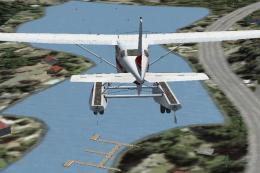
Private Water Runway, Hawaii (HI). A private water runway near Honolulu Int'l…
Be the first to leave a comment on this download.
Be the first to share your thoughts on this download.