

 FSX Scenery
Irish Airports And Aerodromes
Irish Airports And Aerodromes. Some improvements to existing FSX airports plu…
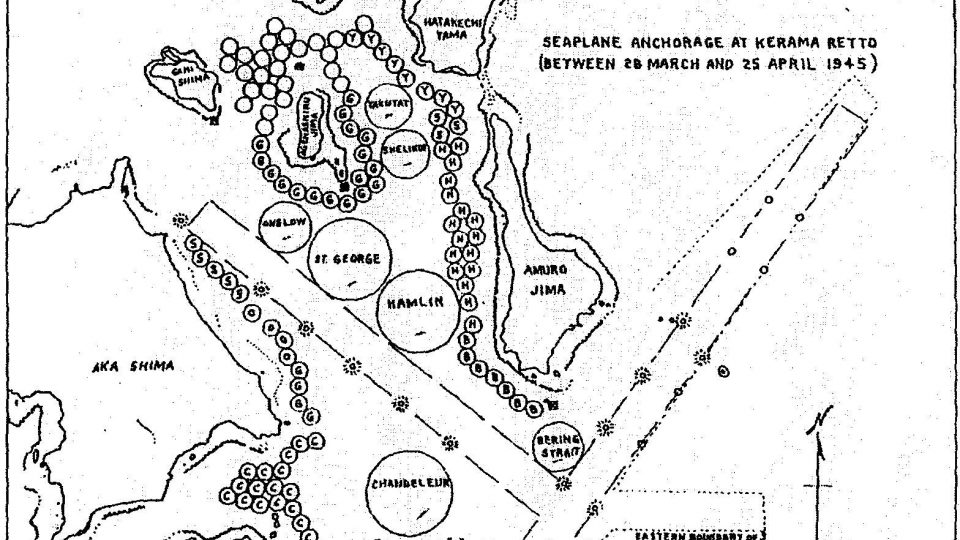
WWII seaplane aerodrome scenery recreates 13 Pacific Theater anchorages for FSX, centered on the USS Bering Strait AVD-34 at Okinawa. Expect seaplane tenders at Kerama Retto with AI ships and flying boats, plus a dedicated water landing area and nighttime-lit water runway for immersive flying boat operations.
 Rate
Rate
 Global (World)

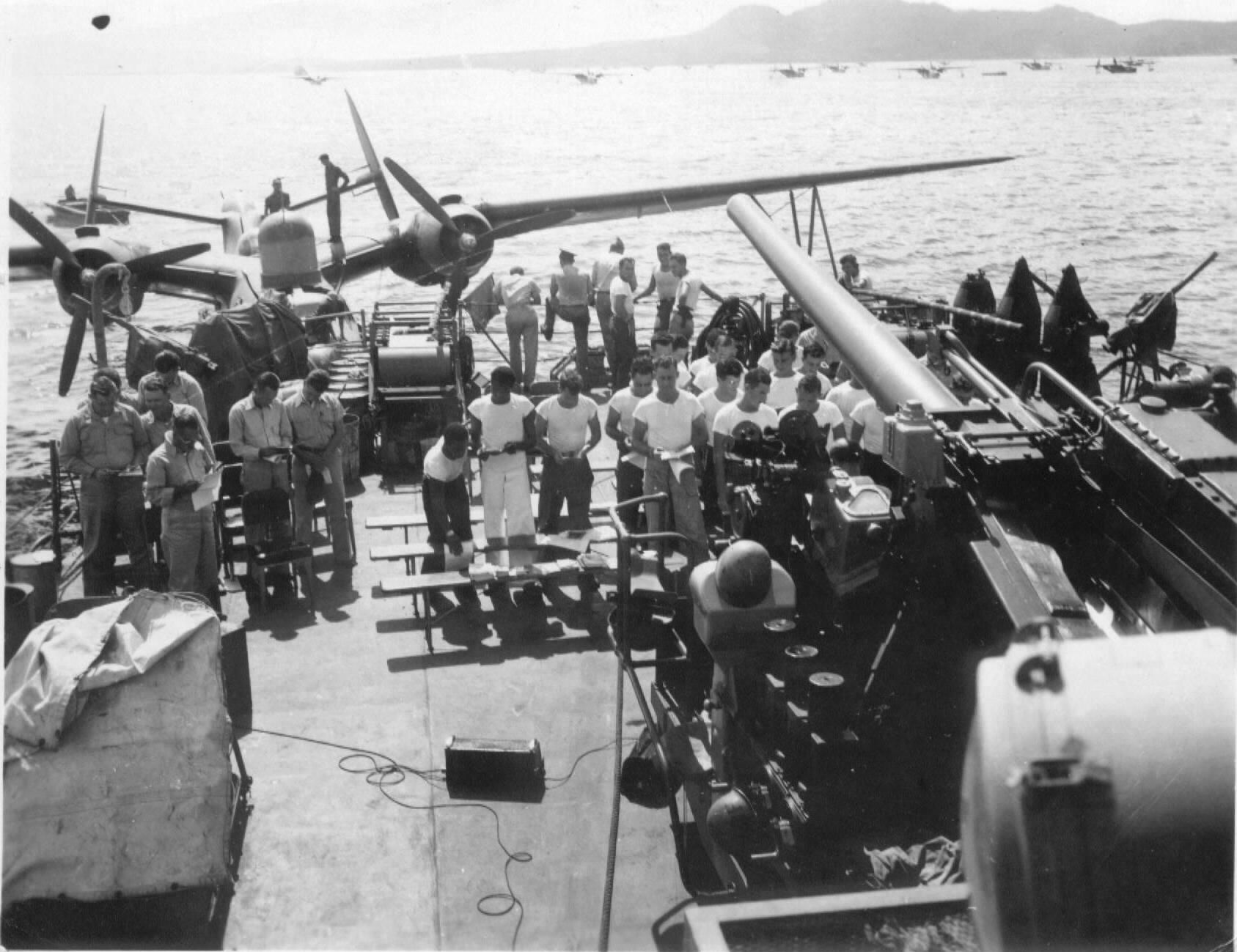
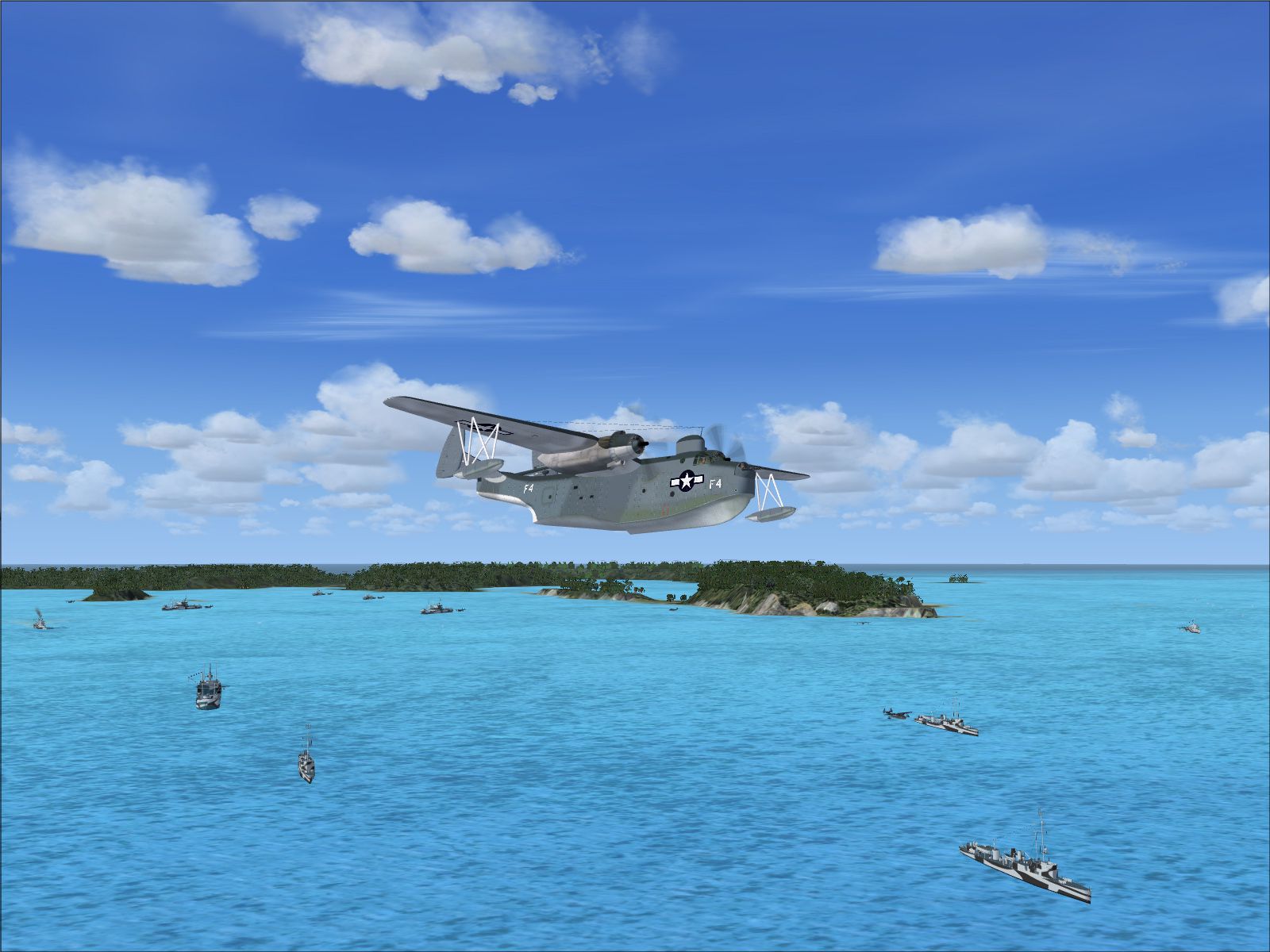

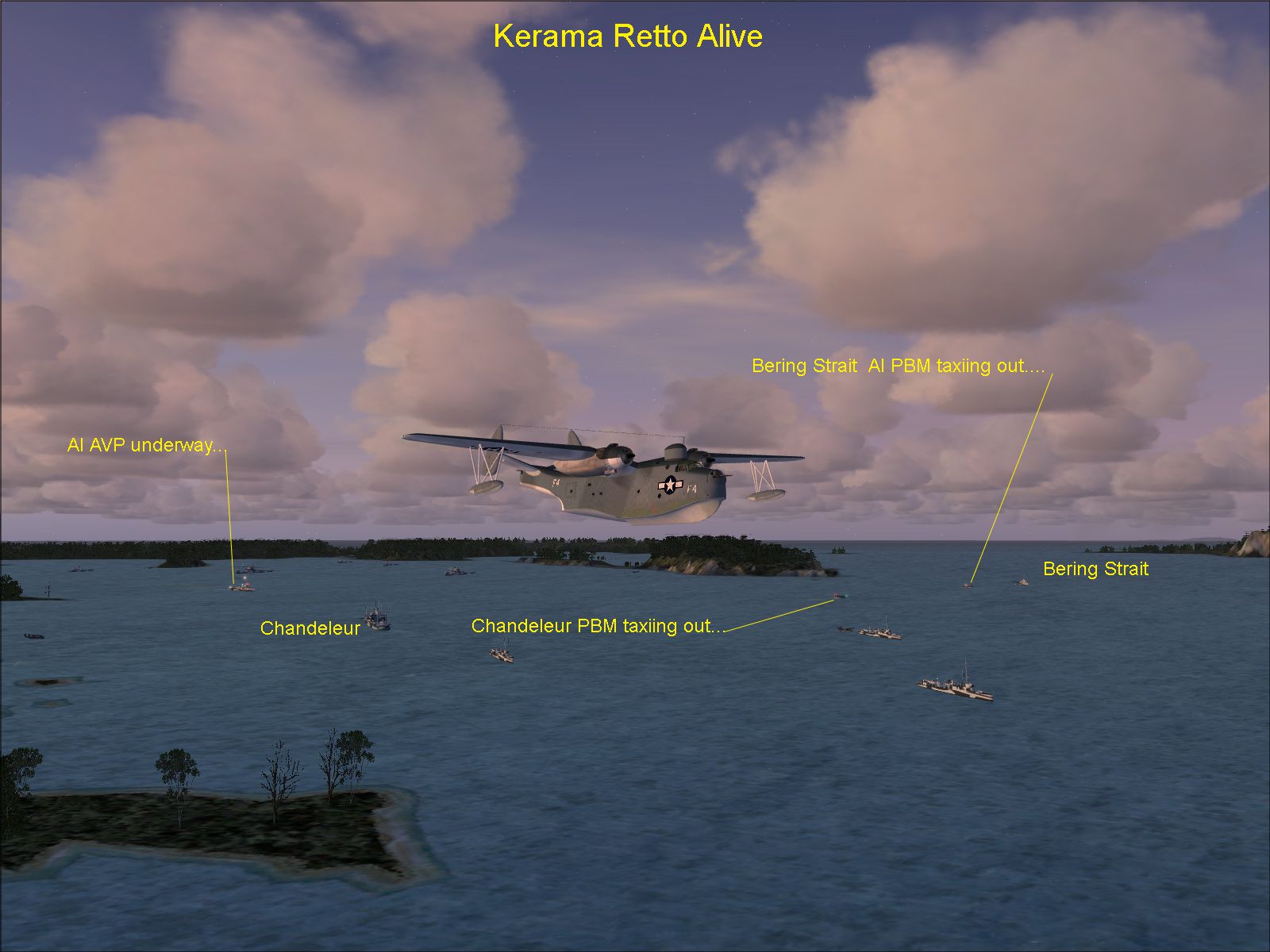
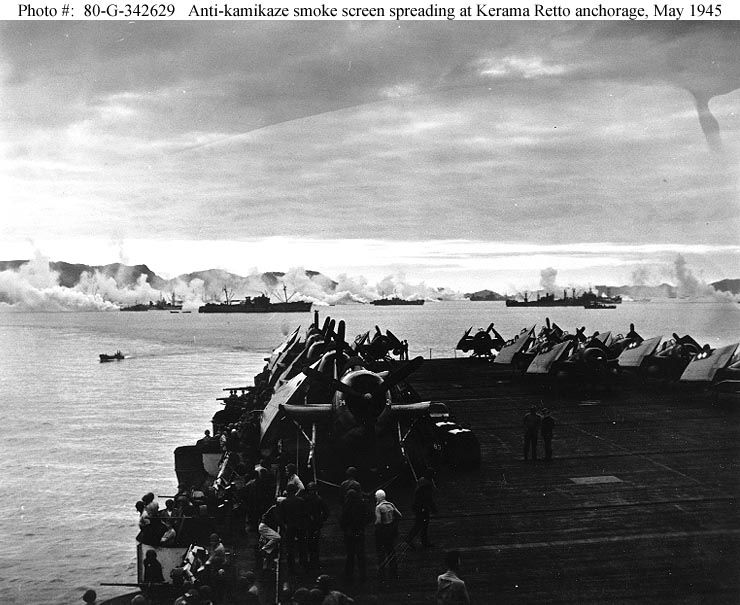

WWII Scenery Seaplane Aerodromes. Thirteen Pacific Theater locations. Main emphasis USS Bering Strait AVD-34 at Okinawa Japan. Seven seaplane tenders at Kerama Retto with AI ships and flying boats. Water runway lit up at night. By Earl Watkins and Wayne Tudor.
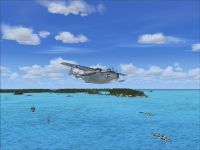
WWII Scenery Seaplane Aerodromes.
This is dedicated to all those who served aboard USS Bering Strait AVP 34, those who plied the seas aboard all seaplane tenders, and to the crews of the many flying boats who risked their lives to rescue downed aviator's in hostile waters.
And a special dedication to Wayne Tudor, who was the inspiration for this project.
Wayne's father served aboard AVP 34. Wayne's knowledge of the history of this ship and associated seaplane squadrons is phenomenal.
Thank you Wayne.
A BIT OF HISTORY
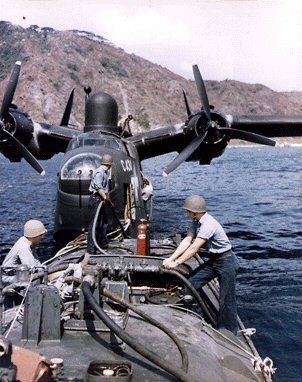
As a mobile aerodrome or "mother ship" as it were, Bering Strait primarily serviced several variations of the Martin PBM flying boat. Athough at one point she briefly worked with PBY Catalinas.
The U.S. Navy had many seaplane tenders in service during the war. And it was found advantageous to assign squadrons of specific seaplane types to individual ships. This allowed for each ship to carry more spare parts, supplies, etc. for their assigned planes.
Please take a look in the documents folder included with this scenery package. It contains some images and maps. The "Seaman's Diary" is most interesting, as it gives a little insight into what life was like aboard her.
IMPORTANT
Before proceeding further, please let me clarify just what this scenery package is all about. And what it is intended to provide the user.
This project has been a collaborative effort of several individuals working as a team to produce a piece of history for everyone to enjoy.
Countless hours have gone into the research and production of every facet of this scenery.
It all started with a request from my good friend Wayne Tudor to produce a static model of the ship that his father had served aboard during WWII.
At the same time, Bill Mackay and Jim Dhaenens came on board. And all of us together, have collaborated on this project.
What started out as a simple static scenery project took on a life of it's own. And is grew to include some exciting features.
There are 13 geographic locations within the scenery where USS Bering Strait AVP34 appears. All according to historical accounts.
To get the most out of this scenery, it is highly recommended that the user choose a WWII U.S. Navy seaplane in which to explore and operate with the ships here-in. A Martin PBM or even a PBY Catalina would add to the ambience of your experience.
The geographic locations of USS Bering Strait AVP-34 within this scenery package are listed below. This is a chronological list (in order) of places representing the sites where the actual ship had been, either "at anchor" or moored to a pier.
NOTE:
At the moment, this scenery package does not contain any objects such as piers, docks, etc. Therefore, at those areas where the actual ship was moored to a pier, the model is shown "at anchor" away from shore.
Initially the idea was to produce just one scenery area, "KERAMA RETTO, Okinawa, (a large ship anchorage) with USS Bering Strait AVP-34 at anchor. And a couple of static Martin PBM seaplanes near the ship. This ship would provide a base of operations for one to fly to and from in FSX.
However, as the project progressed it was decided to go all out and add more ships, an "AI" AVD, and "AI" PBM's taking off and landing.
Wayne Tudor did the static PBM's, as well as the "AI" objects, and the landing area near the ships, with lighting.
All in keeping with historical data.
Jim Dhaenens greatly improved upon the existing islands in and around the anchorage.
In addition, USS Bering Strait was placed at the other geographic locations shown below.
The "Installation" text file ends with placing your aircraft in the Kerama Retto anchorage. From that vantage point, you can sit back and watch the show.
The other scenery locations in this package do not include a "seadrome" as such. But, you can take off and land on the water near the ship.
PUGET SOUND, Washington
Lat: N48* 18.67'
Lon: W123* 8.35'
Bearing: 343 Mag
NAVAL AIR STATION ALAMEDA, California
Lat: N37* 46.15'
Lon: W122* 19.80'
Bearing: 331 Mag
SAN DIEGO, California (Off shore)
Lat: N32* 39.83'
Lon: W117* 11.45'
Bearing: 224 Mag
LONG BEACH HARBOR, California
Lat: N33* 43.56'
Lon: W118* 9.40'
Bearing: 347 Mag
PEARL HARBOR, Hawaii
Lat: N21* 22.75'
Lon: W157* 57.43'
Bearing: 329 Mag
KUHIO BAY, Hawaii
Lat: N19* 45.14'
Lon: W155* 3.26'
Bearing: 204 Mag
NAVAL AIR STATION KANEOHE, Hawaii (Kaneohe Bay)
Lat: N21* 25.94'
Lon: W157* 46.51'
Bearing: 330 Mag
KWAJALEIN ATOLL, Marshall Islands
Lat: N8* 44.02'
Lon: E167* 43.58'
Bearing: 332 Mag
ENIWETOK, Marshall Islands
Lat: N11* 21.09'
Lon: E162* 19.76'
Bearing: 052 Mag
TANAPAG HARBOR, Guam
Lat: N15* 14.20'
Lon: E145* 44.47'
Bearing: 347 Mag
KERAMA RETTO, Okinawa (Operation "Iceberg")
Lat: N26* 11.53'
Lon: E127* 18.88'
Bearing: 214 Mag
CHIMU BAY, Okinawa
Lat: N26* 25.61'
Lon: E127* 52.69'
Bearing: 134 Mag
SASEBO, Japan
Lat: N33* 6.91'
Lon: E129* 44.08'
Bearing: 248 Mag
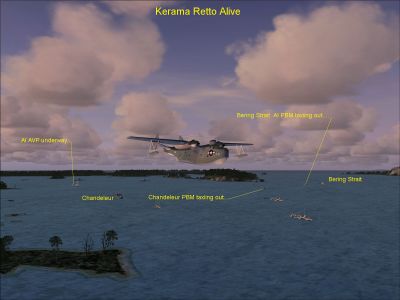
WWII Scenery Seaplane Aerodromes.
Free for all simmers · 14.43 MB · Scanned clean Oct 2026
Download speed: Free tier is capped at 0.5 Mbps (this file takes approximately 4 mins at the cap). PRO members download at full line speed.
FSX\Addon Scenery\ containing scenery and texture sub-folders.readme.txt or README file. It tells you exactly where files go, what dependencies are needed, and any quirks specific to this add-on.The archive avp3401.zip has 158 files and directories contained within it.
This list displays the first 500 files in the package. If the package has more, you will need to download it to view them.
| Filename/Directory | File Date | File Size |
|---|---|---|
| README FIRST.txt | 09.01.09 | 5.34 kB |
| avp3401.jpg | 09.07.09 | 577.28 kB |
| FILE_ID.DIZ | 09.07.09 | 262 B |
| Installation.txt | 09.07.09 | 7.33 kB |
| Kerama Retto Alive.jpg | 08.22.09 | 484.46 kB |
| Addon Scenery | 09.07.09 | 0 B |
| AVP34 Operations | 09.07.09 | 0 B |
| Documentation | 09.07.09 | 0 B |
| AI Operation.txt | 09.01.09 | 616 B |
| BeringStrait.JPG | 09.15.04 | 35.72 kB |
| Kerama Retto Map.jpg | 05.03.09 | 348.62 kB |
| Kerama Retto smoke.jpg | 09.15.04 | 88.51 kB |
| Package_Info | 09.07.09 | 0 B |
| Installation.txt | 09.01.09 | 7.32 kB |
| Kerama Retto Alive.jpg | 08.22.09 | 484.46 kB |
| README FIRST.txt | 09.01.09 | 5.34 kB |
| PBM-5Mariner fueling.jpg | 08.29.09 | 39.86 kB |
| seadrome.jpg | 09.15.04 | 405.43 kB |
| seaman's diary.doc | 05.08.09 | 169.50 kB |
| Sunday service.jpg | 09.15.04 | 222.27 kB |
| scenery | 09.07.09 | 0 B |
| AFX_KR2.bgl | 08.21.09 | 10.40 kB |
| AFX_KR3.bgl | 08.21.09 | 2.63 kB |
| avp34_okina.bgl | 08.20.09 | 1.72 MB |
| avp34_okina.txt | 08.20.09 | 221 B |
| avp34_okinawa.BGL | 08.20.09 | 1.71 kB |
| avp34_staticsmoke.BGL | 08.23.09 | 1.33 kB |
| cvxKERAMARETTO.BGL | 06.14.09 | 4.54 kB |
| ROKR_ADE_WT.BGL | 06.16.09 | 4.13 kB |
| Traffic_KR2.bgl | 08.21.09 | 617 B |
| Traffic_KR3.bgl | 07.20.09 | 382 B |
| texture | 09.07.09 | 0 B |
| anchorchain.bmp | 08.02.09 | 128.07 kB |
| avd_hull.bmp | 08.05.09 | 512.07 kB |
| avd_misc.bmp | 08.14.09 | 512.07 kB |
| avd_trans.bmp | 08.20.09 | 512.07 kB |
| boatboom_lines.bmp | 05.30.09 | 128.07 kB |
| DULLBLACK_BK.bmp | 05.06.09 | 32.07 kB |
| Fuselage Left.bmp | 07.21.09 | 512.07 kB |
| hazegray.bmp | 05.10.09 | 32.07 kB |
| hull.bmp | 05.27.09 | 512.07 kB |
| kingpost_lines.bmp | 07.09.08 | 128.07 kB |
| kw_hull.bmp | 07.08.09 | 512.07 kB |
| kw_misc.bmp | 07.31.09 | 512.07 kB |
| kw_misc_trans.bmp | 06.20.09 | 512.07 kB |
| kw_misc_trans2.bmp | 07.08.09 | 128.07 kB |
| kw_misc_trans3.bmp | 07.07.09 | 128.07 kB |
| LIGHTGREY_5L.bmp | 05.06.09 | 32.07 kB |
| misc.bmp | 05.12.09 | 512.07 kB |
| misc1.bmp | 05.13.09 | 512.07 kB |
| misc2.bmp | 05.10.09 | 512.07 kB |
| misc_trans.bmp | 06.29.09 | 512.07 kB |
| misc_trans2.bmp | 06.06.09 | 128.07 kB |
| new_deckblue.bmp | 06.01.09 | 128.07 kB |
| OCEANGREY_MODIFIED.bmp | 05.10.09 | 32.07 kB |
| rigging_lines.bmp | 06.06.09 | 128.07 kB |
| rust.bmp | 05.16.09 | 32.07 kB |
| skycamo.bmp | 07.21.09 | 128.07 kB |
| stab_horiz.bmp | 07.21.09 | 32.07 kB |
| stab_horizL.bmp | 07.21.09 | 32.07 kB |
| Turrent1.bmp | 07.21.09 | 8.07 kB |
| Wing Main1.bmp | 07.21.09 | 512.07 kB |
| Effects | 09.07.09 | 0 B |
| FSX_AI_ship_BOW_SPRAY_l.fx | 08.29.09 | 2.70 kB |
| fx_AI_floatplane_spray-and-wake.fx | 08.23.09 | 2.32 kB |
| fx_AI_ship_trail-of-spray.fx | 08.29.09 | 1.29 kB |
| fx_AI_ship_wake_l.fx | 08.29.09 | 1.22 kB |
| fx_AVP_Smoke.fx | 05.18.09 | 1.30 kB |
| fx_AVP_Smoke2.fx | 05.21.09 | 1.30 kB |
| MF_AI_AVP_EnginSmoke.fx | 06.22.09 | 1.51 kB |
| MF_AI_ship_STERN_SPRAY_m.fx | 06.22.09 | 3.63 kB |
| SimObjects | 09.07.09 | 0 B |
| Airplanes | 09.07.09 | 0 B |
| #AI Martin PBM-C | 09.07.09 | 0 B |
| AI Martin PBM-3C.air | 07.17.09 | 7.60 kB |
| Aircraft.cfg | 08.21.09 | 13.50 kB |
| model | 09.07.09 | 0 B |
| Martin Mariner PBM-3C.mdl | 07.22.09 | 436.90 kB |
| Model.cfg | 07.21.09 | 40 B |
| sound | 09.07.09 | 0 B |
| a26-1-l.wav | 03.27.07 | 517.65 kB |
| a26-1-r.wav | 03.27.07 | 517.93 kB |
| a26-2-l.wav | 03.27.07 | 270.41 kB |
| a26-2-r.wav | 03.27.07 | 295.01 kB |
| a26-3-l.wav | 04.02.07 | 599.73 kB |
| a26-3-r.wav | 03.27.07 | 549.39 kB |
| a26-4-l.wav | 03.27.07 | 433.71 kB |
| a26-4-r.wav | 03.27.07 | 433.71 kB |
| a26combstart-l.wav | 03.27.07 | 171.43 kB |
| a26combstart-r.wav | 03.27.07 | 171.43 kB |
| a26flaps.wav | 03.27.07 | 1.01 MB |
| a26gear.wav | 03.27.07 | 856.59 kB |
| a26starter-l.wav | 03.27.07 | 134.74 kB |
| a26starter-r.wav | 03.27.07 | 135.59 kB |
| door_large.wav | 03.24.03 | 208.17 kB |
| gearwarning.wav | 03.27.07 | 33.71 kB |
| i_extraprop-l.wav | 03.27.07 | 343.85 kB |
| i_extraprop-r.wav | 03.27.07 | 343.40 kB |
| no_ap.wav | 03.29.07 | 41.55 kB |
| Sound.cfg | 04.02.07 | 10.04 kB |
| stall.wav | 03.14.07 | 74.40 kB |
| wind.wav | 03.06.07 | 465.32 kB |
| xa26-1-l.wav | 03.27.07 | 258.87 kB |
| xa26-1-r.wav | 03.27.07 | 259.00 kB |
| xa26-2-l.wav | 03.27.07 | 150.08 kB |
| xa26-2-r.wav | 03.27.07 | 150.11 kB |
| xa26-3-l.wav | 03.27.07 | 299.90 kB |
| xa26-3-r.wav | 03.27.07 | 275.42 kB |
| xa26-4-l.wav | 03.27.07 | 216.89 kB |
| xa26-4-r.wav | 03.27.07 | 216.89 kB |
| xa26combstart-l.wav | 03.27.07 | 171.43 kB |
| xa26combstart-r.wav | 03.27.07 | 171.43 kB |
| xa26starter-l.wav | 03.27.07 | 134.74 kB |
| xa26starter-r.wav | 03.27.07 | 135.59 kB |
| xextraprop-l.wav | 03.27.07 | 171.96 kB |
| xextraprop-r.wav | 03.27.07 | 171.74 kB |
| xshutdown.wav | 03.27.07 | 398.76 kB |
| texture | 09.07.09 | 0 B |
| Fuselage Left.bmp | 07.21.09 | 512.07 kB |
| Prop2.bmp | 05.04.09 | 64.07 kB |
| Prop2.orig.bmp | 07.21.09 | 128.07 kB |
| skycamo.bmp | 07.21.09 | 128.07 kB |
| stab_horiz.bmp | 07.21.09 | 32.07 kB |
| stab_horizL.bmp | 07.21.09 | 32.07 kB |
| Turrent1.bmp | 07.21.09 | 8.07 kB |
| Wing Main1.bmp | 07.21.09 | 512.07 kB |
| AI_AVP | 09.07.09 | 0 B |
| aircraft.cfg | 08.22.09 | 13.98 kB |
| AI_AVP.air | 11.14.02 | 8.13 kB |
| Model | 09.07.09 | 0 B |
| avp34_oakh.mdl | 06.08.09 | 488.55 kB |
| Model.cfg | 06.08.09 | 35 B |
| texture | 09.07.09 | 0 B |
| anchorchain.bmp | 05.17.09 | 128.07 kB |
| boatboom_lines.bmp | 05.30.09 | 128.07 kB |
| DECKBLUE_20B.bmp | 05.06.09 | 32.07 kB |
| DECKBLUE_MODIFIED.bmp | 05.30.09 | 64.07 kB |
| DULLBLACK_BK.bmp | 05.06.09 | 32.07 kB |
| hazegray.bmp | 05.10.09 | 32.07 kB |
| hull.bmp | 05.27.09 | 512.07 kB |
| LIGHTGREY_5L.bmp | 05.06.09 | 32.07 kB |
| misc.bmp | 05.12.09 | 512.07 kB |
| misc1.bmp | 05.13.09 | 512.07 kB |
| misc2.bmp | 05.10.09 | 512.07 kB |
| misc_trans.bmp | 05.28.09 | 512.07 kB |
| misc_trans2.bmp | 06.08.09 | 256.07 kB |
| misc_trans2.orig.bmp | 06.06.09 | 128.07 kB |
| new_deckblue.bmp | 06.01.09 | 128.07 kB |
| OCEANGREY_5O.bmp | 05.06.09 | 32.07 kB |
| OCEANGREY_MODIFIED.bmp | 05.10.09 | 32.07 kB |
| rigging_lines.bmp | 06.06.09 | 128.07 kB |
| rust.bmp | 05.16.09 | 32.07 kB |
| thumbnail.jpg | 06.08.09 | 39.92 kB |
| trans.bmp | 03.24.09 | 32.07 kB |
| white.bmp | 03.18.09 | 32.07 kB |
| FSX_Content | 09.07.09 | 0 B |
| flyawaysimulation.txt | 10.29.13 | 959 B |
| Go to Fly Away Simulation.url | 01.22.16 | 52 B |
Only PRO members can place votes.
More FSX & P3D add-ons hand-picked based on this download.
FSX Scenery
Irish Airports And Aerodromes. Some improvements to existing FSX airports plu…
 FSX Scenery
Allied WWII Airfields In China Burma India. Also radio range stations on Nort…
 FSX Scenery
Caribbean Seaplane Tours, Florida (FL) operations. Caribbean Seaplane Tours i…
 FSX Scenery
Caribbean Seaplane Tours. Includes scenery of Grand Cayman Islands, Jamaica, …
 FSX Scenery
Caribbean Seaplane Tours, part 4 - Caribbe East. Includes some twenty airport…
 FSX Scenery
Caribbean Seaplane Tours Bahamas. Includes Bahamas West, Conch Bay, Cutlass B…
 FSX Scenery
This scenery mod will add Orlando Seaplane base to the scenery of FSX, P3D, a…
 FSX Scenery
Caribbean Seaplane Tours. Includes Key West, Key West Docks, Mooney Harbor, F…
Read what other simmers think, or add your own.

I downloaded this package and at first, it was impossible to add the library to scenery addons as described. Many of you might already know this, but some may not. There is a bug with the dialog box and it requires one extra step to add. It is easier to provide the link than to explain the workaround..... https://iblueyonder.com/video-tutorial-adding-scenery-to-fsx-in-windows-7/

just a reminder - their, in the READ ME FIRST, u said In addition, there are three "AVD" type seaplane tenders... there it should be whose not who's.