


 France
  FSX Scenery
Nancy-Pont Saint-Vincent
Nancy-Pont Saint-Vincent, France, and airfield LFSV that is not part of FSX s…
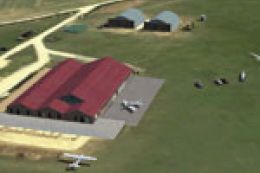
Rochefort–Saint Agnant Airport (LFDN) brings the Charente-Maritime airfield to life in FSX with optimized GMAX buildings, accurate local landmarks, and ambient sound animations that add atmosphere on the apron. Includes static aircraft and regional details such as nearby bridges, tuned for smooth performance and immersive VFR flying.
Scenery Rochefort - Saint Agnant (LFDN), France. By Alexandre Remy.
Installation:
Click on LFDN RochefortvFSX.exe and follow instructions.
Copy manually the contents of the directory effect to FSX effect directory.
Copy manually the contents of the directory sound to FSX sound directory.
Then start FSX go to your scenery library and validate the scenery like all others scenery that you already have.
Animations of sounds are present on the scenery, I recommend you to adjust in the parameters sound of FSX, the parameter environment 50 % to benefit of it.
Bugs :
At this moment, any bugs are reported in this scenery but if you have a problem don't hesitate to contact me via e-mail.
Fluidity:
The buildings were produced under GMAX, were optimized to make the scene most fluid possible.
An special attention on the FPS was carried out!
Model DR400 by FranceVFR
Model and Texture M2000 by FranceVFR
Texture damier by M. Patdebarr
Bridge of Ile de Ré, Oléron et Seudre by Jaff (xpfr)
Credits to :
Club Grand Ouest Aviation ( CGOA http://cgoa.info ) and Michelfor photos and beta test.
Fabien FAF323 for his help for sound.
Jaff and Michel Picard for theirs helps.
Flight 1 for AFX and Instant scenery.
Martin Wright for BMP2000 et DXT BMP.
And of course GMAX.
This scenery is ONLY FREEWARE.
Alexandre
Free for all simmers · 28.79 MB · Scanned clean Oct 2026
Download speed: Free tier is capped at 0.5 Mbps (this file takes approximately 8 mins at the cap). PRO members download at full line speed.
FSX\Addon Scenery\ containing scenery and texture sub-folders.readme.txt or README file. It tells you exactly where files go, what dependencies are needed, and any quirks specific to this add-on.Use these coordinates to fly directly to this location once the mod is installed.
45.88750000,-0.98360000
Launch FSX or Prepar3D and use Flights → Load to open the downloaded .pln file. Your aircraft will be positioned at this location.
The archive lfdn_rochefortvfsx.zip has 5 files and directories contained within it.
This list displays the first 500 files in the package. If the package has more, you will need to download it to view them.
| Filename/Directory | File Date | File Size |
|---|---|---|
| LFDN RochefortvFSX.exe | 05.17.10 | 28.91 MB |
| lisez_moi.txt | 05.16.10 | 2.28 kB |
| readme.txt | 05.16.10 | 1.65 kB |
| flyawaysimulation.txt | 10.29.13 | 959 B |
| Go to Fly Away Simulation.url | 01.22.16 | 52 B |
Only PRO members can place votes.
More FSX & P3D add-ons hand-picked based on this download.
FSX Scenery
Nancy-Pont Saint-Vincent, France, and airfield LFSV that is not part of FSX s…
 FSX Scenery
Scenery Jamestown, Saint Helena. There is currently no airport. There were re…
FSX Scenery
Scenery Saint-Florentin Aerodrome (LFGP), France. By Simon Duval.
FSX Scenery
Skara Scenery Bonaire X. Flamingo International Airport or Bonaire Internatio…
 FSX Scenery
Iwo Jima Scenery 1945 Update. This is a complete scenery with added effects a…
FSX Scenery
Kjeller Area Scenery X, Norway. Scenery around Kjeller airport with photoreal…
 FSX Scenery
FSX Loney's Alaska For FSX. This is a compilation of the author's Alaskan sce…
 FSX Scenery
For users of Flight Simulator X (and FSX: Steam Edition) and/or Prepar3D, ter…
Be the first to leave a comment on this download.
Be the first to share your thoughts on this download.