

 FSX Scenery
ADEX Wangen-Lachen Airfield
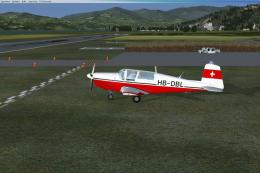
ADEX Wangen-Lachen Airfield (LSPV), Switzerland. Wangen-Lachen is a small air…
KICT’s Cessna facility at Wichita Mid-Continent Airport gets a sharper, more accurate rebuild in FSX, replacing default hangars and buildings with custom Gmax models positioned from satellite references. Hand-drawn textures and improved variety avoid repetitive structures, while the Citation building adds selectable animated hangar doors that require VOR2 frequency tuning.
 Rate
Rate
 United States of America
ADEX For KICT Cessna Facility, Wichita Mid-Continent Airport, Wichita, Kansas (KS). This file is for upgrade and corrections to KICT default scenery. It replaces default buildings/hangars with Gmax models, placed using Google Earth satellite information. Animation for hangar doors for the Citation Buillding/hangars only. The rest are static. By Richie Schwertfeger.
This is an FSX compatible file and will not work with FS9. The only mdl that has animation (required the use of Gmax FS9 gamepack) is the Cessna Citation building/hangars. Most of the textures are in dds format and the KICT Cessna textures were hand drawn. In order to achieve the separate animation control of each set of doors, a separate mdl was generated for each set of doors, which made a total of 5 mdl's for the Citation building. The animation of the hangars doors are as follows starting from the left hand side:
Bay1 doors are controlled by setting VOR2 active frequency to 117.95Mhz.
Bay2 doors are controlled by setting VOR2 active frequency to 117.90Mhz.
Bay3 doors are controlled by setting VOR2 active frequency to 117.85Mhz.
Bay4 doors are controlled by setting VOR2 active frequency to 117.80Mhz.
Bay5 doors are controlled by setting VOR2 active frequency to 116.95Mhz.
None of the other hangars in this project contain animation and are similar to the default items. No four sided same texture buildings.
Due to the lack of photos of most of the buildings/hangars, the author used designers option and tried to apply a suitable texture for a particular building.
This is a list of the textures included in the folder.
Texture files for KICT_Cessna_facility upgrade AFX
BLAST_Shield_Horiz.dds BLAST_Shield_Horiz_lm.dds
concrete.bmp concrete_LM.bmp
Fence2.bmp Fence2_LM.bmp
KICT_Cessna_Hgr_Bldg_Roofs1.dds KICT_Cessna_Hgr_Bldg_Roofs1_lm.dds
KICT_Cessna_Hgr_Bldg_roofs2.dds KICT_Cessna_Hgr_Bldg_roofs2_lm.dds
KICT_Cessna_Hgr_Bldg_Roofs3.dds KICT_Cessna_Hgr_Bldg_Roofs3_lm.dds
KICT_Citation_ServCtr_part1.dds KICT_Citation_ServCtr_part1_lm.dds
KICT_Citation_ServCtr_part2.dds KICT_Citation_ServCtr_part2_lm.dds
KICT_Citation_ServCtr_part3.dds KICT_Citation_ServCtr_part3_lm.dds
LargeAirport_X.dds LargeAirport_X_lm.dds
MediumAirport_X.dds MediumAirport_X_lm.dds
SmallAirport_X.dds SmallAirport_X_lm.dds
nova033.bmp** nova033_lm.bmp**
nova046.bmp** nova046-lm.bmp**
nova050.bmp** nova050_lm.bmp**
NovaGold015.bmp** NovaGold015_lm.bmp**
NovaGold017.bmp** NovaGold017_lm.bmp**
NovaGold021.bmp** NovaGold021_lm.bmp**
** This denotes that these files have to be downloaded from Flightsim.com and are contained in the complete file (novagt1.zip), (novatx1.zip) , (novatx2.zip).
Installation instructions:
1) Place the KICT_ADEX files into the Addon Scenery\Scenery folder.
2) Open the KICT_texture zip file and copy the textures to either Addon Scenery\Texture or the main FSX texture folder.
This update is released as freeware.
I would like to thank Chris Arrington for permission to change file names of his AEU airport scenery files and any other author including Rafael Garcia Sanchez (Nova) for the use of any texture that they authored. Their products have been a great help in texturing the buildings in this project.
I provide very, very limited support for this project. Please no request for changes to accomodate individual preferences.
Richie1935
Free for all simmers · 2.77 MB · Scanned clean Oct 2026
Download speed: Free tier is capped at 0.5 Mbps. PRO members download at full line speed.
This add-on may require the following files to function properly. If this is a repaint, the dependency below is likely the base aircraft package.
FSX\SimObjects\Airplanes\. The folder must contain an aircraft.cfg file. Effects go into FSX\Effects\; gauges go into FSX\Gauges\.readme.txt or README file. It tells you exactly where files go, what dependencies are needed, and any quirks specific to this add-on.Use these coordinates to fly directly to this location once the mod is installed.
37.65220000,-97.43310000
Launch FSX or Prepar3D and use Flights → Load to open the downloaded .pln file. Your aircraft will be positioned at this location.
The archive fsx__kict_cessna_facility.zip has 6 files and directories contained within it.
This list displays the first 500 files in the package. If the package has more, you will need to download it to view them.
| Filename/Directory | File Date | File Size |
|---|---|---|
| KICT_ADEX_RFS_CVX.bgl | 10.30.10 | 327 B |
| KICT_ADEX_RFS.BGL | 10.30.10 | 1.46 MB |
| KICT_textures.zip | 10.29.10 | 2.35 MB |
| KICT_Instructions.txt | 10.30.10 | 3.46 kB |
| flyawaysimulation.txt | 10.29.13 | 959 B |
| Go to Fly Away Simulation.url | 01.22.16 | 52 B |
Only PRO members can place votes.
More FSX & P3D add-ons hand-picked based on this download.
FSX Scenery
ADEX Wangen-Lachen Airfield (LSPV), Switzerland. Wangen-Lachen is a small air…
 FSX Scenery
DHL Cargo Facility KCVG Fix. Scenery model of the large DHL cargo facility at…
 FSX Scenery
Wattisham Tower Fix. This file moves the default tower at Wattisham Army base…
 FSX Scenery
HE Production Facility (KHEP). The enormous manufacturing plant for fictional…
 FSX Scenery
Whole scenery of the Iberian Peninsula (except Portugal). an adaptation of th…
 FSX Scenery
FSX Loney's Alaska For FSX. This is a compilation of the author's Alaskan sce…
FSX Scenery
Skara Scenery Bonaire X. Flamingo International Airport or Bonaire Internatio…
 FSX Scenery
For users of Flight Simulator X (and FSX: Steam Edition) and/or Prepar3D, ter…
Be the first to leave a comment on this download.
Be the first to share your thoughts on this download.