
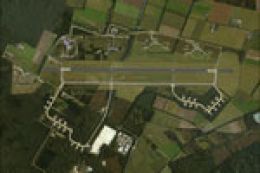
 FSX Scenery
NL2000 V4.0 De Peel Air Base
This comprehensive freeware scenery package brings an accurate representation…
EHDP De Peel Air Base comes to life with detailed runway geometry, apron markings, military buildings, and carefully placed lighting that matches the surrounding Dutch landscape and photoreal ground textures. Built for Microsoft Flight Simulator X, it integrates cleanly into the NL2000 v4 environment and requires the NL2000 v4.0.20 installer.
 Rate
Rate
 Netherlands
This comprehensive freeware package depicts EHDP De Peel Air Base in high detail for Microsoft Flight Simulator X and seamlessly integrates into the modular NL2000 v4 environment. It accurately represents the surrounding landscape, runway layouts, and essential structures, all developed by The Netherlands 2000 Scenery Design Team. With this add-on, virtual pilots can appreciate the distinct atmosphere of this Dutch military airfield while exploring adjacent regions rendered in photoreal quality.
De Peel Air Base, which carries the ICAO code EHDP, is situated in the southeastern part of the Netherlands. The scenery in this package covers runway alignment, apron markings, and specialized military facilities with great care. In particular, the taxiways, lighting configurations, and relevant ground textures are configured to blend with the overall NL2000 v4.0.20 scenery package, ensuring a cohesive environment.
The Netherlands 2000 Scenery Design Team crafted this add-on to enhance the realism of local airfields across the country. De Peel Air Base was historically significant for various Royal Netherlands Air Force operations, making it a compelling location for flight simulator enthusiasts seeking an intricate military setting. By including faithfully modeled elements such as control towers and maintenance hangars, the developers provide a setting that reflects real-world operations.
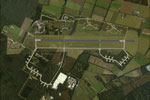
Screenshot of De Peel Air Base Scenery.
Because this air base module works in unison with the wider Dutch landscape, users must possess the primary NL2000 v4.0.20 installation. After integrating the EHDP package using the normal procedure, De Peel’s terrain and its embedded aviation features neatly align with the rest of the NL2000 region. The final result is a vibrant rendition of southeastern Netherlands, complete with realistic ground layers, weather transitions, and visual references suitable for all sorts of simulated flights.
This freeware scenery is brought to you by The Netherlands 2000 Scenery Design Team, known for their dedication to replicating geographical and architectural details across the country. Their work on the De Peel Air Base module highlights their commitment to providing a highly accurate depiction of Dutch aviation and is offered without any charge to the community.
Free for all simmers · 50.72 MB · Scanned clean Oct 2026
Download speed: Free tier is capped at 0.5 Mbps (this file takes approximately 14 mins at the cap). PRO members download at full line speed.
FSX\Addon Scenery\ containing scenery and texture sub-folders.readme.txt or README file. It tells you exactly where files go, what dependencies are needed, and any quirks specific to this add-on.Use these coordinates to fly directly to this location once the mod is installed.
51.52000000,5.85000000
Launch FSX or Prepar3D and use Flights → Load to open the downloaded .pln file. Your aircraft will be positioned at this location.
The archive nl2k_v4_02_ehdp.zip has 8 files and directories contained within it.
This list displays the first 500 files in the package. If the package has more, you will need to download it to view them.
| Filename/Directory | File Date | File Size |
|---|---|---|
| copyright.txt | 05.24.10 | 4.43 kB |
| FILE_ID.DIZ | 12.22.11 | 358 B |
| nl2k_v4.02_ehdp.gif | 05.12.11 | 13.43 kB |
| nl2k_v4.02_ehdp.nl2 | 12.01.11 | 50.72 MB |
| nl2k_v4.02_ehdp.txt | 12.22.11 | 358 B |
| auteursrecht.txt | 05.24.10 | 5.06 kB |
| flyawaysimulation.txt | 10.29.13 | 959 B |
| Go to Fly Away Simulation.url | 01.22.16 | 52 B |
Only PRO members can place votes.
More FSX & P3D add-ons hand-picked based on this download.
FSX Scenery
This comprehensive freeware scenery package brings an accurate representation…
 FSX Scenery
This freeware package enhances the Volkel Air Base environment within FSX by …
 FSX Scenery
This freeware package recreates the historic Soesterberg Air Base (EHSB) as i…
 FSX Scenery
This package refines EHGR Gilze Rijen Air Base within FSX, adding high-fideli…
 FSX Scenery
NL2000 V4. This is the NL2000 v4.02 EHVB Valkenburg Air Base package for the …
 FSX Scenery
Experience an enhanced rendition of EHSB Soesterberg Air Base in your FSX env…
 FSX Scenery
This comprehensive freeware package enhances the authenticity of EHDL, common…
 FSX Scenery
Enhance your simulator’s portrayal of one of the Netherlands’ busiest regiona…
Be the first to leave a comment on this download.
Be the first to share your thoughts on this download.