
 FSX Scenery
NL2000 V4.03 Active Enschede Airport Twente
Expand your Microsoft Flight Simulator X experience with a highly detailed re…
Enschede Airport Twente (EHTW) comes to life with NL2000 v4.02, capturing its dual civil and former air base character through accurate runway and taxiway geometry, correct building placement, custom ground textures, and immersive static and animated details. Built for FSX, it requires the NL2000 v4.0.20 installer for seamless integration with the wider Dutch landscape.
 Rate
Rate
 Netherlands
Experience a meticulously rendered layout of Enschede Airport Twente (EHTW)—complete with an operational air base component—through this advanced freeware scenery package. Created by The Netherlands 2000 Scenery Design Team, it integrates seamlessly into the NL2000 v4 series, which accurately depicts the entire Dutch landscape within FSX. The airport’s unique dual-purpose infrastructure, once used actively by military operations, is captured in fine detail to bring a new level of immersion when navigating in and out of the eastern region of the Netherlands.
This release (v4.02) replicates the real-world topography, runway markings, and taxiway geometry of EHTW. You will notice refined elements such as:
To install this package effortlessly, you will need to use the NL2000 v4.0.20 installer. Anyone who already employs the larger modular NL2000 environment will find it straightforward to include this enhanced rendition of Enschede Airport Twente. Just ensure you have the base NL2000 v4 collection in place before proceeding with the EHTW-specific components.
The Netherlands 2000 v4 series operates with a modular structure, allowing you to selectively install airports or regions. This design concept gives you the freedom to tailor your simulator environment. The attention to photorealistic details and extensive geospatial data integration means that weather effects, seasonal variations, and building shadows harmonize with other NL2000 segments.
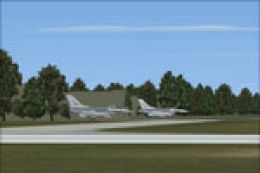
Screenshot of Active Enschede Airport Scenery.
This add-on remains a testament to the dedication of The Netherlands 2000 Scenery Design Team. They have poured extensive effort into capturing regional authenticity and airfield precision, reaffirming their commitment to freeware development for FSX enthusiasts.
Free for all simmers · 59.49 MB · Scanned clean Oct 2026
Download speed: Free tier is capped at 0.5 Mbps (this file takes approximately 17 mins at the cap). PRO members download at full line speed.
FSX\Addon Scenery\ containing scenery and texture sub-folders.readme.txt or README file. It tells you exactly where files go, what dependencies are needed, and any quirks specific to this add-on.Use these coordinates to fly directly to this location once the mod is installed.
52.27530000,6.89920000
Launch FSX or Prepar3D and use Flights → Load to open the downloaded .pln file. Your aircraft will be positioned at this location.
The archive nl2k_v4_02_ehtw_active.zip has 8 files and directories contained within it.
This list displays the first 500 files in the package. If the package has more, you will need to download it to view them.
| Filename/Directory | File Date | File Size |
|---|---|---|
| auteursrecht.txt | 05.24.10 | 5.06 kB |
| copyright.txt | 05.24.10 | 4.43 kB |
| FILE_ID.DIZ | 12.22.11 | 395 B |
| nl2k_v4.02_ehtw_active.gif | 05.12.11 | 7.16 kB |
| nl2k_v4.02_ehtw_active.nl2 | 12.01.11 | 59.57 MB |
| nl2k_v4.02_ehtw_active.txt | 12.22.11 | 395 B |
| flyawaysimulation.txt | 10.29.13 | 959 B |
| Go to Fly Away Simulation.url | 01.22.16 | 52 B |
Only PRO members can place votes.
More FSX & P3D add-ons hand-picked based on this download.
FSX Scenery
Expand your Microsoft Flight Simulator X experience with a highly detailed re…
 FSX Scenery
Experience an accurate rendition of Enschede Airport Twente (EHTW) in a free …
 FSX Scenery
This package introduces a specialized freeware scenery for Enschede Airport T…
 FSX Scenery
Enhance your simulation environment with a meticulously crafted rendition of …
 FSX Scenery
Immerse yourself in the detailed world of Enschede Airport Twente (EHTW) thro…
 FSX Scenery
Enhance your simulator’s portrayal of one of the Netherlands’ busiest regiona…
 FSX Scenery
This free add-on offers a precisely modeled depiction of EHEH Eindhoven Airpo…
 FSX Scenery
This comprehensive package brings an updated rendition of Maastricht Aachen A…
Be the first to leave a comment on this download.
Be the first to share your thoughts on this download.