

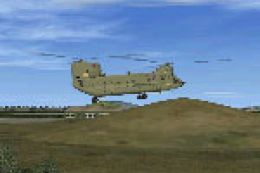
 FSX Scenery
NL2000 V4.03 Gilze Rijen Air Base
This comprehensive package enhances Gilze Rijen Air Base (EHGR) for Microsoft…
EHGR Gilze Rijen Air Base gets a sharper, more authentic look in FSX with photoreal ground textures, refined runway and apron markings, accurate signage, and detailed 3D hangars and support buildings, plus convincing night lighting. It integrates cleanly with the NL2000 v4 scenery suite and requires the NL2000 v4.0.20 installer.
 Rate
Rate
 Netherlands
This package refines EHGR Gilze Rijen Air Base within FSX, adding high-fidelity details across runways, hangars, and surrounding terrain. It forms part of the larger NL2000 v4 suite, which models the entirety of the Netherlands as a modular scenery offering. Created by The Netherlands 2000 Scenery Design Team, this particular release requires the NL2000 v4.0.20 installer for proper integration, ensuring that Gilze Rijen Air Base merges smoothly with other regional enhancements. Although compact in size, it introduces precise ground textures, optimized 3D structures, and faithful representation of an airbase that is historically significant to the Royal Netherlands Air Force.
Gilze Rijen Air Base sits in the province of North Brabant and has long served as a pivotal training facility. In this add-on, it features accurately placed lighting arrays, runway signage, and advanced ground coloration that captures the airbase’s distinctive layout. Designers have incorporated elements such as static objects and realistic apron markings, ensuring each detail is true to its real-world counterpart.
Buildings, control towers, and maintenance hangars incorporate hand-crafted modeling, reflecting authentic profiles and dimensioning. Textures utilize photoreal sources for crisp detail, while roof and wall patterns highlight subtle weathering. This method delivers a natural look under both daytime and nighttime conditions.
The Netherlands 2000 Scenery Design Team has divided the full country into packages for targeted updates. Gilze Rijen’s expansion seamlessly blends with other segments, preserving a cohesive environment. You can merge this release with the broader NL2000 suite to enjoy high-resolution coverage of fields, roads, and urban areas for the entire nation.
In order to set up this EHGR Gilze Rijen Air Base package, the NL2000 v4.0.20 installer must be used. Through that application, the scenery is selected and integrated, allowing you to place the installation files in the correct simulator directory. After you enable the scenery within FSX, the enhancements will be visible with no further configuration.
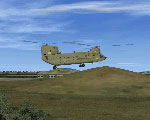
Illustration showcasing Gilze Rijen Air Base upgrades.
This free scenery improvement offers a meticulous recreation of an important airbase without straining performance. By combining these files with the wider NL2000 coverage, flight sim enthusiasts can traverse a photorealistic Netherlands that highlights local landmarks, airfields, and navigational details. The Netherlands 2000 Scenery Design Team delivers this Gilze Rijen update with the same level of detail found in their existing packages, ensuring a well-rounded flight simulation experience.
Free for all simmers · 100.78 MB · Scanned clean Oct 2026
Download speed: Free tier is capped at 0.5 Mbps (this file takes approximately 28 mins at the cap). PRO members download at full line speed.
FSX\Addon Scenery\ containing scenery and texture sub-folders.readme.txt or README file. It tells you exactly where files go, what dependencies are needed, and any quirks specific to this add-on.Use these coordinates to fly directly to this location once the mod is installed.
51.56720000,4.93200000
Launch FSX or Prepar3D and use Flights → Load to open the downloaded .pln file. Your aircraft will be positioned at this location.
The archive nl2k_v4_02_ehgr.zip has 8 files and directories contained within it.
This list displays the first 500 files in the package. If the package has more, you will need to download it to view them.
| Filename/Directory | File Date | File Size |
|---|---|---|
| FILE_ID.DIZ | 12.22.11 | 362 B |
| nl2k_v4.02_ehgr.gif | 05.14.11 | 9.95 kB |
| nl2k_v4.02_ehgr.nl2 | 12.01.11 | 100.97 MB |
| nl2k_v4.02_ehgr.txt | 12.22.11 | 362 B |
| auteursrecht.txt | 05.24.10 | 5.06 kB |
| copyright.txt | 05.24.10 | 4.43 kB |
| flyawaysimulation.txt | 10.29.13 | 959 B |
| Go to Fly Away Simulation.url | 01.22.16 | 52 B |
Only PRO members can place votes.
More FSX & P3D add-ons hand-picked based on this download.
FSX Scenery
This comprehensive package enhances Gilze Rijen Air Base (EHGR) for Microsoft…
 FSX Scenery
This freeware package enhances the Volkel Air Base environment within FSX by …
 FSX Scenery
This freeware package recreates the historic Soesterberg Air Base (EHSB) as i…
 FSX Scenery
This comprehensive freeware package depicts EHDP De Peel Air Base in high det…
 FSX Scenery
NL2000 V4. This is the NL2000 v4.02 EHVB Valkenburg Air Base package for the …
 FSX Scenery
Experience an enhanced rendition of EHSB Soesterberg Air Base in your FSX env…
 FSX Scenery
This comprehensive freeware package enhances the authenticity of EHDL, common…
 FSX Scenery
Enhance your simulator’s portrayal of one of the Netherlands’ busiest regiona…
Be the first to leave a comment on this download.
Be the first to share your thoughts on this download.