

 FSX Scenery
NL2000 V4.0 Volkel Air Base
This package delivers a focused improvement to Volkel Air Base (EHVK) as part…
EHVK Volkel Air Base for Microsoft Flight Simulator X brings the Royal Netherlands Air Force station to life with accurate runways, taxiways, aprons, and high-resolution ground textures, plus custom 3D hangars, radar assets, and military details. Tuned lighting supports day and night operations and it integrates cleanly into NL2000 v4.02, requires the 4.0.20 installer.
 Rate
Rate
 Netherlands
This freeware package enhances the Volkel Air Base environment within FSX by integrating custom details and precise ground textures, forming part of the larger modular scenery for the Netherlands developed by The Netherlands 2000 Scenery Design Team. It is designed for NL2000 v4.02 and requires the version 4.0.20 installer to ensure seamless functionality.
This scenery component merges with the broader NL2000 v4 environment, which covers numerous airports and landscapes across the country. Since all segments within the framework are divided into modules, installing or removing individual locations is straightforward and does not affect other areas.
Volkel Air Base, also known by its ICAO code EHVK, is used by the Royal Netherlands Air Force (RNLAF). Various aircraft (including multirole fighters) have been based here, contributing to the operational significance of the airfield. In this add-on, additional static objects and military infrastructure highlight the site’s role within the national defense network. These details bring depth to flight simulation scenarios, especially for virtual aviators interested in military operations.
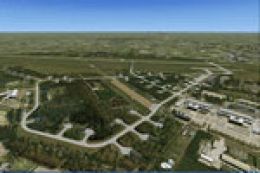
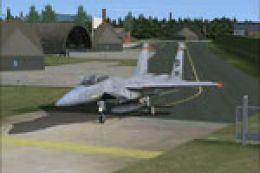
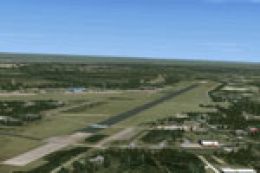
Screenshot showcasing the custom textures and structures implemented at EHVK Volkel Air Base.
The Netherlands 2000 Scenery Design Team created this package with meticulous attention to detail, ensuring an accurate representation of both airport facilities and the surrounding environment. Enthusiasts seeking a realistic depiction of a modern Dutch military air base will find this addition particularly valuable within their FSX setup.
Free for all simmers · 64.77 MB · Scanned clean Oct 2026
Download speed: Free tier is capped at 0.5 Mbps (this file takes approximately 18 mins at the cap). PRO members download at full line speed.
FSX\Addon Scenery\ containing scenery and texture sub-folders.readme.txt or README file. It tells you exactly where files go, what dependencies are needed, and any quirks specific to this add-on.Use these coordinates to fly directly to this location once the mod is installed.
51.65840000,5.70770000
Launch FSX or Prepar3D and use Flights → Load to open the downloaded .pln file. Your aircraft will be positioned at this location.
The archive nl2k_v4_02_ehvk.zip has 8 files and directories contained within it.
This list displays the first 500 files in the package. If the package has more, you will need to download it to view them.
| Filename/Directory | File Date | File Size |
|---|---|---|
| auteursrecht.txt | 05.24.10 | 5.06 kB |
| copyright.txt | 05.24.10 | 4.43 kB |
| FILE_ID.DIZ | 12.22.11 | 357 B |
| nl2k_v4.02_ehvk.gif | 05.12.11 | 13.27 kB |
| nl2k_v4.02_ehvk.nl2 | 12.13.11 | 64.96 MB |
| nl2k_v4.02_ehvk.txt | 12.22.11 | 357 B |
| flyawaysimulation.txt | 10.29.13 | 959 B |
| Go to Fly Away Simulation.url | 01.22.16 | 52 B |
Only PRO members can place votes.
More FSX & P3D add-ons hand-picked based on this download.
FSX Scenery
This package delivers a focused improvement to Volkel Air Base (EHVK) as part…
 FSX Scenery
Immerse yourself in a detailed representation of Volkel Air Base with this sp…
 FSX Scenery
This add-on enhances Volkel Air Base (ICAO code: EHVK) within the NL2000 envi…
 FSX Scenery
This freeware package recreates the historic Soesterberg Air Base (EHSB) as i…
 FSX Scenery
This package refines EHGR Gilze Rijen Air Base within FSX, adding high-fideli…
 FSX Scenery
This comprehensive freeware package depicts EHDP De Peel Air Base in high det…
 FSX Scenery
NL2000 V4. This is the NL2000 v4.02 EHVB Valkenburg Air Base package for the …
 FSX Scenery
Experience an enhanced rendition of EHSB Soesterberg Air Base in your FSX env…
Read what other simmers think, or add your own.

i can not install the package i installed the installer but it says that it don' work bad package it should not be so complicated to install