

 FSX Scenery
Meigs Field
Meigs Field Chicago, Illinois (IL). Restores the greatly missed one-time Flig…
Emma Field Placeholder Scenery recreates the beloved Cascade backcountry stop as a simple, flyable airstrip with photo-based ground textures, seasonal autogen trees, night lighting, and classic GA atmosphere for FSX. It blends well with popular region landclass and airport packages and requires common freeware object libraries for buildings and details.
 Rate
Rate
 United States of America
Emma Field Placeholder. Anyone who had Emma Field in FS2004 remembers this airport well. Nestled in the Cascades, it was a regular meeting place for GA pilots during its heyday. An FSX version has yet to materialize and so in the interim here is what is jokingly called a "placeholder", this rendition of Emma Field until the real one rises from the ashes. By Ed Wells.
This is my second rendition of the well known FS9 aviators haven "Emma Field". Nestled in the Cascades just a stones throw from Lilliwaup and with easy access to Cushman Lake, Emma was a regular stop for weekend hops around beautiful Puget Sound. With the ever colorful "Fritz" watching over his domain, Emma became a popular place for many GA pilots and their familes when looking for a quiet spot to set down and enjoy the fresh air and beautiful mountain range.
This version of Emma Field holds little likeness to the original with it's custom buildings, airport environment sounds and custom animations, but it does resemble Emma Field somewhat and gives those who have missed her a reason to fly back to that area and enjoy the surroundings. Those of you who have Orbx Pacific Northwest scenery and especially Bill Womacks Cushman Meadows and Bear Gulch will now have one more local spot to explore around the lake. If you are using GEX or UTX or both, this scenery fits very well with those combinations also.
You will notice some changes in elevation around the airport and unfortunately I was not able, try as I may, to correct all of them. However I think they have been minimized to the point that they shouldn't make the airport so undesirable as to not enjoy flying there. You be the judge.
Disclaimer: Other than the name (Emma Field) nothing from the original payware version has been used in the construction of this airport. This is entirely my project produced using what talents I have in scenery design (limited as they may be). All airport objects are either freeware (available for free download and use) or default FSX objects. No custom objects were done for this scenery.
General info:
The ground texture is a photo-image that I adjusted through color enhancements to fit the general appearance in the region and cloning to knock out unwanted areas within the image to make it fit the area around Emma Field. I have added a night map to enhance the field for night flights, however there are no seasonal maps so flights into Emma Field in the dead of winter will look a bit strange with the entire region blanketed in snow and Emma Field a nice green, lol. The trees in and around Emma Field have been placed with the Annotator from the SDK so they are seasonal and will reflect seasonal changes.
The scenery objects are not only default objects but also come from well used freeware object libraries available on many of the popular download sites. It's very possible, if you have acquired a lot of scenery over the years, that you'll have most, if not all of these libraries:
ez-terminals_ss
lens_aerosoft_1
small_airport_objects_3
lens ez walls & fences vol1
I will make these sceneries available in a package if necessary for those who might not have them all.
Just for your information, the Emma Field scenery folders break down this way:
Scenery folder contains the AFCAD, the flatten poly, the Instant Scenery file and the photoimagery.
Texture folder contains the autogen files (trees).
Installation:
There is a separate bgl (Airport_Buildings_AP.bgl) that must be place in the following directory straight away. Flight SimulatorX\scenery\Global\scenery.
Ok, the rest is pretty easy really. After unzipping and dropping the aforementioned bgl into it's proper folder, the remaining folder "Emma_Field" can be placed wherever your other scenery folders reside. Once FSX has started simply go into the scenery library and activate it as normal. One important note. . . .this scenery must be placed above both PNW scenery and any GEX or UTX scenery active in the library. Otherwise it will not show at all.
Finally:
While I have produced this scenery to be a fair representation of Emma Field, I know it isn't perfect by any stretch of the imagination. If you have a critical eye and take exception to my design techniques or object placement or anything else. . . .keep it to yourself, lol. Also, if you have the ability to improve on what I've done and would like to take it beyond this work, please let me know. I am open to anyone with ideas to change, add or enhance in any way what I've done here. Enjoy!!
Free for all simmers · 15.49 MB · Scanned clean Oct 2026
Download speed: Free tier is capped at 0.5 Mbps (this file takes approximately 4 mins at the cap). PRO members download at full line speed.
FSX\Addon Scenery\ containing scenery and texture sub-folders.readme.txt or README file. It tells you exactly where files go, what dependencies are needed, and any quirks specific to this add-on.Use these coordinates to fly directly to this location once the mod is installed.
47.46000000,-123.16000000
Launch FSX or Prepar3D and use Flights → Load to open the downloaded .pln file. Your aircraft will be positioned at this location.
The archive emma_kewl.zip has 13 files and directories contained within it.
This list displays the first 500 files in the package. If the package has more, you will need to download it to view them.
| Filename/Directory | File Date | File Size |
|---|---|---|
| cvx_Emma_flatten.BGL | 02.17.12 | 331 B |
| AFX_KEWL.bgl | 02.19.12 | 5.49 kB |
| Emma_Field.bgl | 02.19.12 | 3.75 kB |
| Photo01_Emma.bgl | 02.18.12 | 16.29 MB |
| 000333300123211an.agn | 02.19.12 | 480 B |
| 000333300123212an.agn | 02.19.12 | 4.52 kB |
| 000333300123213an.agn | 02.19.12 | 13.21 kB |
| 000333300123230an.agn | 02.19.12 | 12.47 kB |
| 000333300123231an.agn | 02.19.12 | 12.17 kB |
| Airport_Buildings_AP.bgl | 03.31.09 | 372.23 kB |
| Readme.txt | 02.19.12 | 4.54 kB |
| flyawaysimulation.txt | 10.29.13 | 959 B |
| Go to Fly Away Simulation.url | 01.22.16 | 52 B |
Only PRO members can place votes.
More FSX & P3D add-ons hand-picked based on this download.
FSX Scenery
Meigs Field Chicago, Illinois (IL). Restores the greatly missed one-time Flig…
 FSX Scenery
1n 1996, The USMC abandoned the cramped quarters of MCAS El Toro and MCAS Tus…
 FSX Scenery
Dallas Love Field v1.5. Dallas Love Field (KDAL), Texas (TX) is home for Sout…
 FSX Scenery
Eppley Field (KOMA), Omaha, Nebraska (NE). This scenery is for FSX SP2 only. …
 FSX Scenery
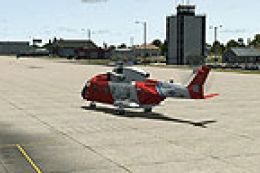
Ellington Field (KEFD), Houston, Texas (TX). Aside from being a civil airport…
 FSX Scenery
Scenery Adams Field (KLIT), Little Rock, Arkansas (AR). This scenery is for F…
 FSX Scenery
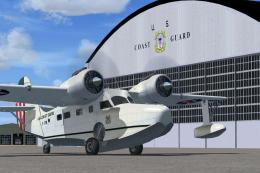
Floyd Bennett Field and CGAS Brooklyn (CGAS). Author: Jim Dhaenens (jdhaenens…
 FSX Scenery
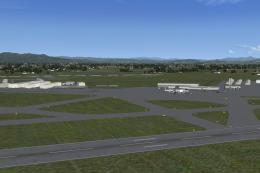
Mahlon Sweet Field OR, v2. This is an improved rendition of the stock KEUG (M…
Be the first to leave a comment on this download.
Be the first to share your thoughts on this download.