


 Cuba
Cuba 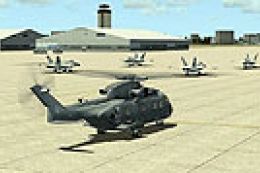 FSX Scenery
MCAS Cherry Point
This scenery update elevates the default MCAS Cherry Point (KNKT) environment…
Leeward Point Field (MUGM) at Guantanamo Bay gets a refreshed layout in FSX, with repositioned and replaced stock buildings, a relocated control tower, new structures, expanded pavement, and improved military cargo and combat parking. Static vehicles and scene details add life; parked cars require the Acceleration Pack.
Leeward Point Field, Guantanamo Bay, Cuba (MUGM). Includes moved and replaced stock buildings, moved control tower, added buildings, added parking, static vehicles. By Jim Cook.
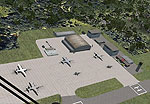
Leeward Point Field Scenery.
By request, here is an updated version of the stock FSX Leeward Point Field. I used Flight 1's AFX and Instant Scenery programs to re-work the airport. I removed and replaced some of the stock buildings, moved the control tower, added several buildings, added Military combat and cargo parking, additional pavement and several static items such as vehicles and a few trees.
Only stock FSX objects are used except for parked cars which are from the Acceleration Pack. If you don't have it you won't see the cars.
I was fortunate to have some pictures sent to me which were a huge help in getting the field right along with Google Earth.
INSTALLATION:
Extract the two files AFX_MUGM_JC.bgl and MUGM_JC.bgl to your Addon Scenery/Scenery folder, start FSX and enjoy!
Jim Cook
Free for all simmers · 8.03 KB · Scanned clean Oct 2026
Download speed: Free tier is capped at 0.5 Mbps. PRO members download at full line speed.
FSX\Addon Scenery\ containing scenery and texture sub-folders.readme.txt or README file. It tells you exactly where files go, what dependencies are needed, and any quirks specific to this add-on.Use these coordinates to fly directly to this location once the mod is installed.
19.90650000,-75.20710000
Launch FSX or Prepar3D and use Flights → Load to open the downloaded .pln file. Your aircraft will be positioned at this location.
The archive gitmo.zip has 5 files and directories contained within it.
This list displays the first 500 files in the package. If the package has more, you will need to download it to view them.
| Filename/Directory | File Date | File Size |
|---|---|---|
| AFX_MUGM_JC.bgl | 05.10.08 | 12.62 kB |
| MUGM_JC.bgl | 05.07.08 | 1.54 kB |
| mugm_read_me.txt | 05.11.08 | 882 B |
| flyawaysimulation.txt | 10.29.13 | 959 B |
| Go to Fly Away Simulation.url | 01.22.16 | 52 B |
Only PRO members can place votes.
More FSX & P3D add-ons hand-picked based on this download.
FSX Scenery
This scenery update elevates the default MCAS Cherry Point (KNKT) environment…
 FSX Scenery
Black Point And Stanel Island, Bahamas (MYE2, MYES). FSX Gold Acceleration ne…
 FSX Scenery
Barbers Point / Electric Beach (PHJR), Hawaii (HI), v1.0. This scenery is an …
 FSX Scenery
Scenery Salmon Point (AKSP), Chenega, Alaska (AK). A fictitious airport with …
 FSX Scenery
This is the Green Point Soccer Stadium in Cape Town. This stadium was built f…
 FSX Scenery
Meigs Field Chicago, Illinois (IL). Restores the greatly missed one-time Flig…
 FSX Scenery
1n 1996, The USMC abandoned the cramped quarters of MCAS El Toro and MCAS Tus…
 FSX Scenery
Dallas Love Field v1.5. Dallas Love Field (KDAL), Texas (TX) is home for Sout…
Be the first to leave a comment on this download.
Be the first to share your thoughts on this download.