

 FSX Misc
AI Mexico 2007
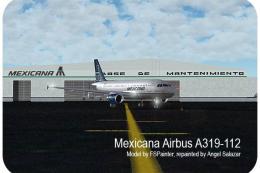
The famous Mexican AI Traffic package which covers almost 11,000 flights by w…
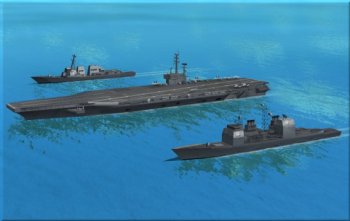
AI Carriers lets pilots drop single ships or full naval fleets into any free-flight session and steer them into position for realistic sea traffic and carrier operations. Designed for Microsoft Flight Simulator X, it avoids traffic or mission file editing, supports Acceleration carriers when available, and requires Java JRE 1.5+ plus FSX SP1 or later.
Free for all simmers · 5.28 MB · Scanned clean
Download speed: Free tier is capped at 0.5 Mbps (this file takes approximately 1 min at the cap). PRO members download at full line speed.
SimObjects\Airplanes\, Addon Scenery\, Effects\, or Gauges\.readme.txt or README file. It tells you exactly where files go, what dependencies are needed, and any quirks specific to this add-on.The archive aicarriers2.zip has 6 files and directories contained within it.
This list displays the first 500 files in the package. If the package has more, you will need to download it to view them.
| Filename/Directory | File Date | File Size |
|---|---|---|
| README.TXT | 11.03.07 | 4.18 kB |
| src.zip | 11.03.07 | 148.05 kB |
| Setup.exe | 11.04.07 | 4.64 MB |
| Manual_Install.zip | 11.04.07 | 524.04 kB |
| flyawaysimulation.txt | 10.29.13 | 959 B |
| Go to Fly Away Simulation.url | 01.22.16 | 52 B |
More FSX & P3D add-ons hand-picked based on this download.
FSX Misc
The famous Mexican AI Traffic package which covers almost 11,000 flights by w…
 FSX Misc
This version updates the earlier files (TD_EFX.ZIP) and makes the smoke effec…
 FSX Misc
Boosts F-111 activity level. This AI package adds eleven extra F-111s to the …
 FSX Misc
There are many AI aircraft which are not available as regular flyable airplan…
 FSX Misc
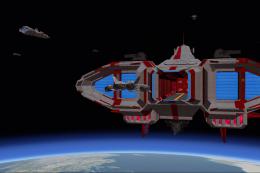
A pack of AI military starships/spaceships which are landable and located on …
 FSX Misc
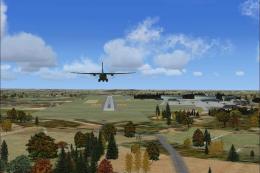
This AI package contains several beautiful airplanes: Bell-UH1D, Hamburger Fl…
 FSX Misc
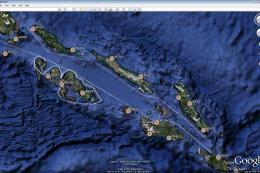
This project was inspired by Mark Schimmer's World War II era Solomon Islands…
 FSX Misc
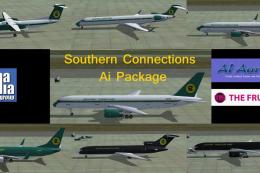
This package contains AI flight plans and nine SCVA AI aircraft, including B7…
Read what other simmers think, or add your own.


If you install this correctly i.e. after extracting the zip and then clicking the install file, when you are setting in the cockpit press Shift J and a window will appear then you can choose your carrier group or just a carrier and select where you want the carrier to be.

My dad and I both tried installing AI Carriers on different computers and we are running into an issue where it says Java is not installed. Any ideas?

I'm not sure what I am doing wrong here, I have run the automatic installer and it says for like 15 files it cannot write them, so then I tried to manually install it, and still, nothing happens, not sure what to do and I'd really like to have this installed.

Works as advertised EXCEPT for a T-45C initialization error when choosing one of the missions provided. But it's not a CTD situation, at least for me. It defaults to my default aircraft (C-172), there on the carrier deck. Then I have to switch aircraft to one of Dino's T-45s, start engines (usually, but not always), and then all's well.
I did have to manually set up the keyboard commands for launch bar, hookup, and cat launch, but that was just a one-time thing. I guess I must not have the particular T-45 model the missions are looking for. I'll have to look at config files & see if I can edit them for one I DO have. (UPDATE: These missions actually come from another program called CARRIERTRACKS, whose Carrier< >.FLT files have a line which identifies the acft to be used. Just edit that to correspond to an actual title from the aircraft's CFG file. That fixed the problem.)

I’m having trouble installing the carriers. If anyone could walk me through exactly what to do, that would be awesome. Thanks! :)

Hello, I would like to know why when I run carriers have zip it is positioned on a track instead of positioning of the sea. -you can tell me a trick to fix this little problem. thank you but if your download of this ad is remarkable gift. I am very satisfied and I thank you.

It`s perfect, I`m very happy with the add on. I`m use a lot. Only one questions what is it the ils for the aircraft carrier. Thanks a lot.

Hey guys i dont know what the problem is but my java keeps on saying not connected to fsx. whats the problem?

I can download and install and place a fleet, but the carriers don't have deck hands, tugs, working lifts. What am I doing wrong?

I did it some how... and find it in the top menu as "AD OND" and it works very nice for Carriers deck landing or just 4 the fun of it. Have nice v photos 2...wow!

I would like to know If there is someone that can give me guidance on how to properly download the AI configured zips and where I would look for them after opening the zip. I have followed the instructions step by step culminating in negative results. HELP

If you don't know how to use it or it was a "total waste of your time", then you didn't follow instructions, which is pretty hard to do since the installer does it all for you.
Excellent program/download, one of the best on the web for FSX Accelleration!


If you have allready reading this reiview you made a mistake you should have just downloaded it but since you're here continue reading. It is the best down load I have got to date. I recomend the FSX acceration package (I love it, worth every penny) so you can fly off of it also get the... T-45,A-4,and SB-3 Viking

i love this download. Its great. Never had a problem with it. I use it everytime to practice landings. Works great!!

very good download just needs f-18's parked on the top deck.then i would rate it 10.