


 FSX Military Aircraft
Republic F-105D Thunderchief
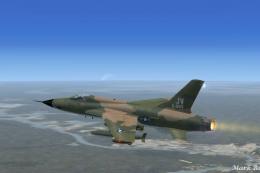
This is Alphasim's F-105D modified for Flight Simulator X. The F-105 evolved …
Republic F-105D Thunderchief bare metal liveries recreate pre-SEA camouflage jets from the 23rd, 49th, and 355th Tactical Fighter Wings, with carefully placed national markings and a crisp natural-metal finish. Designed for FSX, these textures require the Alphasim or Virtavia F-105 model and enhance both external views and the virtual cockpit ambiance.
This file contains three bare metal textures for the Alphasim/Virtavia F-105 to represent aircraft from the 23rd, 49th and 355th Tactical Fighter Wings as they appeared before the application of SEA standard camouflage from late 1965 on. By Dave Quincey.
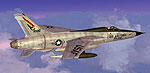
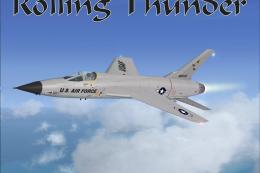
Screenshot of bare metal Republic F-105D in flight.
Here are three new bare metal texture sets for the Alphasim/Virtavia Republic F-105D Thunderchief. They contain some technical inaccuracies because the model sports the turbine air scoops introduced as a result of a spate of engine fires. I've found only one photo of an F-105F from the 49th TFW with these and I've positioned the national insignia as shown in that photo, though there is no photographic evidence to suggest that any of the aircraft depicted actually appeared in this form. Still great plane though!
Unzip the three folders and follow the readme's enclosed.
Free for all simmers · 14.57 MB · Scanned clean
Download speed: Free tier is capped at 0.5 Mbps (this file takes approximately 4 mins at the cap). PRO members download at full line speed.
SimObjects\Airplanes\, Addon Scenery\, Effects\, or Gauges\.readme.txt or README file. It tells you exactly where files go, what dependencies are needed, and any quirks specific to this add-on.The archive f-105d_bm.zip has 6 files and directories contained within it.
This list displays the first 500 files in the package. If the package has more, you will need to download it to view them.
| Filename/Directory | File Date | File Size |
|---|---|---|
| F-105D 23rd TFW.zip | 02.01.12 | 4.77 MB |
| F-105D 355th TFW.zip | 02.01.12 | 4.87 MB |
| F-105D 49th TFW.zip | 02.01.12 | 4.93 MB |
| Read Me.txt | 02.01.12 | 620 B |
| flyawaysimulation.txt | 10.29.13 | 959 B |
| Go to Fly Away Simulation.url | 01.22.16 | 52 B |
More FSX & P3D add-ons hand-picked based on this download.
FSX Military Aircraft
This is Alphasim's F-105D modified for Flight Simulator X. The F-105 evolved …
 FSX Military Aircraft
This repaint represents c/n 15-1590, ex-US Navy BuNo 37624, a Lockheed PV-2D …
 FSX Military Aircraft
This repaint represents c/n 151480 ex-BuNo 37514, a Lockheed PV-2 Harpoon whi…
 FSX Military Aircraft
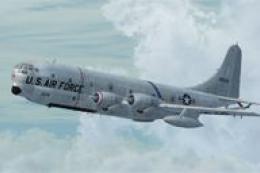
This is a natural metal repaint of Team Strat's Boeing KC-97G and depicts a s…
 FSX Military Aircraft
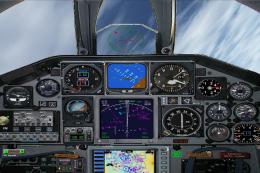
This is Kazunori Ito's A-10 Thunderbolt II, modified for Flight Simulator X. …
 FSX Military Aircraft
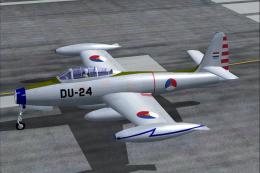
Five paint jobs included: An F-84G of the USAF, Korea 1953, and F-84G's of th…
 FSX Military Aircraft
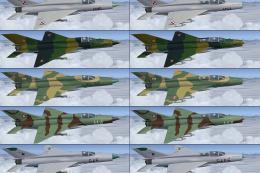
German Democratic Republic MiG-21 demo version. The Mikoyan-Gurevich MiG-21 (…
 FSX Military Aircraft
This is Alpha Sim's Free-ware release of there Republic F-105 Thunderchief. T…
Be the first to leave a comment on this download.
Be the first to share your thoughts on this download.