


 FSX Turboprops
US Department of State Basler BT-67 N707BA
This package provides an exclusive repaint depicting N707BA, a Basler BT-67 o…
US Forest Service Basler BT-67 livery N142Z brings a working firefighting-support look to the turboprop DC-3 conversion, complete with authentic agency markings suited to cargo and rugged-terrain operations in Microsoft Flight Simulator X. Textures only, it requires the freeware Basler BT-67 base pack.
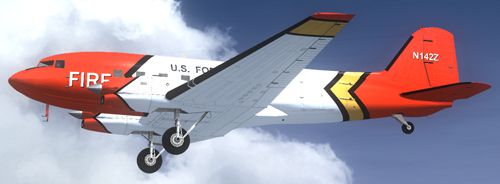
This repaint package introduces the United States Forest Service (USFS) livery for the Basler BT-67, a modern turboprop conversion of the venerable Douglas DC-3. Created by Daniel Fuernkaess (Cheese-Strike Repaints), this texture set requires the freeware Basler BT-67 base pack developed by Daniel Fuernkaess, Manfred Jahn, Alexander M. Metzger, and Hansjoerg Naegele. Designed for use in Microsoft Flight Simulator X, this add-on visually depicts the aircraft configuration that the USFS often deploys for forestry missions, firefighting support, and cargo transport over rugged territories.
The Basler BT-67 modifies the classic DC-3 airframe by incorporating lengthened fuselage sections and Pratt & Whitney turboprop engines, substantially improving payload capacity and flight performance. This particular texture set translates the USFS paint scheme onto the BT-67’s distinctive design, highlighting its operational role in aerial firefighting and resource management (aerial firefighting refers to the use of aircraft to combat wildland fires). The livery showcases the robust construction, aerodynamic enhancements, and specialized markings used by Forest Service crews when transporting equipment or personnel to remote areas.
Screenshot of US Forest Service Basler BT-67 in flight.
This livery is textures only and requires a functioning installation of the Basler BT-67 base pack (freeware). Users can find that essential file in the Fly Away Simulation mod library if not already obtained. Once the main package is in place, proceed with the steps below to add the new USFS paint scheme:
[fltsim] entry. Paste the new section from the snippet below, ensuring the “x” in [fltsim.x] is changed to the next available sequence number.[fltsim.x] title=Basler U.S. Forest Service sim=Basler_BT67_v1.7 model=bt67_1 panel= sound= texture=N142Z kb_checklists=BT-67_check kb_reference=BT-67_ref atc_id=N142Z ui_manufacturer="Basler" ui_type="Turbo DC-3" ui_variation="U.S. Forest Service" ui_typerole="Twin Engine Prop" ui_createdby= description="US Forest Service Paint by Daniel Fuernkaess (Cheese-Strike Repaints). Project BT-67 developers: Daniel Fuernkaess, Manfred Jahn, Alexander M. Metzger, Hansjoerg Naegele."
This repaint is strictly for freeware use. It has been developed to depict the distinctive USFS appearance while leveraging the performance advantages of the BT-67 conversion. Daniel Fuernkaess (Cheese-Strike Repaints) is credited for crafting this texture, and the Basler BT-67 base model remains the work of the dedicated creators mentioned above. If you require more liveries or variants, explore other available repaints compatible with the same platform.
Free for all simmers · 2.37 MB · Scanned clean
Download speed: Free tier is capped at 0.5 Mbps. PRO members download at full line speed.
This add-on may require the following files to function properly. If this is a repaint, the dependency below is likely the base aircraft package.
SimObjects\Airplanes\, Addon Scenery\, Effects\, or Gauges\.readme.txt or README file. It tells you exactly where files go, what dependencies are needed, and any quirks specific to this add-on.The archive bt-67_usfs_n142z.zip has 16 files and directories contained within it.
This list displays the first 500 files in the package. If the package has more, you will need to download it to view them.
| Filename/Directory | File Date | File Size |
|---|---|---|
| BT-67_USFS_N142Z | 08.20.12 | 0 B |
| Cheese-Strike Repaints.url | 12.06.11 | 123 B |
| Install.txt | 08.20.12 | 2.22 kB |
| texture.N142Z | 08.20.12 | 0 B |
| bt67_1_T.dds | 06.28.12 | 4.00 MB |
| bt67_1_T_spec.dds | 06.28.12 | 1.00 MB |
| bt67_2_T.dds | 08.20.12 | 4.00 MB |
| bt67_2_T_spec.dds | 06.28.12 | 1.00 MB |
| bt67_4_T.dds | 06.28.12 | 1.00 MB |
| bt67_4_T_spec.dds | 06.27.11 | 1.00 MB |
| propdisk.dds | 04.13.12 | 256.12 kB |
| texture.cfg | 02.14.11 | 133 B |
| thumbnail.jpg | 08.20.12 | 80.46 kB |
| VC_nose.dds | 07.01.12 | 256.12 kB |
| flyawaysimulation.txt | 10.29.13 | 959 B |
| Go to Fly Away Simulation.url | 01.22.16 | 52 B |
More FSX & P3D add-ons hand-picked based on this download.
FSX Turboprops
This package provides an exclusive repaint depicting N707BA, a Basler BT-67 o…
 FSX Turboprops
The BT67 is a turboprop conversion of the classic Douglas DC-3/C-47. Version …
 FSX Turboprops
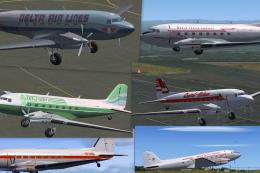
This Repaint Pack is for the FSX Basler BT-67. By Michael Mannschreck. Screen…
 FSX Turboprops
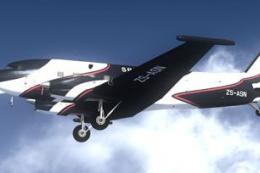
The "Spectrem" Basler BT-67 is a single specially modified aircraft used worl…
 FSX Turboprops
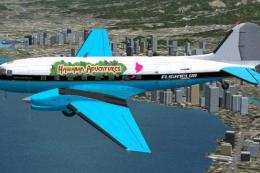
FlightClub International textures for the Basler BT67 by Daniel Fuernkaess, M…
 FSX Turboprops
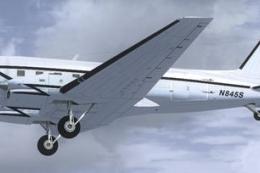
Experience a vibrant repaint crafted for the Basler BT-67 in Microsoft Flight…
 FSX Turboprops
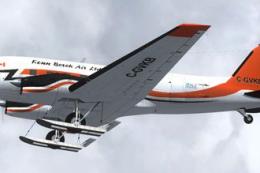
This freeware repaint package highlights a custom Kenn Borek Air livery desig…
 FSX Turboprops
Layered PSD files for the FSX Basler BT67. By Manfred Jahn. Section of Basler…
Be the first to leave a comment on this download.
Be the first to share your thoughts on this download.