


 FSX Civil Aircraft
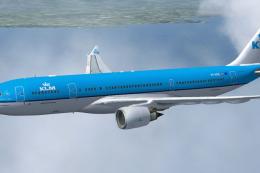
KLM Airbus A330-203
KLM Airbus A330-203. Textures only of KLM Royal Dutch Airlines with registrat…
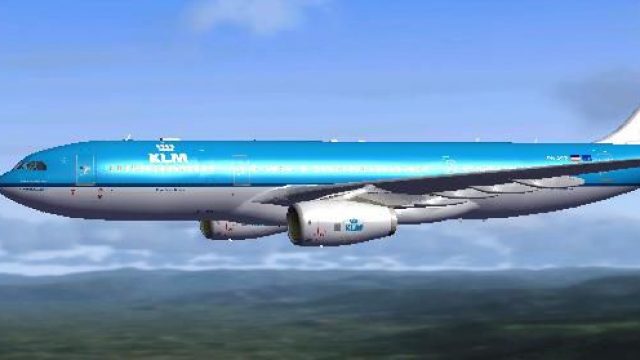
KLM Royal Dutch Airlines’ Airbus A330-200 repaint brings the carrier’s signature blues, curved striping, and accurate markings to Thomas Ruth’s wide-body in Microsoft Flight Simulator X. It matches the A330-200’s Trent engine layout and airframe geometry for clean alignment and consistent visuals, and requires Thomas Ruth’s freeware A330-200 base model.
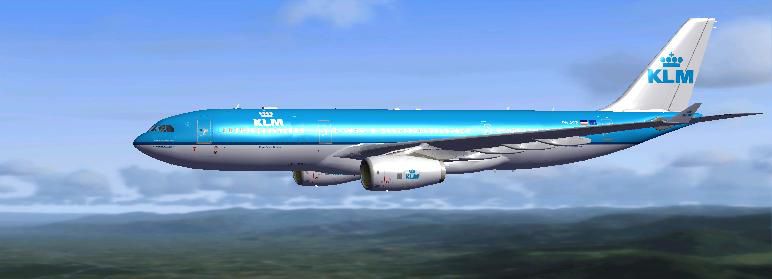
This repaint showcases a detailed KLM Royal Dutch Airlines Airbus A330-200 texture set created especially for Thomas Ruth’s freeware base model. Designed for Microsoft Flight Simulator X, it highlights the airline’s signature color scheme and includes accurate markings that reflect KLM’s real-world operations.
The livery, meticulously crafted by Mark McCorquodale, replicates the precise curved lines, fuselage stripes, and tail graphics emblematic of KLM Royal Dutch Airlines. KLM, recognized as one of the oldest scheduled carriers, often operates the Airbus A330-200 on intercontinental routes, relying on its efficient range and wide-body capacity. This repaint captures the aviation heritage behind KLM’s fleet while maintaining fidelity with the actual aircraft.
These textures integrate seamlessly with Thomas Ruth’s A330-200 freeware model (file name TOMA332B.ZIP), requiring that base package before installation. The repaint accommodates key A330-200 design attributes, including the Trent engine configuration, wing geometry, and characteristic nose shape. By aligning carefully with Thomas Ruth’s original geometry, the repaint ensures consistent visual quality in-game.
...[Your FSX Folder]/SimObjects/Airplanes/TOM_A330-200aircraft.cfg file in that same folder, then insert the following entry just below the last [fltsim.x] section. Make sure to adjust [fltsim.xx] to the next number (for instance, [fltsim.9]):[fltsim.xx] title=KLM A330-200 sim=TomA332 model=RR panel=330 sound= texture=KLM kb_checklists= kb_reference= atc_id=PH-AOB atc_airline=KLM atc_flight_number=1123 atc_parking_types=GATE, RAMP, CARGO atc_parking_code= atc_heavy=1 ui_manufacturer=Airbus ui_typerole=Commercial Airliner ui_createdby=Tom ui_type=A330-200 ui_variation=KLM
This repaint is exclusively the work of Mark McCorquodale, reflecting his dedication to bringing authentic airline liveries to the simulation community. Since it only includes the textures, you will need to obtain the freeware base model of the A330-200 first. Look for that resource in the Fly Away Simulation add-on library where Thomas Ruth’s aircraft files are available.
In practice, KLM’s Airbus A330-200 is renowned for its twin-aisle comfort, medium-to-long range efficiency, and advanced avionics. Incorporating these elements into a simulated environment breathes new realism into any flight schedule, whether replicating routine transatlantic journeys or shorter European hops.
Free for all simmers · 1.73 MB · Scanned clean
Download speed: Free tier is capped at 0.5 Mbps. PRO members download at full line speed.
This add-on may require the following files to function properly. If this is a repaint, the dependency below is likely the base aircraft package.
FSX\SimObjects\Airplanes\. The folder must contain an aircraft.cfg file. Effects go into FSX\Effects\; gauges go into FSX\Gauges\.readme.txt or README file. It tells you exactly where files go, what dependencies are needed, and any quirks specific to this add-on.The archive a330klm.zip has 28 files and directories contained within it.
This list displays the first 500 files in the package. If the package has more, you will need to download it to view them.
| Filename/Directory | File Date | File Size |
|---|---|---|
| A330 KLM | 06.16.09 | 0 B |
| 330klm.jpg | 06.16.09 | 22.73 kB |
| readme.txt | 06.16.09 | 1.02 kB |
| texture.KLM | 06.16.09 | 0 B |
| A321_1_L.dds | 03.12.09 | 1.00 MB |
| A321_2_L.dds | 03.12.09 | 256.12 kB |
| A330_VC01.dds | 03.12.09 | 1.00 MB |
| A330_VC01L.dds | 03.12.09 | 1.00 MB |
| Airbus_A321_1_L.dds | 03.12.09 | 1.00 MB |
| Airbus_A321_2_L.dds | 03.12.09 | 1.00 MB |
| Airbus_A321_3_L.dds | 03.12.09 | 4.12 kB |
| Airbus_A321_4_L.dds | 03.12.09 | 1.00 MB |
| glass.dds | 03.12.09 | 64.12 kB |
| glass_spec.dds | 03.12.09 | 4.12 kB |
| main.dds | 06.16.09 | 4.00 MB |
| main_bump.dds | 03.12.09 | 4.00 MB |
| main_light.dds | 03.12.09 | 1.00 MB |
| main_spec.dds | 03.12.09 | 64.12 kB |
| texture.cfg | 03.12.09 | 165 B |
| thumbnail.jpg | 06.16.09 | 22.73 kB |
| Thumbs.db | 03.12.09 | 7.00 kB |
| VCblend.dds | 03.12.09 | 1.12 kB |
| wing_bump.dds | 03.12.09 | 1.00 MB |
| wing_l.dds | 06.16.09 | 1.00 MB |
| wing_r.dds | 06.16.09 | 1.00 MB |
| wing_spec.dds | 03.12.09 | 64.12 kB |
| flyawaysimulation.txt | 10.29.13 | 959 B |
| Go to Fly Away Simulation.url | 01.22.16 | 52 B |
More FSX & P3D add-ons hand-picked based on this download.
FSX Civil Aircraft
KLM Airbus A330-203. Textures only of KLM Royal Dutch Airlines with registrat…
 FSX Civil Aircraft
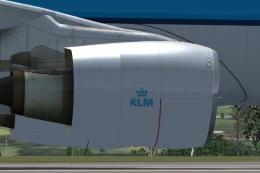
Repaint of Thomas Ruth's Airbus A330-200 in KLM Royal Dutch Airlines livery, …
 FSX Civil Aircraft
Texture update for the repaint of Thomas Ruth's Airbus A330-200 in KLM Royal …
 FSX Civil Aircraft
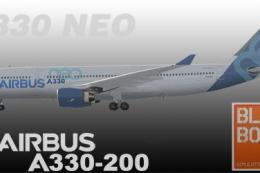
Airbus NEO livery for the payware Blackbox Simulations A330 Prologue. This is…
 FSX Civil Aircraft
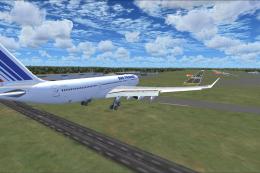
This freeware Airbus A330-200 package offers an all-in-one solution for Micro…
 FSX Civil Aircraft
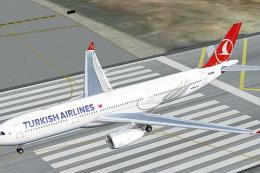
Turkish Airlines Airbus A330-200 GE (new colors). Model by CLS. Repaint by Se…
 FSX Civil Aircraft
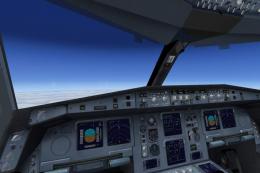
Includes RR, GE and PW engine versions for FSX only. FSX model with diffuse, …
 FSX Civil Aircraft
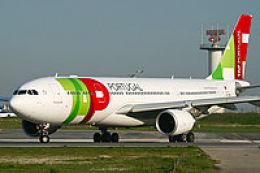
TAP Portugal Airbus A330-200, registration CS-TON. A TAP Portugal repaint for…
Be the first to leave a comment on this download.
Be the first to share your thoughts on this download.