


 United States of America
  FSX Scenery
Minneapolis/St. Paul Airport Update
FSX Minneapolis/St. Paul (KMSP) Update. An updated Minneapolis/St. Paul, Minn…
Garberville Airport (O16) receives a faithful scenery refresh that sharpens runway placement, taxiway widths, and parking geometry for more accurate general aviation operations amid Northern California’s coastal hills. Built for Microsoft Flight Simulator X, it adds carefully chosen default-library hangars and airfield clutter, and requires only normal scenery complexity to display the enhancements.
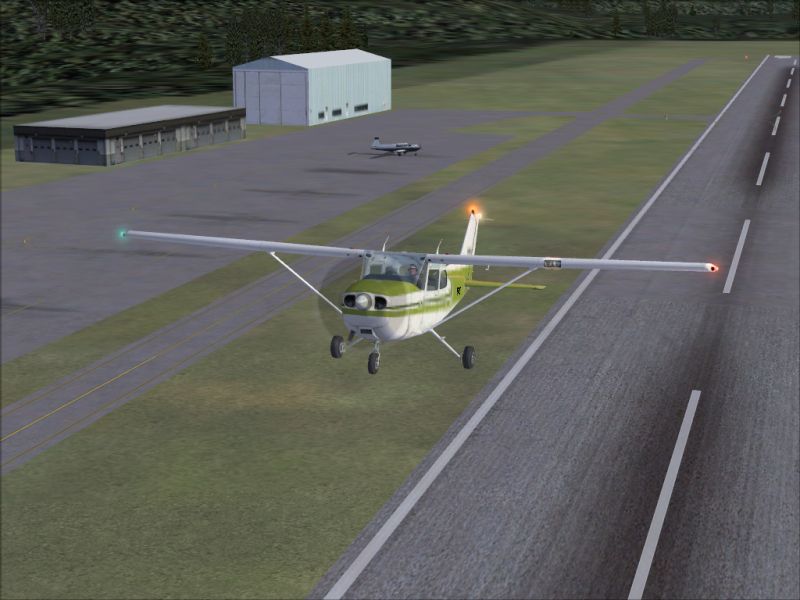
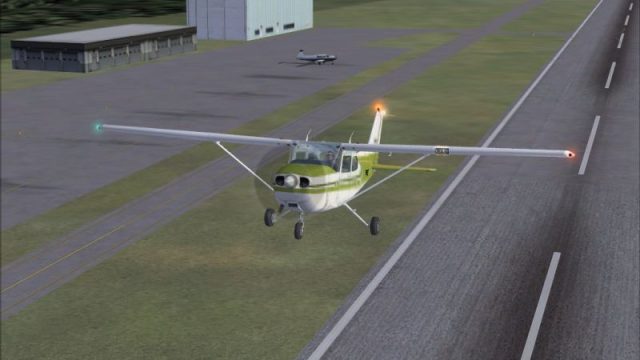
Enhance your virtual flights around the coastal hills of Northern California with this comprehensive refresh of Garberville Airport (O16). Designed for Microsoft Flight Simulator X, this freeware scenery revamp by developer Phillip Coyle updates the runway configuration, taxiway dimensions, and parking areas, while also adding additional objects from default libraries. Experience a more authentic approach into the region, famed for its scenic vistas and rugged terrain.
The updated layout closely follows real-world dimensions at Garberville Airport. By adjusting taxiway widths and runway positioning, it brings greater alignment to actual aerodrome charts. These improvements help general aviation pilots simulate a more precise arrival or departure when flying low and slow along the Northern California coast.
-Scenery-fsx2.jpg)
Garberville Airport Scenery.
Newly placed objects from the default scenery libraries add life to the airport grounds. Hangars, small structures, and decorative features help depict the modest yet functional tone of this airport, which supports a range of light aircraft operations. If you have traveled along the famous redwood-laden highways near Garberville, these enhanced details will feel strikingly familiar in your simulator.
This scenery set relies on assets included with Microsoft Flight Simulator X, so no additional downloads are required. For best results, maintain your scenery complexity at Normal or higher. These settings ensure that the majority of newly modeled elements appear correctly, showcasing an immersive rendition of O16.
O16_ADE.BGL and O16_ADE_CVX.BGL files included in this package.Addon Scenery/Scenery” folder within the main Microsoft Flight Simulator X directory.Addon Scenery/Scenery” subfolder.O16_ADE.BGL and O16_ADE_CVX.BGL.Each BGL file has been generated with Airport Design Editor (often abbreviated as ADE). This software allows for precise manipulation of layout geometry, object placement, and airport background polygons, ensuring that Garberville Airport aligns with real-world data as closely as possible.
This add-on is provided as freeware, and it is offered as-is. Installation and usage are at your own risk. Neither the developer nor any associated parties assume responsibility for any potential impact on system performance or stability.
Created by Phillip Coyle. No official support is provided for these files, but it has been thoroughly tested in standard configurations of Microsoft Flight Simulator X.
Free for all simmers · 296.9 KB · Scanned clean
Download speed: Free tier is capped at 0.5 Mbps. PRO members download at full line speed.
FSX\Addon Scenery\ containing scenery and texture sub-folders.readme.txt or README file. It tells you exactly where files go, what dependencies are needed, and any quirks specific to this add-on.Use these coordinates to fly directly to this location once the mod is installed.
40.09000000,-123.79000000
Launch FSX or Prepar3D and use Flights → Load to open the downloaded .pln file. Your aircraft will be positioned at this location.
The archive o16_scen.zip has 7 files and directories contained within it.
This list displays the first 500 files in the package. If the package has more, you will need to download it to view them.
| Filename/Directory | File Date | File Size |
|---|---|---|
| O16_ADE_CVX.bgl | 06.16.08 | 348 B |
| O16_ADE.BGL | 06.16.08 | 4.43 kB |
| Readme.txt | 06.16.08 | 2.88 kB |
| O16_Scenery.jpg | 06.16.08 | 292.09 kB |
| FILE_ID.DIZ | 06.19.08 | 307 B |
| flyawaysimulation.txt | 10.29.13 | 959 B |
| Go to Fly Away Simulation.url | 01.22.16 | 52 B |
More FSX & P3D add-ons hand-picked based on this download.
FSX Scenery
FSX Minneapolis/St. Paul (KMSP) Update. An updated Minneapolis/St. Paul, Minn…
 FSX Scenery
London City Airport Update (EGLC), UK. Version 2 with accurate touchdown zone…
 FSX Scenery
Zia Shahjalal International Airport. Meticulously detailed and realistically …
 FSX Scenery
Birmingham Int'l Airport UK. This is an update of the FSX scenery of EGBB. DM…
 FSX Scenery
Scenery Rafael Nunez International Airport. Updated Rafael Nunez Airport in C…
 FSX Scenery
Cork Airport Update (EICK), Eire (Ireland). Includes: south apron, T2 with je…
 FSX Scenery
Copenhagen Airport Roskilde Update. This update will add new featurs to the E…
 FSX Scenery
EKRK-Roskilde Airport Update 2, Copenhagen, Denmark. This update will correct…
Be the first to leave a comment on this download.
Be the first to share your thoughts on this download.