


 Netherlands
  FSX Scenery
NL2000 V4.03 Tree Upgrade
This is the NL2000 v4.03 tree upgrade package for the NL2000 scenery version …
NL2000 v4 Tree Upgrades refresh the Netherlands 2000 landscape with denser, more varied vegetation, adding natural shading and depth to forests, parks, and open countryside for more convincing low-level flying. Built for Microsoft Flight Simulator X, it integrates with NL2000 v4 resample bundles and requires the NL2000 v4.0.20 installer.
Enhance your virtual flights across the Netherlands with the FSX NL200 V4 Tree Upgrades Scenery add-on. This specialized package refines the vegetation within the modular “Netherlands 2000 v4” environment, ensuring more believable forests, parks, and rural expanses. Developed by The Netherlands 2000 Scenery Design Team as a freeware expansion, it integrates seamlessly with Microsoft Flight Simulator X to deliver improved visuals for every pilot who ventures into Dutch airspace.
These tree replacements are designed to work seamlessly with all NL2000 v4.0 resample bundles. The new vegetation assets add depth and natural shading to urban surroundings as well as open fields. By targeting realistic foliage density and variations, the add-on contributes to a more convincing low-altitude flying experience.
You will need the NL2000 v4.0.20 installer for a smooth setup. Once this tree upgrade is integrated, it enriches the existing NL2000 v4 scenery files, which already cover major airports, cities, and rural regions across the country. These enhancements have been carefully tested to ensure optimal performance within the established modular framework.
The Netherlands terrain designed by The Netherlands 2000 Scenery Design Team offers comprehensive coverage of national landmarks, detailed urban layouts, and iconic shorelines. This scenery set has long been recognized for its modular structure that keeps file sizes manageable while allowing for incremental updates, such as these latest tree replacements. Combined with the new vegetation, virtual aviators gain a more immersive tour of the mainland and coastal zones.
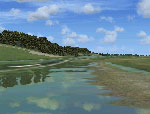
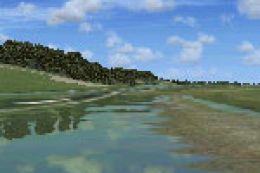
Screenshot of NL200 scenery with upgraded trees.
By installing this add-on, you will experience the countryside and urban greenery of the Netherlands with more realism. Every approach, takeoff, and landing will be enhanced by carefully rendered trees that match the geographical style of the scenery. This upgrade continues the tradition of high-quality projects from The Netherlands 2000 Scenery Design Team, elevating your journeys within Microsoft Flight Simulator X.
Free for all simmers · 22.32 MB · Scanned clean
Download speed: Free tier is capped at 0.5 Mbps (this file takes approximately 6 mins at the cap). PRO members download at full line speed.
FSX\Addon Scenery\ containing scenery and texture sub-folders.readme.txt or README file. It tells you exactly where files go, what dependencies are needed, and any quirks specific to this add-on.Use these coordinates to fly directly to this location once the mod is installed.
52.36670000,4.90000000
Launch FSX or Prepar3D and use Flights → Load to open the downloaded .pln file. Your aircraft will be positioned at this location.
The archive nl2k_v4_02_tree_upgrade.zip has 8 files and directories contained within it.
This list displays the first 500 files in the package. If the package has more, you will need to download it to view them.
| Filename/Directory | File Date | File Size |
|---|---|---|
| auteursrecht.txt | 05.24.10 | 5.06 kB |
| copyright.txt | 05.24.10 | 4.43 kB |
| FILE_ID.DIZ | 12.22.11 | 416 B |
| nl2k_v4.02_Tree_upgrade.gif | 05.14.11 | 10.62 kB |
| nl2k_v4.02_Tree_upgrade.nl2 | 12.19.11 | 27.39 MB |
| nl2k_v4.02_Tree_upgrade.txt | 12.22.11 | 416 B |
| flyawaysimulation.txt | 10.29.13 | 959 B |
| Go to Fly Away Simulation.url | 01.22.16 | 52 B |
More FSX & P3D add-ons hand-picked based on this download.
FSX Scenery
This is the NL2000 v4.03 tree upgrade package for the NL2000 scenery version …
 FSX Scenery
This project significantly updates New Zealand's Chatham Islands and includes…
 FSX Scenery
Experience a vast update to your landscape in Microsoft Flight Simulator X wi…
 FSX Scenery
Yangon Int'l Airport (VYYY), Mingaladon v4.0 with Traffic-Pack 1. Yangon Inte…
 FSX Scenery
Enhance your simulator’s portrayal of one of the Netherlands’ busiest regiona…
 FSX Scenery
This comprehensive scenery package brings an authentic representation of Eind…
 FSX Scenery
This free add-on offers a precisely modeled depiction of EHEH Eindhoven Airpo…
 FSX Scenery
Enhance your simulator with this free package dedicated to EHEH (Eindhoven Ai…
Be the first to leave a comment on this download.
Be the first to share your thoughts on this download.