


 FSX Civil Aircraft
Continental Boeing 737-800. B737-800
Continental Boeing 737-800. Fictional textures for the default B737-800. Repa…
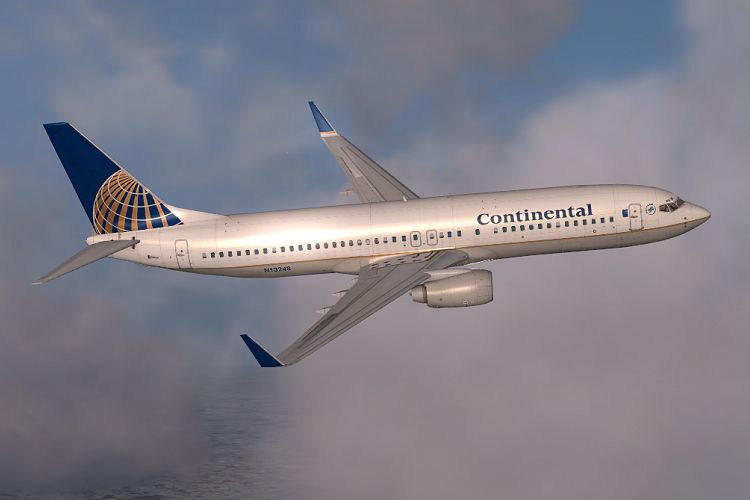
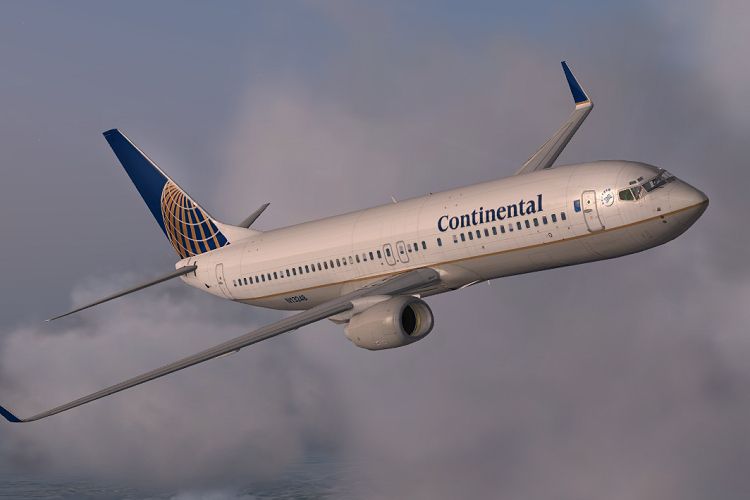
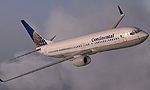
Continental Airlines’ classic globe-tail look comes to the default Boeing 737-800 with sharp, high-resolution textures, accurate logos, window framing, and clean metallic shading for a convincing exterior finish. Built for Microsoft Flight Simulator X, it requires the default 737-800 base model and preserves the stock flight dynamics and virtual cockpit.
Give your Microsoft Flight Simulator X setup a refined upgrade by adding this meticulously crafted Continental Airlines Boeing 737-800 repaint, created by Jon Murchison. This package only includes textures for the default 737-800, giving sim pilots the opportunity to inject authentic Continental Airlines style without altering essential core files. Users can access the free base model from the Fly Away Simulation library before applying these textures.
This repaint reproduces the traditional Continental Airlines exterior with precision, highlighting the iconic globe emblem on the tail and the airline’s refined color transitions along the fuselage. Each metallic boundary, window frame, and fuselage contour has been laid out in clear detail to emulate the actual Boeing 737-800 in real-world operations.
The Boeing 737-800 is part of the Next Generation (NG) series, known for modern avionics, improved fuel efficiency, and strong operational reliability. This repaint aligns with the default FSX 737-800 flight model, which employs standard control surfaces and cockpit layouts, so no adjustments to physics or panel configurations are needed once the textures are installed. This streamlined approach ensures an effortless integration into your existing environment.
Jon Murchison, an established figure in the FSX repaint community, methodically constructed these textures with faithful color accuracy. His work aims to bring simmers a closer immersion to what real-world Continental Boeing 737-800 crews experience each day.
Free for all simmers · 902.34 KB · Scanned clean
Download speed: Free tier is capped at 0.5 Mbps. PRO members download at full line speed.
FSX\SimObjects\Airplanes\. The folder must contain an aircraft.cfg file. Effects go into FSX\Effects\; gauges go into FSX\Gauges\.readme.txt or README file. It tells you exactly where files go, what dependencies are needed, and any quirks specific to this add-on.The archive cont738.zip has 9 files and directories contained within it.
This list displays the first 500 files in the package. If the package has more, you will need to download it to view them.
| Filename/Directory | File Date | File Size |
|---|---|---|
| b737_800_1_T.dds | 12.29.07 | 1.00 MB |
| Fresnel_Ramp.dds | 09.04.06 | 640 B |
| texture.cfg | 08.14.06 | 137 B |
| thumbnail.jpg | 12.29.07 | 19.39 kB |
| CONT_1.jpg | 12.29.07 | 134.13 kB |
| CONT_2.jpg | 12.29.07 | 144.55 kB |
| README_INSTALL.txt | 12.31.07 | 2.00 kB |
| flyawaysimulation.txt | 10.29.13 | 959 B |
| Go to Fly Away Simulation.url | 01.22.16 | 52 B |
More FSX & P3D add-ons hand-picked based on this download.
FSX Civil Aircraft
Continental Boeing 737-800. Fictional textures for the default B737-800. Repa…
 FSX Civil Aircraft
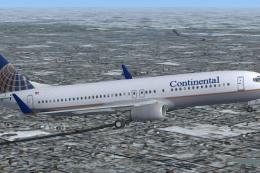
Default Boeing 737-800 in Continental Airlines livery. Patrick Finch.
 FSX Civil Aircraft
FSX Continental Airlines Boeing 737-800. Textures only for the default B737-8…
 FSX Civil Aircraft
FSX Continental Airlines Boeing 737-800. A repaint for the default B737. The …
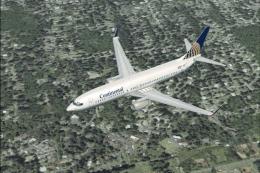 FSX Civil Aircraft
This freeware repaint faithfully represents Continental Airlines livery on th…
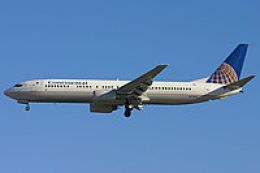 FSX Civil Aircraft
Continental Boeing 737-900, registration N75410. Model by SKAI. Repaint by Ga…
 FSX Civil Aircraft
This freeware release provides a detailed Boeing 737-700 dressed in Continent…
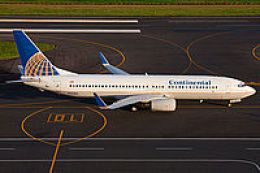 FSX Civil Aircraft
Continental Boeing 737-800W, registration N33284. Model by SKAI. Repaint by G…
Be the first to leave a comment on this download.
Be the first to share your thoughts on this download.