

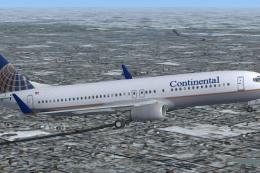
 FSX Civil Aircraft
Boeing 737-800 Continental Textures
Default Boeing 737-800 in Continental Airlines livery. Patrick Finch.
Continental Airlines Boeing 737-900 repaint for the SKAI AI traffic model depicts registration N75410 with authentic airline markings for busy gate lineups and enroute scenes in FSX. The texture set integrates cleanly into existing fleets and can be adapted for flyable use with added model, panel, and sound, and requires the SKAI 737-900 base package.
 Rate
Rate
Continental Boeing 737-900, registration N75410. Model by SKAI. Repaint by Gabriel McManus.
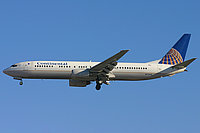
Continental Boeing 737-900 in flight.
This is a AI Traffic SKAI airplane continenal 737-900
First with your SKAI 737-900 Folder, you copy the texture file and paste it into the folder.
Add a Model, panel and sound to it and can fly it.
[fltsim.0]

title=WoA_AIA_B739_COA-Continental Air Lines

model=no_refl

texture=COA

sim=aia_737_ng

atc_airline=CONTINENTAL

atc_heavy=0

ui_manufacturer=skAI

ui_type=Boeing 737-900

ui_variation=Continental Airlines

atc_parking_types=GATE

atc_parking_codes=COA

visual_damage=1
Free for all simmers · 196.22 KB · Scanned clean Oct 2026
Download speed: Free tier is capped at 0.5 Mbps. PRO members download at full line speed.
texture.{airline}) inside FSX\SimObjects\Airplanes\{base-aircraft}\.aircraft.cfg in Notepad. Add a new [fltsim.X] section per the readme.readme.txt or README file. It tells you exactly where files go, what dependencies are needed, and any quirks specific to this add-on.The archive continental737-900.zip has 8 files and directories contained within it.
This list displays the first 500 files in the package. If the package has more, you will need to download it to view them.
| Filename/Directory | File Date | File Size |
|---|---|---|
| Aircraft.txt | 06.20.11 | 283 B |
| continental 737-900.jpg | 06.20.11 | 5.15 kB |
| Readme.txt | 06.20.11 | 264 B |
| texture.COA | 06.20.11 | 0 B |
| aia_737_900_l.bmp | 09.12.07 | 256.07 kB |
| aia_737_900_t.bmp | 09.12.07 | 1.00 MB |
| flyawaysimulation.txt | 10.29.13 | 959 B |
| Go to Fly Away Simulation.url | 01.22.16 | 52 B |
Only PRO members can place votes.
More FSX & P3D add-ons hand-picked based on this download.
FSX Civil Aircraft
Default Boeing 737-800 in Continental Airlines livery. Patrick Finch.
 FSX Civil Aircraft
Give your Microsoft Flight Simulator X setup a refined upgrade by adding this…
 FSX Civil Aircraft
This freeware release provides a detailed Boeing 737-700 dressed in Continent…
 FSX Civil Aircraft
FSX Continental Airlines Boeing 737-800. Textures only for the default B737-8…
 FSX Civil Aircraft
Continental Boeing 737-800. Fictional textures for the default B737-800. Repa…
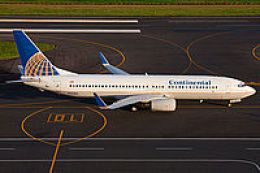 FSX Civil Aircraft
Continental Boeing 737-800W, registration N33284. Model by SKAI. Repaint by G…
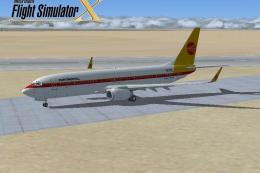 FSX Civil Aircraft
FSX Continental Airlines Boeing 737-800. A repaint for the default B737. The …
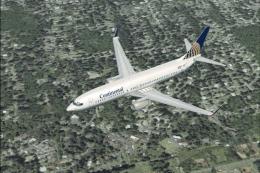 FSX Civil Aircraft
This freeware repaint faithfully represents Continental Airlines livery on th…
Read what other simmers think, or add your own.

i would like to order this flight simulator but just don,t see the display how would i go about ordering a 737-900 flight simulator