


 FSX Helicopters
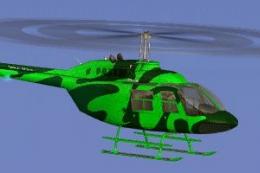
Commercial Helicopters Australia Bell 206B Green
This freeware repaint showcases a vividly hued green finish for the default B…
Commercial Helicopters Australia’s bright yellow Bell 206B JetRanger livery brings high-visibility realism to the default helicopter in Microsoft Flight Simulator X, with crisp exterior detailing, subtle branding, and shading across key panels and rotor components. It requires the base Bell 206B aircraft and blends cleanly with in-sim lighting, reflections, and shadows.
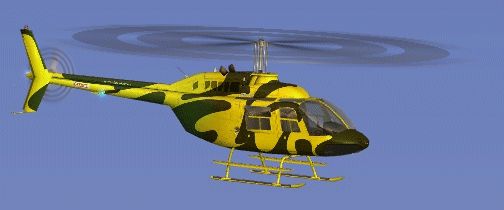
This vibrant texture set showcases a bright yellow scheme modeled on Commercial Helicopters Australia's real-world operations, created by Jon Murchison for enthusiasts flying the default FSX Bell 206B JetRanger. It is available as a freeware repaint, requiring the base Bell 206B aircraft to function correctly. The livery offers crisp exterior details that highlight the JetRanger’s profile, and installation is straightforward for anyone familiar with modifying FSX files.
Notable for its bold, high-visibility coloring, this helicopter repaint emphasizes the Bell 206B's curved fuselage lines. Various structural elements, including engine inlets, main rotor mast, and stabilizer fins, receive precise shading to accentuate the aircraft’s utility-oriented design. The result is a realistic finish that enhances overall immersion.
The creator, Jon Murchison, has meticulously integrated subtle branding and registration markings to mirror commercial usage. The paint job highlights areas often exposed to wear and tear, such as cowling panels and landing skids, lending an authentic operational touch.
As a single-engine light helicopter, the Bell 206B gained popularity for corporate charters, aerial tours, and training missions worldwide. Its compact airframe and dependable powerplant became hallmarks of reliable service among both public agencies and private operators. In Australia, real-life commercial outfits often prefer vivid color schemes to boost visibility in demanding environments.
The JetRanger’s virtual cockpit remains unchanged in this modification; however, the updated exterior paint is designed to blend seamlessly into FSX’s lighting and shadow effects. This approach ensures accurate reflections in various weather conditions, enhancing realism throughout diverse flight profiles.
This package is a standalone repaint that requires the default FSX Bell 206B, which is included with the simulator. For users who may need an additional freeware model, the Fly Away Simulation library offers a compatible base version. Simply insert the enclosed texture folder and matching configuration entries into your aircraft files, and the custom livery will appear in your aircraft selection menu.
Jon Murchison’s meticulous artistry is evident in the texture detailing, and Commercial Helicopters Australia’s distinctive branding adds a unique regional flair to your aviation roster. This freeware repaint merges technical accuracy with an eye-catching finish, bringing another layer of authenticity to your rotorcraft fleet.

Free for all simmers · 2.25 MB · Scanned clean
Download speed: Free tier is capped at 0.5 Mbps. PRO members download at full line speed.
SimObjects\Airplanes\, Addon Scenery\, Effects\, or Gauges\.readme.txt or README file. It tells you exactly where files go, what dependencies are needed, and any quirks specific to this add-on.The archive chyellow.zip has 16 files and directories contained within it.
This list displays the first 500 files in the package. If the package has more, you will need to download it to view them.
| Filename/Directory | File Date | File Size |
|---|---|---|
| Bell_206B_T.dds | 09.18.07 | 1.00 MB |
| Bell_206B_T_spec.dds | 09.04.06 | 1.33 MB |
| Fresnel_Ramp.dds | 09.04.06 | 640 B |
| Fresnel_Ramp_1.dds | 09.04.06 | 640 B |
| Fresnel_Ramp_Glass.dds | 09.04.06 | 640 B |
| prop_bell_206_1.dds | 09.18.07 | 64.12 kB |
| prop_bell_206_3.dds | 09.18.07 | 1.00 MB |
| prop_bell_206_4.dds | 09.18.07 | 1.00 MB |
| prop_bell_206_5.dds | 09.18.07 | 1.00 MB |
| texture.cfg | 08.21.06 | 137 B |
| thumbnail.jpg | 09.18.07 | 9.88 kB |
| TEXTURE.CHYELLOW | 09.24.07 | 0 B |
| README _INSTALL.txt | 09.25.07 | 1.90 kB |
| CHYELLOW_B.gif | 09.25.07 | 40.92 kB |
| flyawaysimulation.txt | 10.29.13 | 959 B |
| Go to Fly Away Simulation.url | 01.22.16 | 52 B |
More FSX & P3D add-ons hand-picked based on this download.
FSX Helicopters
This freeware repaint showcases a vividly hued green finish for the default B…
 FSX Helicopters
This repaint brings a fresh, deep-blue aesthetic to the default FSX Bell 206B…
 FSX Helicopters
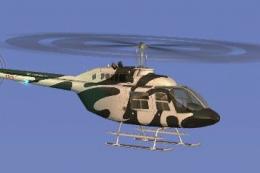
Elevate your FSX rotorcraft collection with this freeware Bell 206B JetRanger…
 FSX Helicopters
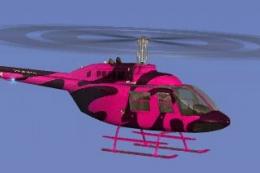
This repaint portrays a striking pink rendition of the renowned Bell 206B hel…
 FSX Helicopters
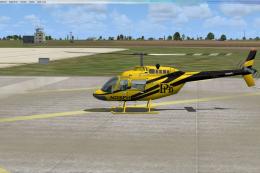
Bell 206 JetRanger aircraft painted by Jeff Dugan. Aircraft by Eagle Rotorcra…
 FSX Helicopters
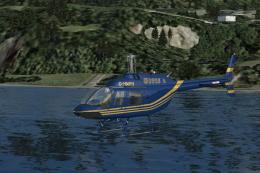
FSX Elite Helicopters Bell 206B. A repaint of the default Bell 206BIII Jetran…
 FSX Helicopters
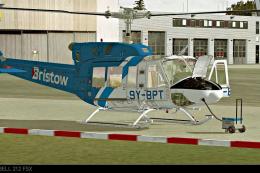
This custom Bristow Helicopters repaint, created by Bernhard Lechner, enhance…
 FSX Helicopters
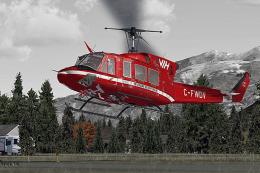
This high-fidelity texture set offers a specialized repaint of the Bell 212 u…
Be the first to leave a comment on this download.
Be the first to share your thoughts on this download.