

 FSX Helicopters
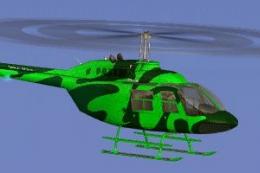
Commercial Helicopters Australia Bell 206B Green
This freeware repaint showcases a vividly hued green finish for the default B…
Commercial Helicopters Australia’s deep-blue livery refreshes the Bell 206B JetRanger with crisp panel lines, accurate fleet-style markings, and subtle shading that reads well in varied lighting. Designed for rotorcraft operations in Microsoft Flight Simulator X, it requires the original Bell 206B base model and delivers a polished, authentic ramp presence.
 Rate
Rate
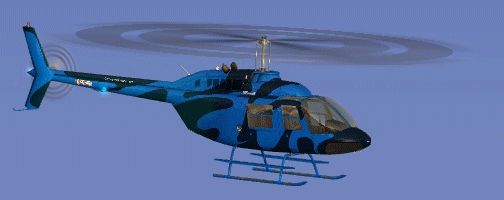
This repaint brings a fresh, deep-blue aesthetic to the default FSX Bell 206B JetRanger, delivering a captivating exterior inspired by Commercial Helicopters Australia. Created by Jon Murchison, this is a freeware add-on that requires the original base model (available in the Fly Away Simulation library) to function correctly. It is meticulously crafted to ensure authenticity and visual appeal during rotorcraft operations in Microsoft Flight Simulator X.
The included livery showcases refined surface textures and enhanced color tones. The blue hue contrasts elegantly with the helicopter’s streamlined fuselage, which is renowned for its reliability and nimble handling qualities. Designers at Commercial Helicopters Australia have made sure that the paint layout aligns precisely with the Bell 206B’s sleek contours, providing a polished finish that stands out on the tarmac.
The single-engine Bell 206B JetRanger (an iconic light helicopter series that was originally introduced in the 1960s) has built a reputation in various regions worldwide. It frequently handles passenger transport, sightseeing ventures, and commercial duties. The higher safety margins and practical design have made the 206B a favorite for both real-world pilots and flight simulation enthusiasts. This visual update further highlights its utilitarian nature while offering an appealing look that seamlessly blends with FSX environments.
To activate this repaint, install it alongside the default Bell 206B JetRanger or the freeware base model. Ensure the included texture folder is added to your aircraft directory, and update the aircraft configuration file accordingly. The process is straightforward, and once complete, you are ready to explore Australia’s remote landscapes or practice landings on metropolitan helipads with this new livery.
The repaint is the work of Jon Murchison, with inspiration from Commercial Helicopters Australia’s real-world operations. This collaboration reflects a dedication to realism within the FSX platform while respecting the helicopter’s structural outline. Many flight simulation pilots will appreciate the detailed approach, and the resulting balance between immersion and performance is well-executed.

Free for all simmers · 2.21 MB · Scanned clean Oct 2026
Download speed: Free tier is capped at 0.5 Mbps. PRO members download at full line speed.
texture.{airline}) inside FSX\SimObjects\Airplanes\{base-aircraft}\.aircraft.cfg in Notepad. Add a new [fltsim.X] section per the readme.readme.txt or README file. It tells you exactly where files go, what dependencies are needed, and any quirks specific to this add-on.The archive chblue.zip has 16 files and directories contained within it.
This list displays the first 500 files in the package. If the package has more, you will need to download it to view them.
| Filename/Directory | File Date | File Size |
|---|---|---|
| Bell_206B_T.dds | 09.18.07 | 1.00 MB |
| Bell_206B_T_spec.dds | 09.04.06 | 1.33 MB |
| Fresnel_Ramp.dds | 09.04.06 | 640 B |
| Fresnel_Ramp_1.dds | 09.04.06 | 640 B |
| Fresnel_Ramp_Glass.dds | 09.04.06 | 640 B |
| prop_bell_206_1.dds | 09.18.07 | 64.12 kB |
| prop_bell_206_3.dds | 09.18.07 | 1.00 MB |
| prop_bell_206_4.dds | 09.18.07 | 1.00 MB |
| prop_bell_206_5.dds | 09.18.07 | 1.00 MB |
| texture.cfg | 08.21.06 | 137 B |
| thumbnail.jpg | 09.18.07 | 8.90 kB |
| TEXTURE.CHBLUE | 09.24.07 | 0 B |
| README _INSTALL.txt | 09.25.07 | 1.89 kB |
| CHBLUE_B.gif | 09.25.07 | 32.89 kB |
| flyawaysimulation.txt | 10.29.13 | 959 B |
| Go to Fly Away Simulation.url | 01.22.16 | 52 B |
Only PRO members can place votes.
More FSX & P3D add-ons hand-picked based on this download.
FSX Helicopters
This freeware repaint showcases a vividly hued green finish for the default B…
 FSX Helicopters
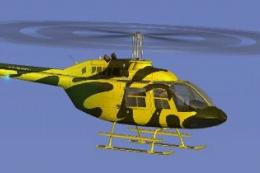
This vibrant texture set showcases a bright yellow scheme modeled on Commerci…
 FSX Helicopters
Elevate your FSX rotorcraft collection with this freeware Bell 206B JetRanger…
 FSX Helicopters
This repaint portrays a striking pink rendition of the renowned Bell 206B hel…
 FSX Helicopters
Bell 206 JetRanger aircraft painted by Jeff Dugan. Aircraft by Eagle Rotorcra…
 FSX Helicopters
FSX Elite Helicopters Bell 206B. A repaint of the default Bell 206BIII Jetran…
 FSX Helicopters
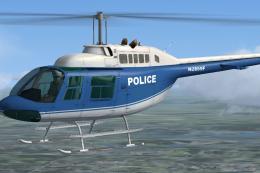
Repaint textures for the default Bell 206 in a generic police blue and white …
 FSX Helicopters
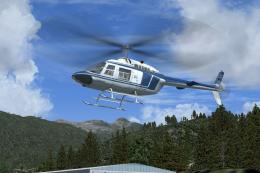
FSX Blue/White Bell 206B JetRanger in 1970's paint scheme. This package is a …
Be the first to leave a comment on this download.
Be the first to share your thoughts on this download.