


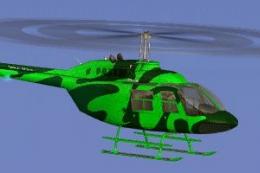
 FSX Helicopters
Commercial Helicopters Australia Bell 206B Green
This freeware repaint showcases a vividly hued green finish for the default B…
Commercial Helicopters Australia’s crisp white Bell 206B JetRanger livery brings a clean, professional look to Microsoft Flight Simulator X, with sharp panel lines, subtle shading, and detailed rivet mapping for added depth. It retains the default rotor reflections, flight dynamics, and virtual cockpit, and requires the stock FSX Bell 206B base model.
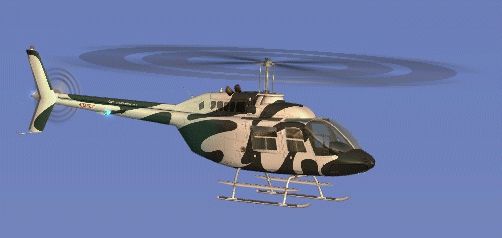
Elevate your FSX rotorcraft collection with this freeware Bell 206B JetRanger repaint, showcasing a crisp white scheme representative of Commercial Helicopters Australia. This repaint, assembled by Jon Murchison, adds a fresh visual element for flight simulation enthusiasts who appreciate authentic design details, subtle shading, and a clean finish.
This repaint provides a newly refined exterior, capturing the essence of a real-world charter helicopter used for business tours and scenic flights. The airframe displays carefully mapped panels and rivet lines, which enhance the visual depth across the fuselage. Furthermore, the dynamic rotor reflections are retained from the default model, ensuring airborne immersion remains intact.
Because this mod uses the original FSX Bell 206B JetRanger as its foundation, the flight characteristics and instrument layouts remain faithful to Microsoft’s default helicopter dynamics. The single-engine responsiveness, combined with realistic torque effects, allows for stable landings on elevated terrains and helipads. Pilots can also experience adjustable payload capacities in the simulator, providing richer operational flexibility across diverse mission profiles.
Commercial Helicopters Australia maintains a strong presence in various regions, often supporting aerial tourism and specialized flights over extensive landscapes. The white color scheme represented here echoes the practical utility of their fleet. This understated aesthetic emphasizes function and reliability, both of which are critical for busy operators undertaking aerial tasks in urban and rural environments.
To utilize this repaint, download the freeware Bell 206B JetRanger from the Fly Away Simulation library if you have not already. After installing the base model, simply integrate these texture files following the included instructions to enjoy your brand-new rendition of the Commercial Helicopters Australia livery. As with all mods of this type, ensure any conflict with existing texture entries is resolved by double-checking your aircraft.cfg files.

This high-quality repaint was created by Jon Murchison. His meticulous approach brings both authenticity and eye-catching style to the default Bell 206B JetRanger. Helicopter pilots seeking increased realism will appreciate the level of detail in this texture set, as it captures shadow effects and paint nuances often desired in simulation flying.
Use this add-on to enhance realism and draw attention to the operational qualities of a proven helicopter platform that serves both recreational and professional flight operations.
Free for all simmers · 2.26 MB · Scanned clean
Download speed: Free tier is capped at 0.5 Mbps. PRO members download at full line speed.
SimObjects\Airplanes\, Addon Scenery\, Effects\, or Gauges\.readme.txt or README file. It tells you exactly where files go, what dependencies are needed, and any quirks specific to this add-on.The archive chwhite.zip has 16 files and directories contained within it.
This list displays the first 500 files in the package. If the package has more, you will need to download it to view them.
| Filename/Directory | File Date | File Size |
|---|---|---|
| Bell_206B_T.dds | 09.18.07 | 1.00 MB |
| Bell_206B_T_spec.dds | 09.04.06 | 1.33 MB |
| Fresnel_Ramp.dds | 09.04.06 | 640 B |
| Fresnel_Ramp_1.dds | 09.04.06 | 640 B |
| Fresnel_Ramp_Glass.dds | 09.04.06 | 640 B |
| prop_bell_206_1.dds | 09.18.07 | 64.12 kB |
| prop_bell_206_3.dds | 09.18.07 | 1.00 MB |
| prop_bell_206_4.dds | 09.18.07 | 1.00 MB |
| prop_bell_206_5.dds | 09.18.07 | 1.00 MB |
| texture.cfg | 08.21.06 | 137 B |
| thumbnail.jpg | 09.18.07 | 9.10 kB |
| TEXTURE.CHWHITE | 09.24.07 | 0 B |
| README _INSTALL.txt | 09.25.07 | 1.89 kB |
| CHWHITE_B.gif | 09.25.07 | 43.39 kB |
| flyawaysimulation.txt | 10.29.13 | 959 B |
| Go to Fly Away Simulation.url | 01.22.16 | 52 B |
More FSX & P3D add-ons hand-picked based on this download.
FSX Helicopters
This freeware repaint showcases a vividly hued green finish for the default B…
 FSX Helicopters
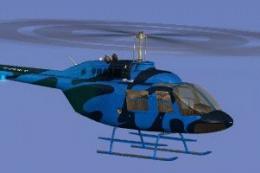
This repaint brings a fresh, deep-blue aesthetic to the default FSX Bell 206B…
 FSX Helicopters
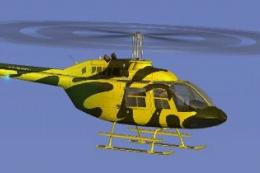
This vibrant texture set showcases a bright yellow scheme modeled on Commerci…
 FSX Helicopters
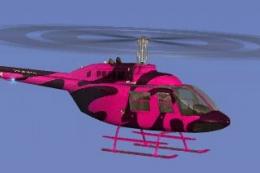
This repaint portrays a striking pink rendition of the renowned Bell 206B hel…
 FSX Helicopters
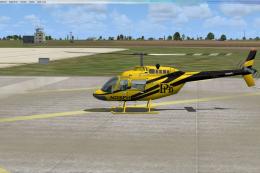
Bell 206 JetRanger aircraft painted by Jeff Dugan. Aircraft by Eagle Rotorcra…
 FSX Helicopters
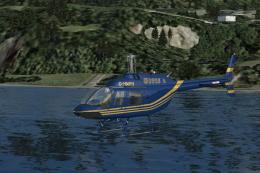
FSX Elite Helicopters Bell 206B. A repaint of the default Bell 206BIII Jetran…
 FSX Helicopters
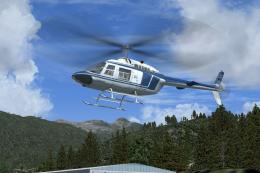
FSX Blue/White Bell 206B JetRanger in 1970's paint scheme. This package is a …
 FSX Helicopters
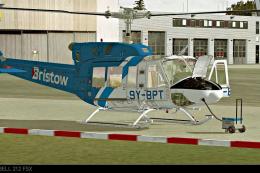
This custom Bristow Helicopters repaint, created by Bernhard Lechner, enhance…
Be the first to leave a comment on this download.
Be the first to share your thoughts on this download.