


 FSX Helicopters
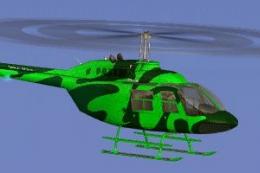
Commercial Helicopters Australia Bell 206B Green
This freeware repaint showcases a vividly hued green finish for the default B…
Commercial Helicopters Australia’s Bell 206B Pink repaint gives the default JetRanger a bold, high-visibility finish with crisp branding, subtle fuselage accents, and clean window and tail detailing for standout ramp presence. Built for Microsoft Flight Simulator X, it preserves the stock flight model and virtual cockpit, and requires the default Bell 206B.
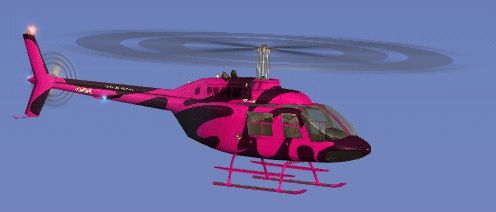
This repaint portrays a striking pink rendition of the renowned Bell 206B helicopter, originally created by Jon Murchison. The package is designed specifically for Microsoft Flight Simulator X as freeware, and it provides a unique visual style that complements the default single-turbine rotorcraft included in FSX. Commercial Helicopters Australia’s branding stands out in this livery, making it ideal for simulator pilots who appreciate vivid, eye-catching details in their virtual hangar.
The primary feature of this repaint is its bold pink finish, which offers an unusual yet attention-grabbing exterior. The designer, Jon Murchison, integrated subtle markings and text elements that highlight Commercial Helicopters Australia’s colors. In particular, the fuselage includes refined accents around the door frames, tail assembly, and cockpit window lines.
The Bell 206B, well-known for its reliability and versatility, is a popular choice for diverse flight operations in the real world. Its compact airframe, powered by a single turboshaft engine, enables excellent handling and maneuverability at lower altitudes. Operators frequently employ the 206B for scenic tours, corporate shuttles, and aerial photography. By applying this pink scheme, you can easily distinguish your rotorcraft from other virtual machines when exploring varied locales in FSX.
This modification only provides a repaint of the default FSX Bell 206B helicopter and does not include the base airframe model. You will need to have the original helicopter installed in your simulator. If required, the freeware base model is accessible in the Fly Away Simulation mod library. To apply the repaint, simply follow the standard repaint installation procedure for your simulator’s aircraft folder.

Although the repaint enlivens the exterior visuals, it retains the default cockpit instrumentation and performance profile of the Bell 206B. Consequently, simmers can leverage the familiar flight dynamics while appreciating a fresh color scheme. For added realism, consider operating immersive flight plans that reflect the broad range of tasks flown by the Bell 206B in Australia and beyond.
Free for all simmers · 2.23 MB · Scanned clean
Download speed: Free tier is capped at 0.5 Mbps. PRO members download at full line speed.
SimObjects\Airplanes\, Addon Scenery\, Effects\, or Gauges\.readme.txt or README file. It tells you exactly where files go, what dependencies are needed, and any quirks specific to this add-on.The archive chpink.zip has 16 files and directories contained within it.
This list displays the first 500 files in the package. If the package has more, you will need to download it to view them.
| Filename/Directory | File Date | File Size |
|---|---|---|
| Bell_206B_T.dds | 09.18.07 | 1.00 MB |
| Bell_206B_T_spec.dds | 09.04.06 | 1.33 MB |
| Fresnel_Ramp.dds | 09.04.06 | 640 B |
| Fresnel_Ramp_1.dds | 09.04.06 | 640 B |
| Fresnel_Ramp_Glass.dds | 09.04.06 | 640 B |
| prop_bell_206_1.dds | 09.18.07 | 64.12 kB |
| prop_bell_206_3.dds | 09.18.07 | 1.00 MB |
| prop_bell_206_4.dds | 09.18.07 | 1.00 MB |
| prop_bell_206_5.dds | 09.18.07 | 1.00 MB |
| texture.cfg | 08.21.06 | 137 B |
| thumbnail.jpg | 09.18.07 | 9.11 kB |
| TEXTURE.CHPINK | 09.24.07 | 0 B |
| README _INSTALL.txt | 09.25.07 | 1.89 kB |
| CHPINK_B.gif | 09.25.07 | 35.20 kB |
| flyawaysimulation.txt | 10.29.13 | 959 B |
| Go to Fly Away Simulation.url | 01.22.16 | 52 B |
More FSX & P3D add-ons hand-picked based on this download.
FSX Helicopters
This freeware repaint showcases a vividly hued green finish for the default B…
 FSX Helicopters
This repaint brings a fresh, deep-blue aesthetic to the default FSX Bell 206B…
 FSX Helicopters
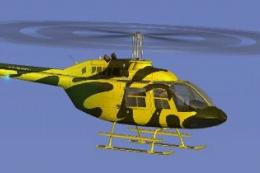
This vibrant texture set showcases a bright yellow scheme modeled on Commerci…
 FSX Helicopters
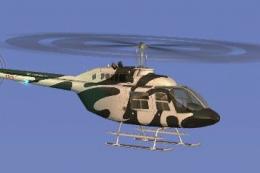
Elevate your FSX rotorcraft collection with this freeware Bell 206B JetRanger…
 FSX Helicopters
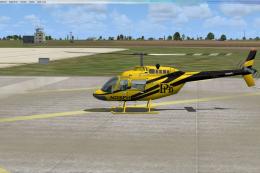
Bell 206 JetRanger aircraft painted by Jeff Dugan. Aircraft by Eagle Rotorcra…
 FSX Helicopters
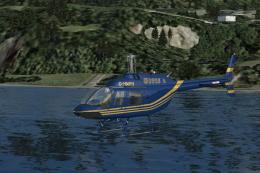
FSX Elite Helicopters Bell 206B. A repaint of the default Bell 206BIII Jetran…
 FSX Helicopters
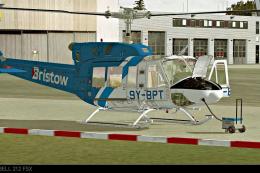
This custom Bristow Helicopters repaint, created by Bernhard Lechner, enhance…
 FSX Helicopters
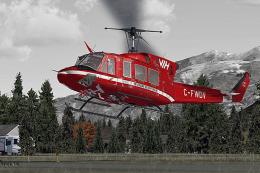
This high-fidelity texture set offers a specialized repaint of the Bell 212 u…
Be the first to leave a comment on this download.
Be the first to share your thoughts on this download.