


 FSX Civil Aircraft
Singapore Airlines Airbus A380-800
This enhanced Singapore Airlines Airbus A380-800 add-on provides a detailed s…
Singapore Airlines livery textures transform the default Boeing 737-800 with accurate blue-and-gold striping, crisp tail branding, and clean panel alignment for sharp external views in Microsoft Flight Simulator X. The repaint preserves full compatibility with the stock virtual cockpit and requires the freeware base 737-800 model.
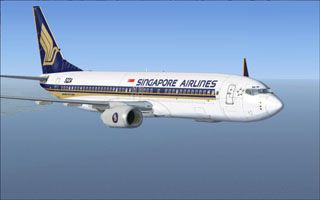
This carefully crafted repaint brings a faithful Singapore Airlines motif to the default Boeing 737-800 in Microsoft Flight Simulator X. It showcases the carrier’s signature elements blended seamlessly onto the aircraft’s airframe. Created by Cronan Doyle using a paint kit from John Rose (FSX737PK.ZIP), it supplies new exterior textures only and does not include the underlying model. Obtain the base freeware 737-800 model from the Fly Away Simulation library, then apply this livery for an enhanced visual experience.
One of Asia’s premier airlines, Singapore Airlines is recognized for its refined style and iconic coloring. This repaint accurately replicates the airline’s characteristic blue and gold accents, including detailed fuselage markings and realistic tail branding. The detailed fuselage graphics (graphics refers to the visually rendered textures displayed on the aircraft's surface) ensure that every curve and panel line aligns with the real-world livery.
These textures have been tailored for optimal clarity on the default Boeing 737-800 model. The repaint utilizes high-resolution image mapping (image mapping denotes the technique of wrapping digital images onto the virtual 3D aircraft structure), so you can inspect subtle details such as rivet placements and paneling. The precision-driven layering also reduces visual artifacts around transition areas like engine nacelles and wing roots.
Because this add-on is designed for Microsoft Flight Simulator X’s stock 737-800, it meshes perfectly with the existing virtual cockpit (virtual cockpit is the three-dimensional flight deck inside the simulator where all switches and gauges are clickable). Pilots can activate this new livery through the standard aircraft selection pages without extra configuration. This allows for a quick transition from installation to takeoff, ensuring minimal downtime between flights.
All exterior artwork originates from Cronan Doyle. The underlying paint kit is credited to John Rose (FSX737PK.ZIP), which serves as the foundation for placing accurate liveries onto soaring aircraft models.
Keep in mind that these texture files are designed for the default 737-800 that is shipped with Microsoft Flight Simulator X. To complete the setup, you need the freeware base package from the Fly Away Simulation mod library. Once you have that installed, copying this repaint’s folder and updating your aircraft configuration file is a straightforward process.
Free for all simmers · 3.64 MB · Scanned clean
Download speed: Free tier is capped at 0.5 Mbps (this file takes approximately 1 min at the cap). PRO members download at full line speed.
This add-on may require the following files to function properly. If this is a repaint, the dependency below is likely the base aircraft package.
FSX\SimObjects\Airplanes\. The folder must contain an aircraft.cfg file. Effects go into FSX\Effects\; gauges go into FSX\Gauges\.readme.txt or README file. It tells you exactly where files go, what dependencies are needed, and any quirks specific to this add-on.The archive singpore.zip has 6 files and directories contained within it.
This list displays the first 500 files in the package. If the package has more, you will need to download it to view them.
| Filename/Directory | File Date | File Size |
|---|---|---|
| FILE_ID.DIZ | 06.22.08 | 256 B |
| Readme.txt | 06.22.08 | 1.90 kB |
| texture.singapore.zip | 06.22.08 | 3.63 MB |
| thumbnail.jpg | 06.13.08 | 21.79 kB |
| flyawaysimulation.txt | 10.29.13 | 959 B |
| Go to Fly Away Simulation.url | 01.22.16 | 52 B |
More FSX & P3D add-ons hand-picked based on this download.
FSX Civil Aircraft
This enhanced Singapore Airlines Airbus A380-800 add-on provides a detailed s…
 FSX Civil Aircraft
This is the repaint of payware Captain Sim B737-100 model in Singapore Airlin…
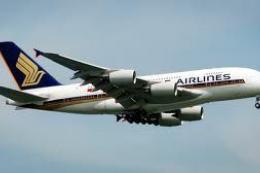 FSX Civil Aircraft
Singapore Airbus A380-800, registration 9V-SKA. Model by SKAI. By Gabriel McM…
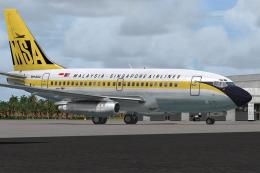 FSX Civil Aircraft
This is a repaint of the payware Captain Sim Boeing B737-100 model in Malaysi…
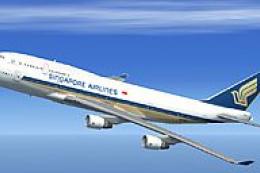 FSX Civil Aircraft
FSX Singapore Airlines Boeing 747-400, registration 9V-SMR. Textures only for…
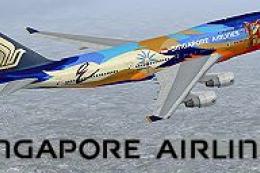 FSX Civil Aircraft
This repaint offers the iconic Singapore Airlines Boeing 747-400 adorned in a…
 FSX Civil Aircraft
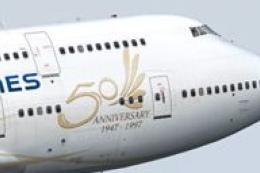
FSX Singapore Airlines Boeing 747-400 PW in "50th Anniversary" livery. Textur…
 FSX Civil Aircraft
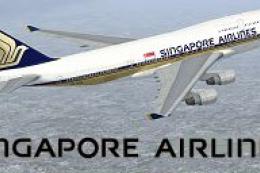
FSX Singapore Airlines Cargo Boeing 747-400 in new A380 style livery. Texture…
Be the first to leave a comment on this download.
Be the first to share your thoughts on this download.