

 FS2004 Civil Jet Aircraft
Southwest Airlines Boeing 737-700
Here's yet another addition to Project Opensky's fabulous Boeing 737-700 mode…
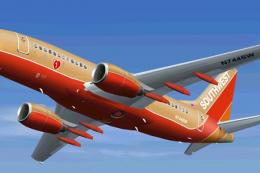
Southwest Airlines Boeing 737-700 N739GB brings a clean, reflective winglet-equipped livery to the FFX 737-700 for FS2004, with authentic registration and ATC details for believable airline ops. The package includes the base aircraft and adds crisp exterior textures that sit well in the virtual cockpit and in-flight views.
 Rate
Rate
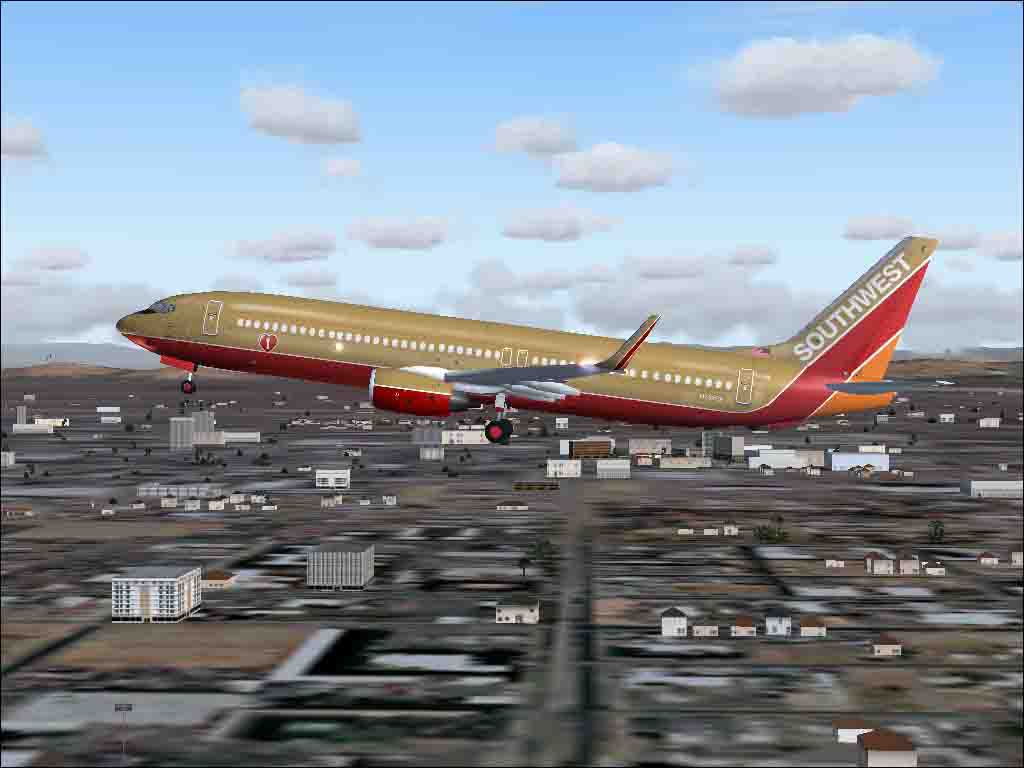

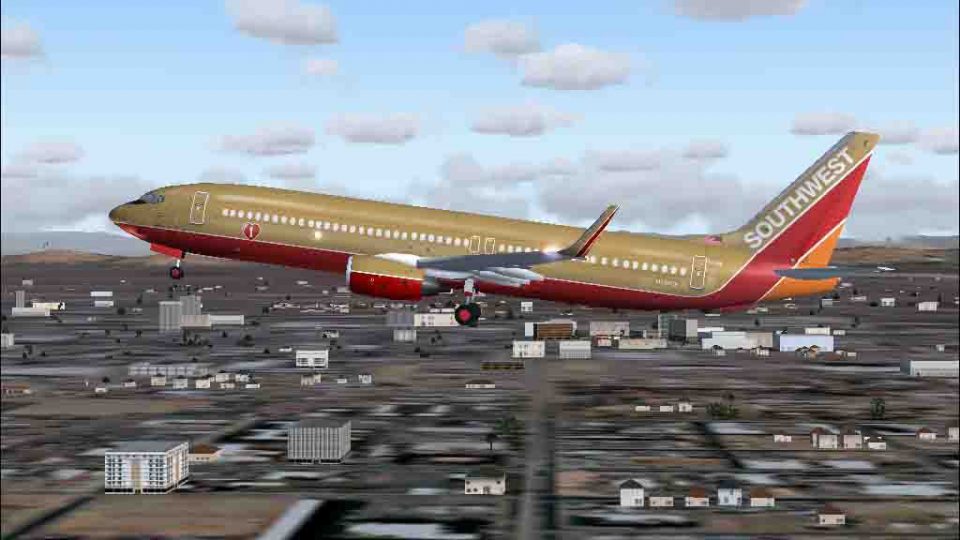
A repaint of the FFX B737-700 in Southwest Airlines livery. Includes winglets reflective textures. By Wes Archibald.
Screenshot of Southwest Airlines Boeing 737-700 shortly after take-off.
Installation:
Some people are having trouble finding the base file, and it is rather large, so I am going to include it with this release.
Full credit for the model goes to FFX.
Unzip into your FS2004 (FS9) aircraft folder and then edit the aircraft.cfg file as shown below. Copy and paste the text below or as the next number in sequence and save the file.
[fltsim.x]

	title=Boeing 777-700 Southwest

	sim=Boeing777-700

	model=

	panel=

	sound=

	texture=SWA

	kb_checklists=

	kb_reference=

	atc_id=N739GB

	atc_airline=SOUTHWEST

	atc_flight_number=1550

	atc_heavy=0

	ui_manufacturer=Boeing

	ui_type="777-700"

	ui_variation="Southwest Airlines"

	visual_damage=1

	description="The 737-700 has the same fuselage as the 737-300 and is fitted with the new wing, stabilizer, and tail sections. The 737-700 is 110ft. 4in. long and can carry up to 148 passengers in an all-economy configuration. The distinctive winglets contribute to fuel economy, and reduce drag. Engines: CFM56-7, Fuel capacity: 46,063lbs., Max Cruise altitude: 41,000 ft., Range: 3,300nm, Cruise Speed: .785Mach (530mph).
This is my third attempt to repaint something for 2004. IT ISN'T PERFECT, but since Southwest is flying the 737-300 with winglets on a couple of their aircraft, and I haven't seen any, I thought it would be a good chance to see if I could meet the challenge. This shouldn't kill your frame rates. I have flown it and I don't have a real "screaming" system, but it seems to do ok. When I get a little better at repainting and understanding textures, I may try to update things a little. I just wanted to contribute this to the flight sim community for those who wish to have new Southwest planes in their hangers.
HAPPY LANDINGS! Enjoy.
Free for all simmers · 2.87 MB · Scanned clean Oct 2026
Download speed: Free tier is capped at 0.5 Mbps. PRO members download at full line speed.
FS9\Aircraft\, FS9\Addon Scenery\, FS9\Gauges\, or FS9\Effects\.readme.txt or README file. It tells you exactly where files go, what dependencies are needed, and any quirks specific to this add-on.The archive swa737oc.zip has 60 files and directories contained within it.
This list displays the first 500 files in the package. If the package has more, you will need to download it to view them.
| Filename/Directory | File Date | File Size |
|---|---|---|
| 737700.air | 05.31.03 | 8.17 kB |
| aircraft.cfg | 11.20.03 | 13.81 kB |
| model | 11.20.03 | 0 B |
| B737_700.mdl | 05.30.03 | 1.07 MB |
| model.cfg | 06.01.03 | 27 B |
| panel | 11.20.03 | 0 B |
| panel.cfg | 03.26.00 | 30 B |
| ReadMe.txt | 11.20.03 | 3.21 kB |
| Real.jpg | 11.17.03 | 161.54 kB |
| sound | 11.20.03 | 0 B |
| sound.cfg | 04.14.00 | 32 B |
| texture.SWA | 11.20.03 | 0 B |
| ANTENNAS_T.bmp | 11.17.03 | 16.07 kB |
| B738FUSEFORWARD_L.bmp | 11.17.03 | 1.00 MB |
| b738fuseforward_t.bmp | 11.20.03 | 1.00 MB |
| B738FUSEREAR_L.bmp | 11.17.03 | 256.07 kB |
| b738fuserear_t.bmp | 11.20.03 | 256.07 kB |
| BOTTOMLIGHT_T.BMP | 11.17.03 | 5.05 kB |
| CFM56_CONE_L.bmp | 11.17.03 | 5.05 kB |
| CFM56_CONE_T.bmp | 11.17.03 | 33.05 kB |
| CFM56_TAILPIPE_L.bmp | 11.17.03 | 5.05 kB |
| CFM56_TAILPIPE_T.bmp | 11.17.03 | 33.05 kB |
| FAN_BLURRED_T.BMP | 11.17.03 | 257.05 kB |
| FAN_SLOW_T.BMP | 11.17.03 | 257.05 kB |
| FLAPGUIDES_L.bmp | 11.17.03 | 5.05 kB |
| FLAPGUIDES_T.BMP | 11.17.03 | 64.07 kB |
| FRAMES_L.bmp | 11.17.03 | 5.05 kB |
| FRAMES_T.bmp | 11.17.03 | 65.05 kB |
| GEARLEGS_L.bmp | 11.17.03 | 5.05 kB |
| GEARLEGS_T.bmp | 11.18.03 | 33.05 kB |
| INTAKE_L.bmp | 11.17.03 | 5.05 kB |
| INTAKE_T.BMP | 11.17.03 | 33.05 kB |
| LENG_L.BMP | 11.17.03 | 5.05 kB |
| LENG_T.bmp | 11.20.03 | 256.07 kB |
| MESH_T.BMP | 11.17.03 | 33.05 kB |
| MISC_L.BMP | 11.17.03 | 5.05 kB |
| Misc_t.bmp | 11.18.03 | 256.07 kB |
| moreflap_t.bmp | 11.17.03 | 4.00 MB |
| NGFLAPSB_T.bmp | 11.17.03 | 512.07 kB |
| NGFLAPS_T.bmp | 11.17.03 | 512.07 kB |
| OLEO_L.bmp | 11.17.03 | 5.05 kB |
| OLEO_T.bmp | 11.17.03 | 128.07 kB |
| PIMPLE_T.bmp | 11.20.03 | 128.07 kB |
| PYLONS_L.bmp | 11.17.03 | 5.05 kB |
| PYLONS_T.bmp | 11.17.03 | 64.07 kB |
| RENG_L.BMP | 11.17.03 | 5.05 kB |
| RENG_T.bmp | 11.20.03 | 256.07 kB |
| RWING_L.bmp | 11.17.03 | 5.05 kB |
| RWING_T.bmp | 11.17.03 | 4.00 MB |
| STAB_L.bmp | 11.17.03 | 5.05 kB |
| STAB_T.bmp | 11.17.03 | 1.00 MB |
| TAIL_L.BMP | 11.17.03 | 256.07 kB |
| Tail_t.bmp | 11.20.03 | 256.07 kB |
| WINGLET_L.bmp | 11.17.03 | 256.07 kB |
| Winglet_t.bmp | 11.20.03 | 256.07 kB |
| SWA B737-737W (oc) | 11.20.03 | 0 B |
| file_id.diz | 11.18.03 | 156 B |
| SWA(oc).jpg | 11.20.03 | 52.85 kB |
| flyawaysimulation.txt | 10.29.13 | 959 B |
| Go to Fly Away Simulation.url | 01.22.16 | 52 B |
Only PRO members can place votes.
More FS2004 add-ons hand-picked based on this download.
FS2004 Civil Jet Aircraft
Here's yet another addition to Project Opensky's fabulous Boeing 737-700 mode…
 FS2004 Civil Jet Aircraft
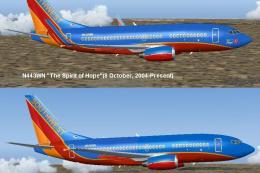
A repaint for the Kittyhawk Studios B737-700 as Southwest Airlines "The Spiri…
 FS2004 Civil Jet Aircraft
Replacement/optional textures for the winglets for the Canyon Blue livery. Th…
 FS2004 Civil Jet Aircraft
A repaint of the FFX B737-700 with winglets in Southwest Airlines New Canyon …
 FS2004 Civil Jet Aircraft
Boeing 737-700, registration N437WN, in canyon blue livery, both with and wit…
FS2004 Civil Jet Aircraft
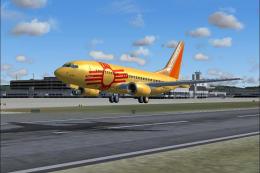
Boeing 737-700 "The Donald G. Ogden". Model by Kittyhawk Productions. Livery …
 FS2004 Civil Jet Aircraft
Kittyhawk Productions presents the B737-700 for FS2004, which includes full m…
 FS2004 Civil Jet Aircraft
A repaint of Kittyhawk Studios Boeing 737-700 in the colors of Southwest Airl…
Be the first to leave a comment on this download.
Be the first to share your thoughts on this download.