

 FS2004 Civil Jet Aircraft
Eastern Airlines Boeing 757-200
The Boeing 757-200 has long been a favored narrow-body airliner in both passe…
Eastern Airlines Boeing 757-200 N502EA brings the classic hockeystick livery to Flight Simulator 2004 with a Project Open Sky model, a detailed virtual cockpit or wingview option, reflective exterior, animated control surfaces, and working doors and hatches. Tuned flight dynamics, engine-specific performance, custom lighting, and reference charts round out the package.
 Rate
Rate
Enthusiasts seeking an authentic mid-range classic in Flight Simulator 2004 can explore this freeware Eastern Airlines Boeing 757-200 package featuring the memorable hockeystick paint scheme. This specific airframe, registered as N502EA, offers a glimpse of the airline’s historic operations. Crafted by Project Open Sky and meticulously painted by Jun Kazama, this complete mod provides a faithful re-creation of both the external and internal aspects of the venerable 757.
If you prefer the virtual cockpit, ensure that its texture package is obtained. Then edit the “aircraft.cfg” file by locating the line model= and appending “VC” (without quotes). This transition replaces the wingview model with the complete interactive cockpit.
This entire offering from Project Open Sky, with artwork by Jun Kazama, is provided as a fully packaged freeware installment on Fly Away Simulation. It seamlessly enriches your FS2004 library with historical Eastern Airlines charm, ensuring a detailed and precise experience aboard one of Boeing’s most celebrated narrow-body twins.
Free for all simmers · 6.46 MB · Scanned clean Sep 2026
Download speed: Free tier is capped at 0.5 Mbps (this file takes approximately 2 mins at the cap). PRO members download at full line speed.
FS9\Aircraft\, FS9\Addon Scenery\, FS9\Gauges\, or FS9\Effects\.readme.txt or README file. It tells you exactly where files go, what dependencies are needed, and any quirks specific to this add-on.The archive po75eahs.zip has 38 files and directories contained within it.
This list displays the first 500 files in the package. If the package has more, you will need to download it to view them.
| Filename/Directory | File Date | File Size |
|---|---|---|
| Aircraft.cfg | 11.05.03 | 15.26 kB |
| B757-200-RR-RB211-535E4.air | 10.23.03 | 9.31 kB |
| model.vc | 11.05.03 | 0 B |
| model.cfg | 10.23.03 | 75 B |
| posky752RRe4-1vc.mdl | 10.21.03 | 1.32 MB |
| model | 11.05.03 | 0 B |
| model.cfg | 10.23.03 | 66 B |
| posky752RRe4-1.mdl | 10.21.03 | 1.30 MB |
| panel | 11.05.03 | 0 B |
| forward_1024.bmp | 07.06.01 | 769.05 kB |
| forward_640.bmp | 07.06.01 | 301.05 kB |
| panel.cfg | 07.30.03 | 5.01 kB |
| Thumbs.db | 10.31.03 | 7.50 kB |
| Readme.txt | 10.25.03 | 3.27 kB |
| sound | 11.05.03 | 0 B |
| Sound.cfg | 08.17.03 | 38 B |
| texture | 11.05.03 | 0 B |
| posky752vc_t.bmp | 10.20.03 | 4.00 MB |
| posky757fuse1_l.bmp | 10.25.03 | 1.00 MB |
| posky757fuse1_t.bmp | 11.04.03 | 4.00 MB |
| posky757fuse2_l.bmp | 10.25.03 | 1.00 MB |
| posky757fuse2_t.bmp | 11.04.03 | 4.00 MB |
| posky757gauge_l.bmp | 09.17.03 | 257.05 kB |
| posky757gear_l.bmp | 10.22.03 | 256.07 kB |
| posky757gear_t.bmp | 10.21.03 | 4.00 MB |
| posky757lwing_L.bmp | 10.19.03 | 1.33 MB |
| posky757lwing_t.bmp | 10.04.03 | 1.00 MB |
| posky757misc1_l.bmp | 10.22.03 | 4.00 MB |
| posky757misc1_t.bmp | 09.27.03 | 1.00 MB |
| posky757misc2_l.bmp | 10.24.03 | 4.00 MB |
| posky757misc2_t.bmp | 09.21.03 | 4.00 MB |
| posky757rr_l.bmp | 10.22.03 | 256.07 kB |
| posky757rr_t.bmp | 11.04.03 | 4.00 MB |
| posky757rwing_L.bmp | 10.19.03 | 1.33 MB |
| posky757rwing_t.bmp | 10.04.03 | 1.00 MB |
| Thumbs.db | 11.05.03 | 84.50 kB |
| flyawaysimulation.txt | 10.29.13 | 959 B |
| Go to Fly Away Simulation.url | 01.22.16 | 52 B |
Only PRO members can place votes.
More FS2004 add-ons hand-picked based on this download.
FS2004 Civil Jet Aircraft
The Boeing 757-200 has long been a favored narrow-body airliner in both passe…
FS2004 Civil Jet Aircraft
This freeware release brings a faithfully recreated Eastern Airlines Boeing 7…
 FS2004 Civil Jet Aircraft
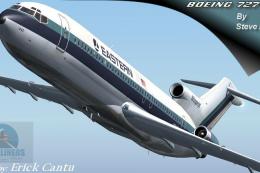
This freeware package features a classic Boeing 727-200 in the colors of East…
 FS2004 Civil Jet Aircraft
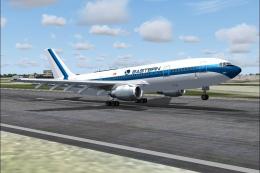
A repaint of the SGA A300-B4-200 in EAL livery, registration N201EA, white pa…
 FS2004 Civil Jet Aircraft
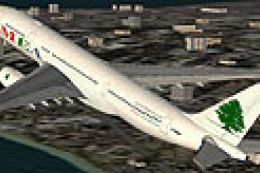
Model by Project Open Sky. MEA repaint by Michael Pearson. Screenshot of Midd…
 FS2004 Civil Jet Aircraft
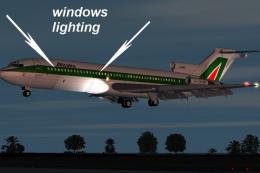
This freeware Boeing 727-200 simulation package has been crafted through a co…
 FS2004 Civil Jet Aircraft
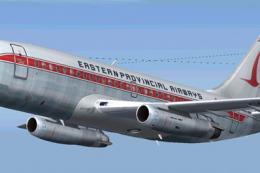
Immerse yourself in a classic aviation experience with a detailed Eastern Pro…
 FS2004 Civil Jet Aircraft
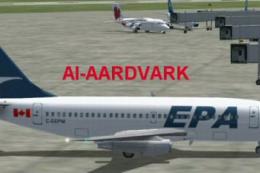
This comprehensive freeware package brings you an AI-tailored rendition of an…
Be the first to leave a comment on this download.
Be the first to share your thoughts on this download.