


 FS2004 Civil Jet Aircraft
Air Canada Boeing 767-375 Free Spirit
Textures only. Requires SUNNY767.ZIP. Model by Sunny Xia. Textures by Shane S…
Free Spirit Boeing 767-300ER C-GBZR brings a polished long-haul twinjet to FS2004 with animated control surfaces, flaps and flaperons, plus an opening exit and cargo door and a cabin crew figure. The iFDG model features highly detailed reflective textures with dynamic shine and a crisp Free Spirit livery.
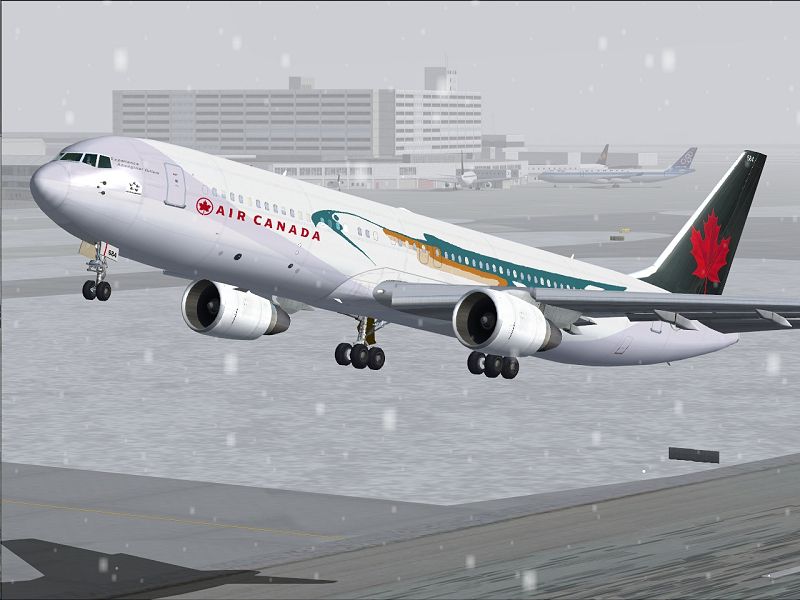
iFDG is proud to present the B767-300. The aircraft model includes most of the standard features including animated control surfaces, flaps, flaperons and highly detailed, reflective textures and dynamic shine. Extra details such as an opening exit, cargo door and flight attendant are included. Livery by Steve Kruger.
Screenshot of Free Spirit Boeing 767-300ER taking off.
The Boeing 767 family is a complete family of airplanes providing maximum market versatility in the 200- to 300-seat market. The Boeing 767 family includes three passenger models - the 767-200ER, 767-300ER and 767-400ER - and a freighter, which is based on the 767-300ER fuselage.
The twin-engine 767 - sized between the single-aisle 757 and the larger, twin-aisle 777 - has built a reputation among airlines for its profitability and comfort.
The 767 Freighter is a derivative of the popular 767-300ER (extended range) passenger twinjet. All the advancements in avionics, aerodynamics, materials and propulsion that were developed for passenger versions of the 767 are incorporated in the freighter. Its design provides excellent fuel efficiency, operational flexibility, low-noise levels and an all-digital flight deck.
Model : Albert Bouwman
FDE : Albaro Villegas
Master textures : Ben Hewitt and Ben Jones
Testing : iFDG Members
Livery : Steve Kruger
[fltsim.0]

	title=Free Spirit B767-300 PW ER

	sim=763pwER

	model=

	panel=

	sound=

	texture=freespirit

	kb_checklists=

	kb_reference=

	atc_id=C-GBZR

	atc_airline=Air Canada

	atc_flight_number=

	ui_manufacturer=iFDG

	ui_type=Boeing 767-300

	ui_variation=Air Canada/Free Spirit

	description=MODEL BY ALBERT BOUWMAN, TEXTURES BY STEVE KRUGER, FDE BY ALBARO VILLEGAS

	atc_heavy=1

	atc_id_color=0000000000

	visual_damage=0

	prop_anim_ratio=1.76
CREDITS:
We would like to thank the following people for their input and help.
Robert Versluys (GMax help)
Erez Werber (GMax help)
Udo Lemmob (GMax help)
Iskander Hannivoort (757 FDE)
Free for all simmers · 954.99 KB · Scanned clean
Download speed: Free tier is capped at 0.5 Mbps. PRO members download at full line speed.
FS9\Aircraft\, FS9\Addon Scenery\, FS9\Gauges\, or FS9\Effects\.readme.txt or README file. It tells you exactly where files go, what dependencies are needed, and any quirks specific to this add-on.The archive freespir.zip has 11 files and directories contained within it.
This list displays the first 500 files in the package. If the package has more, you will need to download it to view them.
| Filename/Directory | File Date | File Size |
|---|---|---|
| 763fuse_l.bmp | 02.29.04 | 4.00 MB |
| 763fuse_t.bmp | 03.04.04 | 4.00 MB |
| 767_tails_t.bmp | 02.25.04 | 1.00 MB |
| 767geardoors_t.bmp | 03.04.04 | 256.07 kB |
| apu intake_t.bmp | 03.04.04 | 64.07 kB |
| Free.jpg | 03.09.04 | 229.79 kB |
| Free1.gif | 03.09.04 | 11.36 kB |
| README.txt | 03.04.04 | 3.89 kB |
| Thumbs.db | 03.09.04 | 32.00 kB |
| flyawaysimulation.txt | 10.29.13 | 959 B |
| Go to Fly Away Simulation.url | 01.22.16 | 52 B |
More FS2004 add-ons hand-picked based on this download.
FS2004 Civil Jet Aircraft
Textures only. Requires SUNNY767.ZIP. Model by Sunny Xia. Textures by Shane S…
 FS2004 Civil Jet Aircraft
Photoreal retrojet livery, 75th Spirit of Delta. Features fully animated cont…
 FS2004 Civil Jet Aircraft
Textures only, a repaint of SGA's McDonnell Douglas MD83. This is an update t…
 FS2004 Civil Jet Aircraft
Model by Project Open Sky. Repainted by David Gutierrez. Screenshot of Aerome…
 FS2004 Civil Jet Aircraft
Original Model by iFDG Repaint by Amy Gardner. Screenshot of Sobelair Boeing …
 FS2004 Civil Jet Aircraft
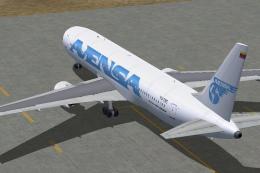
No panel or sound included. Panel/Sound are aliased to default 777 panel/737 …
 FS2004 Civil Jet Aircraft
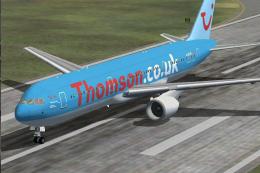
A repaint of Project Open Sky's Boeing 767-300ER, registration G-OBYB, "Bobby…
 FS2004 Civil Jet Aircraft
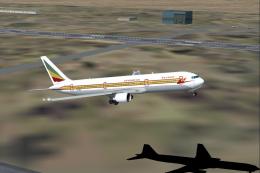
This freeware package offers a meticulously recreated Ethiopian Airlines Boei…
Be the first to leave a comment on this download.
Be the first to share your thoughts on this download.