

 FS2004 Civil Jet Aircraft
Delta Air Lines MD-88 (OC)
Experience the classic Delta Air Lines MD-88 in Microsoft Flight Simulator 20…
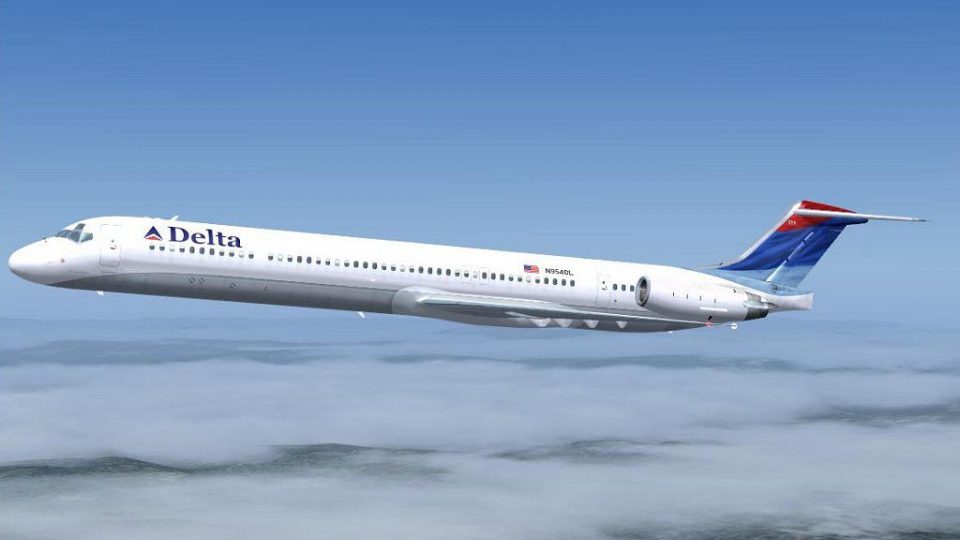
Delta Air Lines’ MD-88 in the modern “wave” livery brings crisp exterior textures, accurate fuselage titles, and the signature widget tail to Microsoft Flight Simulator 2004, matching the SGA MDX paint kit with clean panel alignment and realistic shine. Requires the freeware SGA McDonnell Douglas MDX base package (SGA80.ZIP).
 Rate
Rate
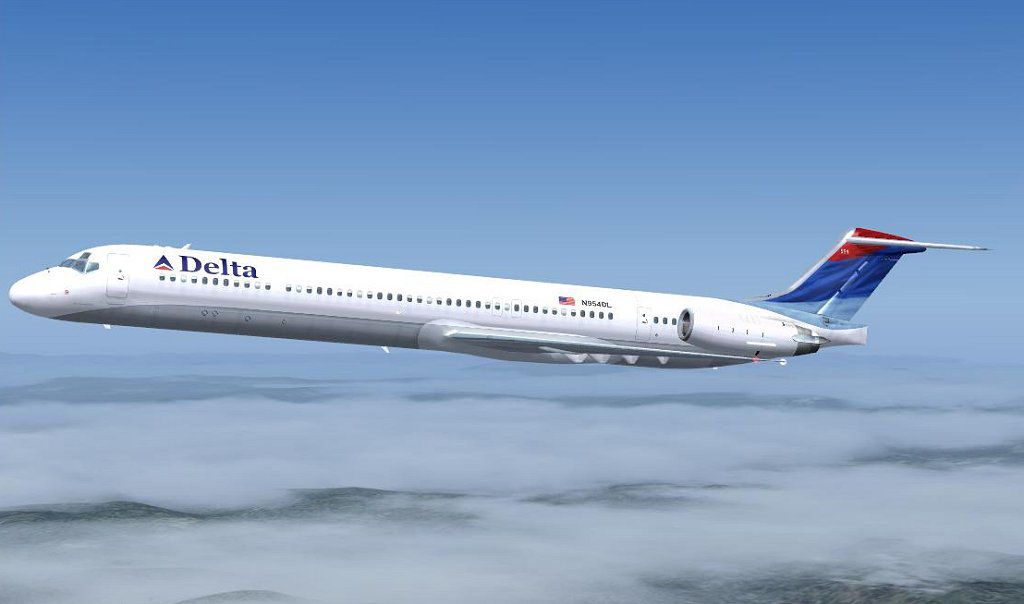
This freeware repaint offers a precise visual rendition of the Delta Air Lines MD-88 wearing the modernized “wave” livery. It is specifically crafted for Microsoft Flight Simulator 2004 users who want to expand their McDonnell Douglas jet collection. Developed by Jim Campisi, this release provides authentic exteriors and correct markings. Delta has long relied on the MD-88 series for short- to medium-range routes throughout the United States, and this add-on aims to replicate that same fleet presence in your simulator.
Within this package, you will find texture mappings optimized for the SGA McDonnell Douglas MDX series. The Delta Air Lines name is positioned accurately along the fuselage to mirror its real-life counterpart. Furthermore, the tail section features the characteristic “widget” design, known for its sweeping shape and vivid coloration. These details come together to represent Delta’s widely recognized brand elements, especially notable when performing aeronautical maneuvers at higher altitudes.
All visual refinements are credited to Jim Campisi, whose goal was to deliver a high-fidelity repaint that complements the SGA base model’s geometry. By concentrating on panel alignment and color shade consistency, this repaint captures the MD-88’s distinctive features, from the forward entry door to the rear-mounted engines. Enthusiasts interested in realistic airline operations will appreciate how each graphical element looks under various cockpit lighting configurations.
This repaint is only compatible with the freeware SGA McDonnell Douglas MDX package (requires file: SGA80.ZIP). The required base model is not included here but can be downloaded from the Fly Away Simulation mod library. After retrieving the base model, simply integrate the included texture folder into your existing aircraft directory, then modify the aircraft’s configuration file according to the instructions provided.
-fs9-1.jpg)
Screenshot of Delta Air Lines MD-88 in flight.
Capturing the essence of Delta’s service-oriented approach, this repaint highlights the MD-88’s streamlined design as it cruises at higher altitudes. The twin-engine layout at the rear of the fuselage is reflected in the livery’s subtle contour shading, making it a notable visual experience in any virtual sky.
Free for all simmers · 964.06 KB · Scanned clean Oct 2026
Download speed: Free tier is capped at 0.5 Mbps. PRO members download at full line speed.
This file is a repaint — the package below is the base model it paints onto. Install it first, or the textures will have nothing to load onto.
FS9\Aircraft\, FS9\Addon Scenery\, FS9\Gauges\, or FS9\Effects\.readme.txt or README file. It tells you exactly where files go, what dependencies are needed, and any quirks specific to this add-on.The archive 88nc.zip has 19 files and directories contained within it.
This list displays the first 500 files in the package. If the package has more, you will need to download it to view them.
| Filename/Directory | File Date | File Size |
|---|---|---|
| MD83_B_Torig.BMP | 07.17.04 | 1.00 MB |
| DC9_B_L.BMP | 09.09.04 | 1.00 MB |
| DC9_B_T.BMP | 09.29.04 | 1.00 MB |
| DC9xINTERIOR_L.BMP | 11.16.03 | 1.33 MB |
| DC9xINTERIOR_T.BMP | 09.09.04 | 1.00 MB |
| ENGINES_L.BMP | 11.16.03 | 1.33 MB |
| ENGINES_T.BMP | 09.29.04 | 1.00 MB |
| ENGINES_Torig.BMP | 06.22.04 | 1.00 MB |
| MD83_A_L.BMP | 09.09.04 | 1.00 MB |
| MD83_A_T.BMP | 09.29.04 | 1.00 MB |
| MD83_A_Torig.BMP | 07.17.04 | 1.00 MB |
| MD83_B_L.BMP | 09.09.04 | 1.00 MB |
| MD83_B_T.BMP | 10.07.04 | 1.00 MB |
| 88nnc.jpg | 10.30.04 | 51.70 kB |
| 88nnc.gif | 11.02.04 | 8.31 kB |
| file_id.diz | 11.02.04 | 215 B |
| thumbnail.gif | 10.31.04 | 11.50 kB |
| flyawaysimulation.txt | 10.29.13 | 959 B |
| Go to Fly Away Simulation.url | 01.22.16 | 52 B |
Only PRO members can place votes.
More FS2004 add-ons hand-picked based on this download.
FS2004 Civil Jet Aircraft
Experience the classic Delta Air Lines MD-88 in Microsoft Flight Simulator 20…
 FS2004 Civil Jet Aircraft
Delta Airlines McDonnell Douglas MD-88 (new colors). Textures only for the SG…
 FS2004 Civil Jet Aircraft
Onur Air McDonnell Douglas MD-88 series plus Onur Air charter flight plans. I…
 FS2004 Civil Jet Aircraft
registration LV-VBX Parque Nacional Lanín -Completely new Gmax model that is …
 FS2004 Civil Jet Aircraft
This freeware package for FS2004 depicts an Aerolíneas Argentinas MD-88 (regi…
 FS2004 Civil Jet Aircraft
This comprehensive freeware FS2004 package showcases an MD-80 variant adorned…
 FS2004 Civil Jet Aircraft
This free repaint depicts Delta Air Lines’ well-known color scheme on the McD…
 FS2004 Civil Jet Aircraft
This repaint package brings the Delta Air Lines livery to the Douglas DC-9-10…
Be the first to leave a comment on this download.
Be the first to share your thoughts on this download.