

 FS2004 Civil Jet Aircraft
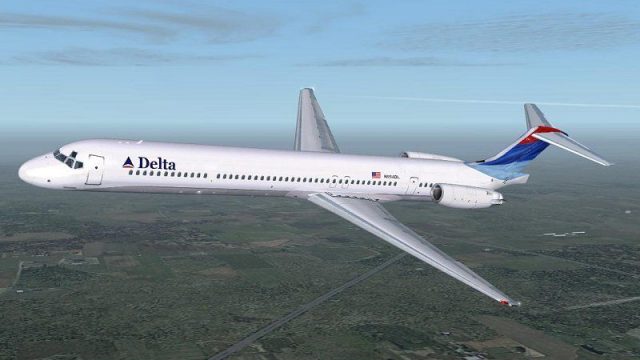
SGA- Mcdonnell Douglas MD-88 Aerolineas Argentinas
registration LV-VBX Parque Nacional Lanín -Completely new Gmax model that is …
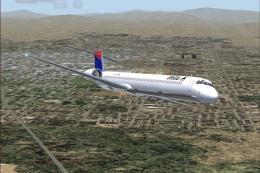
Delta Air Lines McDonnell Douglas MD-88 repaint in the updated “new colors” delivers a clean, fresh-from-the-paint-shop look with minimal weathering and crisp airline markings. Designed for FS2004, it provides textures only for the SGA MD-83 model and requires SGA_MD83.ZIP to display correctly.
 Rate
Rate
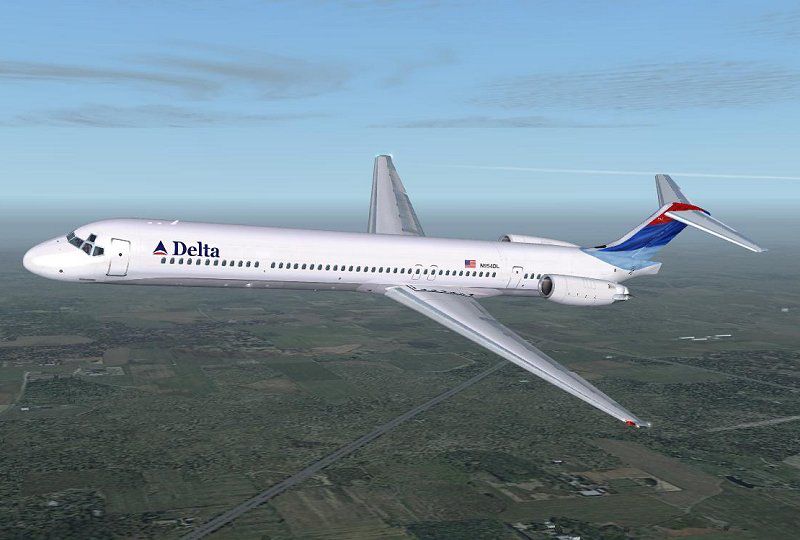
Delta Airlines McDonnell Douglas MD-88 (new colors). Textures only for the SGA MD-83 model; requires SGA_MD83.ZIP. Repainted by Jim Campisi.
Screenshot of Delta Airlines McDonnell Douglas MD-88 in flight.
Textures only for the SGA MD-83 model depicting a Delta MD-88 in the new colors. Requires SGA's MD 83 model.
This aircraft is in very good condition and has little wear or weathering due to its just coming out of the paint shop. Install in the normal manner.
I recommend making a new texture folder and unzipping these files into it and placing the folder into your proper aircraft directory. Then add the aircraft by copying the aircraft section in the aircraft config, referencing your new texture folder for the paintjob to show up. If you
have questions about this just ask, its fairly easy to do.
These textures are freeware and are not to be used in any other way, meaning NOT for monetary gain. I take no responsibility for any harm these textures may do, use at your own risk.
Please enjoy this and many other of my repaints, just do a search for my name Jim Campisi.
Free for all simmers · 1.02 MB · Scanned clean Oct 2026
Download speed: Free tier is capped at 0.5 Mbps. PRO members download at full line speed.
This add-on may require the following files to function properly. If this is a repaint, the dependency below is likely the base aircraft package.
FS9\Aircraft\, FS9\Addon Scenery\, FS9\Gauges\, or FS9\Effects\.readme.txt or README file. It tells you exactly where files go, what dependencies are needed, and any quirks specific to this add-on.The archive dal88nnc.zip has 14 files and directories contained within it.
This list displays the first 500 files in the package. If the package has more, you will need to download it to view them.
| Filename/Directory | File Date | File Size |
|---|---|---|
| MD83_B_T.BMP | 01.07.04 | 1.00 MB |
| DC9_B_L.BMP | 12.02.03 | 1.00 MB |
| DC9_B_T.BMP | 01.07.04 | 1.00 MB |
| DC9xINTERIOR_T.BMP | 01.10.04 | 2.00 MB |
| ENGINES_L.BMP | 11.16.03 | 1.33 MB |
| ENGINES_T.BMP | 01.05.04 | 1.00 MB |
| MD83_A_L.BMP | 01.10.04 | 1.00 MB |
| MD83_A_T.BMP | 01.07.04 | 1.00 MB |
| MD83_B_L.BMP | 01.10.04 | 1.00 MB |
| Readme.txt | 01.11.04 | 1.04 kB |
| 88f1s.gif | 01.11.04 | 12.25 kB |
| 88f1.jpg | 01.07.04 | 65.54 kB |
| flyawaysimulation.txt | 10.29.13 | 959 B |
| Go to Fly Away Simulation.url | 01.22.16 | 52 B |
Only PRO members can place votes.
More FS2004 add-ons hand-picked based on this download.
FS2004 Civil Jet Aircraft
registration LV-VBX Parque Nacional Lanín -Completely new Gmax model that is …
 FS2004 Civil Jet Aircraft
Onur Air McDonnell Douglas MD-88 series plus Onur Air charter flight plans. I…
 FS2004 Civil Jet Aircraft
This freeware repaint offers a precise visual rendition of the Delta Air Line…
 FS2004 Civil Jet Aircraft
Experience the classic Delta Air Lines MD-88 in Microsoft Flight Simulator 20…
 FS2004 Civil Jet Aircraft
This freeware package for FS2004 depicts an Aerolíneas Argentinas MD-88 (regi…
 FS2004 Civil Jet Aircraft
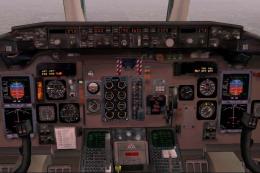
(New colors). Registration N911DA. Textures only; requires SMD90.ZIP. Model b…
 FS2004 Civil Jet Aircraft
Final fix for the panel replacement virtual cockpit textures and gauges (AAMD…
 FS2004 Civil Jet Aircraft
Photoreal retrojet livery, 75th Spirit of Delta. Features fully animated cont…
Be the first to leave a comment on this download.
Be the first to share your thoughts on this download.