

 FSX Civil Aircraft
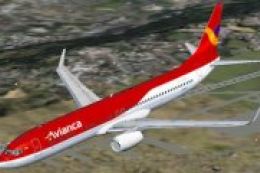
Boeing 737-900ER, Avianca Colombia
This is the Boeing 737-900ER, Extended Range, in Avianca Colombia livery, pai…
Stonair’s Stingray is a purpose-built, Mach 4.7 experimental civil aircraft for FSX and FS2004, delivering extreme high-altitude performance with optional custom gauges and a detailed virtual cockpit. Tuned for Flight Simulator’s limits, it rewards careful anticipation and delicate pitch inputs at 70,000 feet while enabling transatlantic dashes at roughly 2,600 knots.
 Rate
Rate
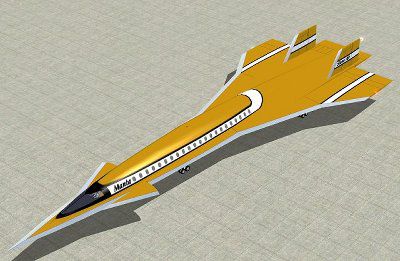
An add-on file for Microsoft Flight Simulator X, the FSX Stingray by Stonair is a fantastic Civil Aircraft that pushes the limits of Flight Simulator. The Stingray comes with the option for custom gauges and is a wonderfully difficult plane to fly.
The software used in the building of the Stingray prototype was the work of Mike Stone, who created it purely for enjoyment purposes. The top speed is around Mach 4.7 - a speed best attained at an altitude around 70,000 feet.
This aircraft was also designed with Flight Simulator 2004 in mind and may or may not work with other versions. The top speed of the aircraft was intentionally made to be the maximum that Flight Simulator would allow, and as such the auto pilot is tuned down at high speeds and high altitude.
The controls at such high speeds are therefore very delicate and must be handled appropriately. Sharp adjustments to the pitch of the plane will likely cause pilot to ultimately lose control of the Stingray and plummet to the earth.
In the words of the designer, Mike Stone, at Mach 4.7, one must understand the value of anticipation. In other words, it is ultimately necessary to plan ahead for when you want to level the plane off, otherwise the Stingray will overshoot its desired altitude by several thousand feet.
Finally, the top speed at 70,000 feet results in a ground speed of approximately 2600 knots. If you want to get from New York to London in 90 minutes, look no further than the Stoneair Stingray.
Free for all simmers · 692.19 KB · Scanned clean Oct 2026
Download speed: Free tier is capped at 0.5 Mbps. PRO members download at full line speed.
SimObjects\Airplanes\, Addon Scenery\, Effects\, or Gauges\.readme.txt or README file. It tells you exactly where files go, what dependencies are needed, and any quirks specific to this add-on.The archive sastngry.zip has 4 files and directories contained within it.
This list displays the first 500 files in the package. If the package has more, you will need to download it to view them.
| Filename/Directory | File Date | File Size |
|---|---|---|
| stingray2.jpg | 01.02.07 | 27.50 kB |
| StoneAir_Stingray.exe | 01.02.07 | 834.03 kB |
| flyawaysimulation.txt | 10.29.13 | 959 B |
| Go to Fly Away Simulation.url | 01.22.16 | 52 B |
Only PRO members can place votes.
More FSX & P3D add-ons hand-picked based on this download.
FSX Civil Aircraft
This is the Boeing 737-900ER, Extended Range, in Avianca Colombia livery, pai…
 FSX Civil Aircraft
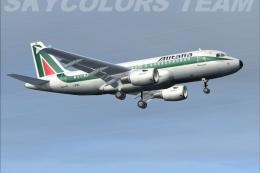
Airbus A-319-100, CFM engines, in Alitalia livery; aircraft's registration: I…
 FSX Civil Aircraft
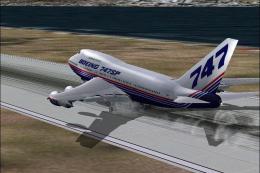
Boeing House Colours Old & New colours. FS2004 aircraft includes updated file…
 FSX Civil Aircraft
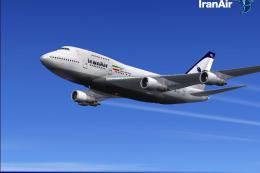
32 Bit Textures. Original by Project Opensky. Repaint by Zak Woodman.
 FSX Civil Aircraft
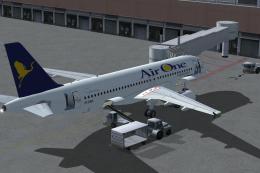
Air One has received the first one of 30 A320's.
 FSX Civil Aircraft
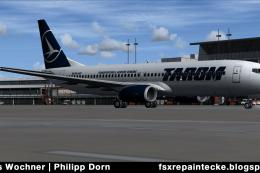
FSX/FS2004 Tarom Boeing 737-800WL. A paint for the Project Open Sky B737-800 …
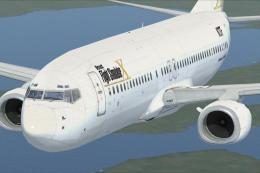 FSX Civil Aircraft
This freeware repaint features a custom interpretation of the default Boeing …
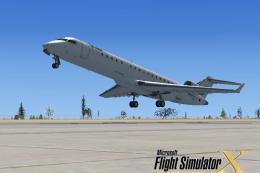 FSX Civil Aircraft
This specialized repaint showcases a distinctive homage to Microsoft Flight S…
Read what other simmers think, or add your own.

I Can't Get Past Mach 1 In This Plane, I Got Rid Of It, SR-71 And XB-70 Are Much Better


Awesome plane. Works great and has custom guages. The textures are beautiful. This is now my favorite plane.