

 FS2004 Propeller Aircraft
Avianca Douglas DC-4 HK-1027
Textures only; requires DC44PAA.ZIP or another base DC-4 of FS-Design Berlin.…
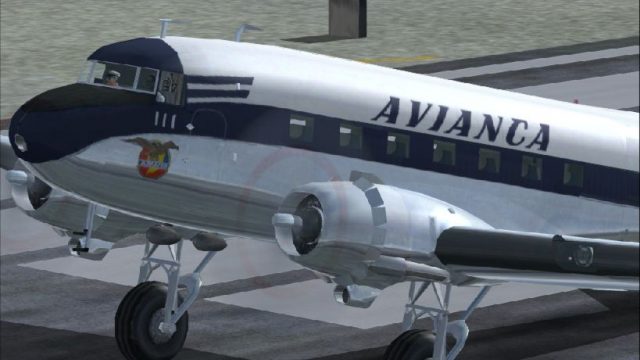
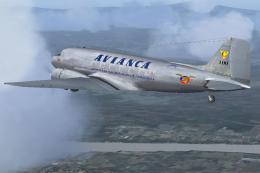
Avianca Douglas DC-3 HK-111 brings a classic 1950s–60s Colombian airliner look to the skies with an authentic repaint for domestic route flying. Designed as textures for the default DC-3 in FS2004, it refreshes the exterior finish and markings for a period-correct, fleet-style presentation.
 Rate
Rate
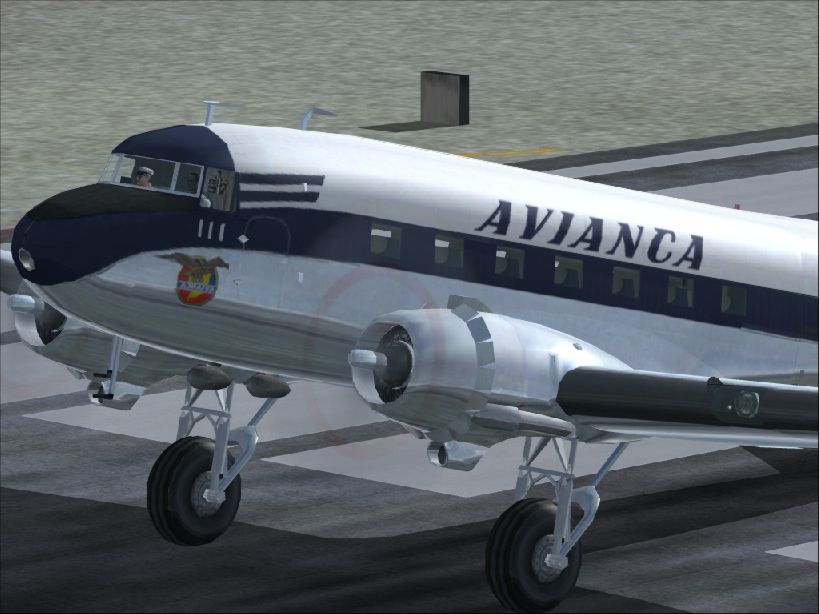
One of the numerous DC3's operated by Avianca on different domestic routes during the 1950's and 1960's. Textures only for the default DC-3. By Julio Munoz Ramirez.
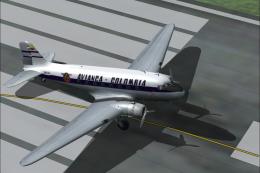
Close up of Avianca Douglas DC-3 on runway.
Installation:
[fltsim.xxx]

	title=Douglas DC-3 AVIANCA HK-111

	sim=Douglas_DC3

	model=

	panel=

	sound=

	texture=avianca

	kb_checklists=Douglas_DC3_check

	kb_reference=Douglas_DC3_ref

	atc_id=G-ALYF

	atc_id_color=0xffffffff

	ui_manufacturer=Douglas

	ui_type="DC-3"

	ui_variation=dc-3 AVIANCA HK-111

	description==One of the numerous DC-3-C-47 operated by AVIANCA in the different routes nationals covering the whole territory of Colombia years 50's /60's.
Free for all simmers · 2.38 MB · Scanned clean Oct 2026
Download speed: Free tier is capped at 0.5 Mbps. PRO members download at full line speed.
FS9\Aircraft\, FS9\Addon Scenery\, FS9\Gauges\, or FS9\Effects\.readme.txt or README file. It tells you exactly where files go, what dependencies are needed, and any quirks specific to this add-on.The archive dc3av111.zip has 18 files and directories contained within it.
This list displays the first 500 files in the package. If the package has more, you will need to download it to view them.
| Filename/Directory | File Date | File Size |
|---|---|---|
| DC-3AV.jpg | 10.25.04 | 254.59 kB |
| DC-3HK-111.gif | 10.25.04 | 9.06 kB |
| dc3Av111 | 10.25.04 | 0 B |
| file_id.diz | 10.25.04 | 465 B |
| fx_smoke_ys11.fx | 02.11.03 | 1.17 kB |
| README.txt | 10.25.04 | 2.15 kB |
| texture.AVIANCA | 10.25.04 | 0 B |
| Douglas_DC3_1_C.bmp | 04.29.03 | 682.74 kB |
| Douglas_DC3_1_D.bmp | 04.12.03 | 682.74 kB |
| douglas_dc3_1_t.bmp | 10.25.04 | 4.00 MB |
| Douglas_DC3_2_C.bmp | 04.29.03 | 170.74 kB |
| Douglas_DC3_2_T.bmp | 04.28.03 | 341.40 kB |
| Douglas_DC3_3_C.bmp | 04.29.03 | 42.74 kB |
| prop_dc3.bmp | 08.06.03 | 256.07 kB |
| Thumbs.db | 10.25.04 | 15.50 kB |
| dc3Av111 | 10.25.04 | 0 B |
| flyawaysimulation.txt | 10.29.13 | 959 B |
| Go to Fly Away Simulation.url | 01.22.16 | 52 B |
Only PRO members can place votes.
More FS2004 add-ons hand-picked based on this download.
FS2004 Propeller Aircraft
Textures only; requires DC44PAA.ZIP or another base DC-4 of FS-Design Berlin.…
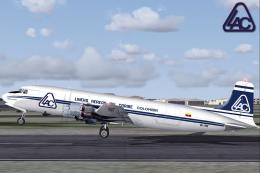 FS2004 Propeller Aircraft
Douglas DC-6A, registration HK-1702, circa 1987. Model by Tom Gibson, require…
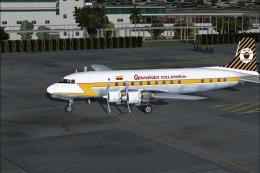 FS2004 Propeller Aircraft
Texture only. Aerovias Condor de Colombia Aerocondor DC6, registration HK-752…
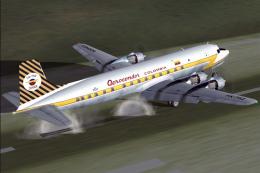 FS2004 Propeller Aircraft
Registration HK-752, circa 1963. An update of Aerocondor Colombia DC-6B HK-75…
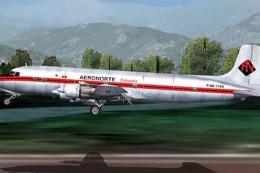 FS2004 Propeller Aircraft
This repaint offers a vintage livery that brings the Douglas DC-6B into the c…
 FS2004 Propeller Aircraft
Circa 1942. Avianca 100, Douglas DC-3-228, notes: c/n 2012, delivered to Pan …
 FS2004 Propeller Aircraft
A repaint the default DC3. Avianca is the first airline in the Americas. Smok…
 FS2004 Propeller Aircraft
TTC115 Super Dimona Day Flyer. Reg_ID: OK-ANU, Czech Republic and Reg_ID: OE-…
Be the first to leave a comment on this download.
Be the first to share your thoughts on this download.