

 FSX General Aviation Aircraft
DeHavilland DHC2-MK3 Turbo Beaver Amphibian. Private Owner "The Raven"
This freeware adaptation of the De Havilland DHC-2 Mk III Turbo Beaver Amphib…
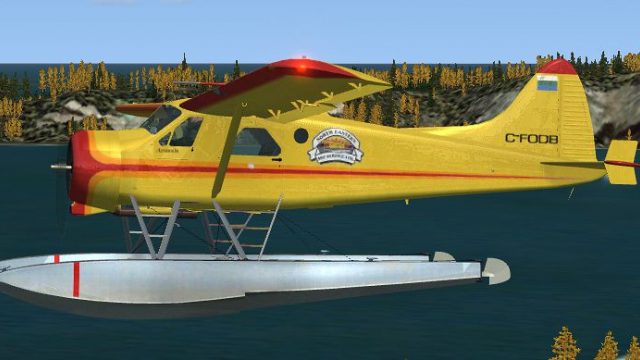
De Havilland DHC-2 Beaver floatplane livery C-FODB adds an authentic five-seat civilian look for bush flying and water operations, matching the BeaverX float model with period-correct Canadian registration detail. Built for FSX, it requires Aerosoft’s payware BeaverX and complements the package’s virtual cockpit and classic radial-era character.
 Rate
Rate
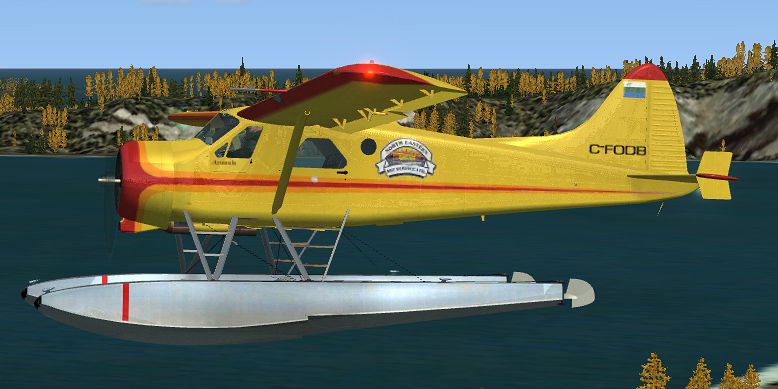
A five seat float repaint of C-FODB for Aerosoft's payware BeaverX. By Nathan Havercroft.
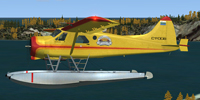
Screenshot of DeHavilland Beaver C-FODB in flight.
[fltsim.XX]

title=DHC-2F C-FODB

sim=FSX_DHC-2F

model=float3

panel=

sound=

texture=c-fodb

kb_checklists=DHC-2F_check

kb_reference=DHC-2F_ref

ui_manufacturer=de Havilland Canada

ui_type=DHC-2 Floats 5 Seats

ui_variation=C-FODB

ui_typerole="Single Engine Prop"

ui_createdby="Aerosoft"

atc_heavy=0

atc_id=C-FODB

atc_airline=

atc_flight_number=

atc_parking_types=RAMP

description=The civilian version DHC-2 Beaver was was manufactured by de Havilland Aircraft of Canada, Ltd. from 1948 to 1969. The MKI is the mostly spread version witha 450 SHP Pratt & Whitney R985. Alternatively a MKII was developed with 550 SHP Alvis Leonides 502/4 engine. Later the less common PT6A6 turboprop powerd Beaver was built between 1964 to 1969. In total almost 1700 plans were built and many of them are beautifully restored and service for tourist flights,transportation and fun all around the world.
Free for all simmers · 2.82 MB · Scanned clean Oct 2026
Download speed: Free tier is capped at 0.5 Mbps. PRO members download at full line speed.
texture.{airline}) inside FSX\SimObjects\Airplanes\{base-aircraft}\.aircraft.cfg in Notepad. Add a new [fltsim.X] section per the readme.readme.txt or README file. It tells you exactly where files go, what dependencies are needed, and any quirks specific to this add-on.The archive cfodb.zip has 22 files and directories contained within it.
This list displays the first 500 files in the package. If the package has more, you will need to download it to view them.
| Filename/Directory | File Date | File Size |
|---|---|---|
| c-fodb.gif | 02.10.08 | 8.22 kB |
| CFODB.txt | 02.10.08 | 2.15 kB |
| DHC_1_Reflection.dds | 12.11.06 | 128.12 kB |
| DHC_1_T.dds | 09.03.07 | 1.33 MB |
| DHC_1_T_BUMP.dds | 11.16.06 | 1.00 MB |
| DHC_1_T_Spec.dds | 09.03.07 | 1.33 MB |
| DHC_2_T.dds | 09.05.07 | 1.33 MB |
| DHC_2_T_BUMP.dds | 11.20.06 | 1.00 MB |
| DHC_2_T_Spec.dds | 09.05.07 | 1.33 MB |
| DHC_3_T.dds | 12.26.06 | 256.12 kB |
| DHC_4_T.dds | 12.15.06 | 256.12 kB |
| DHC_6_T.dds | 11.16.06 | 4.12 kB |
| DHC_6_T_Spec.dds | 11.16.06 | 4.12 kB |
| Fresnel_Ramp.dds | 09.04.06 | 640 B |
| Prop_DHC.dds | 01.17.07 | 64.12 kB |
| texture.cfg | 01.20.07 | 1.38 kB |
| thumbnail.jpg | 09.05.07 | 46.43 kB |
| Thumbs.db | 01.17.07 | 8.50 kB |
| texture.c-fodb | 02.10.08 | 0 B |
| c-fodb.jpg | 02.10.08 | 191.24 kB |
| flyawaysimulation.txt | 10.29.13 | 959 B |
| Go to Fly Away Simulation.url | 01.22.16 | 52 B |
Only PRO members can place votes.
More FSX & P3D add-ons hand-picked based on this download.
FSX General Aviation Aircraft
This freeware adaptation of the De Havilland DHC-2 Mk III Turbo Beaver Amphib…
 FSX General Aviation Aircraft
The DeHavilland DHC2-MK3 Turbo Beaver Amphibian in Ontario Ministry of Natura…
 FSX General Aviation Aircraft
Designed in FSDS2 & FSDS3 with full animation, wing views, dynamic shine, ful…
 FSX General Aviation Aircraft
N7620, circa 1974. Designed in FSDS2 & FSDS3 with full animation, wing views,…
 FSX General Aviation Aircraft
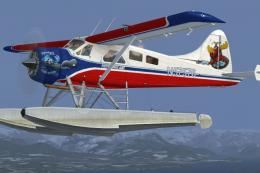
Kenmore Air DeHavilland DHC2 Beaver. Textures for the default DHC2 Beaver, ba…
 FSX General Aviation Aircraft
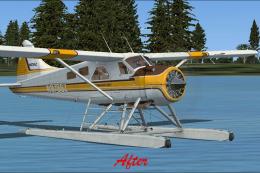
This update refines the default De Havilland Beaver DHC2 texture set for Micr…
 FSX General Aviation Aircraft
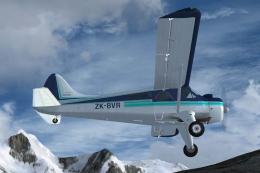
Repaint for the Aerosoft DH-2 Beaver as restored by Wrightair. Repaint by Ada…
 FSX General Aviation Aircraft
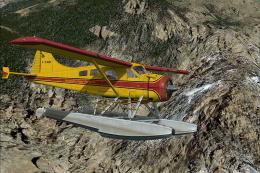
This repaint, meticulously prepared by Henry William for the default DeHavill…
Read what other simmers think, or add your own.

I have had the pleasure to fly in this particular beaver many times with pilot Jim Burton. I just love it and the sound of that engine brings joy to my ears !!