


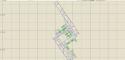
FS2004 AFCAD2 File For WMKK
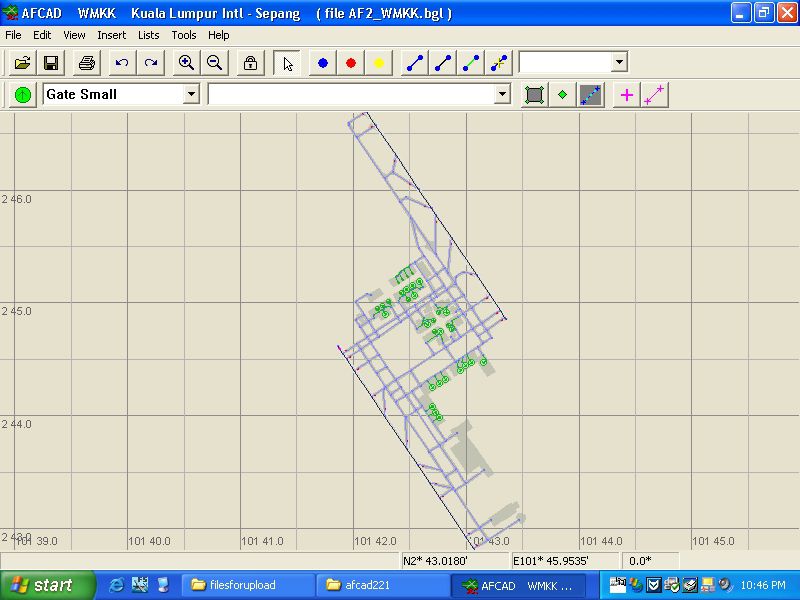
WMKK Kuala Lumpur International Airport gets a cleaner, more accurate airport layout with updated taxiways, parking, and runway links for smoother AI and ATC flow. Built as an AFCAD2 airport file for FS2004, it refines ground operations and improves gate assignment and taxi routing while preserving the feel of Subang and Kuala Lumpur.
- File: klafcad.zip
- Size:177.58 KB
- Scan:
Clean (30d)

- Access:Freeware
- Content:Everyone

 Description
 Comments
 WMKK Subang, Kuala Lumpur International Airport, Malaysia. By Aaron Yan Wei Quan.
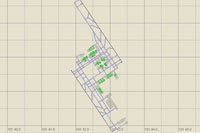
Overview of Kuala Lumpur International Airport.
Installation:
- Open Afcad.exe.
- Click open airport.
- Select "From specific file".
- Click "Open File...".
- Open X/X/X..../AF2_WMKK.bgl.
- Save it and close Afcad.exe.
- That's all! Enjoy your flight!
Images & Screenshots

The archive klafcad.zip has 6 files and directories contained within it.
File Contents
This list displays the first 500 files in the package. If the package has more, you will need to download it to view them.
| Filename/Directory | File Date | File Size |
|---|---|---|
| file_id.diz.txt | 12.05.04 | 178 B |
| AF2_WMKK.bgl | 12.05.04 | 21.49 kB |
| Readme.txt | 12.05.04 | 829 B |
| ss46.jpg | 12.05.04 | 209.61 kB |
| flyawaysimulation.txt | 10.29.13 | 959 B |
| Go to Fly Away Simulation.url | 01.22.16 | 52 B |

Installation Instructions
Most of the freeware add-on aircraft and scenery packages in our file library come with easy installation instructions which you can read above in the file description. For further installation help, please see our Flight School for our full range of tutorials or view the README file contained within the download. If in doubt, you may also ask a question or view existing answers in our dedicated Q&A forum.
Related Add-ons
Some mods you may like


0 comments
Leave a Response